MixEffect Pro - Paid Up-Front
Scarica su App Store

Questa pagina non è una pagina ufficiale dell'app o del suo sviluppatore, ma una pubblicazione editoriale indipendente creata a scopo informativo e di commento. Salvo espressa indicazione contraria, né l'app né il suo sviluppatore sono affiliati, approvati, sponsorizzati, autorizzati o altrimenti ufficialmente collegati a MWM, Apple, Google Play, all'editore dell'app o allo sviluppatore dell'app, e nulla in questa pagina implica che l'app sia stata sviluppata utilizzando i servizi di MWM. Tutti i marchi, loghi, screenshot e altri contenuti rimangono di proprietà dei rispettivi proprietari.

Logo di MixEffect Pro - Paid Up-Front
Scarica su App Store

MixEffect Pro - Paid Up-Front

Prendi il pieno controllo delle tue produzioni video live con layout personalizzabili, transizioni SuperSource animate e la potente automazione di Shortcuts su iPhone, iPad e Mac.

Numeri Chiave

Download

23K+

Valutazione

4.5/5

Valutazioni totali

0

Editore

Adam Tow

Categoria

Photo & Video

Lingue

5

Ultima versione

2.4.0

Dimensione

113.1 MB

Data di lancio

17 apr 2022
Funzioni

Padroneggia la Tua Trasmissione Live con Controllo di Livello Professionale

Scatena il potenziale nascosto del tuo hardware ATEM con un'interfaccia mobile-first progettata per velocità, automazione avanzata ed esecuzione impeccabile.

Gestione Visiva di SuperSource

Crea e anima layout multi-box complessi senza sforzo con strumenti drag-and-drop che superano i limiti hardware standard.

Potente Automazione del Flusso di Lavoro

Sfrutta iOS Shortcuts e Siri per attivare macro, cambiare layout e automatizzare la tua produzione in base ai livelli audio in tempo reale.

Gli screenshot e la descrizione seguenti provengono direttamente dall'elenco ufficiale dello store dell'app e sono di proprietà dello sviluppatore.

App Store

Screenshot
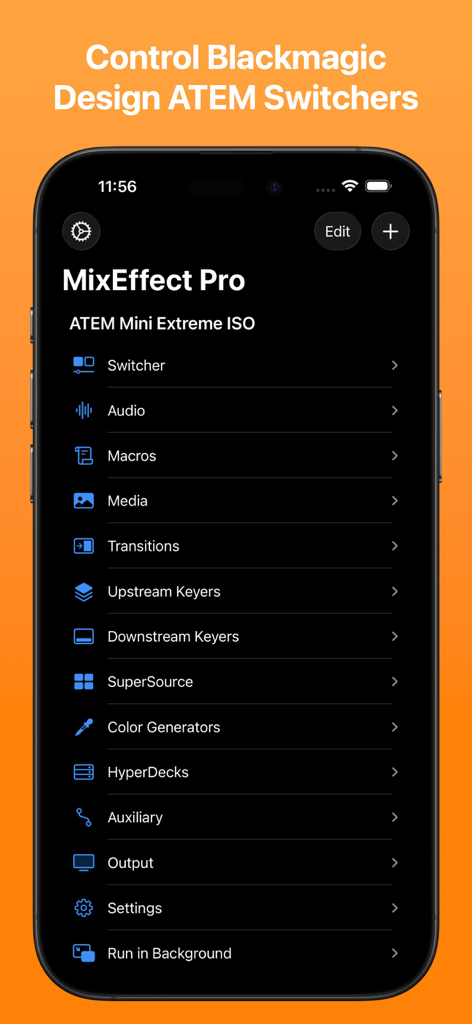
MixEffect Pro - Paid Up-Front - Menu principale dell'app iPhone MixEffect Pro che mostra le opzioni di controllo per gli switcher Blackmagic Design ATEM, inclusi audio, macro e transizioni
Menu principale dell'app iPhone MixEffect Pro che mostra le opzioni di controllo per gli switcher Blackmagic Design ATEM, inclusi audio, macro e transizioni

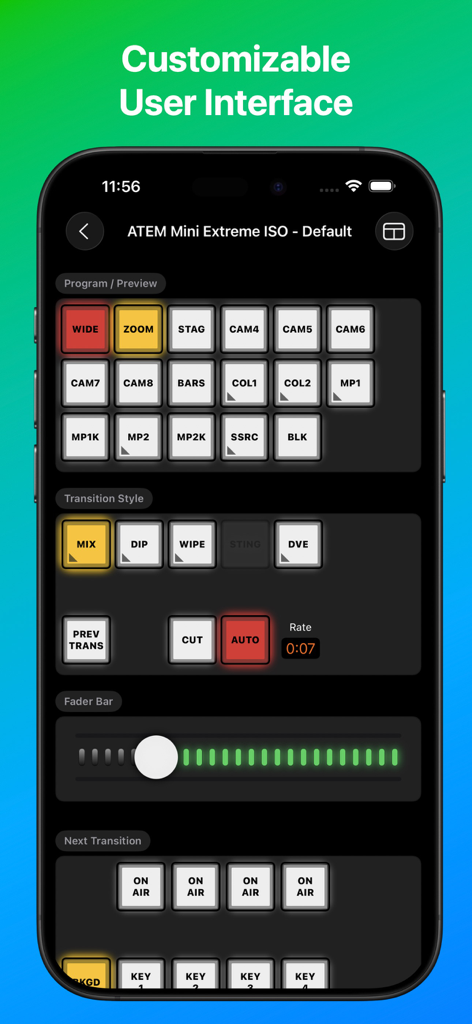
MixEffect Pro - Paid Up-Front - Interfaccia dell'app MixEffect Pro per il controllo dello switcher ATEM Mini Extreme ISO
Interfaccia dell'app MixEffect Pro per il controllo dello switcher ATEM Mini Extreme ISO

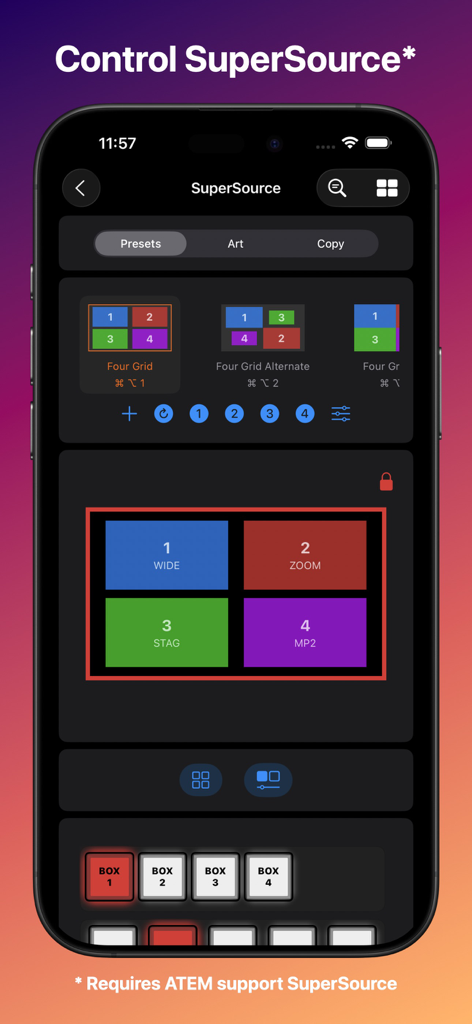
MixEffect Pro - Paid Up-Front - Interfaccia dell'app iPhone MixEffect Pro per il controllo dei preset di layout SuperSource nelle produzioni video live
Interfaccia dell'app iPhone MixEffect Pro per il controllo dei preset di layout SuperSource nelle produzioni video live

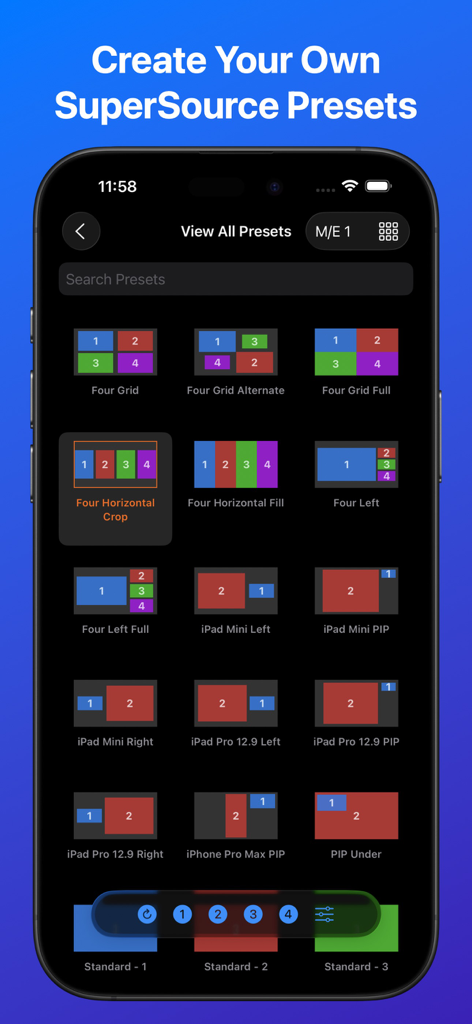
MixEffect Pro - Paid Up-Front - Interfaccia dell'app MixEffect Pro che mostra una griglia di diversi preset di layout SuperSource per gli switcher video ATEM
Interfaccia dell'app MixEffect Pro che mostra una griglia di diversi preset di layout SuperSource per gli switcher video ATEM

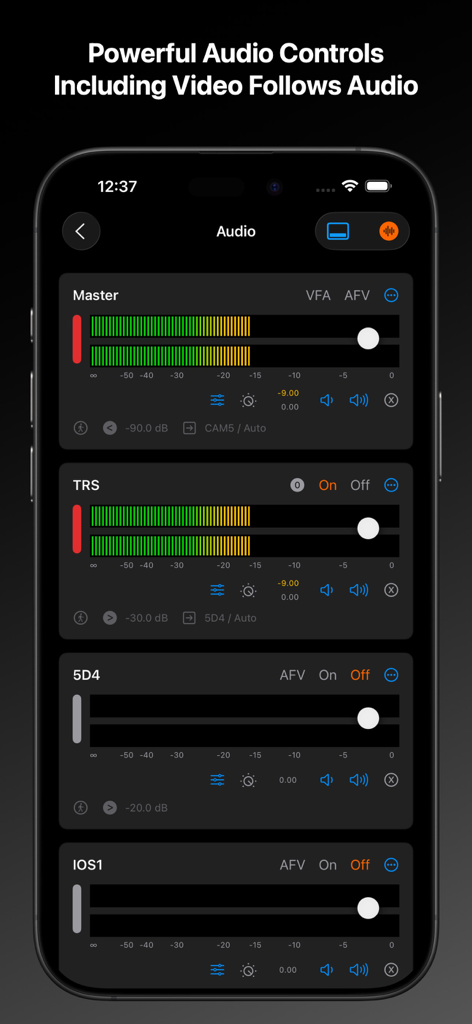
MixEffect Pro - Paid Up-Front - Interfaccia del mixer audio dell'app MixEffect Pro su iPhone che mostra slider di livello master e individuali dei canali
Interfaccia del mixer audio dell'app MixEffect Pro su iPhone che mostra slider di livello master e individuali dei canali

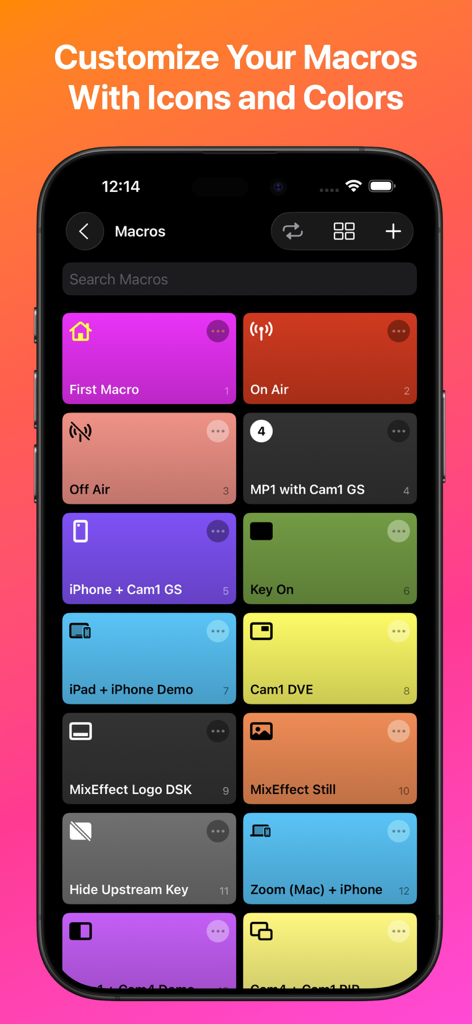
MixEffect Pro - Paid Up-Front - Interfaccia dell'app MixEffect Pro che mostra una griglia di pulsanti macro colorati con icone personalizzate su uno schermo iPhone
Interfaccia dell'app MixEffect Pro che mostra una griglia di pulsanti macro colorati con icone personalizzate su uno schermo iPhone

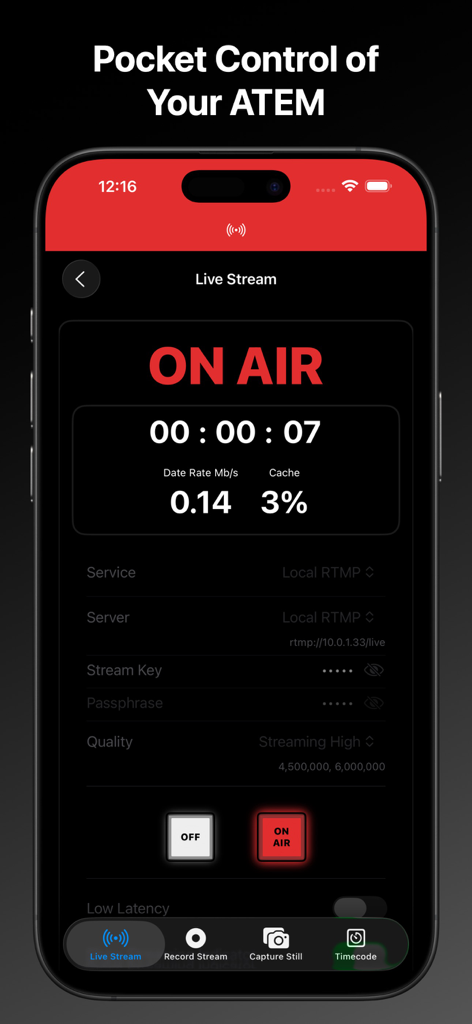
MixEffect Pro - Paid Up-Front - Interfaccia dell'app iPhone MixEffect Pro che mostra lo stato di trasmissione live e i dati di streaming per gli switcher ATEM
Interfaccia dell'app iPhone MixEffect Pro che mostra lo stato di trasmissione live e i dati di streaming per gli switcher ATEM

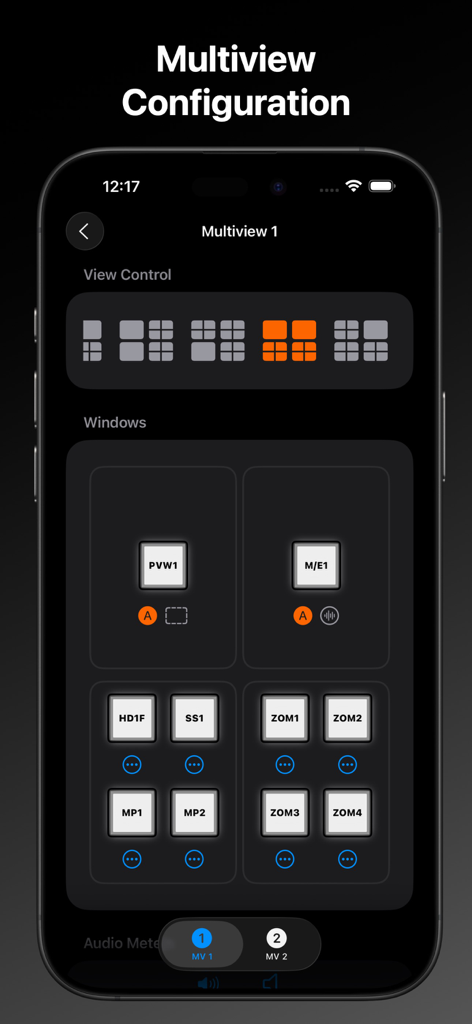
MixEffect Pro - Paid Up-Front - Interfaccia MixEffect Pro che mostra le impostazioni di configurazione del multiview per il controllo del layout dello switcher video
Interfaccia MixEffect Pro che mostra le impostazioni di configurazione del multiview per il controllo del layout dello switcher video

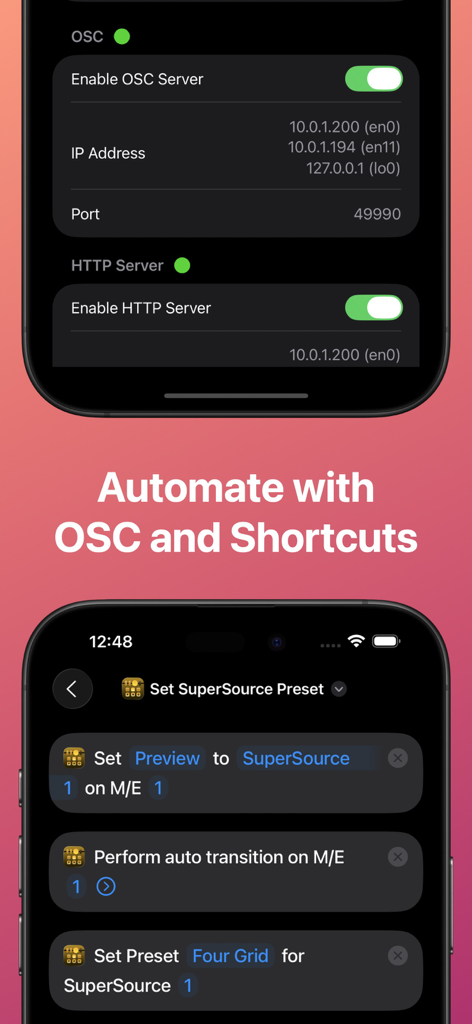
MixEffect Pro - Paid Up-Front - Interfaccia dell'app MixEffect Pro che mostra le impostazioni del server OSC e gli iOS Shortcuts per l'automazione dello switcher ATEM.
Interfaccia dell'app MixEffect Pro che mostra le impostazioni del server OSC e gli iOS Shortcuts per l'automazione dello switcher ATEM.

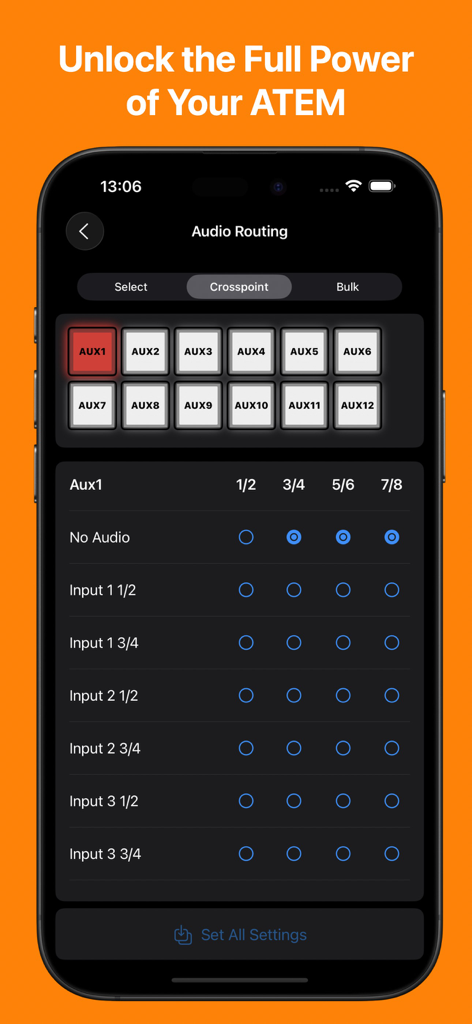
MixEffect Pro - Paid Up-Front - App MixEffect Pro che mostra l'interfaccia di gestione del routing audio e crosspoint per gli switcher ATEM su un iPhone

App MixEffect Pro che mostra l'interfaccia di gestione del routing audio e crosspoint per gli switcher ATEM su un iPhone

Descrizione

If you want to try out MixEffect Pro's features for 30-days, please visit the MixEffect app listing here on the App Store and activate the 30-day trial. MixEffect Pro shares the same database as MixEffect, so you have access to the same switchers, SuperSource presets, and streaming services. === MixEffect Pro’s familiar interface gives you quick access to virtually everything you need to run your video productions: switcher control, macros, audio, media, editing palettes, recording and streaming. MixEffect Pro then turns the dial past ten with animated SuperSource transitions, Video Follows Audio, customizable layouts, and Shortcuts support. Manage your live productions confidently with MixEffect Pro! # FEATURES MixEffect Pro is packed full of features to control your ATEM switchers. ## SWITCHER MANAGEMENT Control multiple ATEM switchers. Sync your switcher settings between all of your iCloud-connected devices. ## EXTERNAL CAMERA See and interact with the Multiview from your ATEM switcher directly in MixEffect. Change inputs, perform cut and auto transitions, set SuperSource presets, and more. Requires iPadOS 17 and an HDMI/SDI to USB adapter to connect your device with your ATEM switcher to view the Multiview. ## PANELS / BUTTONS Customize the look of your switcher interface with separate iPhone, Landscape, and iPad-optimized layouts. Choose from 20 panels to include in your layouts. ## SUPERSOURCE Become a SuperSource master on. Automatically animate transitions when switching between SuperSource layouts! Use drag and drop to rearrange your boxes. Save your favorite preset layouts and share them with others. Requires an ATEM switcher that supports SuperSource. ## AUDIO Control audio on ATEM switchers. Adjust each audio source’s input gain, fader gain, frames delay, and pan settings. ## MACROS Give your macros the gift of icons, colors, filtering, and sorting. Choose from three different display layouts: Grid, Buttons, and List. Access all of your macros from the virtual switcher interface. ## MEDIA Upload still images from your Photo Library into your switcher’s Media Pool. ## TRANSITIONS Access all the transitions supported by your switcher such as Mix, Dip, Wipe, and DVE, not just the ones wired to hardware buttons. ## DOWNSTREAM KEYERS Missing that DSK On Air button on your ATEM Mini? It's there in MixEffect Pro! ## UPSTREAM KEYERS Adjust your Luma, Chroma, Pattern, and DVE settings for your upstream keyers. Use touch to easily set the chroma sample and change the position of your DVE frame. ## AUTOMATIONS Control your ATEM switcher with your voice and Shortcuts. Automatically switch inputs, change SuperSource layouts, and run macros when your audio levels rise or fall below a certain threshold. Enjoy extensive keyboard shortcuts throughout the app. ## COLOR GENERATORS Change your color sources without having to dig through palettes. ## HYPERDECK Control HyperDecks from MixEffect Pro. ## AUX Set the sources for all of your auxiliary outputs. ## STREAMING Add streaming services, servers, and profiles without having to know XML. Set a default profile and server for each of your streaming services. Import and export the Streaming.xml files supported by the ATEM Mini Pro, Pro ISO, Mini Extreme, and Mini Extreme ISO line of switchers. ## RECORDING Control your disk recordings from your iPhone or iPad. Switch disks with a tap and see how much time is available for recording. ## SECURITY Prevent unwanted access to MixEffect Pro with Face ID (or device passcode lock). Activate View Only Mode so people can see what’s happening on the switcher without the ability to change anything. ## SWITCHER SETTINGS Set your switcher’s video mode, change the labels of sources, configure Multiview, and save your switcher's startup settings. ## SIMULATOR MixEffect Pro features a simulated ATEM 1 M/E Production 4K switcher for testing purposes.

Download

Scarica su App Store

Questa pagina non è una pagina ufficiale dell'app o del suo sviluppatore, ma una pubblicazione editoriale indipendente creata a scopo informativo e di commento. Salvo espressa indicazione contraria, né l'app né il suo sviluppatore sono affiliati, approvati, sponsorizzati, autorizzati o altrimenti ufficialmente collegati a MWM, Apple, Google Play, all'editore dell'app o allo sviluppatore dell'app, e nulla in questa pagina implica che l'app sia stata sviluppata utilizzando i servizi di MWM. Tutti i marchi, loghi, screenshot e altri contenuti rimangono di proprietà dei rispettivi proprietari.








