Mobile VR Station®
Mobile VR Station®
Scarica su App Store

Questa pagina non è una pagina ufficiale dell'app o del suo sviluppatore, ma una pubblicazione editoriale indipendente creata a scopo informativo e di commento. Salvo espressa indicazione contraria, né l'app né il suo sviluppatore sono affiliati, approvati, sponsorizzati, autorizzati o altrimenti ufficialmente collegati a MWM, Apple, Google Play, all'editore dell'app o allo sviluppatore dell'app, e nulla in questa pagina implica che l'app sia stata sviluppata utilizzando i servizi di MWM. Tutti i marchi, loghi, screenshot e altri contenuti rimangono di proprietà dei rispettivi proprietari.

Logo di Mobile VR Station®
Scarica su App Store

Mobile VR Station®

Assumi il controllo totale della tua esperienza di realtà virtuale. Guarda contenuti 2D, 3D, 180° e 360° con il lettore più personalizzabile su iOS, con riproduzione 4K, supporto UPNP e profili di proiezione modificabili.

Numeri Chiave

Download

41K+

Valutazione

4.2/5

Valutazioni totali

1K+

Editore

Michael Fuller

Categoria

Entertainment

Lingue

2

Ultima versione

2024.09

Dimensione

76.5 MB

Data di lancio

4 mar 2015
Funzioni

Immersione Totale, a Modo Tuo

Trasforma il tuo iPhone in un teatro VR di livello professionale con il lettore multimediale più personalizzabile progettato per l'ecosistema Apple.

Hub Multimediale Universale

Liberati dai limiti di archiviazione. Riproduci contenuti 4K 360°, 180° e 3D SBS direttamente dal tuo dispositivo, dai server UPNP o dalle unità SanDisk iXpand.

Calibrazione di Precisione

Il sogno di ogni smanettone. Personalizza completamente la tua esperienza visiva con proiezioni modificabili, 47 skybox immersivi e profili di head-tracking unici.

Gli screenshot e la descrizione seguenti provengono direttamente dall'elenco ufficiale dello store dell'app e sono di proprietà dello sviluppatore.

App Store

Screenshot
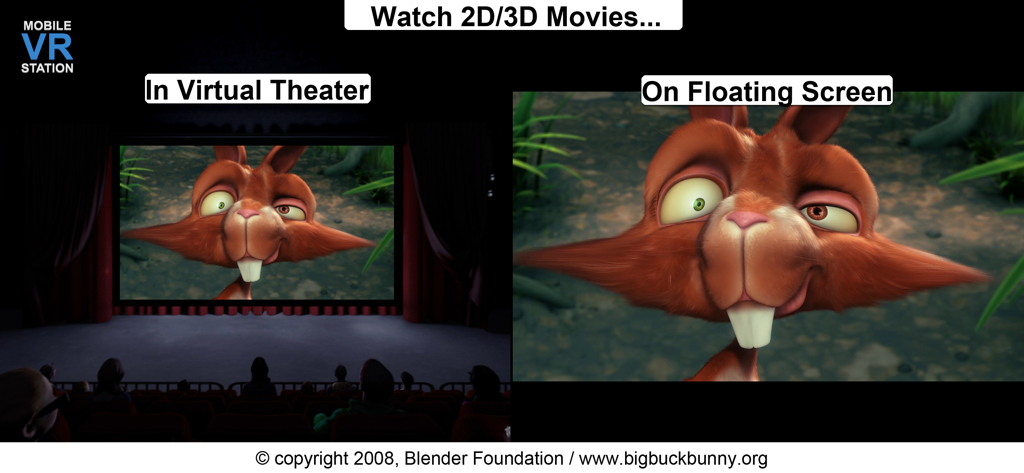
Mobile VR Station® - Screenshot di Mobile VR Station che mostra le modalità Teatro Virtuale e Schermo Fluttuante per la visione di film 2D e 3D
Screenshot di Mobile VR Station che mostra le modalità Teatro Virtuale e Schermo Fluttuante per la visione di film 2D e 3D

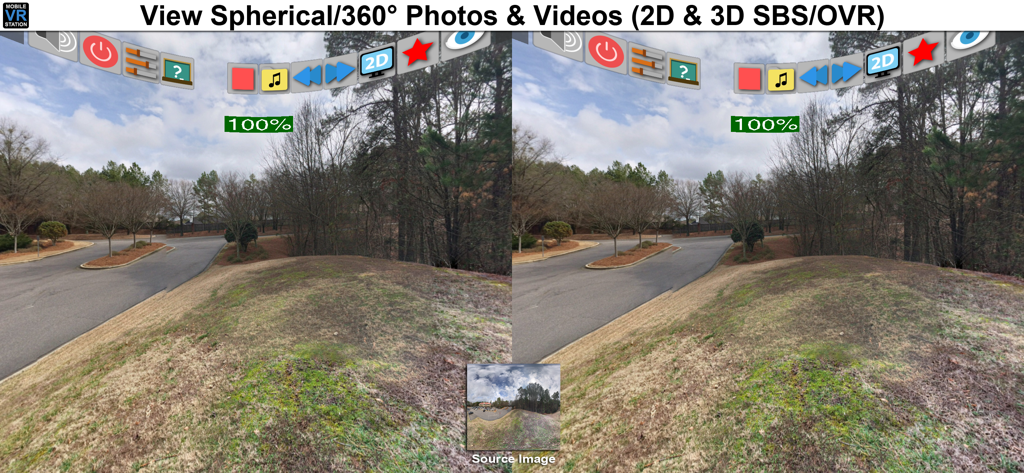
Mobile VR Station® - Interfaccia di Mobile VR Station che mostra una vista stereoscopica a schermo diviso di una foto sferica a 360 gradi
Interfaccia di Mobile VR Station che mostra una vista stereoscopica a schermo diviso di una foto sferica a 360 gradi

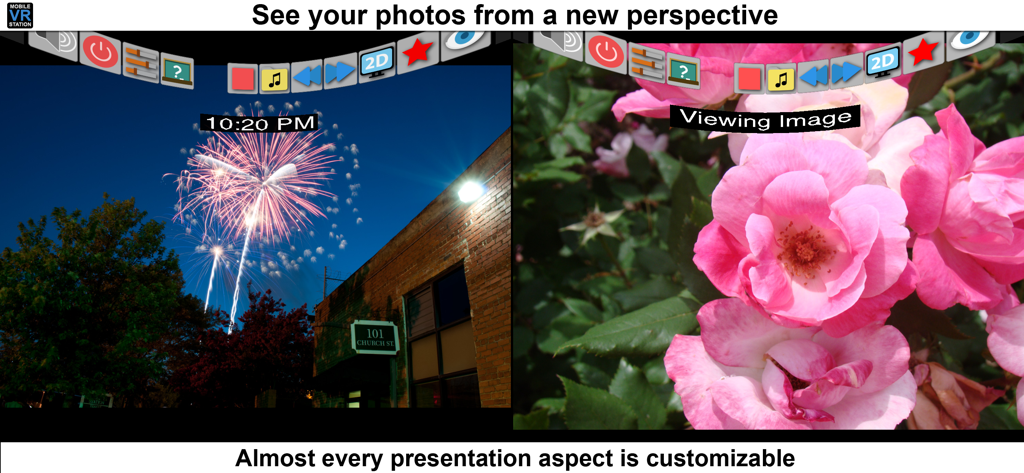
Mobile VR Station® - Interfaccia dell'app Mobile VR Station che mostra la visualizzazione di foto a schermo diviso con impostazioni personalizzabili

Interfaccia dell'app Mobile VR Station che mostra la visualizzazione di foto a schermo diviso con impostazioni personalizzabili

Descrizione

Mobile VR Station is a media player designed for Virtual Reality with head tracking. With this app you can view your Photos, Panoramas, Videos & Files projected onto a virtual screen floating in space. Our app supports displaying standard 2D and 3D Side By Side/Over Under content. The app can't display DRM protected content, such as content bought from iTunes. "The most feature-packed VR media player available, with editable profiles that let you adjust the viewing experience across multiple devices and VR adapters. Excellent all around!" -Quote from Manuel M, Beta Tester If you need help we provide links inside the app to view our Facebook, Twitter and YouTube channel. Usages: - Works with every headset, very flexible configuration - Watch movies in a virtual theater - Watch 3D 180 Degree content. - Explore 360/Spherical movies (Great for demos). - Experience 3D content (Left/Right, Right/Left and Top/Bottom). - See your device's photos & videos in a new way. - View panoramas with some depth. - Access external video content with UPNP. - Watch HTML5 Video from Mobile Safari with Micro VR Station extension. Details: - Native App, written in Obj-C with SceneKit - Watch App for Remote control capabalities - This app is currently only available in English - Free version limits video playback to the "first" five minutes. - Supported formats: MOV, MP4 & M4V. - Supported HMDs: None (Mono), None (SBS), Cardboard, Altergaze, Firefly, Custom, .... - Cardboard QR scanner available for quick setup - Supported Devices: Any device running iOS 8.1 can install the app, but iPhone 5S/iPad Mini (Retina) and above provide a great experience. - Projections: Dome, Full Dome, Curved (Large curve), Plane (Flat), Cylinder & Spherical - Skyboxes: 47 built in options. - Profiles: Each user/headset can have their own specific configuration. - Audio: Language switching available. - Subtitles: The app can load UTF-8 formatted *.srt files, after a movie has been started - Files: Each file has its own preview icon and meta data. You can either generate a icon or upload your own. Please see the FAQ on how to make your own icons. - Bluetooth Remote: If your headset has Play/Pause & Next/Previous buttons, you can use them to control video playback. - UPNP: Basic support for viewing & downloading video & image content. Music can play if you mess with a few settings. - Other File Formats: We are researching how other formats and higher quality content could be displayed, we understand the need and want to deliver in the future. -1080P @ 60 FPS is available on 5S+ and beyond. Devices under 5S should consume 720P. - 4K @ 30FPS is available for 6S, 6S+, 5SE & iPad Pro - Support for SanDisk™ iXpand Drives - Please see the guide book for more information Tips: - If video playback starts to lockup, or a setting doesn't stick please turn your device off and on again. - It's strongly recommended to go through Training at least once and check out the help videos if you have time. - Every projection is editable, just dig into "Manage Presets" for the details. - If you really need help, ask on our Facebook page, Twitter account, or reddit /r/iOSVR/ Controls: - MFI Controller/Bluetooth keyboard support (While in VR). - When not using a HMD device buttons can be tapped. - Tap anywhere in the right eye or empty space to recenter view. - Tap 3 fingers on screen to quickly exit VR. - Support for Occipital Bridge Controller

Download

Scarica su App Store

Questa pagina non è una pagina ufficiale dell'app o del suo sviluppatore, ma una pubblicazione editoriale indipendente creata a scopo informativo e di commento. Salvo espressa indicazione contraria, né l'app né il suo sviluppatore sono affiliati, approvati, sponsorizzati, autorizzati o altrimenti ufficialmente collegati a MWM, Apple, Google Play, all'editore dell'app o allo sviluppatore dell'app, e nulla in questa pagina implica che l'app sia stata sviluppata utilizzando i servizi di MWM. Tutti i marchi, loghi, screenshot e altri contenuti rimangono di proprietà dei rispettivi proprietari.