Money Flow - Expense Tracker
Scarica su App Store

Questa pagina non è una pagina ufficiale dell'app o del suo sviluppatore, ma una pubblicazione editoriale indipendente creata a scopo informativo e di commento. Salvo espressa indicazione contraria, né l'app né il suo sviluppatore sono affiliati, approvati, sponsorizzati, autorizzati o altrimenti ufficialmente collegati a MWM, Apple, Google Play, all'editore dell'app o allo sviluppatore dell'app, e nulla in questa pagina implica che l'app sia stata sviluppata utilizzando i servizi di MWM. Tutti i marchi, loghi, screenshot e altri contenuti rimangono di proprietà dei rispettivi proprietari.


Logo di Money Flow - Expense Tracker
Scarica su App Store

Money Flow - Expense Tracker

Il modo semplice e sicuro per raggiungere i tuoi obiettivi di risparmio senza mai collegare il tuo conto bancario. Tieni traccia delle tue spese manualmente per la massima consapevolezza finanziaria, mantenendo i tuoi dati strettamente sul tuo dispositivo.

Numeri Chiave

Download

31K+

Valutazione

5.0/5

Valutazioni totali

0

Editore

Daniel Romero

Categoria

Finance

Lingue

1

Ultima versione

1.0.14

Dimensione

24.0 MB

Data di lancio

18 set 2020
Funzioni

Prendi il Controllo del Tuo Flusso Finanziario

Un approccio minimalista al budget progettato per coloro che apprezzano la privacy, la consapevolezza e la completa proprietà dei dati.

Privacy Totale per Progettazione

Nessun collegamento bancario o sincronizzazione cloud richiesto. I tuoi dati finanziari sensibili rimangono sul tuo dispositivo, privati e sicuri, esattamente dove appartengono.

Chiarezza a Colpo d'Occhio

Gestisci il tuo budget mensile con una dashboard pulita e ripartizioni per categorie che visualizzano le tue abitudini di spesa e il potenziale di risparmio.

Gli screenshot e la descrizione seguenti provengono direttamente dall'elenco ufficiale dello store dell'app e sono di proprietà dello sviluppatore.

App Store

Screenshot
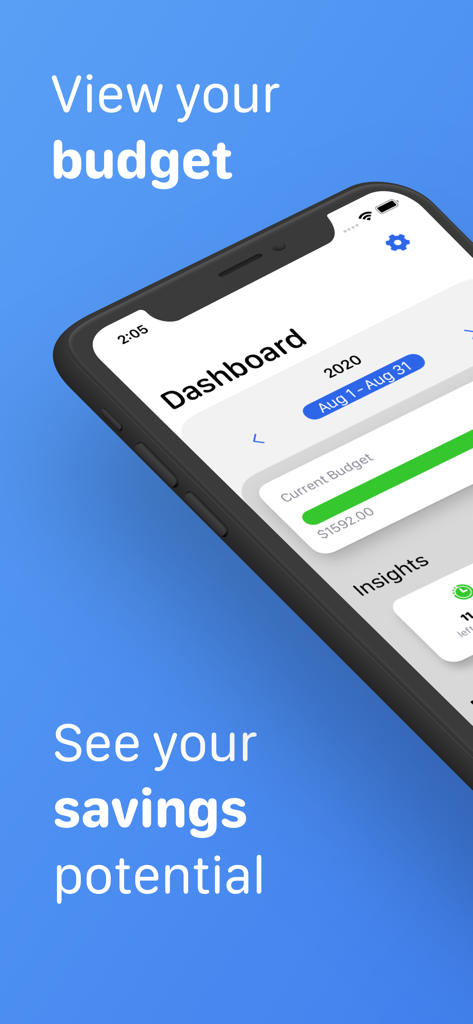
Money Flow - Expense Tracker - Dashboard dell'app Money Flow su iPhone che mostra l'avanzamento del budget mensile e il potenziale di risparmio
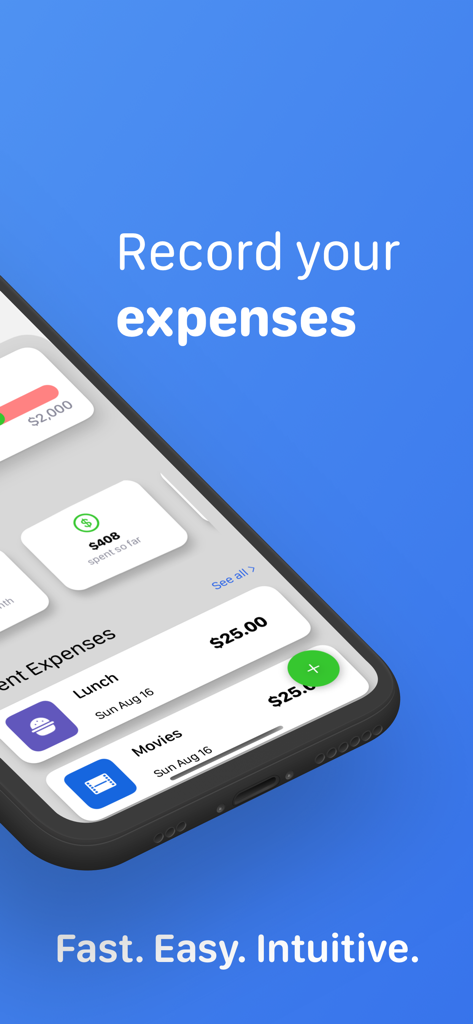
Dashboard dell'app Money Flow su iPhone che mostra l'avanzamento del budget mensile e il potenziale di risparmio

Money Flow - Expense Tracker - Schermata dell'iPhone che mostra la dashboard dell'app Money Flow con le spese recenti per pranzo e cinema
Schermata dell'iPhone che mostra la dashboard dell'app Money Flow con le spese recenti per pranzo e cinema

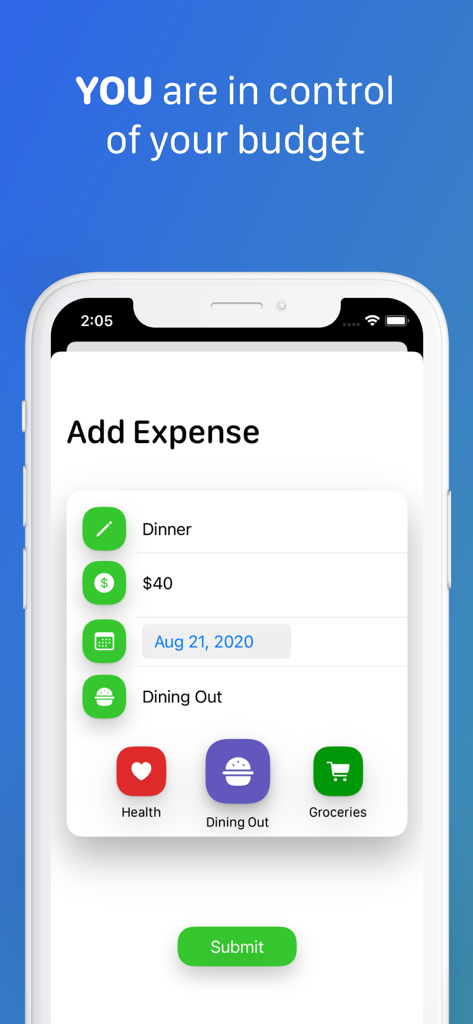
Money Flow - Expense Tracker - Schermata dell'app Money Flow che mostra l'inserimento manuale di una spesa per cena con selezione della categoria
Schermata dell'app Money Flow che mostra l'inserimento manuale di una spesa per cena con selezione della categoria

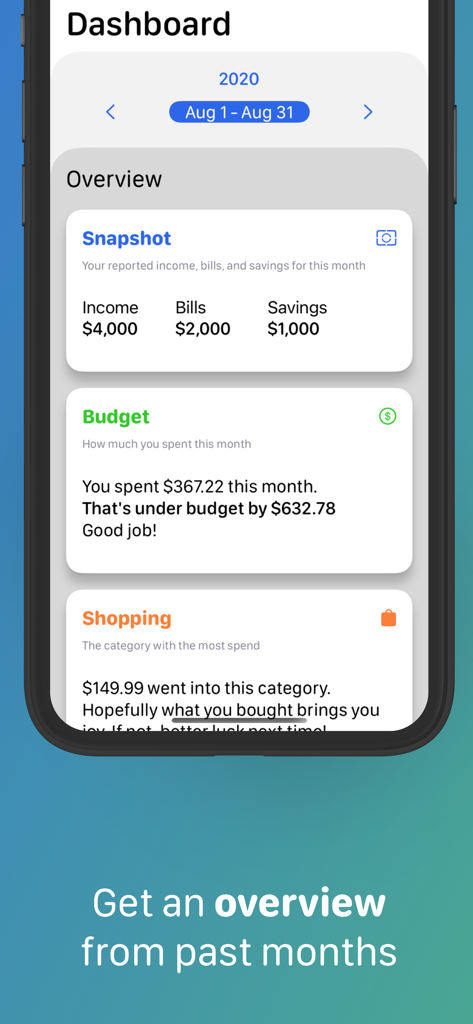
Money Flow - Expense Tracker - Vista dashboard del tracker di spese Money Flow che mostra il budget mensile e il riepilogo delle spese.
Vista dashboard del tracker di spese Money Flow che mostra il budget mensile e il riepilogo delle spese.

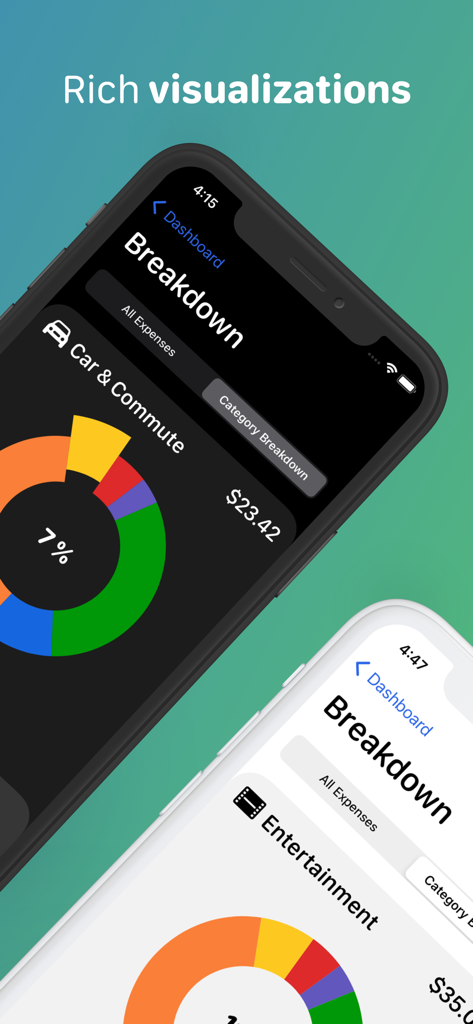
Money Flow - Expense Tracker - Tracker di spese Money Flow che mostra le ripartizioni delle categorie di spesa con grafici a torta su schermi di iPhone
Tracker di spese Money Flow che mostra le ripartizioni delle categorie di spesa con grafici a torta su schermi di iPhone

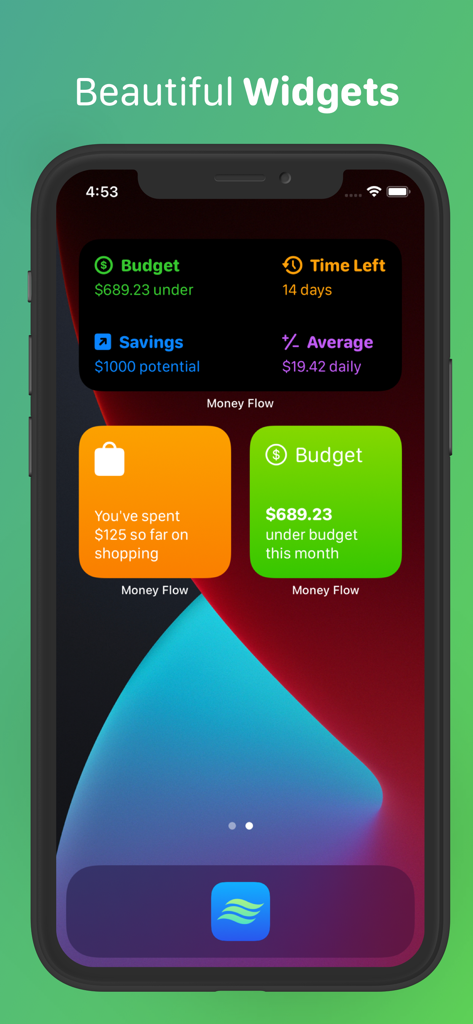
Money Flow - Expense Tracker - Widget dell'app Money Flow che mostrano informazioni sul budget e sui risparmi su una schermata home di iPhone

Widget dell'app Money Flow che mostrano informazioni sul budget e sui risparmi su una schermata home di iPhone

Descrizione

Money Flow is finally here, and it’s ready to help you keep track of your expenses and achieve your personal savings goals. The app is super simple to use, and leaves out special algorithms and computational guess work in order to put you in control of expense tracking. Because of this, there is no external account linking required and you can rest assured your data is never being analyzed, sold, or stored anywhere other than on your device. Simply set your monthly income, fixed expenses, desired savings goal and start budgeting. SEE THE BIG PICTURE When you launch the app, you are presented with your Dashboard. Here you can see how you’re doing with your current budget. Helpful insights about how much money you’ve spent, or how many days are left in the month are readily available to you. Additionally, you can keep tabs on your three most recent expenses at all times. ADD EXPENSES Simply tap the add expense button located on the bottom right corner of your Dashboard and enter a short note, a dollar amount, the date and category of your expense. That’s it. Made a typo? Navigate to the All Expenses screen and tap on the expense you need to change. GET A BREAKDOWN OF YOUR SPENDING When you navigate to the All Expenses screen, you can also select the Category Breakdown segment to get a more detailed look into how you’ve spent on any given category. Tap one of the pie chart slices to switch categories, or use the convenient back/forward buttons to cycle through them all. Want to see on which days you had certain expenses? Pull up the expenses drawer from the bottom and scroll through all expenses for that category. CUSTOMIZABLE BUDGET Did you get a pay increase? Have a new fixed monthly expense? Do you want to save more? Save less? You can edit any one of your budgeting preferences by simply going to the Settings screen from your Dashboard at any time. TRAVEL THROUGH TIME Our relationship with our finances changes over time. Understanding the entirety of your financial picture can be very helpful for you to realize your personal goals. You can navigate to past months straight from the dashboard, by tapping the back/forward buttons. If you want to see a completely different year, just select a new one by tapping the year button right above your month display. COMPACT OVERVIEWS When viewing a previous budget month, you will be able to see your overview for that month. You’ll see your budget preferences for that month, whether you were over or under your budget, as well as your highest and lowest category spend. And just like in your current budget month, you can get access to all your individual expenses and your breakdown as well. WIDGETS Money Flow has three widgets for you to display on your home or lock screen. There’s the Insight Widget that shows you one of your key insights, such as your savings potential. There’s also the Category Widget for helping you keep track of your spending on an individual category. Finally, there’s the Insight Overview widget, which shows you all your insights without even having to open the app. PRIVACY We believe your data should be yours. That’s why Money Flow will never require you to link your financial accounts or mine any of the data you submit. What are you waiting for? Improve your savings game and track your expenses with Money Flow today.

Download

Scarica su App Store

Questa pagina non è una pagina ufficiale dell'app o del suo sviluppatore, ma una pubblicazione editoriale indipendente creata a scopo informativo e di commento. Salvo espressa indicazione contraria, né l'app né il suo sviluppatore sono affiliati, approvati, sponsorizzati, autorizzati o altrimenti ufficialmente collegati a MWM, Apple, Google Play, all'editore dell'app o allo sviluppatore dell'app, e nulla in questa pagina implica che l'app sia stata sviluppata utilizzando i servizi di MWM. Tutti i marchi, loghi, screenshot e altri contenuti rimangono di proprietà dei rispettivi proprietari.








