Montessori Numbers for Kids
Scarica su App Store

Questa pagina non è una pagina ufficiale dell'app o del suo sviluppatore, ma una pubblicazione editoriale indipendente creata a scopo informativo e di commento. Salvo espressa indicazione contraria, né l'app né il suo sviluppatore sono affiliati, approvati, sponsorizzati, autorizzati o altrimenti ufficialmente collegati a MWM, Apple, Google Play, all'editore dell'app o allo sviluppatore dell'app, e nulla in questa pagina implica che l'app sia stata sviluppata utilizzando i servizi di MWM. Tutti i marchi, loghi, screenshot e altri contenuti rimangono di proprietà dei rispettivi proprietari.

Logo di Montessori Numbers for Kids
Scarica su App Store

Montessori Numbers for Kids

Fidati da migliaia di scuole e allineata agli standard Common Core, la nostra app pluripremiata trasforma l'iPad in un'aula Montessori tattile. Dai a tuo figlio un vantaggio nel padroneggiare i numeri, le quantità e i sistemi decimali con un tempo di schermo educativo e senza sensi di colpa.

Numeri Chiave

Download

263K+

Valutazione

4.1/5

Valutazioni totali

200

Editore

Pierre Abel

Categoria

Education

Lingue

1

Ultima versione

3.1.1

Dimensione

106.9 MB

Data di lancio

15 ago 2012
Funzioni

Costruire una Profonda Comprensione della Matematica

Andare oltre la memorizzazione meccanica per aiutare tuo figlio a visualizzare le quantità e a padroneggiare le relazioni tra i numeri attraverso attività progettate da esperti.

Associazione Visiva di Quantità

I bambini imparano ad associare i numeri a quantità fisiche reali utilizzando perline, barre e quadrati digitali Montessori per colmare il divario tra l'astratto e il concreto.

Padroneggiare Valore Posizionale e Decimali

Semplifica concetti complessi come il sistema decimale costruendo numeri da 0 a 1000 attraverso manipolazioni intuitive e pratiche allineate agli standard Common Core.

Gli screenshot e la descrizione seguenti provengono direttamente dall'elenco ufficiale dello store dell'app e sono di proprietà dello sviluppatore.

App Store

Screenshot
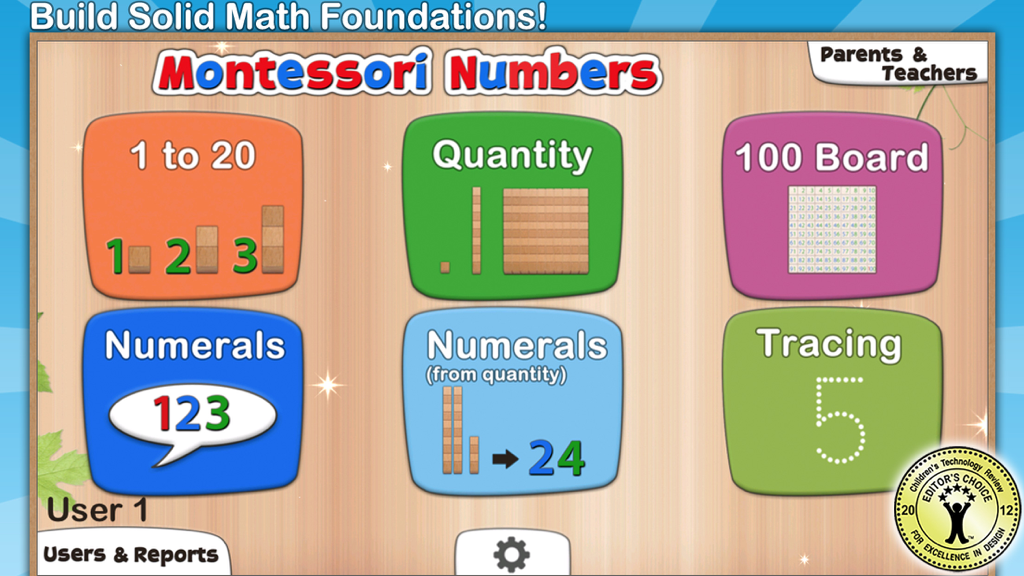
Montessori Numbers for Kids - Dashboard principale dell'app Montessori Numbers for Kids che mostra varie attività di apprendimento matematico come il conteggio e il tracciamento.
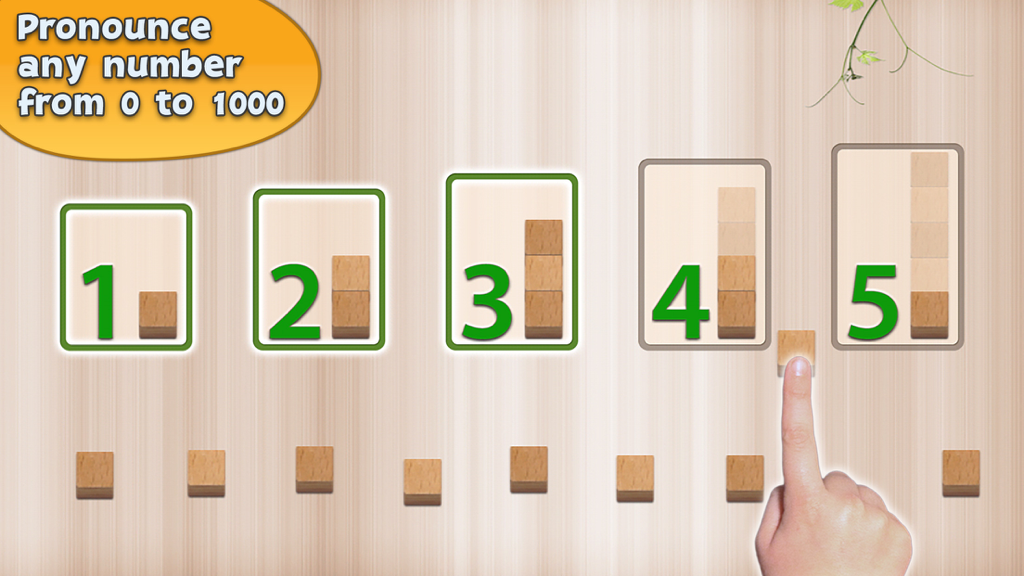
Dashboard principale dell'app Montessori Numbers for Kids che mostra varie attività di apprendimento matematico come il conteggio e il tracciamento.

Montessori Numbers for Kids - Interfaccia educativa che mostra numeri e blocchi di legno per esercitarsi nel conteggio.
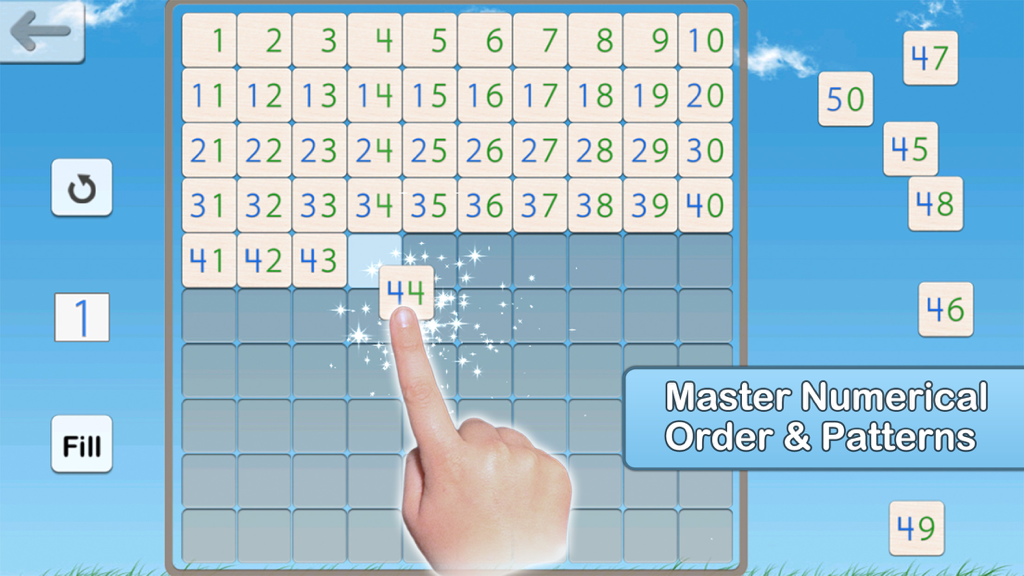
Interfaccia educativa che mostra numeri e blocchi di legno per esercitarsi nel conteggio.

Montessori Numbers for Kids - Un bambino completa una griglia della tavola del cento per imparare l'ordine numerico nell'app Montessori Numbers.
Un bambino completa una griglia della tavola del cento per imparare l'ordine numerico nell'app Montessori Numbers.

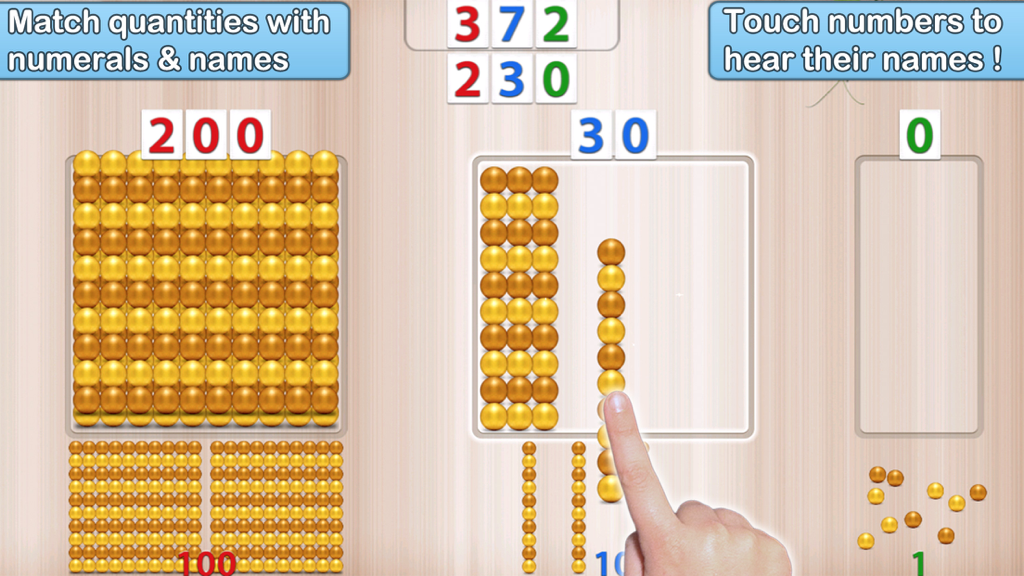
Montessori Numbers for Kids - Un bambino utilizza l'app Montessori Numbers per abbinare le quantità di perle dorate ai numeri e imparare il valore posizionale.
Un bambino utilizza l'app Montessori Numbers per abbinare le quantità di perle dorate ai numeri e imparare il valore posizionale.

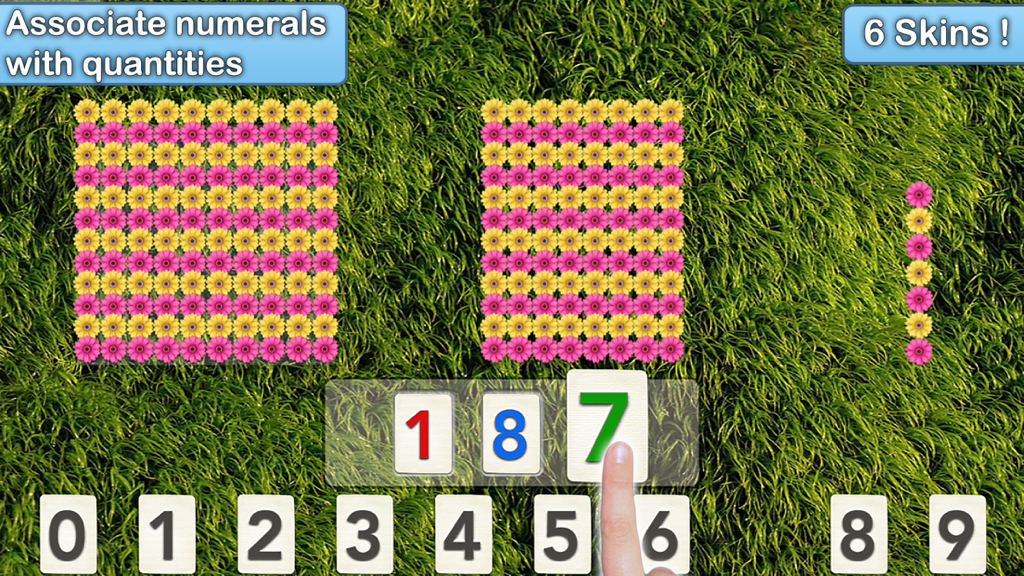
Montessori Numbers for Kids - Un bambino associa numeri a quantità di fiori in un gioco matematico Montessori.
Un bambino associa numeri a quantità di fiori in un gioco matematico Montessori.

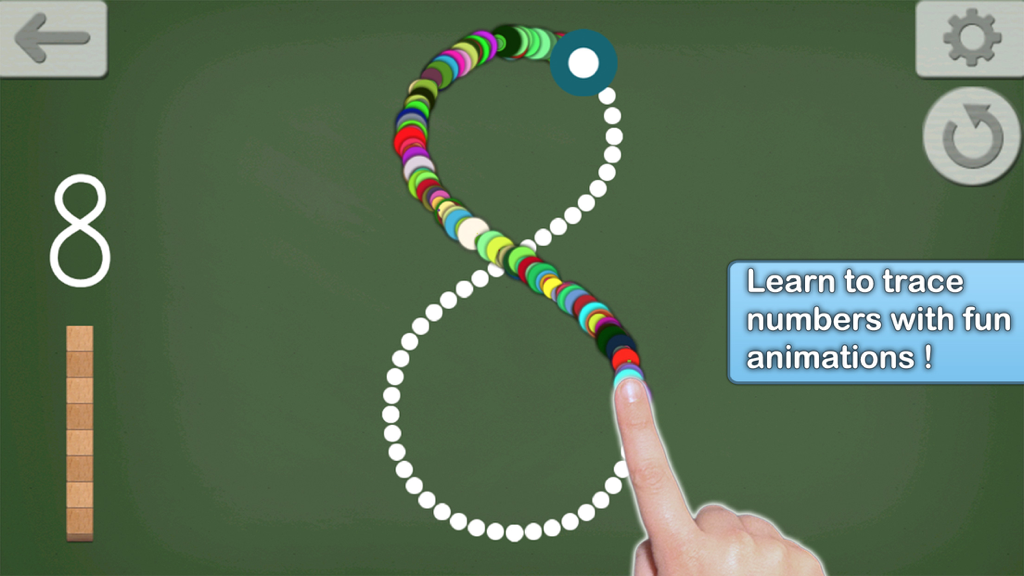
Montessori Numbers for Kids - Bambino traccia il numero otto con animazioni colorate su uno sfondo di lavagna.

Bambino traccia il numero otto con animazioni colorate su uno sfondo di lavagna.

Descrizione

• "This is a must-have app, for any early learning setting" - Editor's Choice - 4.8 stars out of 5 -Children's Technology Review • "A fantastic app for helping the young students understand the relationship between numbers and the quantity they stand for” - NBCNews.com • Featured by Apple as "Best for Ages 5 and under" & as 'New and Noteworthy' (Education) • 26,000 units sold to US schools ! _____ Montessori Numbers is designed to help build sound mathematical foundations in children aged 3-7 by using a concrete, visually significant material inspired from the Montessori methodology. Montessori Numbers offers a sequence of guided activities that gradually help children reinforce their skills. Each activity offers several levels of increasing complexity. • Learn to count up to 999 • Experiment with quantities and learn their names • Learn the numerals and their names • Understand the relationship between numbers and quantities • Understand the decimal system and place value • Master the numerical order • Learn to trace numbers Montessori Numbers builds on the iPad’s touch feature, and uses verbal feedback for more efficient learning. The app can pronounce any number between 0 and 1009 (American, British and Australian voices available). ___________ Common Core State Standard ___________ This app will help your child in learning the following Common Core State Standards domains: • Counting and Cardinality (K.CC) • Operations and Algebraic Thinking (K.OA, 1.OA.1/2/5) • Number & Operations in Base Ten (K.BNT,1.NBT.1/2/4/5/6, 2.NBT.1/2/3/5/8/9, 3.NBT.1/2). The app is great to deal with place value. ___________ Activities ___________ • Hundred Board A great activity to help your child master the numerical order of 1-1000, and to introduce numerical patterns. The hundred board displays 100 numbers in a square. The first number (1,101,201,...) can be chosen so it can customized for each child • 1 to 20 This activity is designed to introduce numbers. 3 levels of difficulty: 0 to 5, 0 to 10 and 11 to 20. • Quantity In this activity, kids associate quantities to numbers by manipulating units, bars of 10, and squares of 100 to match a given number which is pronounced and optionally displayed. Levels of difficulty: 0 to 9, 10 to 99, 100 to 999 or custom • Numerals In this activity, number names are to be associated with numerals. As a number name is pronounced, kids are invited to build the corresponding numeral. Kids can freely experiment with numerals and hear the names associated with each numeral they build. The quantity representing the numbers built is also displayed to reinforce the association between quantity and numerals. Levels of difficulty: 0 to 9, 10 to 99, 100 to 999 or custom • Numerals (from Quantity) In this activity, a quantity is to be associated with a given numeral. The child must build the number that matches the quantity displayed. This is the most complex activity because the child must count the quantity displayed, and then build the number using the numerals. Levels of difficulty: 0 to 9, 10 to 99, 100 to 999 or custom • Number Tracing Learn to trace numbers with animations that follow the child's touch. Several options (size, difficulty, tracing style, show/hide model) are available to tailor the activity to your needs. • Building Block Game: A game can be started at the end of each activity (availability can be modified in settings). There is no “real” goal to this game - kids can play freely with the materials, thus becoming more familiar with them. ___________ More Accolades ! ___________ • "Overall, Montessori Numbers is a great way to expose kids to math in a meaningful way." CommonSenseMedia.com • Wired's GeekDad Approved • "Montessori Numbers is among the best educational apps for young children I've seen. The verbal feedback is very supportive. " Mary Ellin Logue, Ed.D, Early Childhood Education, University of Maine • Rated 5 stars on BestKidsApps.com and MindLeap.com

Download

Scarica su App Store

Questa pagina non è una pagina ufficiale dell'app o del suo sviluppatore, ma una pubblicazione editoriale indipendente creata a scopo informativo e di commento. Salvo espressa indicazione contraria, né l'app né il suo sviluppatore sono affiliati, approvati, sponsorizzati, autorizzati o altrimenti ufficialmente collegati a MWM, Apple, Google Play, all'editore dell'app o allo sviluppatore dell'app, e nulla in questa pagina implica che l'app sia stata sviluppata utilizzando i servizi di MWM. Tutti i marchi, loghi, screenshot e altri contenuti rimangono di proprietà dei rispettivi proprietari.








