
Questa pagina non è una pagina ufficiale dell'app o del suo sviluppatore, ma una pubblicazione editoriale indipendente creata a scopo informativo e di commento. Salvo espressa indicazione contraria, né l'app né il suo sviluppatore sono affiliati, approvati, sponsorizzati, autorizzati o altrimenti ufficialmente collegati a MWM, Apple, Google Play, all'editore dell'app o allo sviluppatore dell'app, e nulla in questa pagina implica che l'app sia stata sviluppata utilizzando i servizi di MWM. Tutti i marchi, loghi, screenshot e altri contenuti rimangono di proprietà dei rispettivi proprietari.


네이버 - NAVER
Per chi esige controllo, non mere interfacce: questa applicazione impone la sua centralità, erigendo l'utente a sovrano incontrastato della propria esistenza digitale.
Download
12.5M+Valutazione
Valutazioni totali
55.3KEditore
Categoria
ReferenceLingue
2Ultima versione
12.19.22Dimensione
548.2 MBData di lancio
7 ott 2010Analisi Funzionalità Chiave NAVER
Una panoramica analitica delle principali capacità che rendono l'app NAVER uno strumento versatile per l'utente moderno.
Ricerca AI "Green Dot" Avanzata
Questo strumento offre la funzionalità "Green Dot", una ricerca basata sull'intelligenza artificiale che include la ricerca visiva (Lens), la ricerca musicale, la ricerca vocale per un'interazione hands-free e la ricerca di informazioni locali, semplificando la vita quotidiana degli utenti.
Sezione My: Autenticazione, Pagamenti e Attività
Consente agli utenti di gestire in un'unica sezione "My" le proprie autenticazioni, pagamenti (anche in sostituzione del portafoglio fisico), liste di ordini/prenotazioni, articoli preferiti e luoghi salvati, consolidando le attività sparse.
NAVER Plus Store: Shopping e Vantaggi Esclusivi
L'app integra il "NAVER Plus Store", una piattaforma che offre un'esperienza di shopping personalizzata con sconti, promozioni e accumulo di punti su prodotti e tendenze, guidando gli utenti nella scoperta di nuove offerte.
Contenuti Personalizzati e Feed Home
L'app fornisce un "Home Feed" personalizzabile dove gli utenti possono esplorare contenuti basati sui loro interessi, spaziando da sport, intrattenimento, moda/bellezza a tecnologia, ricevendo raccomandazioni continue e su misura.
Domande Frequenti
Tutto quello che devi sapere su 네이버 - NAVER
What is the NAVER app and its main features?
The NAVER app is a mobile-optimized platform offering five distinct content spaces: Home Feed, Clip, Content for news, NAVER Plus Store for shopping, and MY for authentication and activity logs.
How does the NAVER app personalize content for users?
The NAVER app personalizes content through its Home Feed. Users select favorite topics like sports, entertainment, and tech to receive continuous recommendations tailored to their interests.
Can users create their own content within the NAVER app?
Yes, users can create and share content using the NAVER app's Clip feature. This allows them to make short-form videos with photos and videos, and also follow their favorite creators.
What benefits does the NAVER app's Plus Store offer?
The NAVER Plus Store in the NAVER app provides a personalized shopping experience. It offers tailored products, deals, rewards, discounts, and promotions based on individual user preferences and trending items.
What features are available in the NAVER app's MY section?
The MY section in the NAVER app centralizes authentication, payment solutions, and activity logs. Users can view their payment history, order lists, favorite items, and saved locations in one place.
Does the NAVER app have an AI search functionality?
Yes, the NAVER app includes the Green Dot AI Search. This tool offers various functions like image-based searches (Lens), music identification, voice search, and location-based information for nearby places.
What is the recommended iOS version for the NAVER app?
The NAVER app recommends installing it on iOS 16.0 or higher to ensure the best user experience and optimal performance of its features.
How can I get customer support for the NAVER app?
To contact customer support for the NAVER app, users should navigate to the "NAVER app's Settings - Customer Center" menu if they encounter any issues during use.
Does the NAVER app share voice data during speech recognition?
Yes, when speech recognition is used with permission enabled, the NAVER app sends voice data to Apple. This is in accordance with Apple's policies, and no other information is transmitted.
Gli screenshot e la descrizione seguenti provengono direttamente dall'elenco ufficiale dello store dell'app e sono di proprietà dello sviluppatore.
App Store
Screenshot
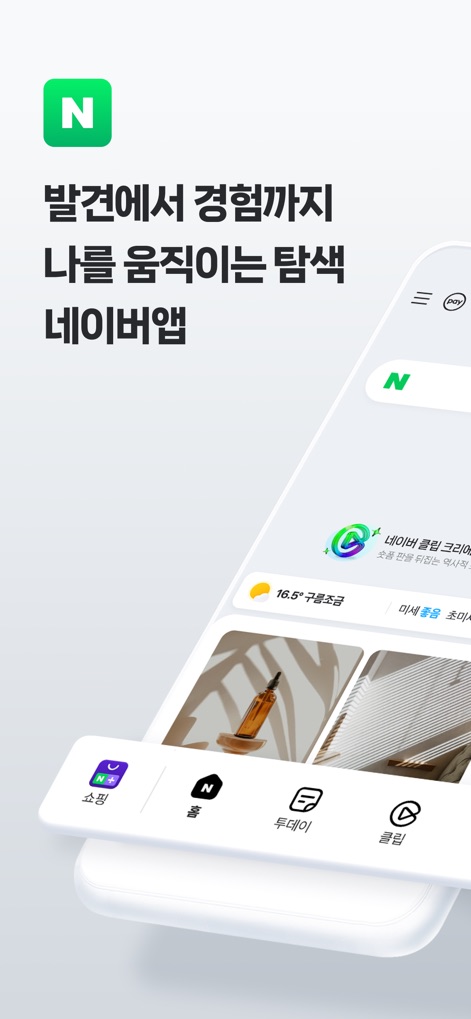
Scoperta e Navigazione
L'app presenta una homepage intuitiva con una barra di ricerca prominente e un feed di contenuti personalizzati, offrendo agli utenti un accesso immediato a informazioni e servizi.
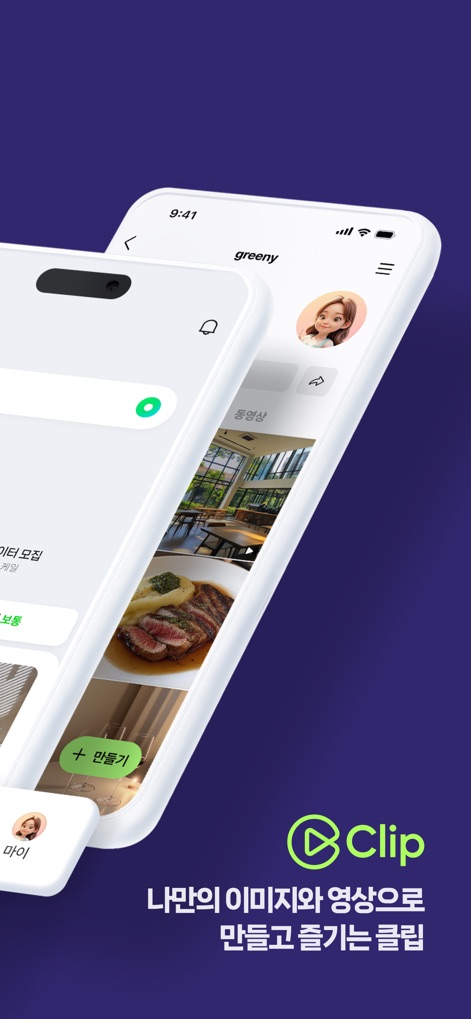
Momenti Brevi: Clip
La sezione "Clip" permette di creare e visualizzare contenuti brevi; si nota il pulsante "+ 만들기" per la creazione e un feed dinamico di video e immagini.
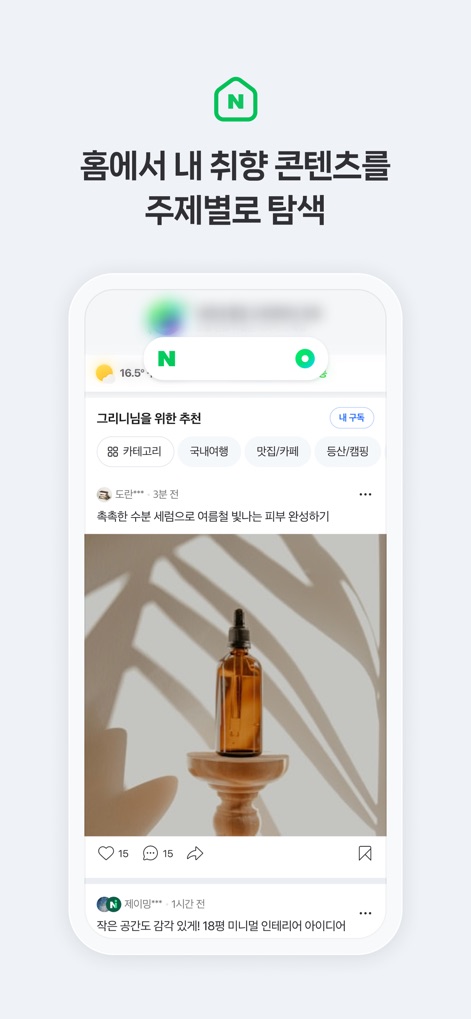
Contenuti Personalizzati
Questa schermata illustra l'esplorazione di contenuti personalizzati con filtri tematici come 'Sport' o 'Intrattenimento', e card di contenuto visivamente ricche che mostrano articoli e prodotti.
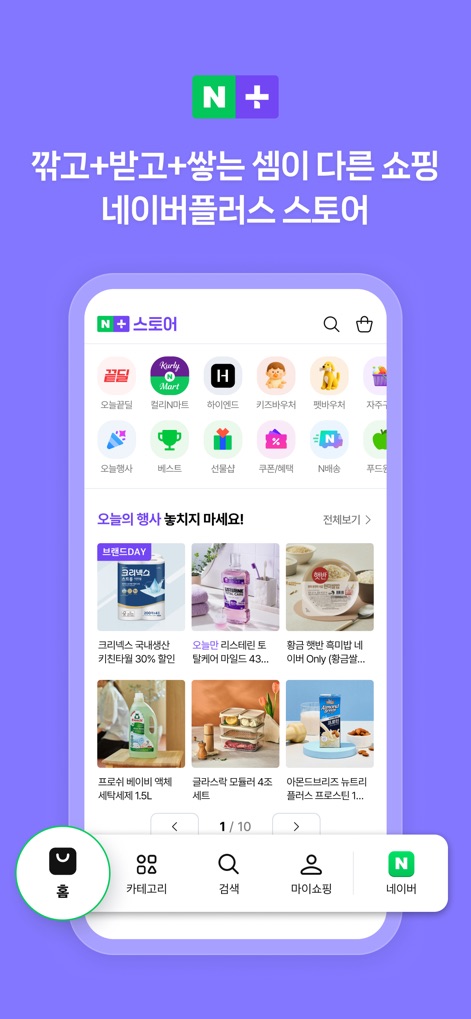
Shopping Vantaggioso
La sezione "NAVER Plus Store" presenta una griglia di icone per diverse categorie di prodotti e banner promozionali evidenziando offerte e sconti per un'esperienza di acquisto ottimizzata.
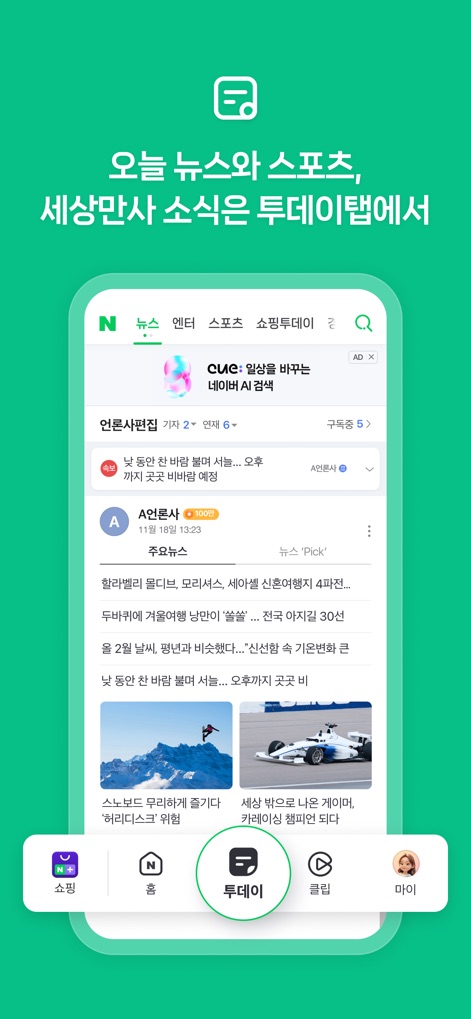
Notizie e Aggiornamenti
La scheda "Oggi" aggrega notizie e aggiornamenti, mostrando titoli di articoli con immagini pertinenti e schede di categoria come 'Notizie' e 'Sport' per una navigazione rapida.
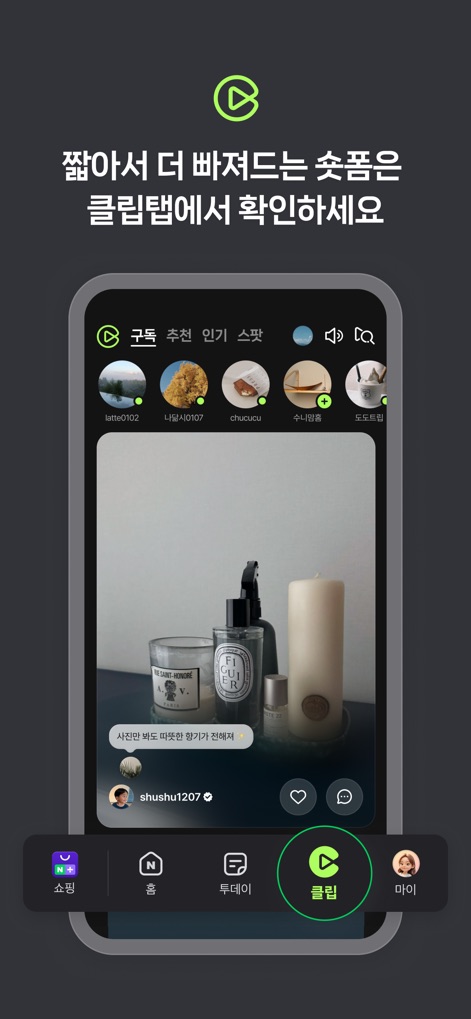
Immersione nei Clip
Nella sezione "Clip", gli utenti possono immergersi in contenuti video a schermo intero e interagire tramite icone di "Mi piace" e commenti, seguendo i creatori preferiti.
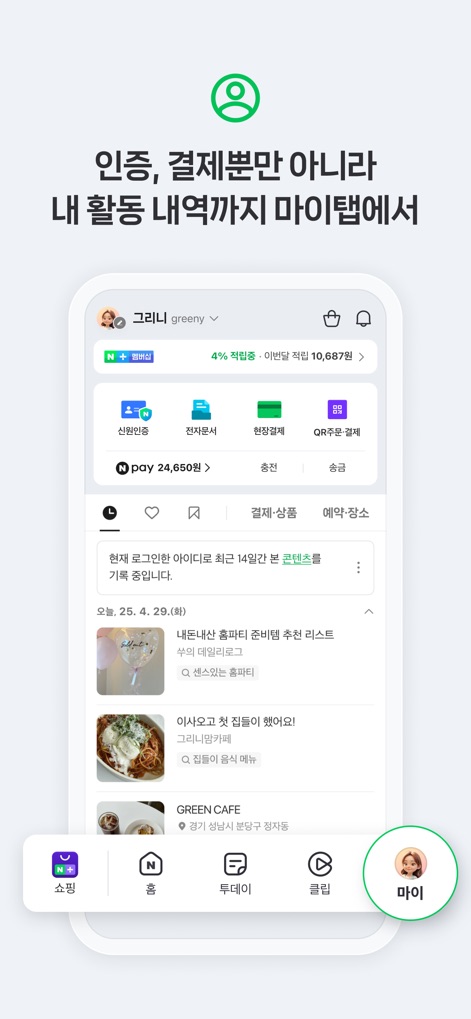
Gestione Personale "My"
La scheda "My" centralizza la gestione dell'account, offrendo pulsanti di accesso rapido per autenticazione e pagamenti e una panoramica delle attività recenti dell'utente, incluse le prenotazioni e gli articoli salvati.
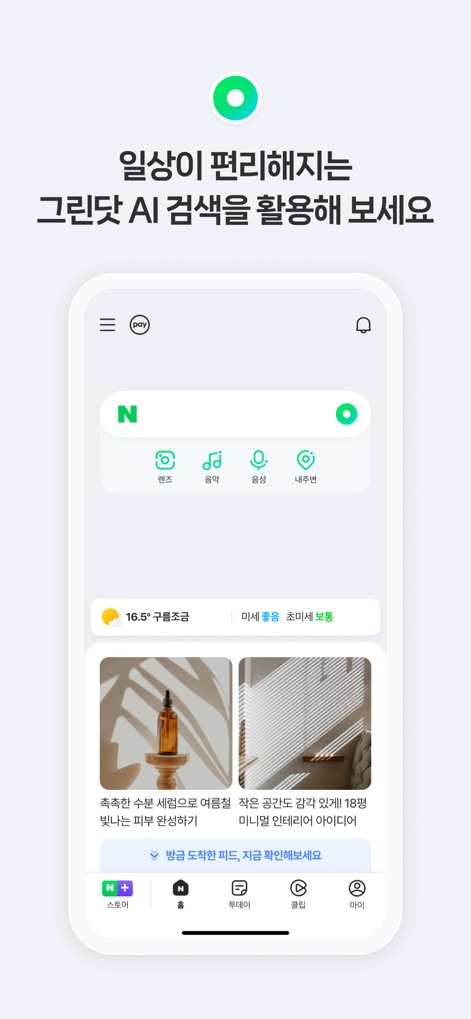
Ricerca AI Intelligente
Il sistema di ricerca AI "Green Dot" è evidenziato con icone dedicate per diverse modalità, come 'Lente' per la ricerca visiva e 'Musica' per l'identificazione di brani, rendendo la scoperta di informazioni più intuitiva.
Descrizione
Download
App Simili
App con funzionalità ed esperienza simili

遠傳心生活
Far Eastone Telecommunications Co., Ltd.

DBS PayLah!
DBS Bank Ltd

The Club
Hong Kong Telecommunications Limited

MySafaricom App
Safaricom Limited

MyJio: For Everything Jio
JIO PLATFORMS LIMITED

Vivo
VIVO

WEB.DE - Mail, Cloud & News
1&1 Mail & Media GmbH

Мой О! + Банк
NUR Telekom, OsOO

Claro Pay
Speedy Movil S.A. de C.V.
Questa pagina non è una pagina ufficiale dell'app o del suo sviluppatore, ma una pubblicazione editoriale indipendente creata a scopo informativo e di commento. Salvo espressa indicazione contraria, né l'app né il suo sviluppatore sono affiliati, approvati, sponsorizzati, autorizzati o altrimenti ufficialmente collegati a MWM, Apple, Google Play, all'editore dell'app o allo sviluppatore dell'app, e nulla in questa pagina implica che l'app sia stata sviluppata utilizzando i servizi di MWM. Tutti i marchi, loghi, screenshot e altri contenuti rimangono di proprietà dei rispettivi proprietari.