NetSpot WiFi Analyzer

NetSpot WiFi Analyzer

Scarica su App Store
Logo di NetSpot WiFi Analyzer

NetSpot WiFi Analyzer: Heatmap Professionali e Diagnostica di Rete a Portata di Mano

Smetti di chiederti dove va il tuo segnale. Trasforma il tuo iPhone o iPad in un potente scanner di rete per visualizzare le zone morte, ottimizzare il posizionamento del router e garantire una connessione impeccabile per il tuo ufficio domestico o la tua smart home.

Editore

Etwok Inc

Categoria

Utilities

Download

352K+

Valutazione

2.1/5

Valutazioni totali

300

Lingue

8

La Tua Rete, Visualizzata

Scopri l'interfaccia usata da 352K+ utenti.

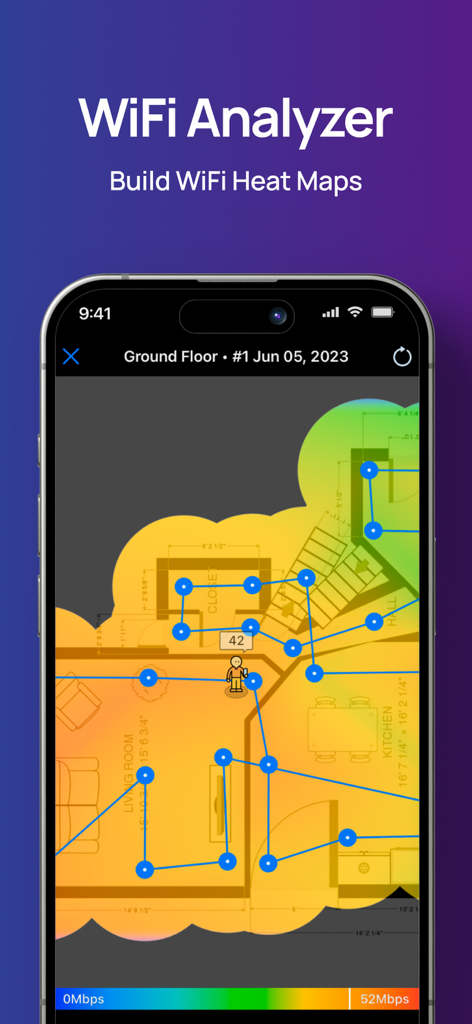
Visualizzazione heatmap WiFi su una planimetria domestica nell'app NetSpot

Visualizzazione heatmap WiFi su una planimetria domestica nell'app NetSpot

Interfaccia dell'app NetSpot che mostra i risultati del test di velocità di caricamento e download del WiFi
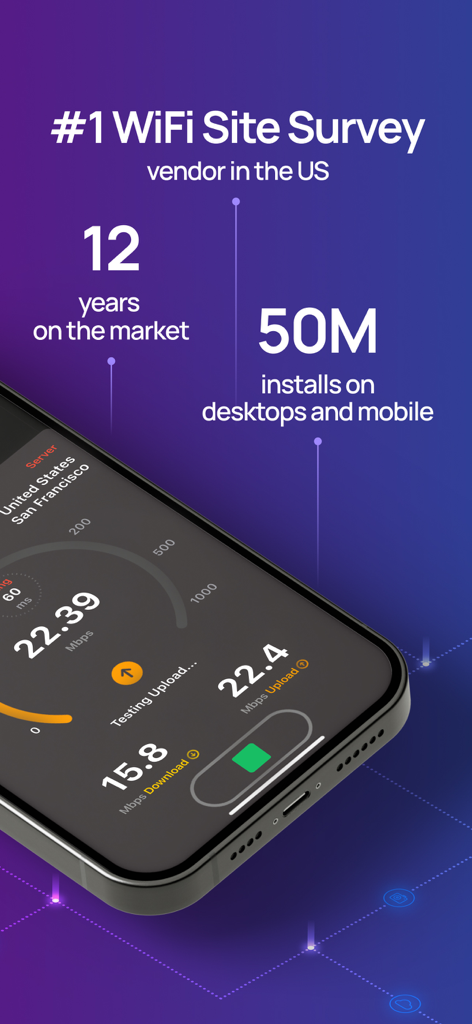
Interfaccia dell'app NetSpot che mostra i risultati del test di velocità di caricamento e download del WiFi

Interfaccia dell'app NetSpot che mostra i risultati del test di velocità WiFi e statistiche di mercato come 50 milioni di installazioni.
Interfaccia dell'app NetSpot che mostra i risultati del test di velocità WiFi e statistiche di mercato come 50 milioni di installazioni.

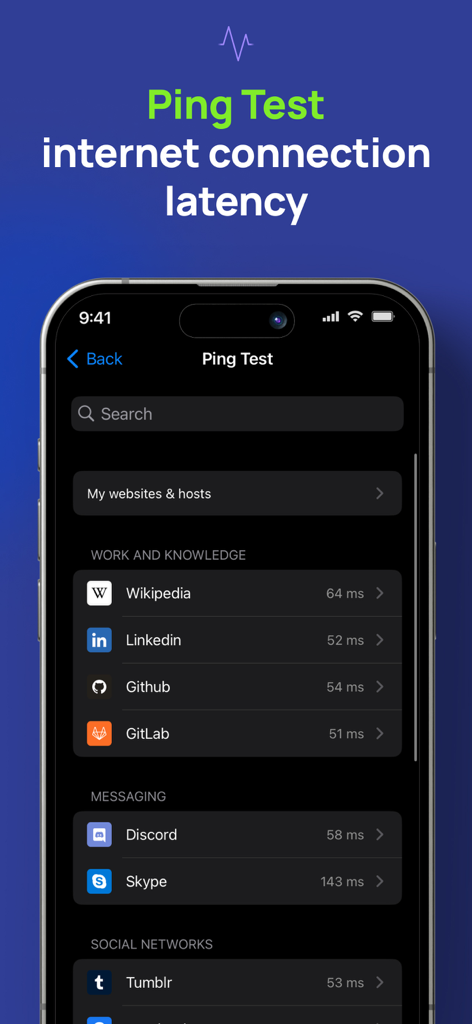
Schermata del test di ping di NetSpot WiFi Analyzer che mostra la latenza della connessione Internet
Schermata del test di ping di NetSpot WiFi Analyzer che mostra la latenza della connessione Internet

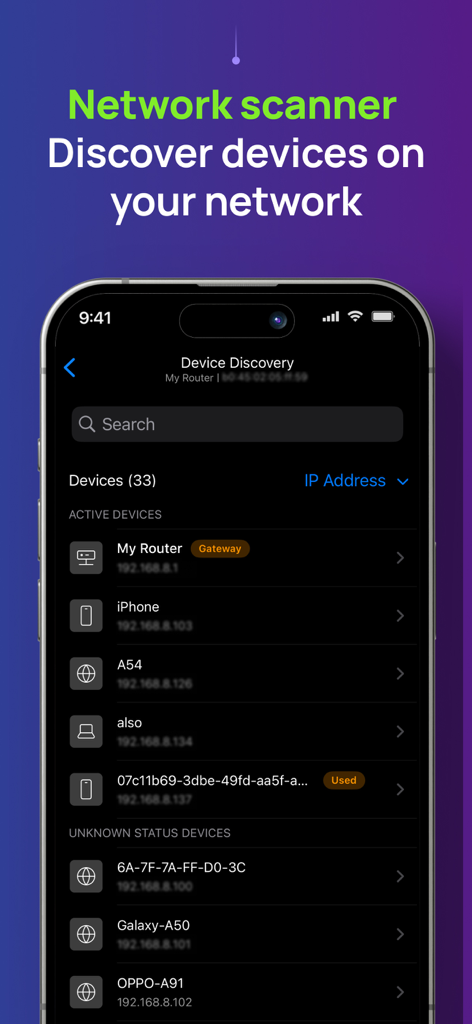
Schermata dell'app NetSpot WiFi Analyzer che mostra un elenco di dispositivi connessi e i loro indirizzi IP nello strumento di scansione di rete.
Schermata dell'app NetSpot WiFi Analyzer che mostra un elenco di dispositivi connessi e i loro indirizzi IP nello strumento di scansione di rete.

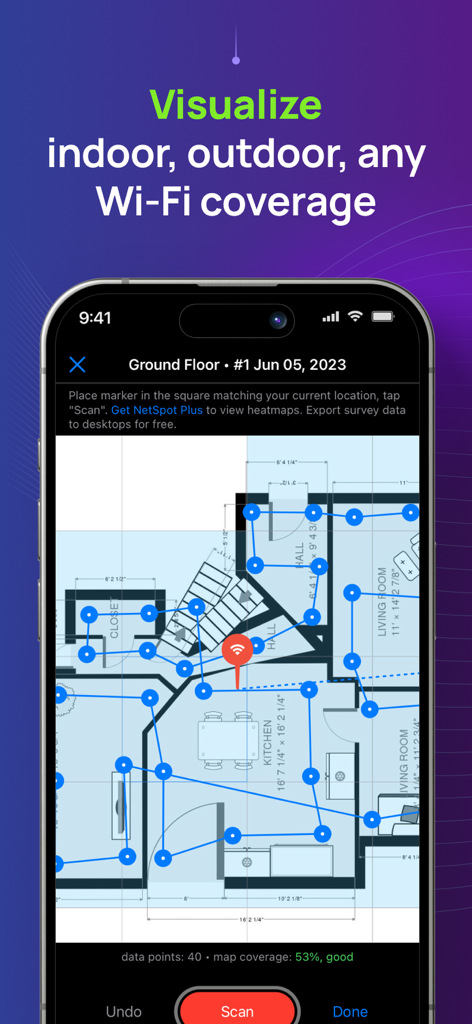
App NetSpot che visualizza un'indagine di copertura WiFi su una planimetria di una casa.
App NetSpot che visualizza un'indagine di copertura WiFi su una planimetria di una casa.

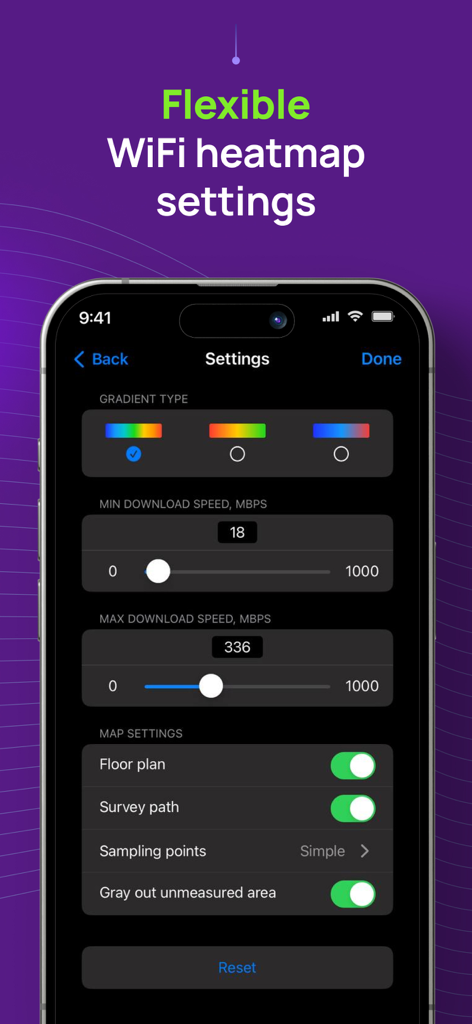
Interfaccia dell'app NetSpot che mostra impostazioni flessibili per la heatmap WiFi, inclusi tipi di gradiente e limiti di velocità di download.
Interfaccia dell'app NetSpot che mostra impostazioni flessibili per la heatmap WiFi, inclusi tipi di gradiente e limiti di velocità di download.

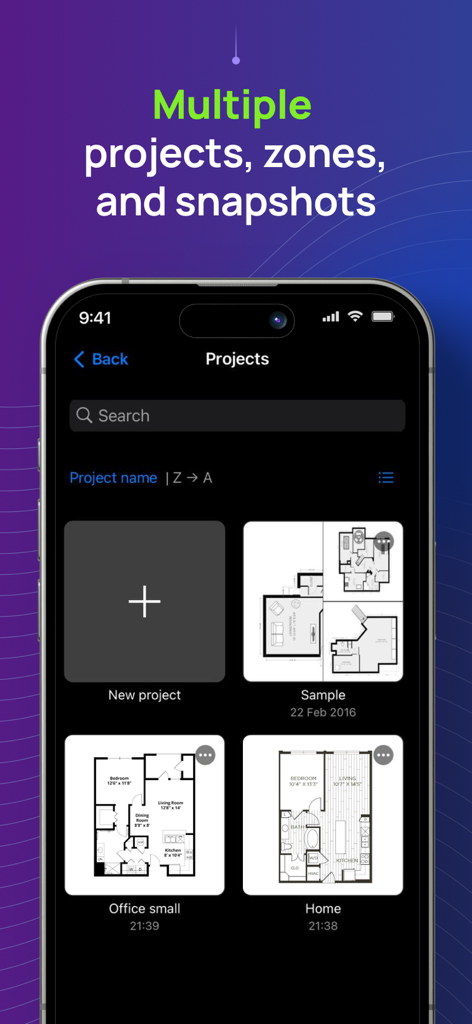
Interfaccia dell'app NetSpot che mostra più progetti di indagine WiFi con diverse planimetrie per casa e ufficio.

Interfaccia dell'app NetSpot che mostra più progetti di indagine WiFi con diverse planimetrie per casa e ufficio.

Padroneggia la Tua Rete Domestica

Gli strumenti che rendono questa app unica, scelti da 352K+ utenti.

🗺️

Heatmap WiFi Visuali

Crea mappe interattive della tua casa o del tuo ufficio per individuare le zone morte e trovare la posizione perfetta per il tuo router senza hardware costoso.

Velocità e Ping Senza Lag

Elimina buffering e lag con test precisi che misurano la tua latenza e larghezza di banda nel mondo reale per chiamate e giochi più fluidi.

🔍

Rilevamento Dispositivi Istantaneo

Scansiona la tua rete per identificare ogni dispositivo connesso, aiutandoti a individuare i dispositivi che consumano larghezza di banda e a tenere gli utenti non autorizzati fuori dal tuo sistema.

Analisi recensioni

Approfondimenti dalle recensioni degli utenti.

Punteggio sentimento

33%
Negativo

Riepilogo

The app receives mixed, but predominantly negative, feedback from users. Many appreciate its core functionality for basic WiFi analysis and speed measurement, with some highlighting its clear interface and fast data collection for certain heatmap types. However, a significant number of users express disappointment with the app's limited features on mobile devices compared to its desktop counterpart, particularly the absence of crucial signal strength heatmaps and advanced WiFi channel analysis. Users frequently criticize the app's pricing model, deeming it misleadingly advertised as 'free' when most useful features are locked behind paywalls or subscriptions, leading to feelings of wasted money and frustration with refund processes. Several reports also indicate stability issues, including crashing during scans, with one specific mention of general non-functionality on iPhone 11.

Temi comuni

Core Functionality(20)
Speed Measurement(4)
User Interface Clarity(3)
Desktop App Quality(2)
Heatmap Data Collection(2)
Free Features Availability(1)
App Improvement/Updates(1)

Info sull'app

Tutto quello che devi sapere su NetSpot WiFi Analyzer.

Descrizione

NetSpot 3 delivers powerful WiFi site surveys with internet speed, ping tests and device discovery to iPhone and iPad users. Build realistic WiFi heatmaps right on your iPhone or iPad in minutes, without additional expensive hardware! Analyze and troubleshoot your wireless networks with color-coded interactive heatmaps, very simple to create and interpret. NetSpot, famous for its versatile network tools with millions of business and home users across all platforms, is the only WiFi scanner app with heatmap visualizations on the App Store. Effortlessly manage your Wi-Fi survey projects by organizing them into multiple zones and snapshots for each surveyed area. Flexible configuration settings let you customize the look and feel of your WiFi map and choose the desired gradient to properly highlight areas with high WiFi speed and stable connection, as well as the areas with low WiFi signal that may need improvements. NetSpot’s WiFi speedtest is a great one-tap solution to verify and track performance of your wireless setups over time. NetSpot also offers Ping Tests. A ping test is a great way to check network connectivity for any underlying network issues and measure the latency. High latency may indicate slow or laggy internet, which affects gaming or video calls quality. NetSpot offers a handy Device Discovery mode, which basically turns the app into a network scanner collecting information on all devices connected to your network. It depends on devices, which information can be collected, but in general you can see such data as MAC address, IP address, device names, software and firmware versions, a class of device (e.g. smartphone, smart device or a laptop.), etc. The free version of NetSpot for iOS lets you use Device Discovery mode, as well as test the ping and Internet speed. WiFi Survey mode with heatmaps is available in NetSpot Plus - a one-time in-app purchase. USE NETSPOT AS... * WiFi analyzer - diagnose your wireless network connection speed and latency * WiFi scanner - collect and visualize your WiFi data * Speed tester - check your internet, WiFi or mobile download and upload speed, record historical results * WiFi mapper - conduct active WiFi site surveys for connected networks * Ping tester - verify your WiFi or mobile connection latency to major or custom websites * Network scanner – find and collect information about devices currently connected to your wireless network * WiFi troubleshooting app NetSpot WiFi heat mapper is fast, accurate and extremely simple. It helps you see the true coverage of your WiFi like never before, regardless of your mesh or no-mesh configuration, security settings, interfering networks or other factors. Every time you use NetSpot internet speed meter for WiFi site surveys, it delivers reliable interactive heatmaps that are easy to analyze. NETSPOT IS INCREDIBLY HELPFUL FOR... * WiFi network setup verification * WiFi signal, speed and ping test * Creating WiFi heat map to detect areas of weak signal (part of NetSpot Plus) * Find out who is on your Wi-Fi * Extending WiFi coverage and more

Ultima versione

3.1.6

Dimensione

51.2 MB

Data di lancio

4 mag 2020

Smetti di Indovinare. Inizia a Mappare.

Unisciti a oltre 350.000 utenti che si affidano a NetSpot per eliminare le zone morte e ottimizzare la loro connessione. Trasforma oggi stesso il tuo iPhone in un analizzatore WiFi di livello professionale.

Scarica su App Store

App information, icons, screenshots, and descriptions displayed on this page are sourced from the Apple App Store and are the property of their respective developers. Download estimates and rankings are based on MWM's proprietary models and may not reflect actual figures. This page is provided for informational and analytical purposes only.

Believe this page infringes your intellectual property? File a dispute