Nexans
Nexans
Scarica su App Store

Questa pagina non è una pagina ufficiale dell'app o del suo sviluppatore, ma una pubblicazione editoriale indipendente creata a scopo informativo e di commento. Salvo espressa indicazione contraria, né l'app né il suo sviluppatore sono affiliati, approvati, sponsorizzati, autorizzati o altrimenti ufficialmente collegati a MWM, Apple, Google Play, all'editore dell'app o allo sviluppatore dell'app, e nulla in questa pagina implica che l'app sia stata sviluppata utilizzando i servizi di MWM. Tutti i marchi, loghi, screenshot e altri contenuti rimangono di proprietà dei rispettivi proprietari.

Logo di Nexans
Scarica su App Store

Nexans

Ottimizza il tuo cantiere con il dimensionamento cavi EASYCALC™, le schede tecniche istantanee e l'autenticazione dei prodotti in tempo reale direttamente dalla tua tasca.

Numeri Chiave

Download

14K+

Valutazione

3.7/5

Valutazioni totali

0

Editore

Nexans France

Categoria

Business

Lingue

-

Ultima versione

2.3.3

Dimensione

27.1 MB

Data di lancio

7 feb 2012
Funzioni

Strumenti di Precisione per Professionisti dell'Elettricità

Ottimizza il tuo flusso di lavoro dal furgone al cantiere con accesso istantaneo alle specifiche tecniche, al dimensionamento automatizzato e alla verifica del prodotto.

Dimensionamento Automatico EASYCALC™

Elimina gli errori di calcolo manuale. Determina la sezione del cavo ideale in 4 semplici passaggi in base alle tue specifiche condizioni di alimentazione, lunghezza e ambientali.

Libreria Tecnica Istantanea

Scansiona un codice a barre per accedere immediatamente a schede tecniche, manuali di installazione e documenti normativi. Tutti i dati tecnici di cui hai bisogno senza raccoglitori cartacei.

Gli screenshot e la descrizione seguenti provengono direttamente dall'elenco ufficiale dello store dell'app e sono di proprietà dello sviluppatore.

App Store

Screenshot
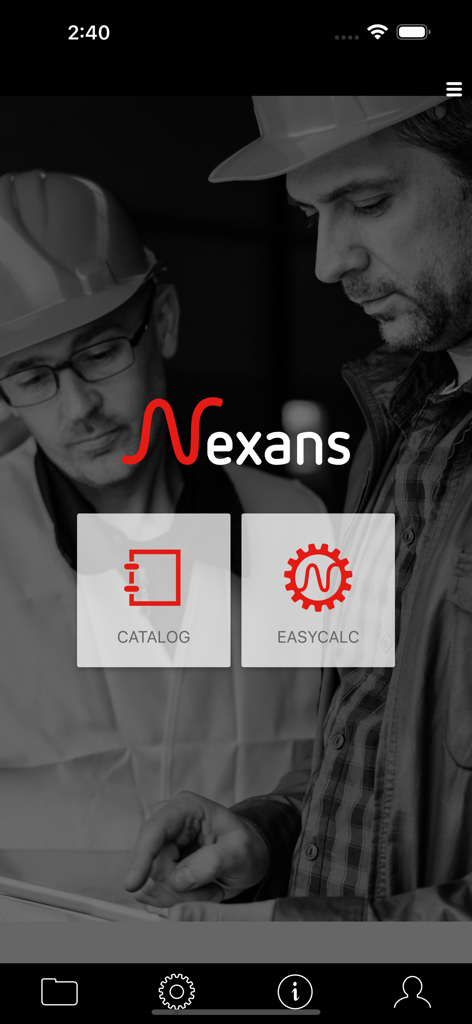
Nexans - Schermata principale dell'app mobile Nexans che mostra le funzionalità Catalog e EasyCalc per elettricisti.
Schermata principale dell'app mobile Nexans che mostra le funzionalità Catalog e EasyCalc per elettricisti.

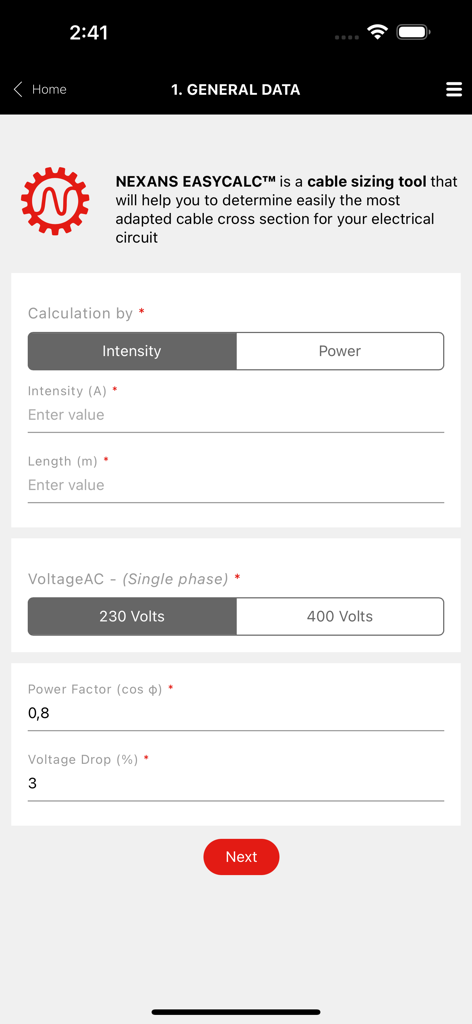
Nexans - Interfaccia dello strumento di dimensionamento cavi Nexans EasyCalc per l'inserimento dei dati del circuito elettrico
Interfaccia dello strumento di dimensionamento cavi Nexans EasyCalc per l'inserimento dei dati del circuito elettrico

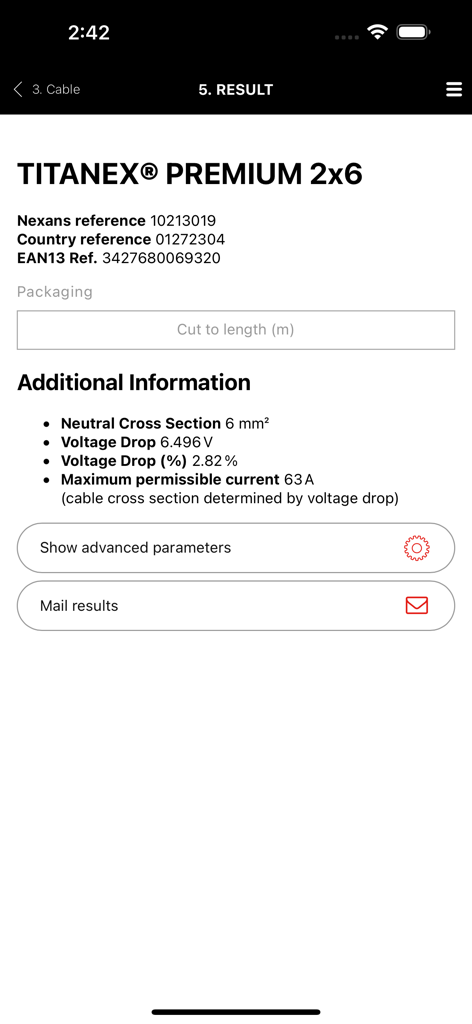
Nexans - Schermata dei risultati EasyCalc dell'app Nexans che mostra i dati tecnici per il cavo Titanex Premium
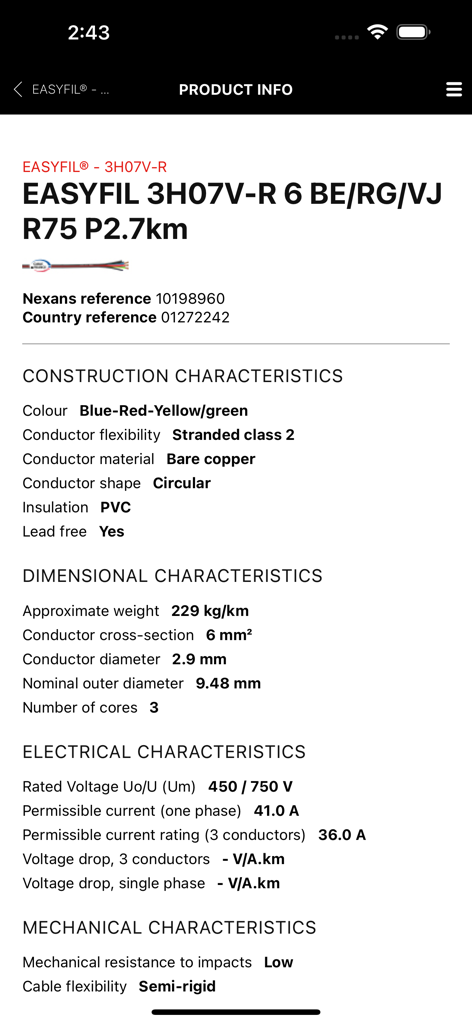
Schermata dei risultati EasyCalc dell'app Nexans che mostra i dati tecnici per il cavo Titanex Premium

Nexans - Specifiche tecniche e informazioni sul prodotto per il cavo Nexans Easyfil visualizzate su una schermata di un'app mobile
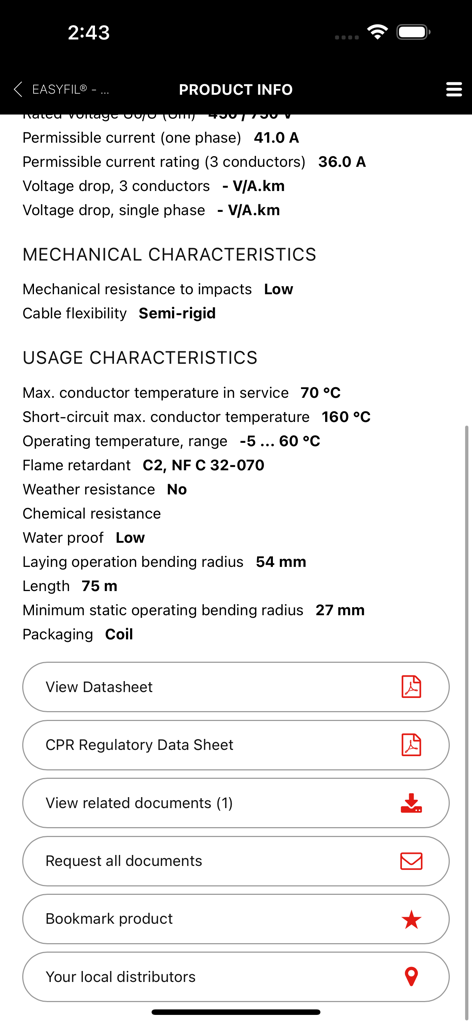
Specifiche tecniche e informazioni sul prodotto per il cavo Nexans Easyfil visualizzate su una schermata di un'app mobile

Nexans - Schermata dell'app Nexans che mostra le specifiche tecniche dei cavi e le opzioni di download della scheda tecnica

Schermata dell'app Nexans che mostra le specifiche tecniche dei cavi e le opzioni di download della scheda tecnica

Descrizione

Nexans’ app provides quick and efficient access to information about Nexans’ products, when you are on the move. Access to product datasheets, installation instructions, regulatory information, user manuals and all related documents. to find the product you want, just enter its reference number, perform a general search or just browse the catalogue. Once you have identified the product, you can access datasheets, installation instructions, user manuals, environmental declarations and other documents. Products can be easily identified thanks to product pictures. Documents can be downloaded and stored on your phone for later use, or sent to one or more e-mail addresses. Note that datasheets cannot be stored on the phone as they are subject to change and it is important to access only the latest version. Scanning a barcode on a Nexans’ product provides you with immediate access to product information without having to search. Depending on your country, the App may provide the following features EASYCALC: Our cable sizing tool– electrical installers, electricians, end-users – that will help you determine the most adapted cable cross section for your installation; Calculation is performed in 4 quick and easy steps. Step1: Fill in general information regarding your installation: intensity/power, length to be installed, voltage and current type (single phase, three phase) Step 2: Select the required cable and conductor types. You will be able to select the one you wish to use among the most common cable families. A short description and a picture of the cable will help you identify easily the one you need. Once the cable type has been chosen, you will have to specify the type of conductor (single core, multicore, with or without PE, with or without neutral) and the number of phases. Again, a corresponding picture will help you check your selection. Step 3: Specify installation conditions: environment (air/ground) and laying options. Pictograms illustrating the various options will facilitate your selection. Step 4: View calculation results: Nexans EASYCALC™ will provide you with the corresponding Nexans product reference. You can then send the results per email or contact Nexans to get additional information PRODUCT AUTHENTICATION You can now validate the authenticity of Nexans products by scanning the label available on the packaging. This module works with a specific sticker tagged on the products. It will allow to check if the product is not counterfeit. STORE LOCATOR Allow you to access the product reseller. The app makes use of your phone’s GPS for geolocation, allowing it to suggest addresses, but with a manual override for when your position is not accurately known. WARRANTY FORMS A facility for filling out warranty forms for heating cables. The procedure is the same as completing the form on paper, but with the added advantage that you can mail it to yourself, send a copy to Nexans, who will store it for you, and even mail it to your customer, for example. GENERAL INFORMATION The app requires a network connection to work properly. All the data are retrieved in real time direct from Nexans’ web servers, ensuring that the information is always up to date. The app is free to download and use, but your phone service provider may charge you for the data traffic, typically as part of your call and data plan. Optionally, in the app’s settings menu, you can define a data download limit.

Download

Scarica su App Store

Questa pagina non è una pagina ufficiale dell'app o del suo sviluppatore, ma una pubblicazione editoriale indipendente creata a scopo informativo e di commento. Salvo espressa indicazione contraria, né l'app né il suo sviluppatore sono affiliati, approvati, sponsorizzati, autorizzati o altrimenti ufficialmente collegati a MWM, Apple, Google Play, all'editore dell'app o allo sviluppatore dell'app, e nulla in questa pagina implica che l'app sia stata sviluppata utilizzando i servizi di MWM. Tutti i marchi, loghi, screenshot e altri contenuti rimangono di proprietà dei rispettivi proprietari.








