Nitro PDF Pro: Read & Edit

Nitro PDF Pro: Read & Edit

Scarica su App Store
Logo di Nitro PDF Pro: Read & Edit

Nitro PDF Pro: L'Editor PDF di Livello Desktop per iPad e iPhone

Potenzia il tuo flusso di lavoro mobile con uno strumento professionale e leggero, progettato per modifiche precise, firme sicure e sincronizzazione cloud senza interruzioni, ovunque tu lavori.

Editore

Nitro Software, Inc.

Categoria

Productivity

Download

61K+

Valutazione

3.8/5

Valutazioni totali

500

Lingue

4

Il Tuo Flusso di Lavoro, Visualizzato

Scopri l'interfaccia usata da 61K+ utenti.

Schermata dell'app Nitro PDF Pro che mostra le funzionalità di modifica e firma di PDF in mobilità
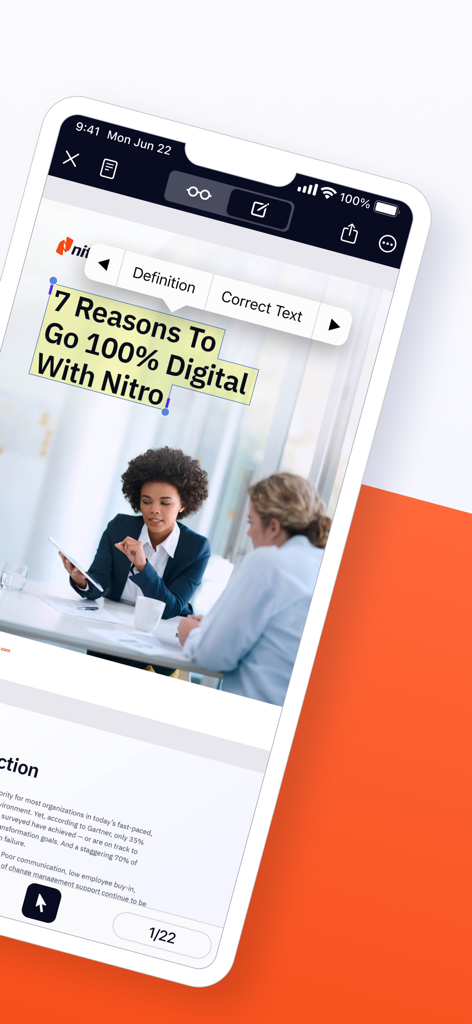
Schermata dell'app Nitro PDF Pro che mostra le funzionalità di modifica e firma di PDF in mobilità

Interfaccia di Nitro PDF Pro che mostra gli strumenti di modifica del testo su un dispositivo mobile
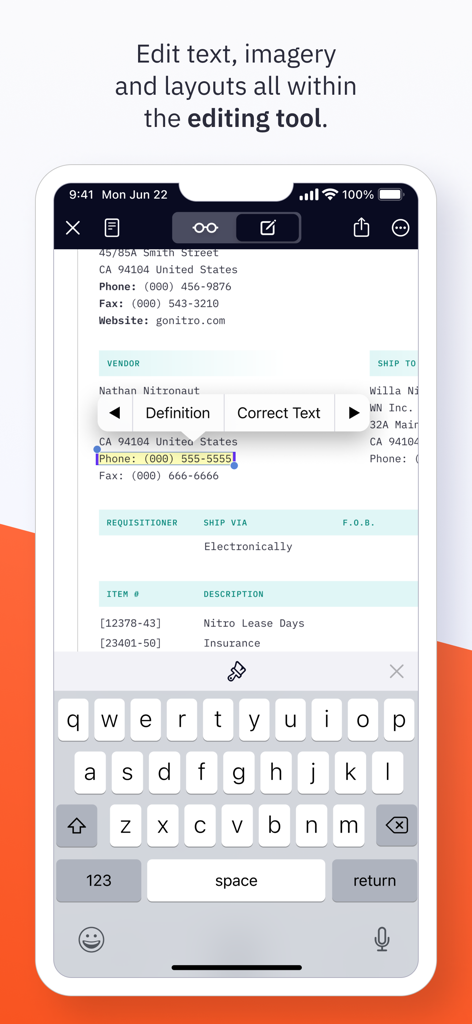
Interfaccia di Nitro PDF Pro che mostra gli strumenti di modifica del testo su un dispositivo mobile

Modifica del testo in un documento PDF utilizzando Nitro PDF Pro su un iPhone
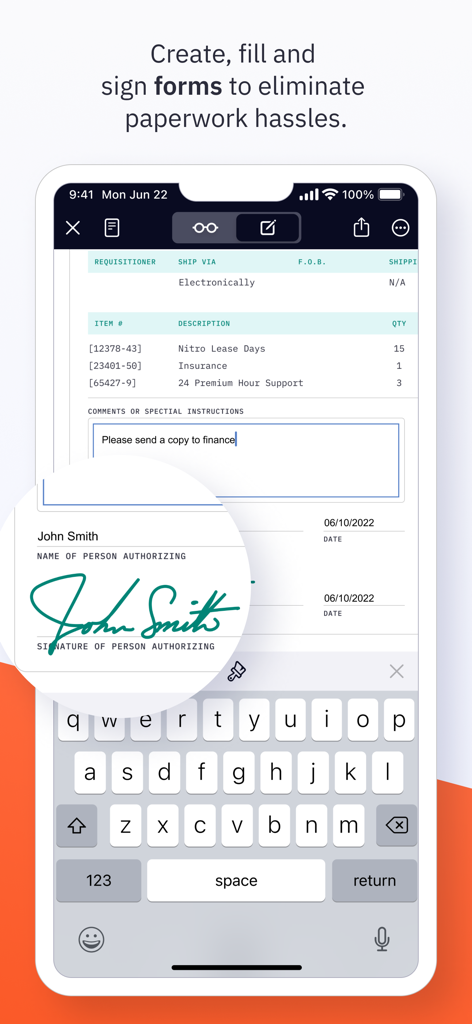
Modifica del testo in un documento PDF utilizzando Nitro PDF Pro su un iPhone

Interfaccia dell'app mobile Nitro PDF Pro per la compilazione e la firma di moduli digitali
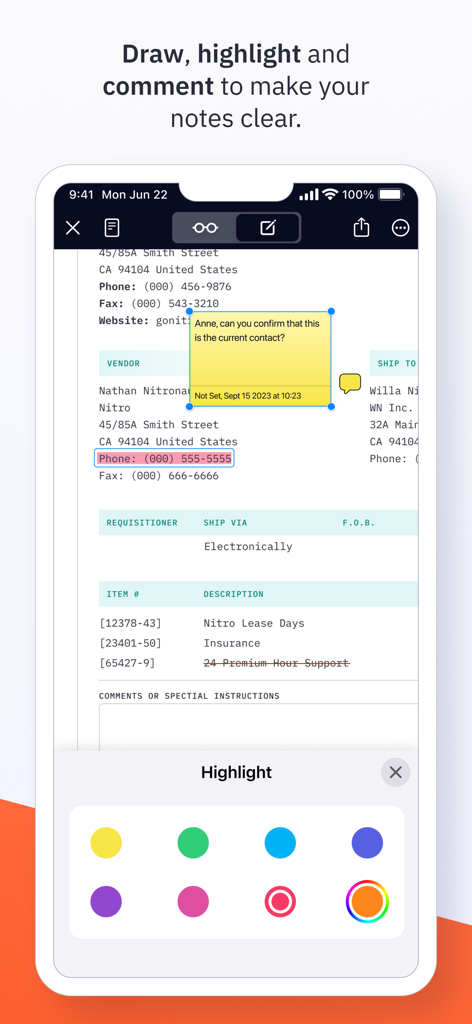
Interfaccia dell'app mobile Nitro PDF Pro per la compilazione e la firma di moduli digitali

Interfaccia dell'app Nitro PDF Pro che mostra l'evidenziazione di documenti e commenti con note adesive su un dispositivo mobile
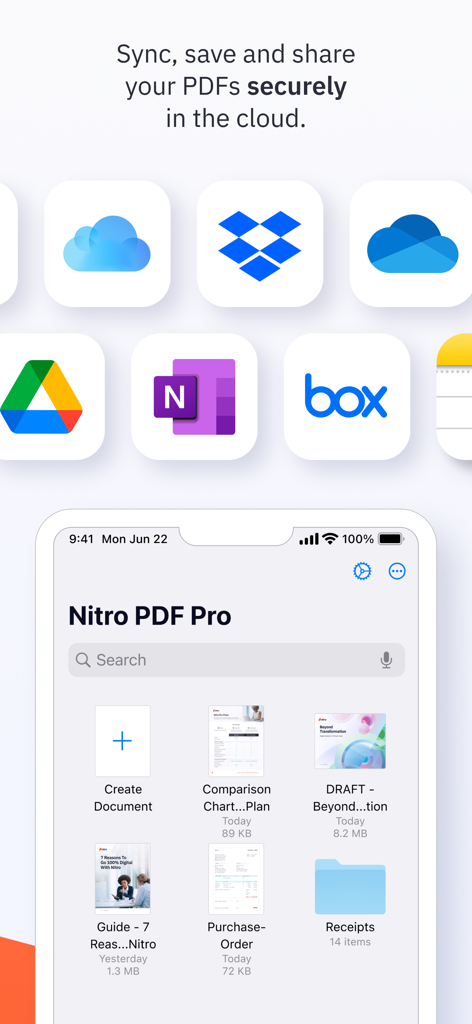
Interfaccia dell'app Nitro PDF Pro che mostra l'evidenziazione di documenti e commenti con note adesive su un dispositivo mobile

Interfaccia dell'app mobile Nitro PDF Pro che mostra la sincronizzazione cloud sicura e le funzionalità di gestione dei file
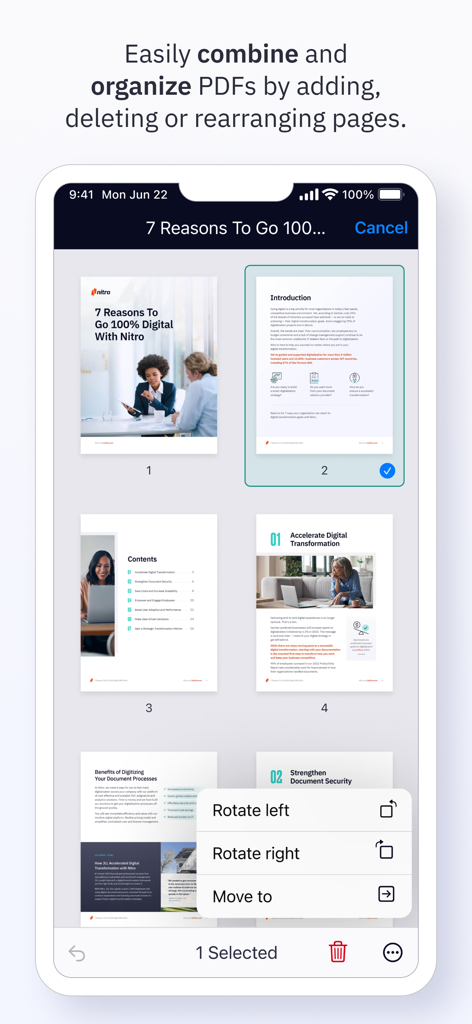
Interfaccia dell'app mobile Nitro PDF Pro che mostra la sincronizzazione cloud sicura e le funzionalità di gestione dei file

Interfaccia dell'app Nitro PDF Pro che mostra una vista a griglia delle pagine PDF con un menu per ruotare o spostare le pagine selezionate su un iPhone.

Interfaccia dell'app Nitro PDF Pro che mostra una vista a griglia delle pagine PDF con un menu per ruotare o spostare le pagine selezionate su un iPhone.

Gestisci i Tuoi Documenti Ovunque

Gli strumenti che rendono questa app unica, scelti da 61K+ utenti.

✏️

Modifica di Livello Desktop

Modifica testo, aggiungi immagini e usa il tuo Apple Pencil per annotazioni precise. Basta con 'lo aggiusto più tardi alla scrivania': fallo ora.

🖋️

Firma Elettronica e Sicurezza

Firma istantaneamente documenti legalmente vincolanti. Proteggi i dati riservati dei clienti con crittografia avanzata tramite password e condivisione sicura.

📂

Lavora Senza Confini

Unisci più file e sincronizza senza interruzioni con iCloud, Google Drive o OneDrive. Il tuo ufficio è ovunque tu scelga di essere.

Analisi recensioni

Approfondimenti dalle recensioni degli utenti.

Punteggio sentimento

20%
Negativo

Riepilogo

The Nitro PDF Pro app generally receives negative feedback, with many users reporting frequent crashes, freezing, and difficulties with saving and opening documents, particularly after updates or on specific iOS versions like iOS 17. A major point of dissatisfaction is the app's significantly limited feature set compared to its desktop counterparts and rival PDF editors, lacking essential capabilities such as OCR, advanced text editing, and proper Apple Pencil integration. Users also express frustration with misleading "free" download claims that lead to mandatory in-app purchases and complain about unresponsive customer support. Despite a few positive remarks on its basic utility for document management, the overall sentiment highlights a disappointing user experience and poor value.

Temi comuni

Missing Features(17)
Crashes & Bugs(13)
Pricing & Subscription(13)
Desktop App Disparity(10)
Core PDF Functionality(8)
Customer Support(6)
Usability & Interface(5)

Info sull'app

Tutto quello che devi sapere su Nitro PDF Pro: Read & Edit.

Descrizione

Ready to do more with PDFs on iPad & iPhone? Edit, read, sign and sync PDFs in the cloud with the powerful, lightweight Nitro PDF Pro app designed for iPad & iPhone users. Packed with features to help you stay productive on the go, Nitro PDF Pro for iPad & iPhone lets you edit, sign, share and manage your documents wherever you are - all in a secure and user-friendly interface. Get started for free with a 14-day trial today. “Superior PDF handling, & economical” “Nitro PDF Pro has become an essential tool in my daily business operations! It makes everything from document preparation to communication much easier for me.” “If you are looking for a workhorse app to handle your PDFs made by responsive developers, look no further...” -> With Nitro PDF Pro you can: EDIT PDFs ON THE GO * Easily edit PDF text wherever you are, on any iOS device * Make notes and add comments to PDFs for quick, on-the-go reference * Add images or mark-up PDFs with drawings, with stylus support for iPad ANNOTATE & HIGHLIGHT PDFs * Add annotations to PDF text and documents * Highlight text to stay organized and keep track of important information FILL & SAVE PDF FORMS * Fill and save PDF forms for fast & easy productivity * Keep your PDF forms secure with password protection SIGN & SHARE PDF DOCUMENTS * Sign & share PDF documents in a snap * Save text, signatures and images in your Library for easy re-use * Keep documents synced with the cloud for on-the-go signatures PROTECT, SECURE & SYNC PDFs * Password protect PDFs to keep your data and confidential information secure * Set the level of document encryption as required * Sync with the cloud to back up PDFs on iCloud, Dropbox, Google Drive, or Microsoft OneNote MERGE, EXPORT & ORGANIZE PDFs * Merge multiple documents into one PDF in just a few clicks for easy organization * Import, export & organize PDFs in folders for fast access and easy on-the-go editing * Duplicate, add, delete or rearrange pages for simple, custom document creation ADDITIONAL AMAZING PDF EDITOR FEATURES * Duplicate, add, delete, rotate and rearrange pages * Enable easier PDF reading with dark mode, search and zoom * Email & Airdrop your documents, with PDF flattening for maximum compatibility * View two documents simultaneously with multiple windows (iPadOS) * Bluetooth pressure-sensitive stylus support - automatically works with Apple Pencil * Support for Adonit Jot Touch and Jot Script styluses Still exploring PDF editors for iOS? No pressure! Give Nitro PDF Pro iOS a try for free with a 14-day trial and see how you like its features and functions. We think you’ll love the value we pack into our easy-to-use PDF iOS app. Questions and issues regarding our PDF app? We're here to help! Connect with Nitro through our Community Forum: https://community.gonitro.com/ NITRO POLICY https://www.gonitro.com/legal/privacy-policy https://www.gonitro.com/legal/terms-of-service

Ultima versione

25.1

Dimensione

43.7 MB

Data di lancio

15 mar 2022

Migliora Oggi la Tua Produttività Mobile

Abbandona il desktop e gestisci i tuoi PDF professionali ovunque. Inizia la tua prova gratuita di 14 giorni e scopri l'editor definitivo ottimizzato per iPad.

Scarica su App Store

App information, icons, screenshots, and descriptions displayed on this page are sourced from the Apple App Store and are the property of their respective developers. Download estimates and rankings are based on MWM's proprietary models and may not reflect actual figures. This page is provided for informational and analytical purposes only.

Believe this page infringes your intellectual property? File a dispute