Noteflow+ Digital Notebook
Scarica su App Store

Questa pagina non è una pagina ufficiale dell'app o del suo sviluppatore, ma una pubblicazione editoriale indipendente creata a scopo informativo e di commento. Salvo espressa indicazione contraria, né l'app né il suo sviluppatore sono affiliati, approvati, sponsorizzati, autorizzati o altrimenti ufficialmente collegati a MWM, Apple, Google Play, all'editore dell'app o allo sviluppatore dell'app, e nulla in questa pagina implica che l'app sia stata sviluppata utilizzando i servizi di MWM. Tutti i marchi, loghi, screenshot e altri contenuti rimangono di proprietà dei rispettivi proprietari.


Logo di Noteflow+ Digital Notebook
Scarica su App Store

Noteflow+ Digital Notebook

La tela vettoriale ad alta precisione per pensatori visivi. Converti senza sforzo lavagne in inchiostro modificabile e ottimizza il tuo flusso di lavoro professionale su iPad.

Numeri Chiave

Download

141K+

Valutazione

4.4/5

Valutazioni totali

300

Editore

Qrayon, LLC

Categoria

Business

Lingue

1

Ultima versione

3.4

Dimensione

15.9 MB

Data di lancio

19 set 2017
Funzioni

Le tue idee, evolute digitalmente

Sperimenta un quaderno digitale che combina la libertà tattile di penna e carta con la potenza della precisione vettoriale e l'integrazione cloud senza interruzioni.

Cattura il Mondo Fisico

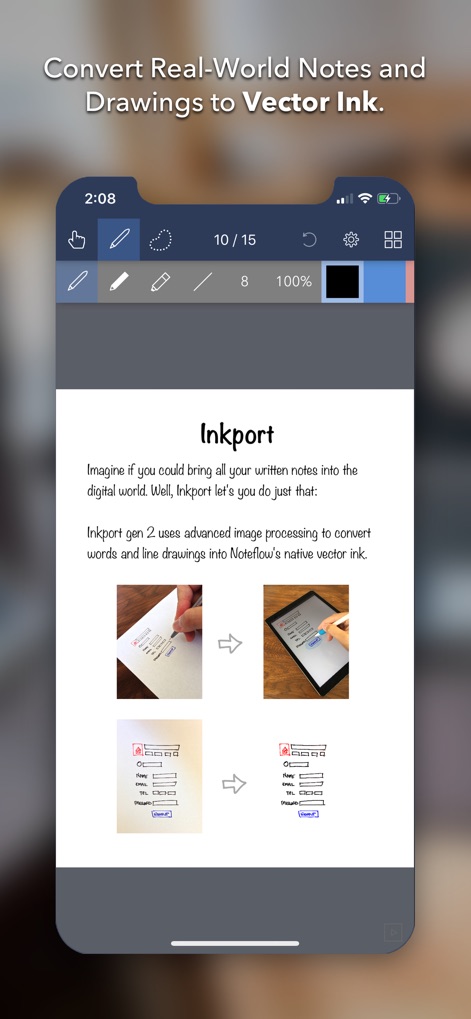
Trasforma istantaneamente schizzi su lavagna e appunti cartacei in inchiostro digitale modificabile utilizzando Inkport Gen 2, senza hardware specializzato.

Precisione Vettoriale Infinita

Scala i tuoi disegni e appunti senza mai perdere qualità. Il nostro motore vettoriale mantiene il tuo lavoro nitido, fornendo una tela infinita per i tuoi pensieri più grandi.

Gli screenshot e la descrizione seguenti provengono direttamente dall'elenco ufficiale dello store dell'app e sono di proprietà dello sviluppatore.

App Store

Screenshot
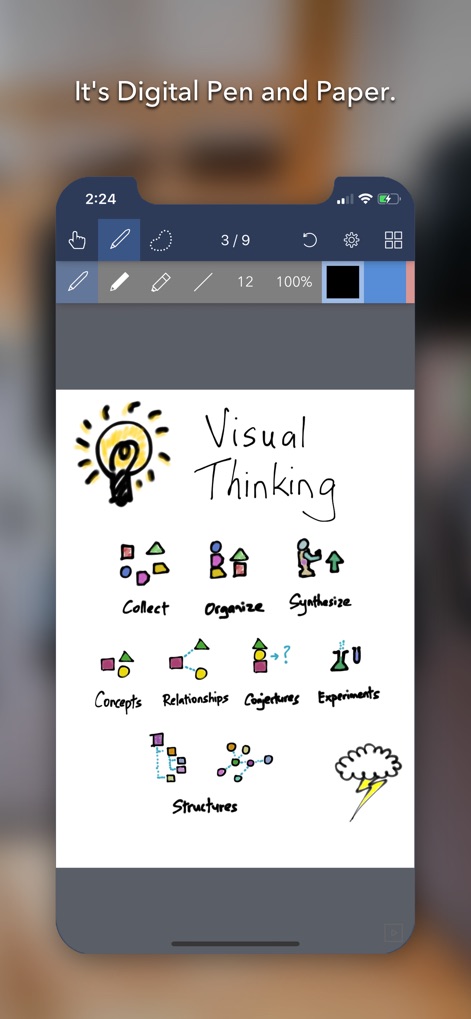
Noteflow+ Digital Notebook - App Noteflow quaderno digitale che mostra uno schizzo di pensiero visivo con una lampadina e icone di flusso di lavoro
App Noteflow quaderno digitale che mostra uno schizzo di pensiero visivo con una lampadina e icone di flusso di lavoro

Noteflow+ Digital Notebook - App Noteflow che converte disegni cartacei in inchiostro vettoriale digitale
App Noteflow che converte disegni cartacei in inchiostro vettoriale digitale

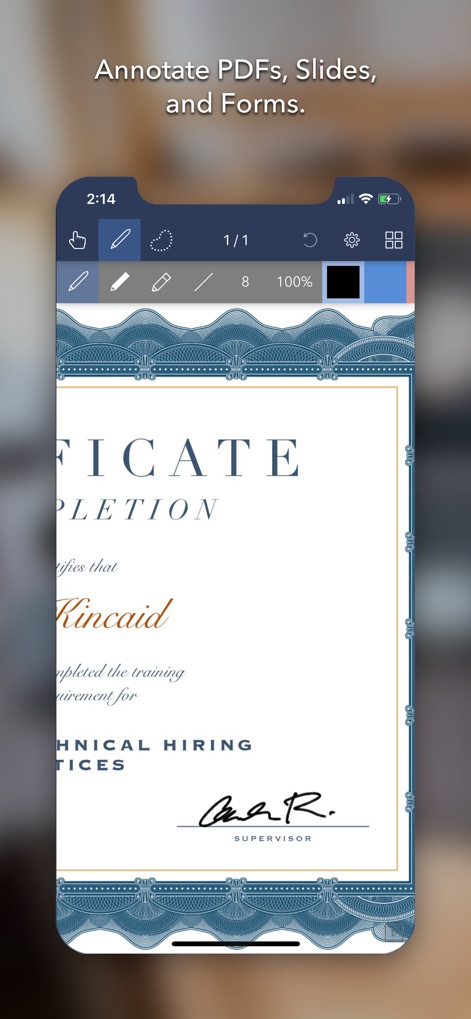
Noteflow+ Digital Notebook - Schermata iPhone che mostra un certificato in fase di annotazione nell'app Noteflow plus
Schermata iPhone che mostra un certificato in fase di annotazione nell'app Noteflow plus

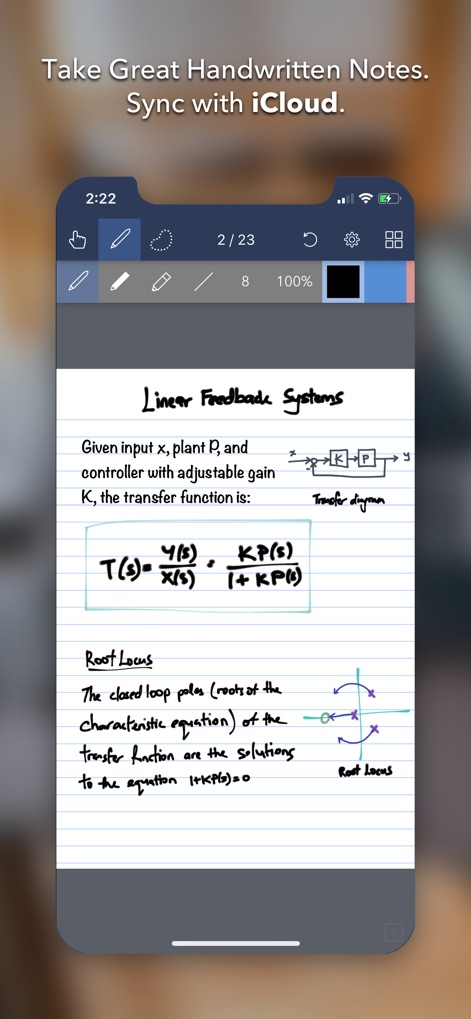
Noteflow+ Digital Notebook - Interfaccia dell'app Noteflow plus su iPhone che mostra appunti accademici scritti a mano con equazioni e diagrammi
Interfaccia dell'app Noteflow plus su iPhone che mostra appunti accademici scritti a mano con equazioni e diagrammi

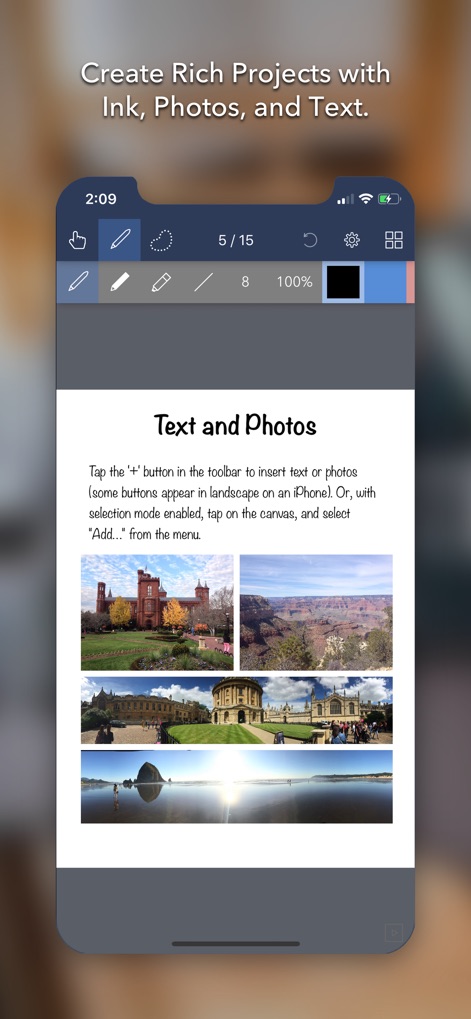
Noteflow+ Digital Notebook - Interfaccia dell'app Noteflow plus che mostra una pagina di quaderno digitale con testo e quattro foto di viaggio

Interfaccia dell'app Noteflow plus che mostra una pagina di quaderno digitale con testo e quattro foto di viaggio

Descrizione

Noteflow is designed to replace pen and paper. It is a modern digital notebook that lets you get the most out of your iPad or iPhone. Use it for taking notes, annotating PDFs, sketching and doodling, plus a whole lot more: Copy and paste from the real world: Use Inkport gen 2 to snap a picture of a whiteboard or writing and convert it into Noteflow's native vector ink. No special paper needed. Then resize, re-color, or edit as if you wrote it in Noteflow. Create layered drawings without layers: Use the highlighter tool to color and shade behind existing ink. Use Color-Select to separate and edit individual colors. It's a much more fluid and natural editing experience than with layers. Use the straight-line tool with a grid for fast and intuitive wireframes and drafting. Drag-and-drop, cloud-storage, and more: Noteflow natively integrates with iOS's file system and drag-and-drop capabilities. Drop photos and text into Noteflow, and drag your drawings into other apps. Store your files locally or sync with the cloud service of your choice. Make Noteflow a seamless part of your workflow, the way you like. SPACE FOR YOUR IDEAS TO ROAM Our vision for Noteflow is simple: to be digital pen and paper. The magic of pen and paper is in their versatility. They are useful for so many things, but particularly for the freeform capture of ideas. Noteflow expands upon this quality. You can naturally do all the things you normally do with pen and paper: take notes in meetings or class, and jot down flashes of inspirations on the go. And you can take that to a whole new level: One of Noteflow’s best uses is for "thinking on digital paper": quickly capture key ideas and concepts, then move and organize them on the screen. Noteflow's vector ink engine lets you scale and edit your work without any loss of quality. Your words and drawings remain tack sharp when zoomed in, giving you a huge effective working canvas even on a single page. There are analogues in the physical world, such as sketchnotes or everyday working on a white board, but being able to fluidly edit and move your ideas around the page is something you can only do digitally. When you represent the ideas in your head with your own personal scribbles on the screen, it effectively becomes an extension of your mind - giving you more room to think. We've designed every part of Noteflow to let you intuitively capture and work on your ideas the way you like. Whether it's dropping in existing information, quickly sketching concepts, or assembling polished presentations for others. By resizing ink and zooming in, you have a huge effective canvas to work with, even on a single page. As your ideas shape up, Noteflow has all the tools you need to tidy them up and format them to share with others. DIGITAL TOOLS FOR A DIGITAL AGE I hope you'll find Noteflow a useful part of your workflow, and that you'll discover new ways to do things with it that weren't easy before. We're very proud of the work we've put into Noteflow, but we're also just seen the beginning of what's possible with powerful new digital platforms like the iPad. Our goal is to push these platforms to their limits to craft useful tools. Tools that can help us think a little more clearly, communicate a bit more effectively, and connect with other in new and enriching ways. Thanks for joining us on this journey! -- The App Makers @ Qrayon.

Download

Scarica su App Store

Questa pagina non è una pagina ufficiale dell'app o del suo sviluppatore, ma una pubblicazione editoriale indipendente creata a scopo informativo e di commento. Salvo espressa indicazione contraria, né l'app né il suo sviluppatore sono affiliati, approvati, sponsorizzati, autorizzati o altrimenti ufficialmente collegati a MWM, Apple, Google Play, all'editore dell'app o allo sviluppatore dell'app, e nulla in questa pagina implica che l'app sia stata sviluppata utilizzando i servizi di MWM. Tutti i marchi, loghi, screenshot e altri contenuti rimangono di proprietà dei rispettivi proprietari.








