
Questa pagina non è una pagina ufficiale dell'app o del suo sviluppatore, ma una pubblicazione editoriale indipendente creata a scopo informativo e di commento. Salvo espressa indicazione contraria, né l'app né il suo sviluppatore sono affiliati, approvati, sponsorizzati, autorizzati o altrimenti ufficialmente collegati a MWM, Apple, Google Play, all'editore dell'app o allo sviluppatore dell'app, e nulla in questa pagina implica che l'app sia stata sviluppata utilizzando i servizi di MWM. Tutti i marchi, loghi, screenshot e altri contenuti rimangono di proprietà dei rispettivi proprietari.

Notion: Music Notation and Tab
Scatena la tua creatività con composizioni professionali a portata di mano. Dal riconoscimento intuitivo della scrittura a mano al suono di classe mondiale della London Symphony Orchestra, crea e sincronizza spartiti senza sforzo su iPhone, iPad e Mac.
Download
563K+Valutazione
Valutazioni totali
600Editore
Categoria
MusicLingue
9Ultima versione
3.5.1Dimensione
146.0 MBData di lancio
16 dic 2011Composizione Professionale, Ovunque
Dai vita alle tue visioni musicali con un potente motore di notazione pluripremiato, progettato sia per l'aula che per lo studio di registrazione.
Input Scrittura a Mano Naturale
Scrivi musica a modo tuo. Usa la tua Apple Pencil per abbozzare note direttamente sul pentagramma e osserva come il nostro avanzato motore di riconoscimento le trasforma in notazione digitale professionale.
Qualità Sonora Leggendaria
Ascolta il tuo lavoro eseguito dalla London Symphony Orchestra. Goditi una riproduzione incredibilmente realistica utilizzando campioni audio reali registrati negli iconici Abbey Road Studios.
Domande Frequenti
Tutto quello che devi sapere su Notion: Music Notation and Tab
Quanto costa Fender Notion: Music & Tab?
Fender Notion: Music & Tab è gratuito da scaricare e utilizzare, offrendo pentagrammi illimitati e set di suoni principali. Funzionalità aggiuntive, come il riconoscimento della scrittura a mano e i set di suoni di espansione, sono disponibili tramite un pacchetto di funzionalità in-app o un abbonamento Fender Studio Pro+.
Cos'è Fender Notion: Music & Tab?
Fender Notion: Music & Tab è uno strumento di composizione musicale pluripremiato per iOS, iPadOS e macOS. Permette agli utenti di creare composizioni dinamiche in notazione musicale tradizionale o in tablatura per chitarra utilizzando un'interfaccia intuitiva basata sul tocco.
Posso comporre musica usando la tablatura per chitarra in Fender Notion?
Sì, Fender Notion: Music & Tab consente agli utenti di creare senza sforzo composizioni dinamiche in tablatura per chitarra. L'app fornisce un'interfaccia dedicata per l'inserimento e la modifica della tablatura per chitarra.
Fender Notion supporta il riconoscimento della scrittura a mano?
Sì, Fender Notion: Music & Tab offre il riconoscimento della scrittura a mano, alimentato da MyScript. Questa funzionalità fa parte del pacchetto di funzionalità e supporta Apple Pencil per l'input sensibile alla pressione su dispositivi compatibili.
Quali campioni sonori utilizza Fender Notion per la riproduzione?
Fender Notion offre una riproduzione realistica utilizzando campioni audio reali registrati dalla London Symphony Orchestra agli Abbey Road Studios. Include anche campioni di chitarra, basso, batteria e altri strumenti popolari per composizioni complete.
Fender Notion può sincronizzare la musica su più dispositivi?
Sì, Fender Notion: Music & Tab supporta la sincronizzazione del lavoro su più dispositivi. Gli utenti possono ottenere questo risultato tramite il loro provider cloud preferito o tramite il trasferimento wireless opzionale tra applicazioni su qualsiasi dispositivo.
Quali formati di esportazione sono disponibili in Fender Notion?
Fender Notion consente di esportare composizioni come file MIDI, MusicXML, PDF, WAV e MP3 gratuitamente. Il pacchetto di funzionalità aggiunge formati audio aggiuntivi come M4A, OPUS e FLAC.
Fender Notion è un'applicazione multipiattaforma?
Sì, Fender Notion: Music & Tab è un'applicazione nativa multipiattaforma. Consente agli utenti di scrivere musica su vari dispositivi, inclusi iOS, iPadOS e macOS, senza richiedere una connessione Internet costante.
Fender Notion include un drum pad per la composizione?
Sì, Fender Notion: Music & Tab include un drum pad interattivo. Questa funzionalità semplifica la composizione di parti di batteria con vari colpi di strumento direttamente all'interno dell'applicazione.
Posso usare Fender Notion offline?
Sì, Fender Notion: Music & Tab funziona offline. È un'app nativa multipiattaforma che consente agli utenti di comporre musica ovunque su qualsiasi dispositivo senza richiedere una connessione Internet costante.
Gli screenshot e la descrizione seguenti provengono direttamente dall'elenco ufficiale dello store dell'app e sono di proprietà dello sviluppatore.
App Store
Screenshot
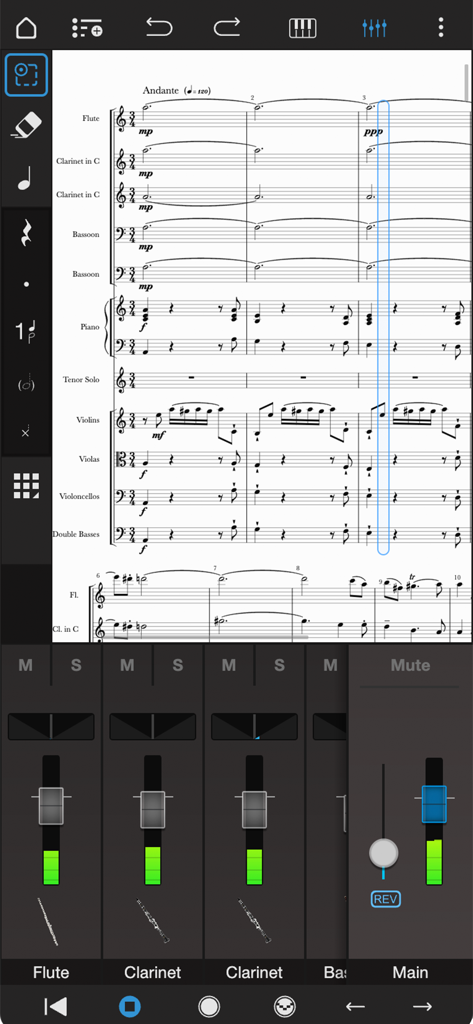
Interfaccia di editing dello spartito orchestrale professionale e mixer audio in Notion Mobile.
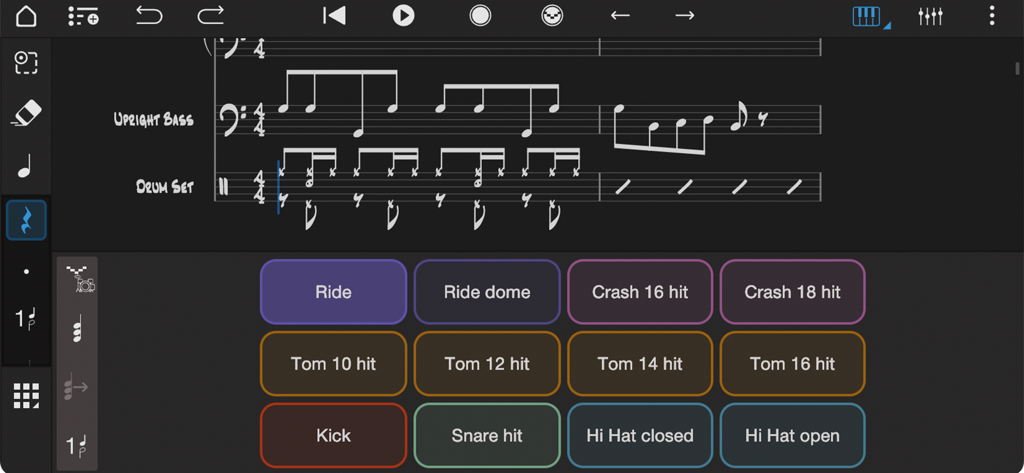
Interfaccia dell'app musicale Notion che mostra un controller per drum pad e notazione musicale per contrabbasso e batteria
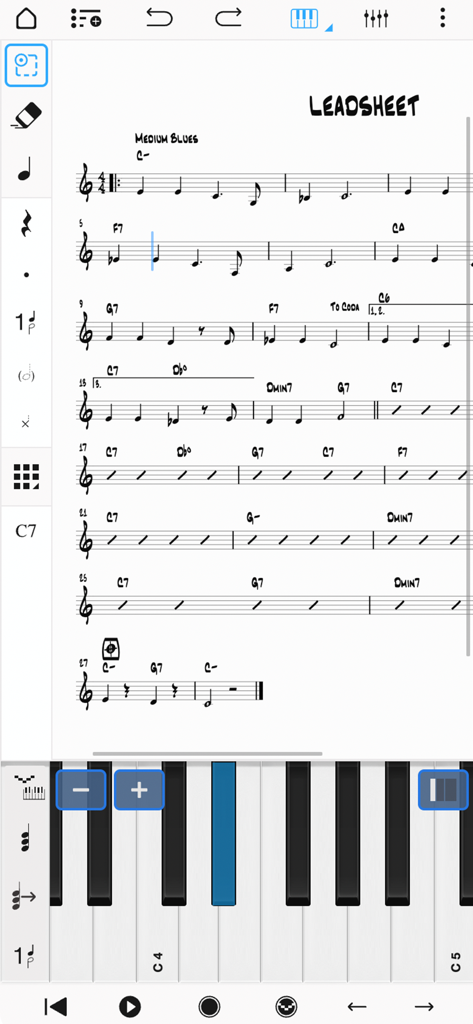
Interfaccia dell'app Notion Mobile che mostra un lead sheet musicale con una tastiera virtuale per l'inserimento delle note
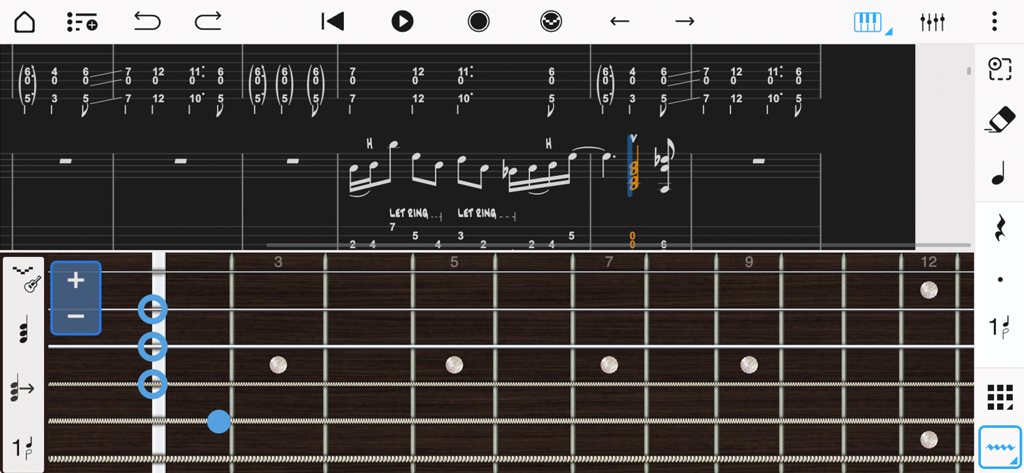
Interfaccia di notazione musicale e tablature per chitarra con una tastiera virtuale per l'inserimento delle note in Notion Mobile.
Descrizione
Download
App Simili
App con funzionalità ed esperienza simili

来音制谱-sheet music editing
Beijing Xihang Technology Co., Ltd.

Dorico - Compose Music
Steinberg Media Technologies GmbH

Composer Pro - Score Creator
嵩 张

Sibelius
Avid Technology Inc

Notation Pad-Sheet Music Score
嵩 张

Piano+ - Sheet Music Composer
嵩 张

Score Creator: compose music
Sharp Notes Company Limited

Maestro - Music Composer
Future Sculptor Pty Ltd

NotateMe
Neuratron Limited
Questa pagina non è una pagina ufficiale dell'app o del suo sviluppatore, ma una pubblicazione editoriale indipendente creata a scopo informativo e di commento. Salvo espressa indicazione contraria, né l'app né il suo sviluppatore sono affiliati, approvati, sponsorizzati, autorizzati o altrimenti ufficialmente collegati a MWM, Apple, Google Play, all'editore dell'app o allo sviluppatore dell'app, e nulla in questa pagina implica che l'app sia stata sviluppata utilizzando i servizi di MWM. Tutti i marchi, loghi, screenshot e altri contenuti rimangono di proprietà dei rispettivi proprietari.