
Questa pagina non è una pagina ufficiale dell'app o del suo sviluppatore, ma una pubblicazione editoriale indipendente creata a scopo informativo e di commento. Salvo espressa indicazione contraria, né l'app né il suo sviluppatore sono affiliati, approvati, sponsorizzati, autorizzati o altrimenti ufficialmente collegati a MWM, Apple, Google Play, all'editore dell'app o allo sviluppatore dell'app, e nulla in questa pagina implica che l'app sia stata sviluppata utilizzando i servizi di MWM. Tutti i marchi, loghi, screenshot e altri contenuti rimangono di proprietà dei rispettivi proprietari.


Otter Transcribe Voice Notes
La vostra incapacità di prestare attenzione non è più un handicap, è un superpotere. L'app si dimostra uno strumento per immortalare ogni sillaba.
Download
7.5M+Valutazione
Valutazioni totali
90.0KEditore
Categoria
ProductivityLingue
1Ultima versione
3.96.0Dimensione
159.1 MBData di lancio
17 feb 2018Valutazione delle principali caratteristiche per professionisti, studenti e lavoratori da remoto.
Analisi Funzionale: Otter Transcribe Voice Notes
Assistente AI per Riunioni e Summarizzazione
L'app fornisce un assistente basato su intelligenza artificiale che automatizza la creazione di note dettagliate e riassunti concisi delle riunioni, estraendo punti chiave, azioni e catturando automaticamente le diapositive delle presentazioni.
Trascrizione e Registrazione in Tempo Reale
Questo strumento consente di registrare conversazioni dal vivo e trascriverle istantaneamente, permettendo agli utenti di concentrarsi sulla discussione senza preoccuparsi di prendere appunti manualmente.
Ricerca Intelligente e Riproduzione Audio Sincronizzata
L'applicazione offre funzionalità di ricerca testuale all'interno delle trascrizioni e una riproduzione audio che si sincronizza con il testo evidenziato, facilitando l'individuazione rapida di informazioni specifiche e la revisione efficiente.
Collaborazione e Condivisione Avanzata
Consente agli utenti di invitare membri del team a visualizzare, modificare e evidenziare collaborativamente le trascrizioni, aggiungere commenti e assegnare elementi di azione, migliorando la produttività del team.
Arricchimento delle Note tramite AI Conversazionale
Questo strumento permette di interrogare le conversazioni per ottenere risposte, generare automaticamente contenuti come email di follow-up e utilizzare canali AI per aggiornamenti asincroni e interazioni di squadra.
Modifica e Gestione delle Trascrizioni
Permette agli utenti di correggere errori nelle trascrizioni, etichettare gli oratori per una migliore leggibilità e addestrare il sistema a identificarli, oltre a organizzare e esportare le note in vari formati.
Domande Frequenti
Tutto quello che devi sapere su Otter Transcribe Voice Notes
What is Otter AI and what does it do?
Otter AI is a meeting assistant that transcribes voice in real-time, records audio, captures slides, and generates summaries. It helps users avoid manual note-taking.
Does Otter AI provide real-time transcription?
Yes, Otter AI transcribes voice conversations, meetings, interviews, and lectures in real-time. This functionality enables users to focus on the discussion without manual note-taking.
What languages does Otter AI support for transcription?
Otter AI supports transcription in English, Spanish, French, and Japanese. This feature applies to real-time transcription and recorded audio files.
Is Otter AI free to use or does it have a subscription?
Yes, Otter AI offers a free starting option. Paid features are available through Otter Pro, a subscription service billed to your iTunes Account.
What artificial intelligence (AI) features does Otter AI offer?
Otter AI provides an AI Meeting Assistant for automated notes and summaries, AI Chat for quick answers, and AI Channels for team collaboration and async updates.
Which meeting platforms does Otter AI support?
Otter AI integrates with popular meeting platforms, providing automated notes for Zoom, Google Meet, and Microsoft Teams. It supports remote work collaboration.
How does Otter AI support collaboration and sharing?
Otter AI facilitates sharing and collaboration by allowing group members to view, edit, and highlight collaboratively. Users can add comments, assign action items, and share external links.
Are there any specific features for Otter AI on iOS devices?
Yes, Otter AI is optimized for iOS with features like Siri Shortcuts for recording, AirPods integration, and syncing with iOS Calendar, Contacts, and Camera.
How do I manage my Otter Pro subscription and billing?
You manage your Otter Pro subscription and auto-renewal settings in your Account Settings after purchase. Payment processes through your iTunes Account.
Where can I find the privacy policy for Otter AI?
The official privacy policy for Otter AI is accessible on their website. You can review the full policy at https://otter.ai/privacy-policy.
Gli screenshot e la descrizione seguenti provengono direttamente dall'elenco ufficiale dello store dell'app e sono di proprietà dello sviluppatore.
App Store
Screenshot
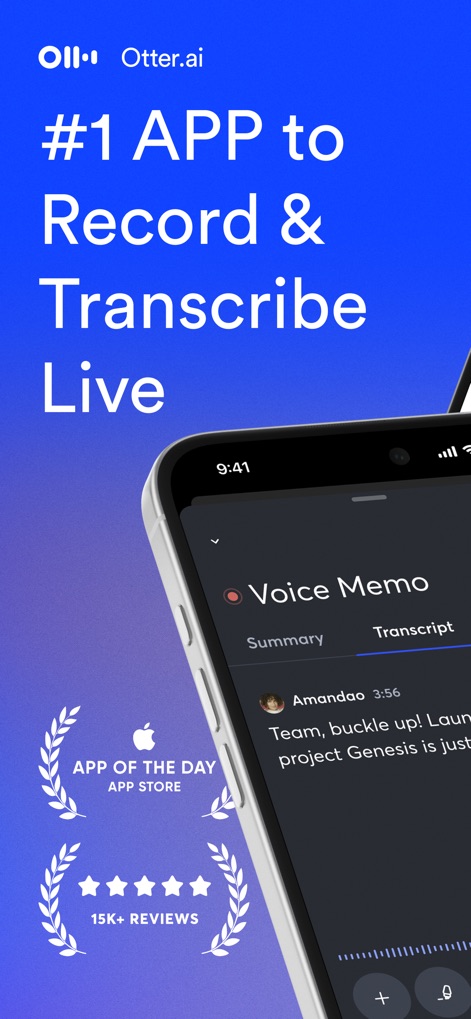
L'app si posiziona come leader nella trascrizione in tempo reale, evidenziata dalla chiara interfaccia con le schede 'Summary' e 'Transcript' e dal prestigioso riconoscimento di 'App of the Day'.
Registra, Trascrivi Live
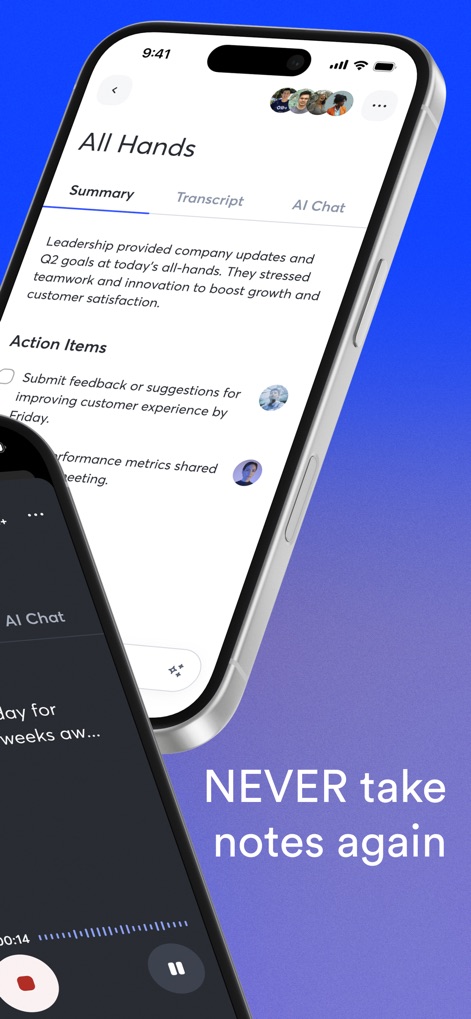
Questo strumento offre riassunti automatici delle riunioni, presentando chiaramente gli 'Action Items' per una gestione efficiente e un pannello di navigazione con 'Summary', 'Transcript' e 'AI Chat'.
Riassunti Intelligenti AI
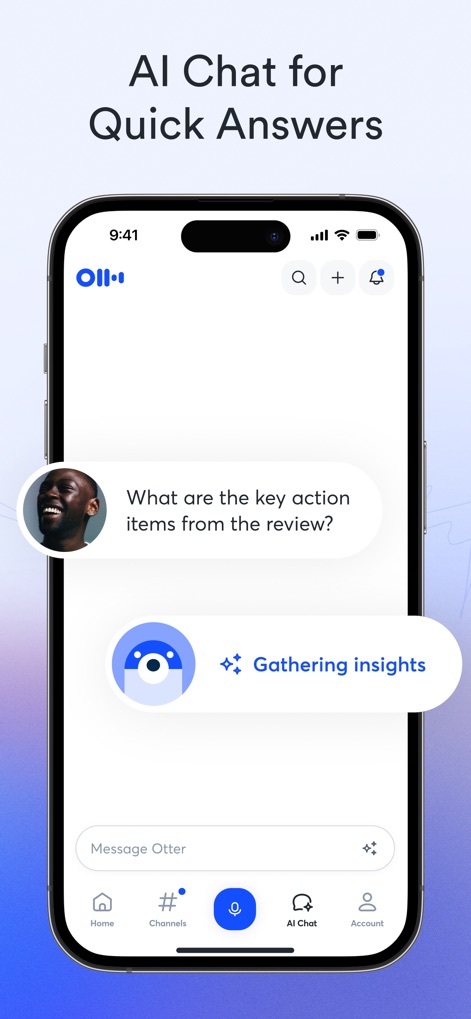
La funzionalità 'AI Chat' consente agli utenti di ottenere risposte rapide su specifici contenuti registrati, come dimostrato dalla domanda "What are the key action items?" e dal processo 'Gathering insights'.
Chat AI Intuitiva
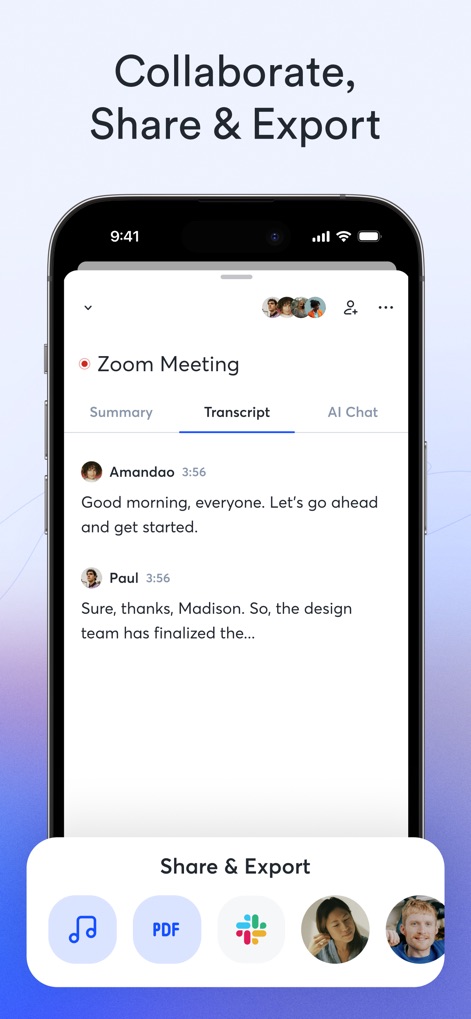
L'app promuove la collaborazione permettendo agli utenti di condividere e esportare facilmente le trascrizioni, visibile dalle opzioni per il 'PDF' e le icone di condivisione verso altri utenti.
Condivisione Semplice, Esportazione
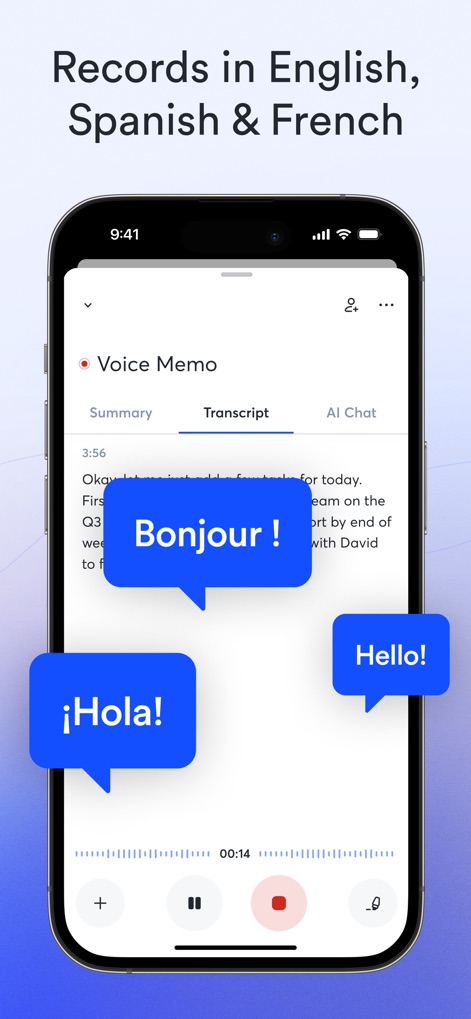
Questo strumento eccelle nella trascrizione multilingue, come evidenziato dalle bolle di dialogo che mostrano frasi in 'Bonjour!' e '¡Hola!', rendendo l'app accessibile a un pubblico globale.
Riconoscimento Multilingue Voci
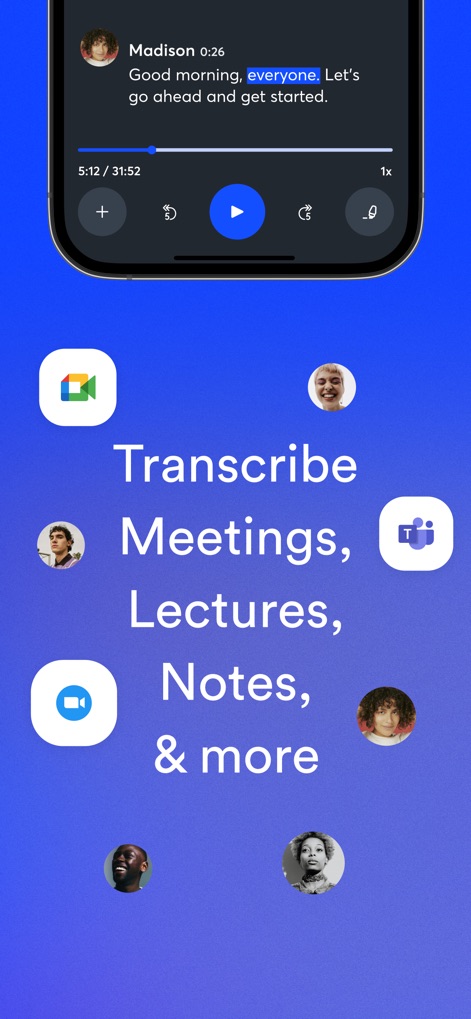
L'app garantisce un'integrazione fluida con piattaforme comuni, illustrata dalle icone di Google Meet e Microsoft Teams, permettendo di trascrivere riunioni e conversazioni senza interruzioni.
Integrazione Perfetta Piattaforme
Descrizione
Download
App Simili
App con funzionalità ed esperienza simili

Plaud: AI Note Taker
PLAUD LLC

Notee: AI Note Taker
GM UniverseApps Limited

클로바노트 - 음성 그 이상의 기록
NAVER Corp.

录音专家-专业录音转文字助手
Chongqing Yeyuegua Technology Co., Ltd

听脑AI - 实时录音转文字总结助手
Shanghai Xiuyu Network Technology Co., Ltd

Granola - AI Meeting Notes
Granola inc

Transkriptor - Speech to Text
Textintel FZE

Minutes: AI Meeting Note Taker
Minutes AI, LLC

Fireflies: AI notetaker
FIREFLIES.AI CORP.
Questa pagina non è una pagina ufficiale dell'app o del suo sviluppatore, ma una pubblicazione editoriale indipendente creata a scopo informativo e di commento. Salvo espressa indicazione contraria, né l'app né il suo sviluppatore sono affiliati, approvati, sponsorizzati, autorizzati o altrimenti ufficialmente collegati a MWM, Apple, Google Play, all'editore dell'app o allo sviluppatore dell'app, e nulla in questa pagina implica che l'app sia stata sviluppata utilizzando i servizi di MWM. Tutti i marchi, loghi, screenshot e altri contenuti rimangono di proprietà dei rispettivi proprietari.