PDF Converter & PDF Scanner

PDF Converter & PDF Scanner

Scarica su App Store
Logo di PDF Converter & PDF Scanner

Convertitore PDF e Scanner PDF: il tuo assistente PDF professionale all-in-one

Trasforma il tuo iPhone in un potente ufficio mobile. Scansiona, modifica, firma e converti documenti in Word o Excel in pochi secondi con OCR basato su AI e crittografia sicura per un flusso di lavoro senza carta senza interruzioni.

Scarica su App Store

Editore

家俊 张

Categoria

Utilities

Download

11K+

Valutazione

4.5/5

Valutazioni totali

0

Lingue

10

Uno sguardo all'interno

Scopri l'interfaccia usata da 11K+ utenti.
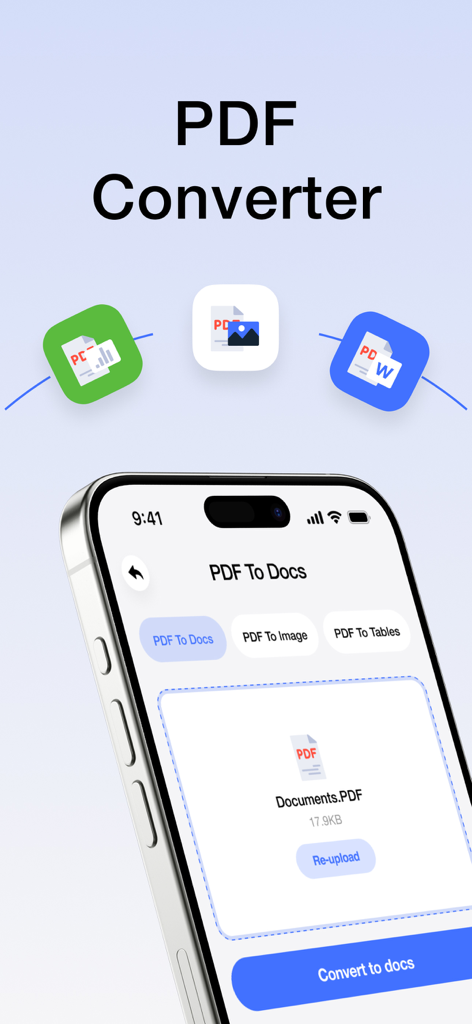
Schermata dell'app mobile che mostra le opzioni per convertire file PDF in documenti e immagini

Schermata dell'app mobile che mostra le opzioni per convertire file PDF in documenti e immagini

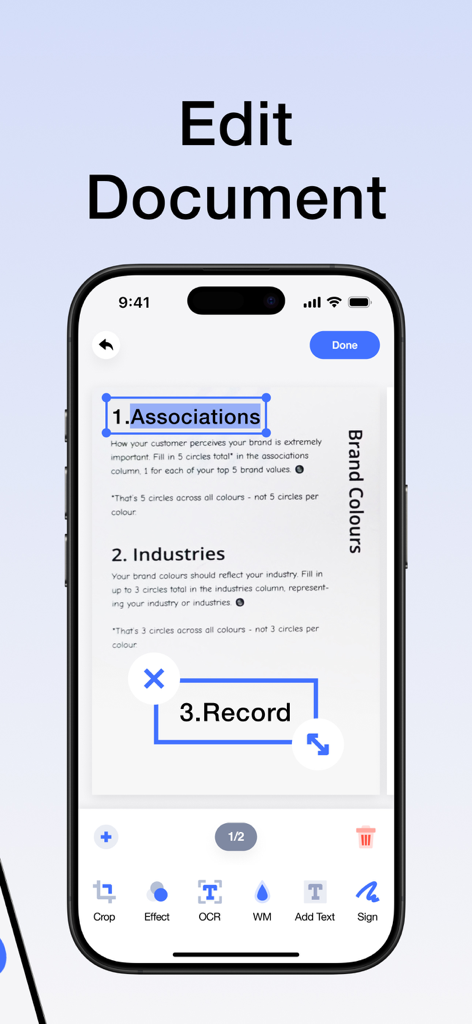
Interfaccia di un'app di editor PDF su uno smartphone che mostra la modifica dei documenti e le funzionalità di riconoscimento del testo

Interfaccia di un'app di editor PDF su uno smartphone che mostra la modifica dei documenti e le funzionalità di riconoscimento del testo

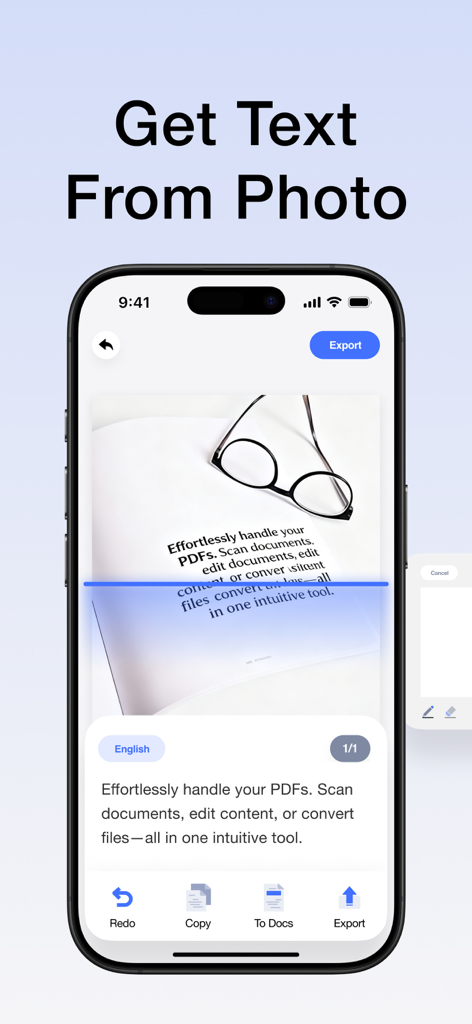
Un'interfaccia per smartphone che mostra la funzione OCR che estrae testo da una foto di un documento con una linea di scansione blu.

Un'interfaccia per smartphone che mostra la funzione OCR che estrae testo da una foto di un documento con una linea di scansione blu.

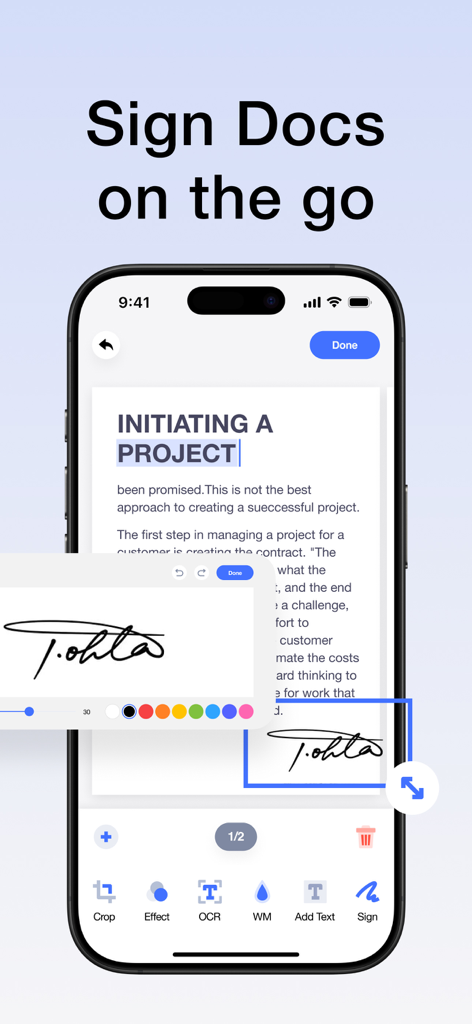
Interfaccia dell'iPhone che mostra una firma digitale applicata a un documento per la produttività mobile

Interfaccia dell'iPhone che mostra una firma digitale applicata a un documento per la produttività mobile

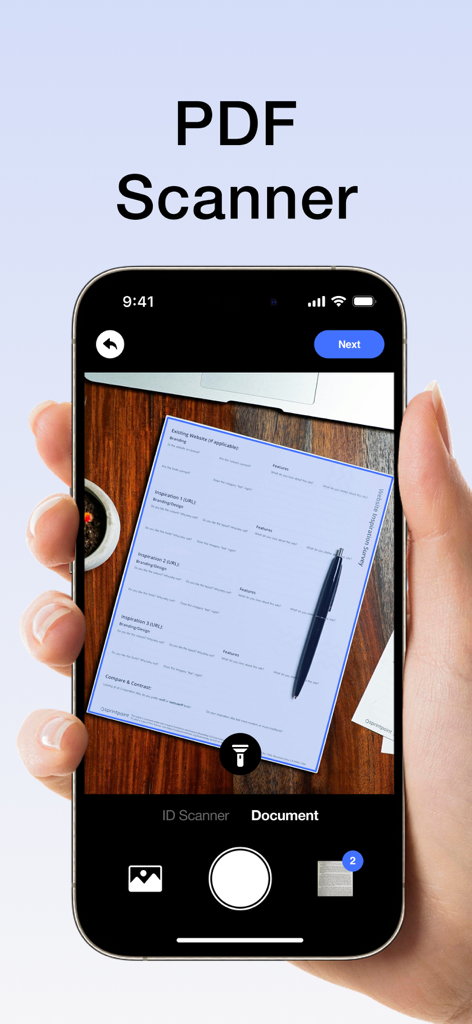
Smartphone che scansiona un documento cartaceo su una scrivania di legno utilizzando l'interfaccia di un'app scanner PDF

Smartphone che scansiona un documento cartaceo su una scrivania di legno utilizzando l'interfaccia di un'app scanner PDF

Il tuo ufficio PDF mobile all-in-one

Gli strumenti che rendono questa app unica, scelti da 11K+ utenti.

Scansione e OCR di livello professionale

Trasforma istantaneamente la carta in PDF ad alta definizione. Utilizza l'OCR intelligente per estrarre e modificare testo da qualsiasi scansione, eliminando la necessità di digitare manualmente.

✍️

Modifica, firma e annota

Gestisci contratti e note senza stampante. Aggiungi firme elettroniche professionali, testo e annotazioni ai tuoi documenti mentre sei in movimento.

🔄

Conversione di formati universali

Converti PDF in Word, Excel o immagini con un tocco. Colma il divario tra i tipi di file e mantieni i tuoi dati sensibili al sicuro con la crittografia avanzata.

Info sull'app

Tutto quello che devi sapere su PDF Converter & PDF Scanner.

Descrizione

Your portable PDF assistant: easily scan,Clean-scan ,edit and convert! This is an intuitive and powerful PDF tool that allows you to effortlessly handle PDFs and enjoy a convenient experience. Whether you're scanning photos or paper documents, editing PDF content, or converting file formats, it's all made easy. Key Features: -High-Quality Scanning: Easily scan paper documents using your phone's camera to generate high-definition PDF files, with support for automatic cropping and image enhancement. -Smart OCR: Equipped with a powerful OCR text recognition engine, it can convert text in scanned documents into editable text, allowing you to copy, edit, translate, and more. -All-in-One Editing: Supports a variety of editing operations on PDF files, including adding text, images, annotations, signatures, watermarks, and more, meeting all your needs. -Format Conversion: Converts PDF files into various formats such as Word, Excel, and images, making it easy for further editing and sharing. -Secure Encryption: Utilizes advanced encryption technology to protect your PDF files and prevent information leaks. Whether you're a student, business professional, designer, or everyday user, you can efficiently handle PDF documents, easily edit PDF materials, and enjoy a convenient digital life. Download now to experience efficient and convenient PDF processing! About Subscription: Subscription automatically renews unless auto-renew is turned off at least 24 hours before the end of the current period. Account will be charged for renewal within 24-hours prior to the end of the current period, and identify the cost of the renewal. Subscriptions may be managed by the user and auto-renewal may be turned off by going to the user’s Account Settings after purchase. Any unused portion of a free trial period, if offered, will be automatically invalidated when the user purchases the applicable subscription. Privacy Policy: https://sites.google.com/view/pdfpp/home Terms of Use: https://sites.google.com/view/pdftou/home

Ultima versione

1.5.8

Dimensione

42.3 MB

Data di lancio

18 giu 2024

Il tuo intero ufficio, sempre in tasca

Unisciti a oltre 11.000 professionisti e studenti che semplificano il loro flusso di lavoro. Scansiona, modifica e firma documenti in pochi secondi.

Scarica su App Store

App information, icons, screenshots, and descriptions displayed on this page are sourced from the Apple App Store and are the property of their respective developers. Download estimates and rankings are based on MWM's proprietary models and may not reflect actual figures. This page is provided for informational and analytical purposes only.

Believe this page infringes your intellectual property? File a dispute