PDF Editor : PDF Reader,Signer
Scarica su App Store

Questa pagina non è una pagina ufficiale dell'app o del suo sviluppatore, ma una pubblicazione editoriale indipendente creata a scopo informativo e di commento. Salvo espressa indicazione contraria, né l'app né il suo sviluppatore sono affiliati, approvati, sponsorizzati, autorizzati o altrimenti ufficialmente collegati a MWM, Apple, Google Play, all'editore dell'app o allo sviluppatore dell'app, e nulla in questa pagina implica che l'app sia stata sviluppata utilizzando i servizi di MWM. Tutti i marchi, loghi, screenshot e altri contenuti rimangono di proprietà dei rispettivi proprietari.

Logo di PDF Editor : PDF Reader,Signer
Scarica su App Store

PDF Editor : PDF Reader,Signer

Unisciti a migliaia di professionisti e studenti che hanno abbandonato costosi abbonamenti. Firma, annota e unisci file senza sforzo, oppure usa la nostra Chat PDF avanzata per riassumere e perfezionare il testo in pochi secondi, tutto dal tuo iPhone o iPad.

Numeri Chiave

Download

4K+

Valutazione

4.3/5

Valutazioni totali

200

Editore

Amy Harris

Categoria

Productivity

Lingue

27

Ultima versione

1.4.4

Dimensione

22.2 MB

Data di lancio

5 nov 2023
Funzioni

Padroneggia il Tuo Flusso di Lavoro con Strumenti PDF Professionali

Smetti di pagare troppo per software desktop. Ottieni tutte le funzionalità di cui hai bisogno per modificare, firmare e organizzare i tuoi documenti in movimento con un'esperienza potente e basata sull'IA.

Chat PDF Potenziata dall'IA

Semplifica la tua ricerca utilizzando l'IA per riassumere documenti complessi, perfezionare la tua scrittura o tradurre testo istantaneamente all'interno dell'app.

Firma e Apponi Timbri in Secondi

Chiudi accordi più velocemente con firme digitali professionali e timbri personalizzati come 'Confidenziale' o 'Finale' per i tuoi contratti legali e commerciali.

Gli screenshot e la descrizione seguenti provengono direttamente dall'elenco ufficiale dello store dell'app e sono di proprietà dello sviluppatore.

App Store

Screenshot
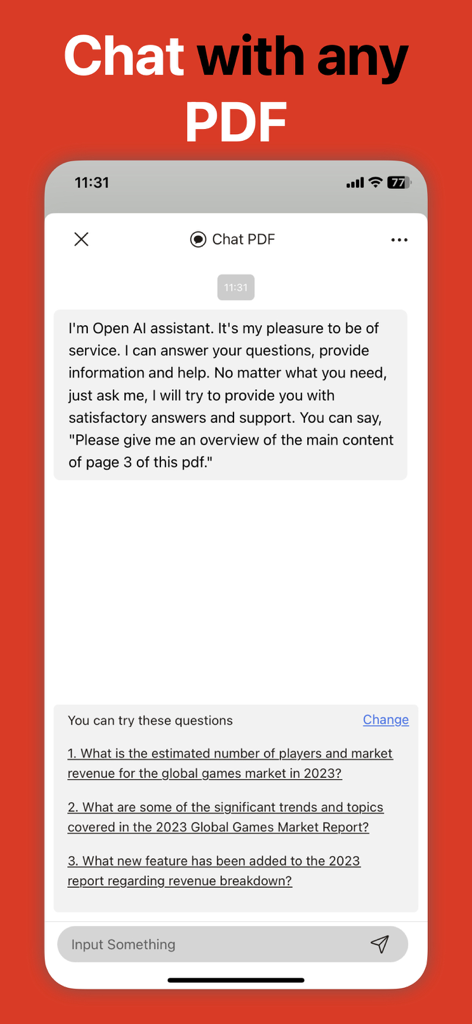
PDF Editor : PDF Reader,Signer - Interfaccia della funzione di chat AI nell'app Editor PDF per riassumere documenti
Interfaccia della funzione di chat AI nell'app Editor PDF per riassumere documenti

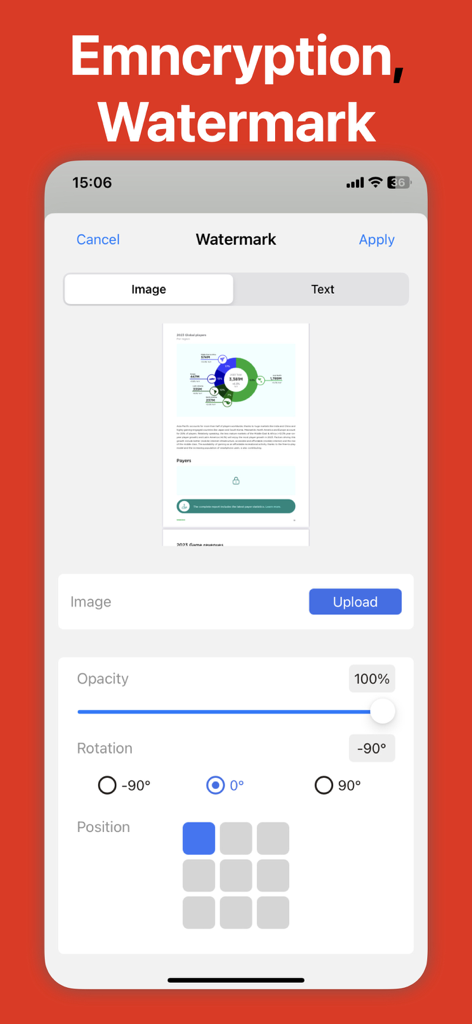
PDF Editor : PDF Reader,Signer - Schermata dello smartphone che mostra la funzione di filigrana di un'app di editing PDF con opzioni per caricare un'immagine e regolare l'opacità
Schermata dello smartphone che mostra la funzione di filigrana di un'app di editing PDF con opzioni per caricare un'immagine e regolare l'opacità

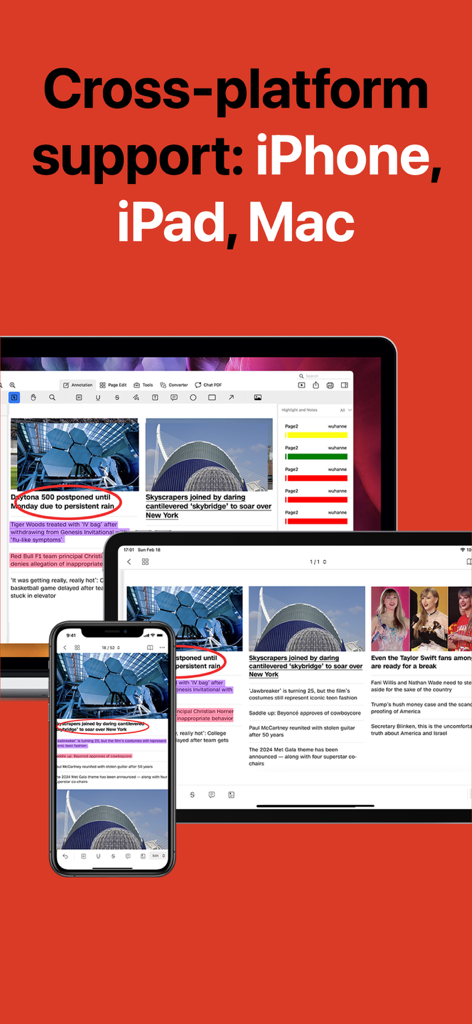
PDF Editor : PDF Reader,Signer - App Editor PDF che mostra la compatibilità multipiattaforma su iPhone, iPad e Mac
App Editor PDF che mostra la compatibilità multipiattaforma su iPhone, iPad e Mac

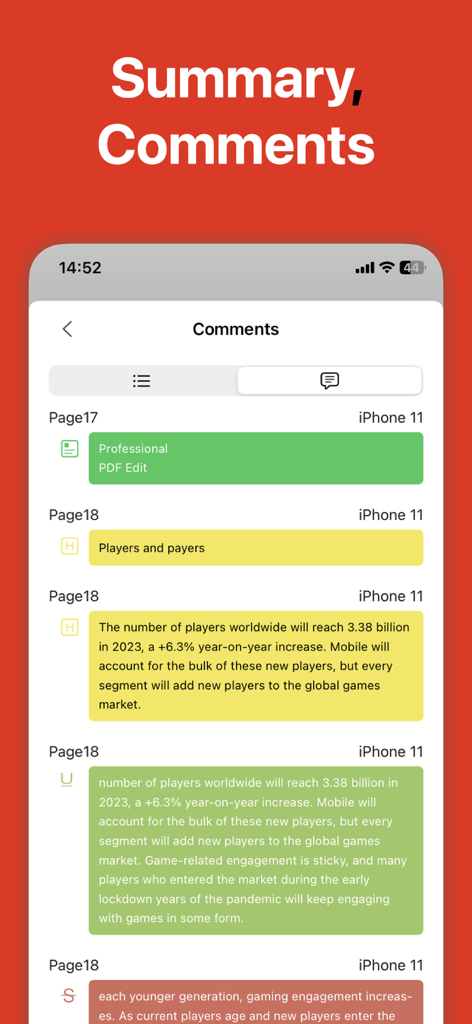
PDF Editor : PDF Reader,Signer - Schermata mobile che mostra un riepilogo di commenti e annotazioni colorati all'interno di un documento PDF.
Schermata mobile che mostra un riepilogo di commenti e annotazioni colorati all'interno di un documento PDF.

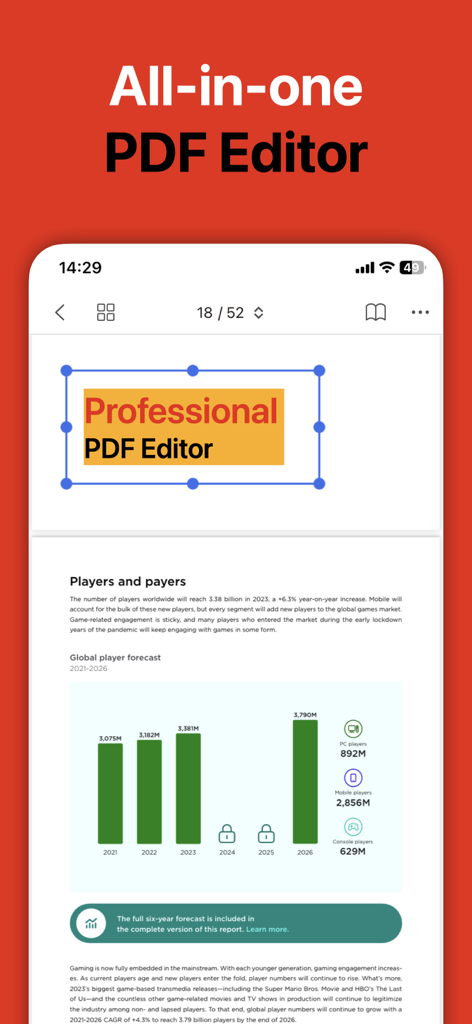
PDF Editor : PDF Reader,Signer - Interfaccia dell'app mobile per un editor PDF all-in-one che mostra l'editing di documenti e report
Interfaccia dell'app mobile per un editor PDF all-in-one che mostra l'editing di documenti e report

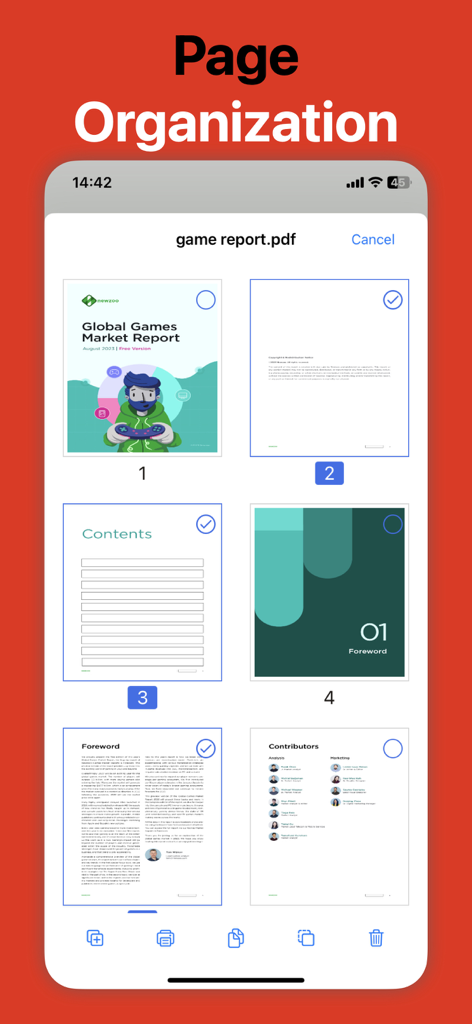
PDF Editor : PDF Reader,Signer - App Editor PDF che mostra lo strumento di organizzazione delle pagine per selezionare e modificare le pagine del documento
App Editor PDF che mostra lo strumento di organizzazione delle pagine per selezionare e modificare le pagine del documento

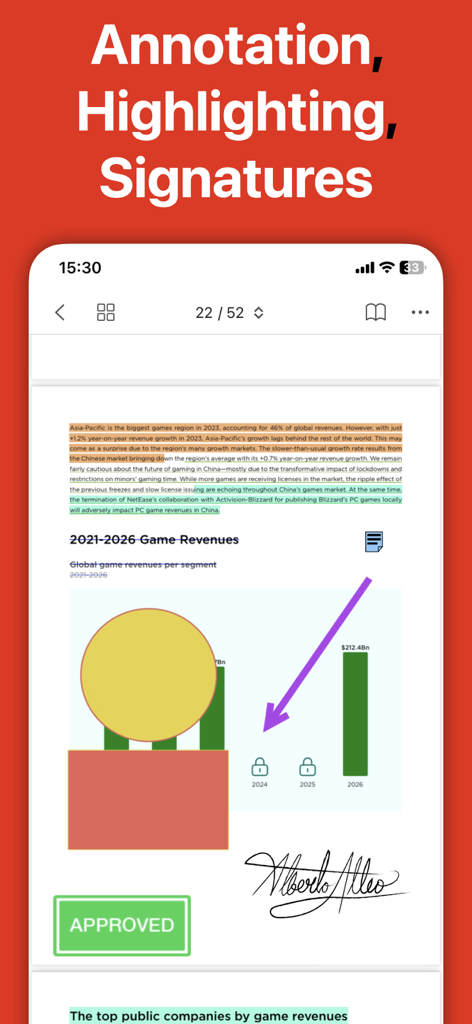
PDF Editor : PDF Reader,Signer - Un'interfaccia mobile di un editor PDF che mostra un documento con evidenziazioni di testo, una firma scritta a mano e un timbro approvato.

Un'interfaccia mobile di un editor PDF che mostra un documento con evidenziazioni di testo, una firma scritta a mano e un timbro approvato.

Descrizione

PDF Editor is a powerful and user-friendly tool specifically designed for handling PDF files. It integrates a wealth of features that empower you when dealing with PDF files. Here is a detailed overview of its core features: - Marking & Annotation PDF Editor offers a variety of marking tools, including highlights, underlines, strikethroughs, etc., and allows the customization of the color of the markings. You can quickly select text and add markings, or create shapes with custom colors, such as rectangles, circles, lines, arrows, etc. Furthermore, it allows you to insert text boxes and annotations in the PDF, and customize the font size and color. - Viewing and Printing You can freely adjust the display size of the PDF. Additionally, it offers a convenient recent file access feature, making opening recent PDF files a breeze. When you need to print PDF files, its intuitive print function can meet your needs. - Signature It offers various ways to create signatures, including through the mouse, keyboard, or image files. You can save multiple signatures for quick use when needed. - Stamping PDF Editor allows you to freely insert stamps into PDF documents. It comes with a variety of stamp styles, including approval, confidential, final, etc., and supports the customization of stamp content and color. - Bookmarking: PDF Editor allows you to view all bookmarks in the PDF document and quickly jump to the bookmark's location. You can also create new bookmarks at any location in the document, and support renaming, deleting, and one-click expanding/collapsing of bookmarks. - Page Editing: PDF Editor offers powerful page editing features, including merging and splitting PDFs, adding pages from other PDF files, and adding blank pages at any location. In addition, it supports extracting pages from PDFs, as well as rotating, rearranging, and deleting pages. - Form Filling PDF Editor supports filling and saving standard PDF forms, and also supports filling interactive PDF forms, such as text boxes, checkboxes, list boxes, etc. - PDF Chat Users can use the PDF chat feature to understand the content of the PDF and perform operations such as text polishing and translation. In summary, PDF Editor is a comprehensive, easy-to-use PDF processing tool that can effectively help you handle various PDF files. PDF Editor is free to download and offers 7-days trials for monthly subscriptions. We offer four auto-renewing subscription options: - 1 month: $4.99 - 1 year: $29.99 - one-time purchase for $39.99 - Offer limited to one 7 day trial per user. After the first 7 days, subscription renews automatically unless cancelled before the end of the 7 day trial. Subscription may be cancelled at any time within the iTunes and App Store Apple ID Settings. All prices include applicable local sales taxes - Payment will be charged to iTunes Account at confirmation of purchase - Subscription automatically renews unless auto-renew is turned off at least 24-hours before the end of the period - Account will be charged for renewal within 24-hours prior to the end of the current period, and identify the cost of the renewal - Subscriptions may be managed by the user and auto-renewal may be turned off by going to the user's Account Settings after purchase - Any unused portion of a free trial period, if offered, will be forfeited when the user purchases a subscription to that publication. Privacy Policy: https://sites.google.com/view/pdf-editor-for-adobe-acrobat/home/privacy-policy Terms of Service: https://sites.google.com/view/pdf-editor-for-adobe-acrobat/home/terms-of-service

Download

Scarica su App Store

Questa pagina non è una pagina ufficiale dell'app o del suo sviluppatore, ma una pubblicazione editoriale indipendente creata a scopo informativo e di commento. Salvo espressa indicazione contraria, né l'app né il suo sviluppatore sono affiliati, approvati, sponsorizzati, autorizzati o altrimenti ufficialmente collegati a MWM, Apple, Google Play, all'editore dell'app o allo sviluppatore dell'app, e nulla in questa pagina implica che l'app sia stata sviluppata utilizzando i servizi di MWM. Tutti i marchi, loghi, screenshot e altri contenuti rimangono di proprietà dei rispettivi proprietari.








