PDF Markup & Annotation Maker

PDF Markup & Annotation Maker

Scarica su App Store
Logo di PDF Markup & Annotation Maker

Creatore di Segnalibri e Annotazioni PDF: Lo Strumento di Precisione per il Tuo Flusso di Lavoro Senza Carta

Potenzia la tua produttività con evidenziazioni intuitive, testo personalizzato e strumenti di disegno professionali. Sia che tu stia revisionando contratti o approfondendo materiali di studio, annota i PDF esattamente come desideri sul tuo iPad e iPhone.

Editore

Ruchira Ramesh

Categoria

Business

Download

49K+

Valutazione

4.5/5

Valutazioni totali

0

Lingue

1

Precisione in Ogni Pixel

Scopri l'interfaccia usata da 49K+ utenti.
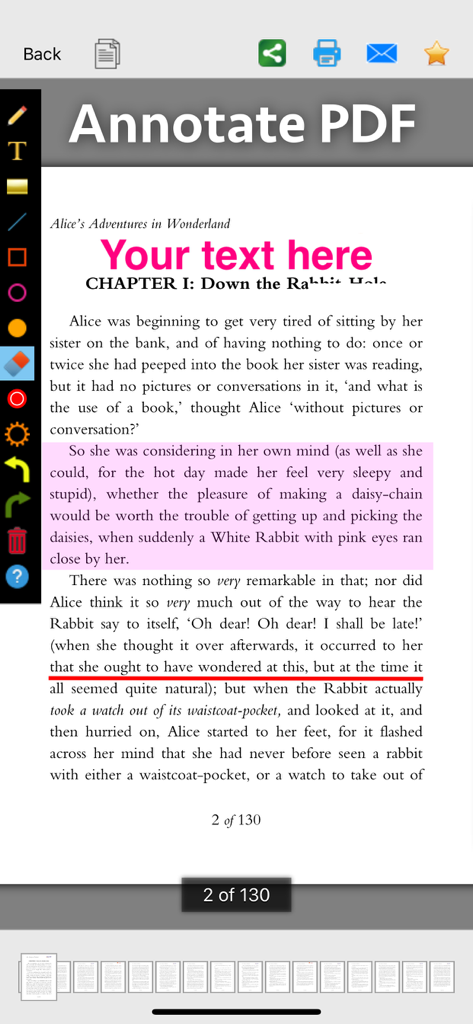
Screenshot dell'app PDF Markup and Annotation Maker che mostra strumenti per evidenziare sottolineare e aggiungere testo a un documento

Screenshot dell'app PDF Markup and Annotation Maker che mostra strumenti per evidenziare sottolineare e aggiungere testo a un documento

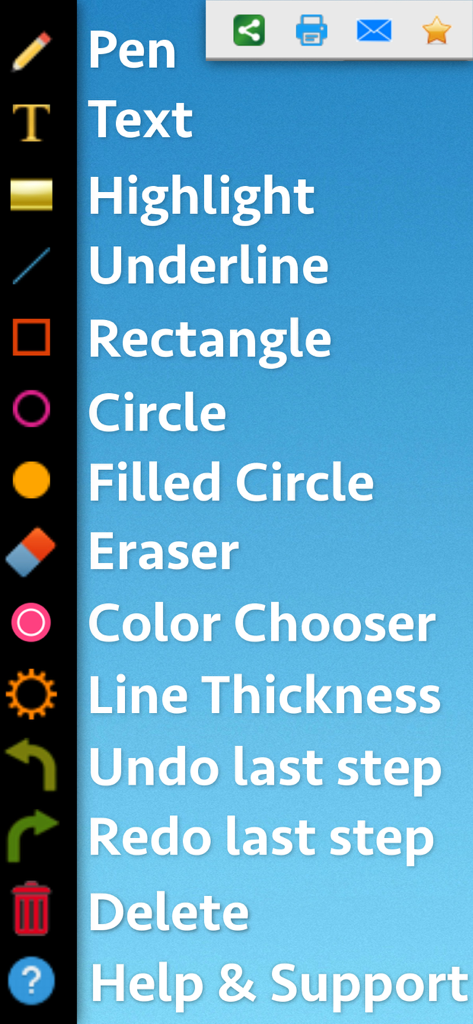
Interfaccia che mostra un elenco verticale di strumenti di markup PDF come penna testo evidenziazione e forme

Interfaccia che mostra un elenco verticale di strumenti di markup PDF come penna testo evidenziazione e forme

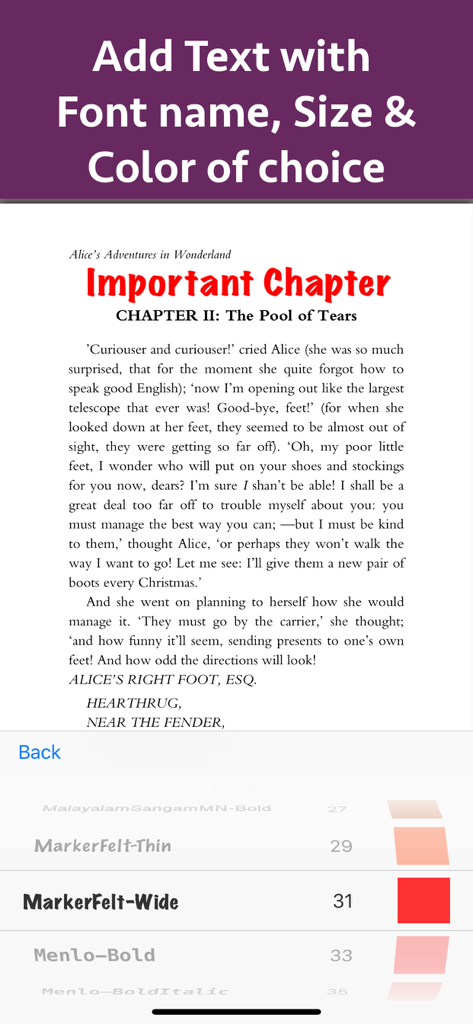
Aggiungi e personalizza testo su un documento PDF con opzioni per dimensione del font e colore

Aggiungi e personalizza testo su un documento PDF con opzioni per dimensione del font e colore

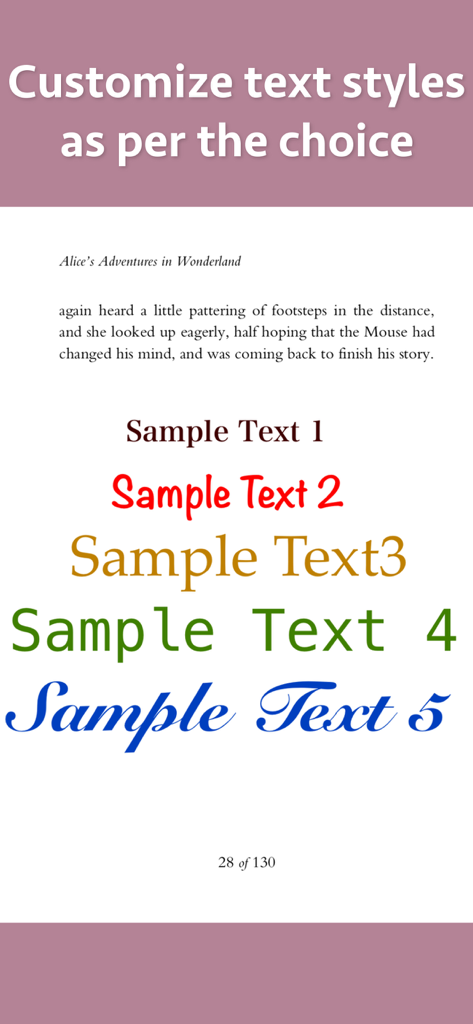
Dimostrazione di vari stili di testo personalizzati font e colori per annotazioni e markup PDF

Dimostrazione di vari stili di testo personalizzati font e colori per annotazioni e markup PDF

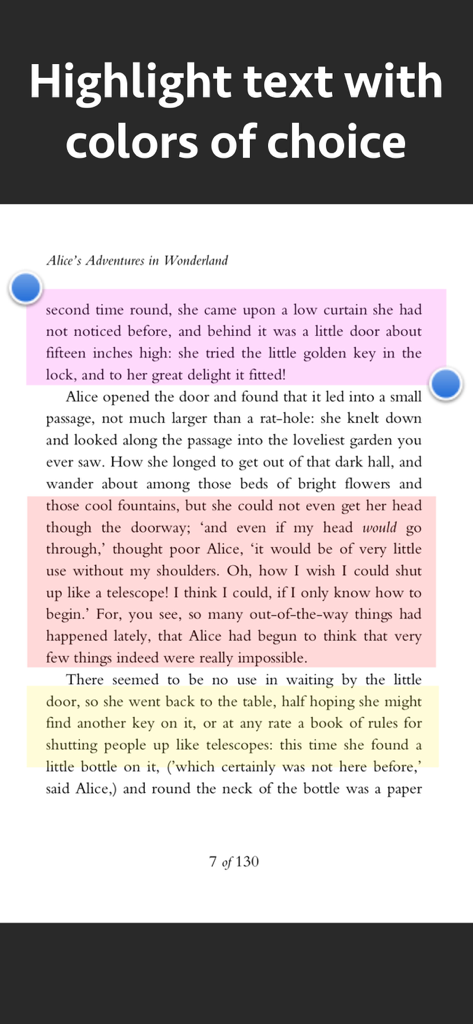
Una schermata che mostra paragrafi di testo evidenziati in rosa arancione e giallo utilizzando uno strumento di markup PDF

Una schermata che mostra paragrafi di testo evidenziati in rosa arancione e giallo utilizzando uno strumento di markup PDF

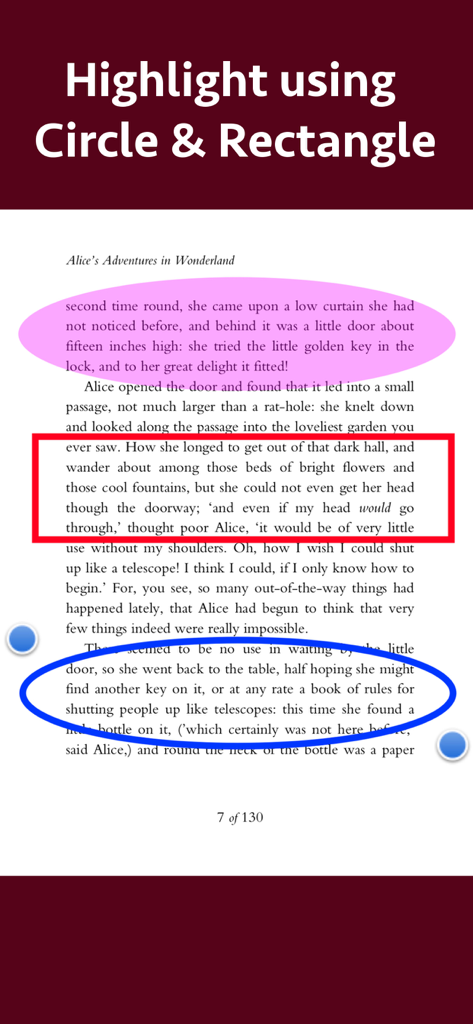
Documento PDF con sezioni di testo evidenziate utilizzando strumenti di forma cerchio e rettangolo

Documento PDF con sezioni di testo evidenziate utilizzando strumenti di forma cerchio e rettangolo

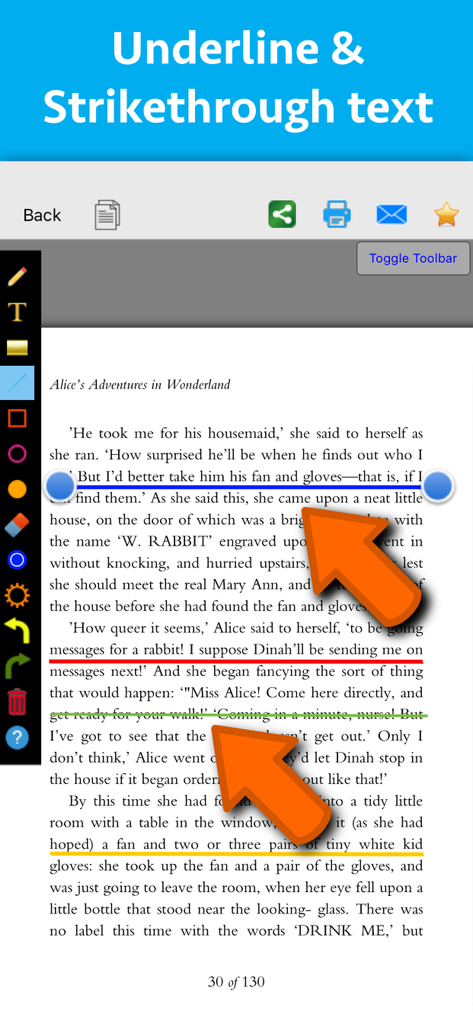
Interfaccia di un'app di markup PDF che mostra annotazioni colorate di sottolineatura e barratura su una pagina di testo

Interfaccia di un'app di markup PDF che mostra annotazioni colorate di sottolineatura e barratura su una pagina di testo

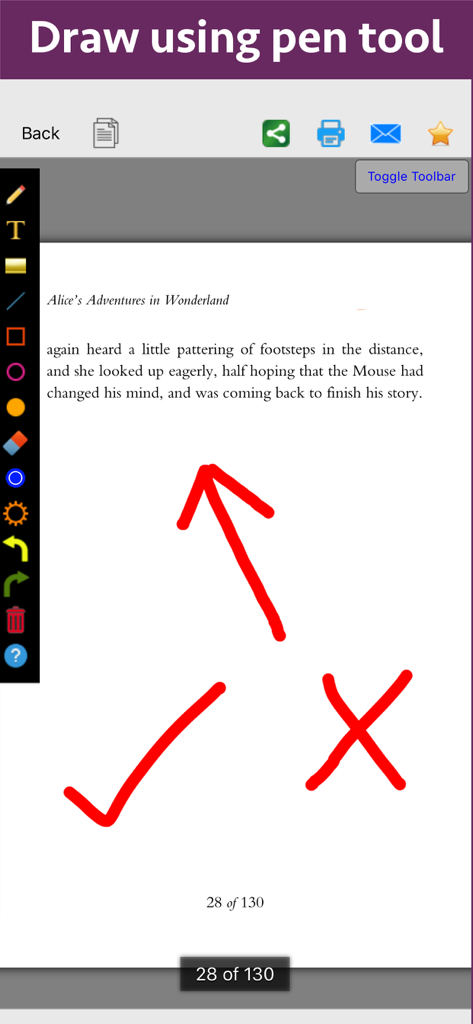
Una pagina di documento PDF da "Alice nel Paese delle Meraviglie" con annotazioni colorate come una freccia un segno di spunta e una croce disegnati con lo strumento penna.

Una pagina di documento PDF da "Alice nel Paese delle Meraviglie" con annotazioni colorate come una freccia un segno di spunta e una croce disegnati con lo strumento penna.

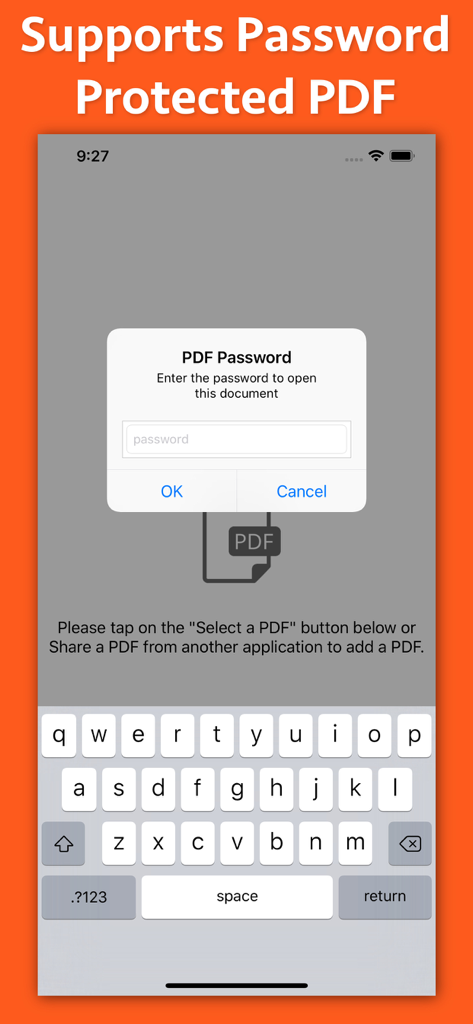
Interfaccia dell'app PDF Markup che mostra una finestra popup per l'inserimento della password per documenti protetti

Interfaccia dell'app PDF Markup che mostra una finestra popup per l'inserimento della password per documenti protetti

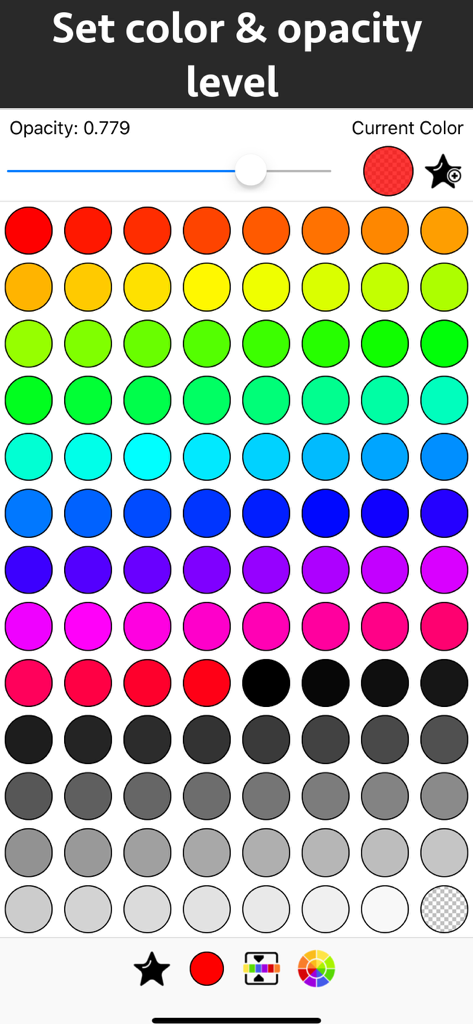
Interfaccia per la scelta dei colori e l'impostazione dei livelli di opacità per le annotazioni PDF

Interfaccia per la scelta dei colori e l'impostazione dei livelli di opacità per le annotazioni PDF

Gestisci i Tuoi Documenti con Precisione

Gli strumenti che rendono questa app unica, scelti da 49K+ utenti.

📝

Evidenziazioni Intelligenti e Note

Codifica a colori le informazioni chiave e aggiungi testo personalizzato con il pieno controllo di font e stili per far risaltare i tuoi appunti di studio o di lavoro.

🖋️

Strumenti di Disegno Intuitivi

Usa lo strumento penna o forme di precisione come cerchi e frecce per evidenziare esattamente ciò che conta in planimetrie, diagrammi o documenti.

Flusso di Feedback Ottimizzato

Semplifica il tuo processo di revisione con strumenti di annotazione facili da usare e controlli di trasparenza, perfetti per approvare contratti o revisioni tra pari.

Info sull'app

Tutto quello che devi sapere su PDF Markup & Annotation Maker.

Descrizione

Write text on PDF, Highlight, underline ,draw shapes & customise using different Fonts, text size, colors and transparency level. Using these features you could highlight important lines in a PDF.You could also write text on pages of the PDF.For example : you could write "Important" on the important pages of the PDF. This could be very helpful in making notes, preparing documentation or for making presentation. Annotated PDF files are easier to understand and help to focus on important points, images and topics. Below are some additional usage : -- Getting feedback on a document that is sent for review. The reviewer could highlight the areas, or write text at the places that need correction or improvements. -- Holding a meeting or discussion on a PDF Document with several users and adding highlights, writing text & drawing shapes using pen tool like arrows, checkmark and cross marks wherever the document needs changes or where it needs more discussions. -- Adding your own notes makes it much easier to find the document later and to remember why it is important or which pages & topics are important. -- Approving documents with text and commenting on the PDF. -- Highlighting the important paragraphs in the study materials. -- Adding references or points on the PDF pages by writing text on the PDF. Using the application you could do below operations : a) Write Text on PDF : Using the application the Text could be written anywhere on the pages.After the text is written, you could perform various customisations as shown below : -- Change Font of the text -- Change the Text Size -- Change the the text color -- Resize or change the location of the text as per the requirements. b) Highlight Text in PDF : Using the highlight tool, the text could be highlighted. The highlighting colors could be changed to any color of your choice.Once the Text is highlighted, you could also resize or reposition the highlighted part as per the requirements. c) Underline Text - Underline the text using the line tool.The underline color could be changed as per the requirements. The line tool could also be used to draw lines and shapes. d) Strikethrough Text - Strikethrough the text.The strikethrough color could be changed as per the requirements.This could be also be done using the line tool. e) Draw Circle - Draw a circle using the circle tool. It also supports various customisations as below : -- Change the thickness of the border from settings. -- Change its border color. -- Draw circle which is filled with the color of choice. -- Set transparency/opacity of the colors. (from Color settings) f) Draw a Square or Rectangle - A square or rectangle could also be drawn on the PDF. Just like the Circle the below operations could be performed : -- Change the thickness of the border from settings. -- Change its border color. -- Draw a rectangle or square which is filled with the color of choice. -- Set transparency/opacity of the colors. (from Color settings) g) Draw any shape using the Pen tool : using the pen tool any custom shapes could be drawn. For example : shapes like arrow, checkmark,cross mark and etc could be drawn using the Pen tool. h) Erase using the eraser tool - Use the eraser tool to erase the unwanted annotations. i) Undo and Redo support : Make the editing task easier by performing Undo or Redo operations. j) Delete tool : Delete the contents of the current page using the delete tool.

Ultima versione

8.1

Dimensione

3.3 MB

Data di lancio

16 ott 2018

La Tua Produttività Senza Carta Inizia Qui

Unisciti a oltre 49.000 utenti e trasforma il modo in cui rivedi, evidenzi e annoti i tuoi documenti in mobilità.

Scarica su App Store

App information, icons, screenshots, and descriptions displayed on this page are sourced from the Apple App Store and are the property of their respective developers. Download estimates and rankings are based on MWM's proprietary models and may not reflect actual figures. This page is provided for informational and analytical purposes only.

Believe this page infringes your intellectual property? File a dispute