
Questa pagina non è una pagina ufficiale dell'app o del suo sviluppatore, ma una pubblicazione editoriale indipendente creata a scopo informativo e di commento. Salvo espressa indicazione contraria, né l'app né il suo sviluppatore sono affiliati, approvati, sponsorizzati, autorizzati o altrimenti ufficialmente collegati a MWM, Apple, Google Play, all'editore dell'app o allo sviluppatore dell'app, e nulla in questa pagina implica che l'app sia stata sviluppata utilizzando i servizi di MWM. Tutti i marchi, loghi, screenshot e altri contenuti rimangono di proprietà dei rispettivi proprietari.


Camera Scanner: Scan to PDF
La carta è un'illusione. L'app offre il potere di smaterializzarla in PDF, senza fronzoli.
Download
1M+Valutazione
Valutazioni totali
42.4KEditore
Categoria
ProductivityLingue
1Ultima versione
8.1Dimensione
67.7 MBData di lancio
29 dic 2021Un'analisi approfondita delle capacità principali per la gestione documentale mobile.
Funzionalità Chiave: Camera Scanner: Scan to PDF
Modifica e Firma PDF
Consente agli utenti di firmare, annotare e aggiungere commenti ai file PDF direttamente dal proprio telefono, semplificando la gestione dei documenti per affari, contratti e moduli.
Scansione Documenti Avanzata
Questo strumento trasforma l'iPhone in uno scanner intelligente per digitalizzare documenti, contratti, note e ricevute, con rilevamento automatico dei bordi e correzione della prospettiva per risultati di alta qualità in formato PDF.
Scanner Ricevute per Spese
L'app fornisce una funzionalità dedicata per acquisire e archiviare digitalmente le ricevute, semplificando il monitoraggio delle spese per individui e piccole imprese.
Conversione Foto a PDF
Consente di convertire facilmente foto in documenti PDF professionali e di unire più scansioni in un unico file PDF, rendendo versatile la digitalizzazione di immagini e documenti multi-pagina.
Condivisione ed Esportazione Facile
Permette la condivisione istantanea dei documenti scansionati tramite e-mail, messaggistica o archiviazione cloud, e supporta l'esportazione per la stampa, facilitando la collaborazione e l'integrazione con altri flussi di lavoro.
Gestione File Intelligente e Lettore PDF
Include un lettore PDF integrato per la visualizzazione immediata e un gestore di file per organizzare, cercare e mantenere ordinatamente archiviati tutti i documenti scansionati.
Domande Frequenti
Tutto quello che devi sapere su Camera Scanner: Scan to PDF
What is the main function of the PDF Scanner App for Documents?
The PDF Scanner App for Documents transforms an iPhone into a powerful scanning tool, enabling users to scan various documents like receipts, contracts, notes, and IDs directly from their phone.
Does the PDF Scanner App for Documents offer a free version?
Yes, the PDF Scanner App for Documents offers a free version that allows users to scan, save, and share documents without needing an account or subscription.
Can the PDF Scanner App for Documents scan multi-page documents?
Yes, the PDF Scanner App for Documents can scan dozens of pages at once and provides features to easily add, remove, or rearrange pages for multi-page PDFs.
What types of documents can I scan with the PDF Scanner App for Documents?
Users can scan business receipts, contracts, school notes, ID cards, multi-page forms, books, and handwritten notes using the PDF Scanner App for Documents.
Are scans made with the PDF Scanner App for Documents stored securely?
Yes, all scans made with the PDF Scanner App for Documents stay on the user's device. The app ensures privacy with no automatic uploads or tracking of personal information.
Can I use the PDF Scanner App for Documents without an internet connection?
Yes, the PDF Scanner App for Documents supports offline scanning. Users can utilize the app's features and scan documents free without Wi-Fi or an internet connection.
What are the subscription costs for the PDF Scanner App for Documents?
The PDF Scanner App for Documents offers a weekly subscription for $1.99, a monthly subscription for $4.99, and a yearly subscription for $19.99.
Does the PDF Scanner App for Documents include OCR text recognition?
Yes, the PDF Scanner App for Documents includes text recognition features. Users can extract and edit any text from scanned documents, as shown in the app's interface.
Can I convert scanned documents to formats other than PDF using the PDF Scanner App for Documents?
Yes, the PDF Scanner App for Documents can convert PDFs to various formats including TXT, PPT, Word, HTML, and Excel. It also allows exporting as JPEG.
How does the PDF Scanner App for Documents enhance scan quality?
The PDF Scanner App for Documents enhances quality with auto edge detection, advanced image enhancement to clean shadows, improve contrast, and smart modes like Color, Grayscale, and Black & White filters.
Can users sign documents within the PDF Scanner App for Documents?
Yes, the PDF Scanner App for Documents allows users to edit and sign documents directly within the app. It provides tools for adding signatures to scanned files.
Does the PDF Scanner App for Documents allow for sharing scanned files?
Yes, the PDF Scanner App for Documents allows users to share scans as PDF or JPEG via email, text, and other methods. Users can also create zip files or set password protection.
Is there a quick way to start scanning with the PDF Scanner App for Documents?
Yes, the PDF Scanner App for Documents offers a Quick Launch Widget, allowing users to start scanning directly from their home screen for fast access.
Does the PDF Scanner App for Documents handle ID card scanning?
Yes, the PDF Scanner App for Documents provides specific functionality to digitize ID cards, ensuring they are scanned with precision and clarity.
Can the PDF Scanner App for Documents scan QR codes?
Yes, the PDF Scanner App for Documents functions as both a QR Code Scanner and Maker. It enables users to scan QR codes and perform actions like opening URLs.
Gli screenshot e la descrizione seguenti provengono direttamente dall'elenco ufficiale dello store dell'app e sono di proprietà dello sviluppatore.
App Store
Screenshot
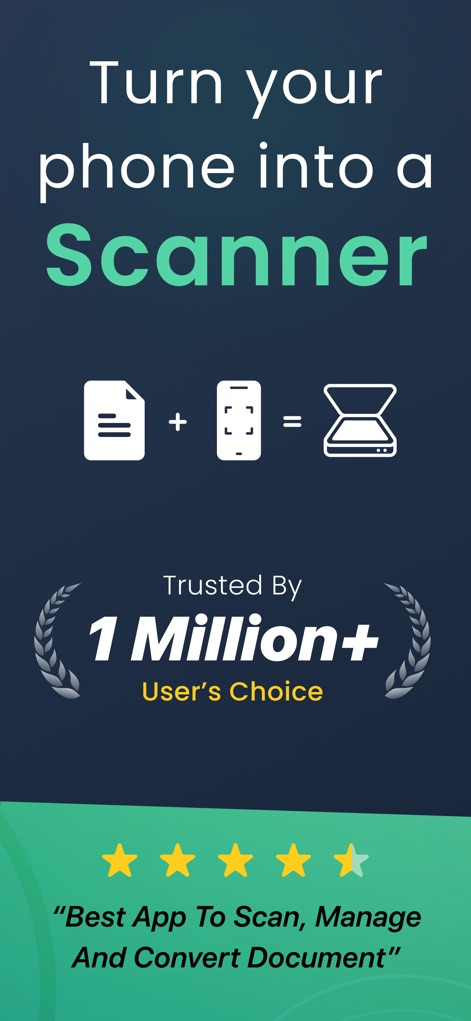
Questo strumento converte il dispositivo in uno scanner portatile, dimostrando l'affidabilità con le icone del documento e del telefono che simboleggiano la trasformazione e la valutazione a 4.5 stelle conferita dagli utenti.
Trasforma il Telefono
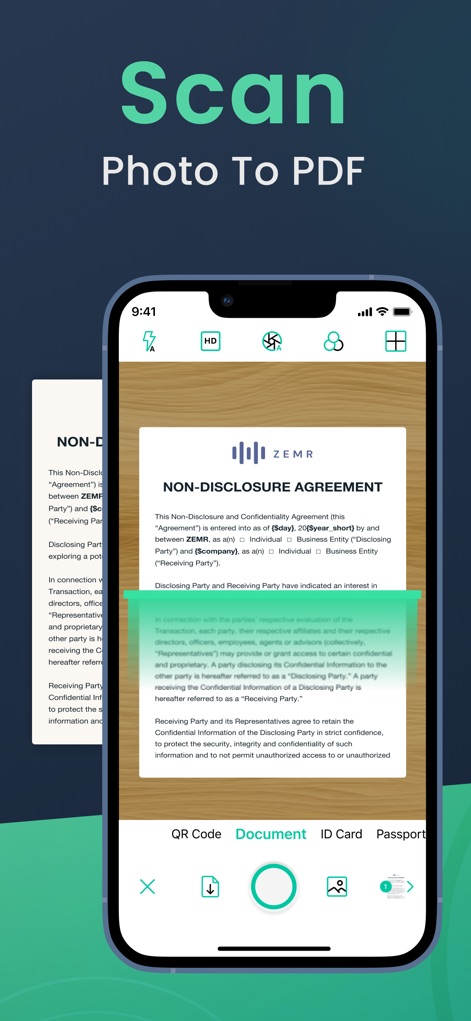
L'app offre una scansione precisa di documenti fisici, con una chiara evidenziazione automatica dei bordi verdi per migliorare la cattura e un menu in basso che permette di scegliere tra diverse modalità come "Document" e "ID Card".
Scansione Intuitiva
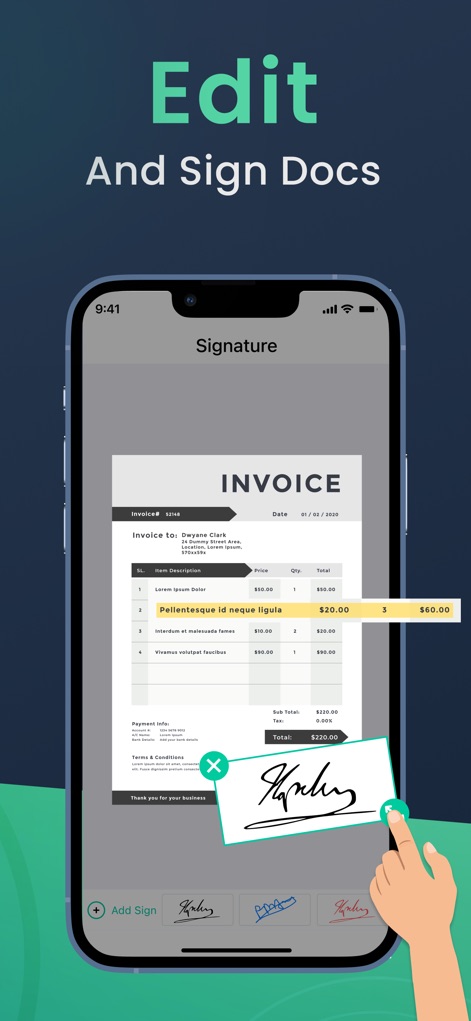
Gli utenti possono facilmente modificare e firmare documenti direttamente dal proprio dispositivo, come illustrato dall'interfaccia di modifica di una fattura e dall'azione di aggiungere una firma con un dito, semplificando la gestione dei file.
Modifica e Firma
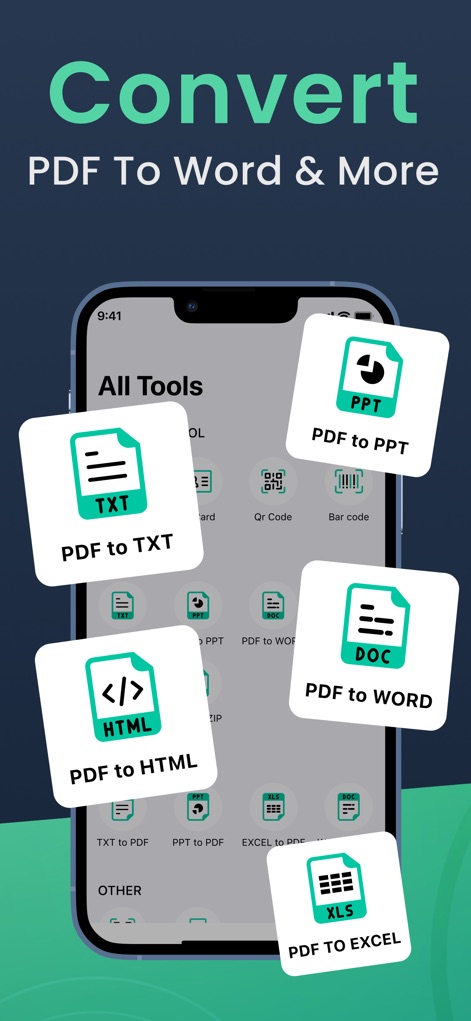
L'applicazione permette di convertire facilmente i PDF in numerosi altri formati, come mostrato dalle opzioni di conversione per "PDF to TXT" e "PDF to Word" all'interno della schermata "All Tools" per una flessibilità totale.
Converte Diversi Formati
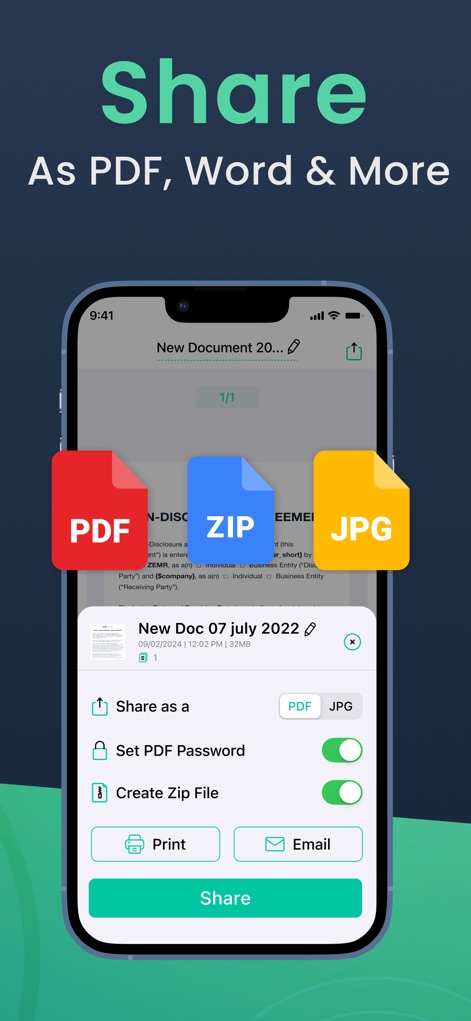
Lo strumento offre diverse opzioni di condivisione, inclusa la possibilità di esportare in formati come "PDF" e "ZIP", e di inviare file tramite le opzioni "Print" o "Email" per una distribuzione rapida.
Condivisione Flessibile
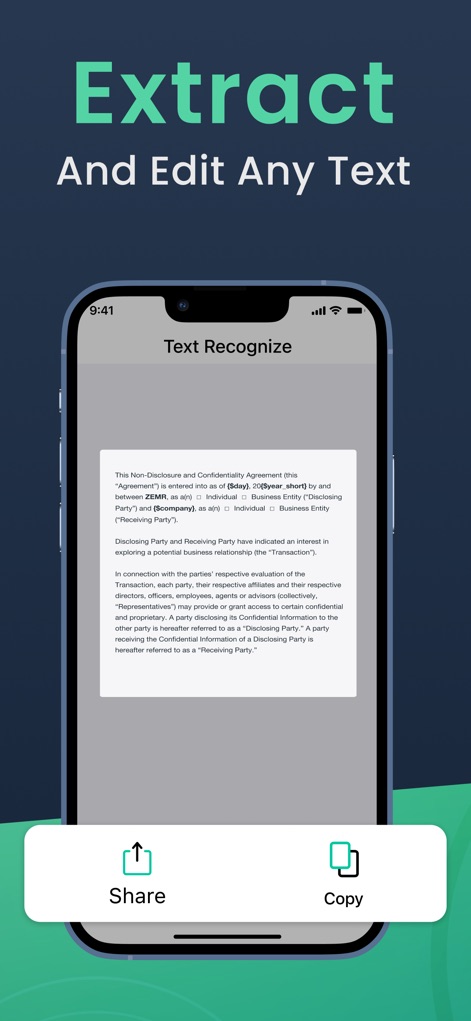
L'app permette di estrarre e modificare qualsiasi testo da documenti scansionati, con il testo riconosciuto visualizzato chiaramente e i pulsanti "Share" e "Copy" facilmente accessibili per l'interazione.
Estrazione Testo OCR
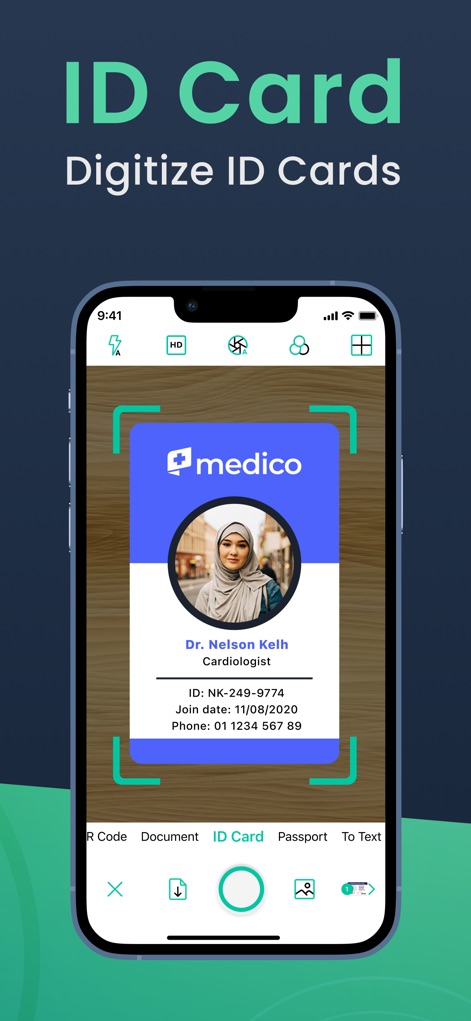
Questo strumento semplifica la digitalizzazione delle carte d'identità, come evidente dalla scansione di una "ID card" che mostra i bordi automaticamente rilevati per una cattura precisa e senza sforzo.
Digitalizza Documenti
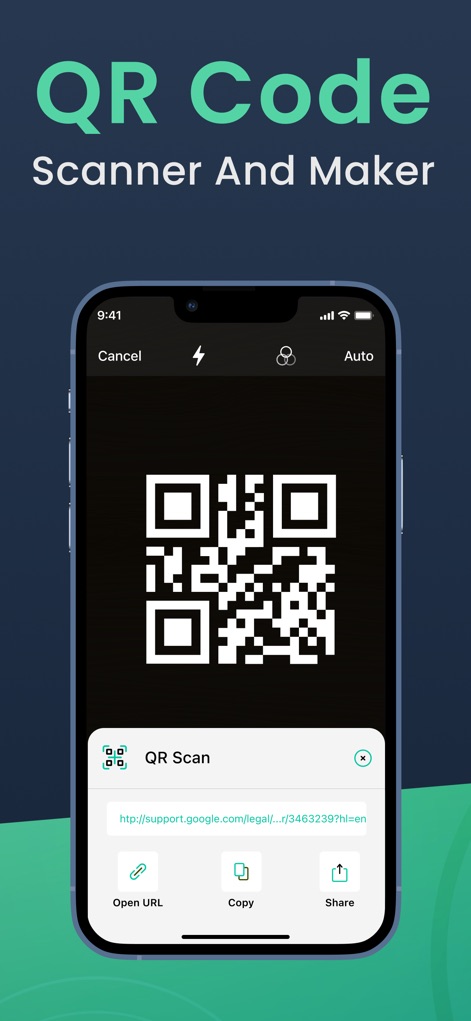
L'applicazione funge anche da scanner e creatore di codici QR, mostrando i risultati della scansione di un codice QR e offrendo opzioni immediate come "Open URL" e "Share" per l'interazione con il contenuto.
Scanner QR Code
Descrizione
Download
App Simili
App con funzionalità ed esperienza simili

PDF PRO Scan Image & Documents
Balzo srl

The PDF Scanner, PDF editor HQ
NEXT K.U.M. LTD

CamScanner - PDF Scanner App
INTSIG Information Co., Ltd

Adobe Scan: PDF & OCR Scanner
Adobe Inc.

WPS Office: PDF, Docs, Sheets
KINGSOFT OFFICE SOFTWARE CORPORATION LIMITED

iLovePDF - PDF Editor & Scan
ILOVEPDF S.L.

Scanner App: Genius Scan
The Grizzly Labs

Microsoft Lens: PDF Scanner
Microsoft Corporation

Clear Scan: Doc Scanner App
INDY MOBILE APP COMPANY LIMITED
Questa pagina non è una pagina ufficiale dell'app o del suo sviluppatore, ma una pubblicazione editoriale indipendente creata a scopo informativo e di commento. Salvo espressa indicazione contraria, né l'app né il suo sviluppatore sono affiliati, approvati, sponsorizzati, autorizzati o altrimenti ufficialmente collegati a MWM, Apple, Google Play, all'editore dell'app o allo sviluppatore dell'app, e nulla in questa pagina implica che l'app sia stata sviluppata utilizzando i servizi di MWM. Tutti i marchi, loghi, screenshot e altri contenuti rimangono di proprietà dei rispettivi proprietari.