PDF to PowerPoint by Flyingbee

PDF to PowerPoint by Flyingbee

Scarica su App Store
Logo di PDF to PowerPoint by Flyingbee

PDF in PowerPoint di Flyingbee: Trasforma PDF in diapositive modificabili in secondi

Conversione professionale, 100% locale, che preserva perfettamente i tuoi layout, font e grafiche. Converti in modo sicuro documenti complessi offline sul tuo iPad o iPhone senza mai compromettere i tuoi dati.

Editore

Flyingbee Software Co., Ltd.

Categoria

Business

Download

80K+

Valutazione

3.2/5

Valutazioni totali

0

Lingue

12

Precisione in Ogni Diapositiva

Scopri l'interfaccia usata da 80K+ utenti.
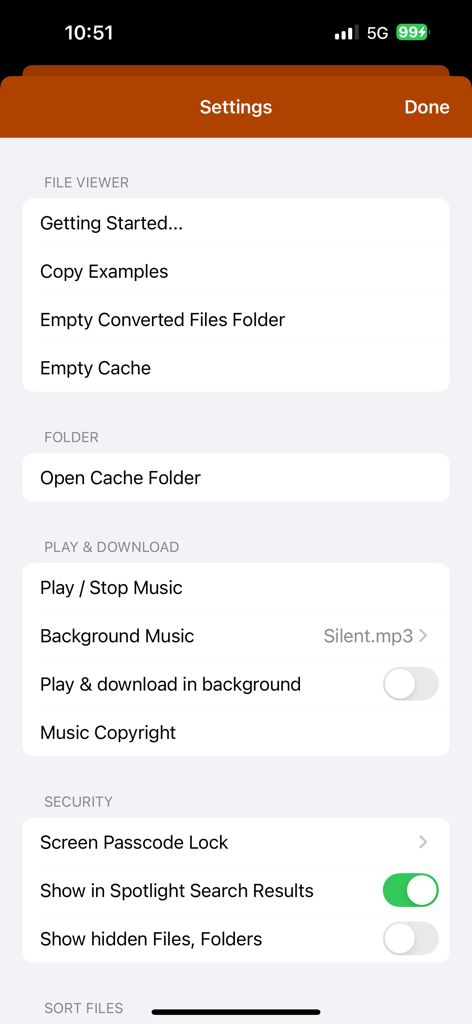
Schermata delle impostazioni dell'app di conversione PDF in PowerPoint che mostra la gestione dei file e le impostazioni di sicurezza

Schermata delle impostazioni dell'app di conversione PDF in PowerPoint che mostra la gestione dei file e le impostazioni di sicurezza

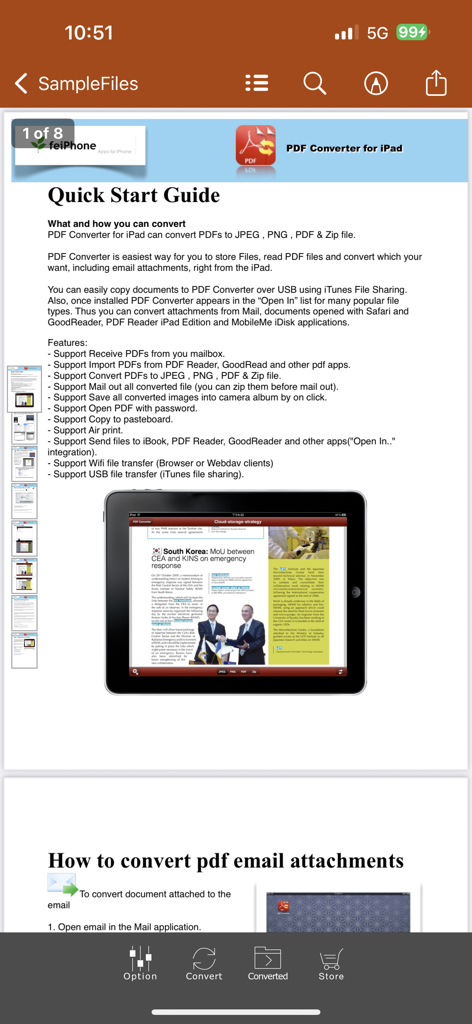
Una pagina di Guida Rapida all'interno dell'app di conversione PDF in PowerPoint che illustra funzionalità e istruzioni di conversione su un iPad

Una pagina di Guida Rapida all'interno dell'app di conversione PDF in PowerPoint che illustra funzionalità e istruzioni di conversione su un iPad

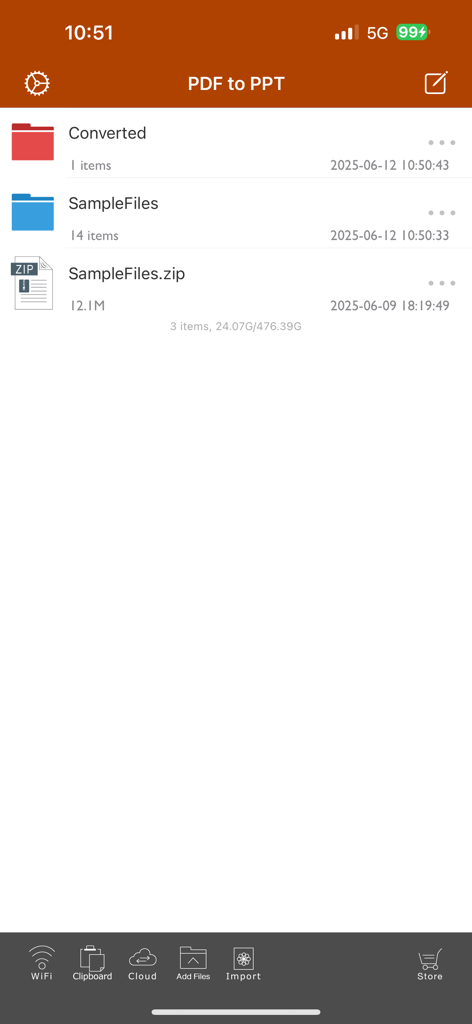
Schermata principale di gestione file dell'app PDF in PowerPoint che mostra cartelle e file di esempio.

Schermata principale di gestione file dell'app PDF in PowerPoint che mostra cartelle e file di esempio.

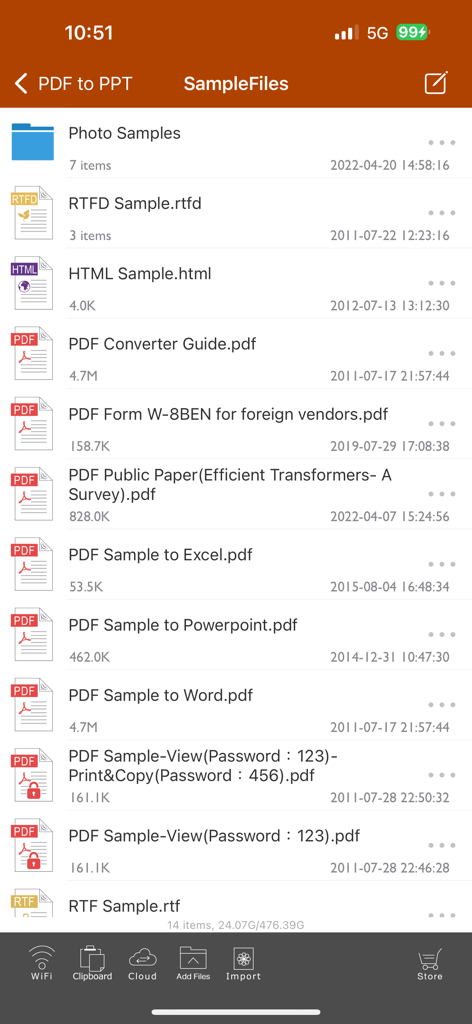
Elenco di file di esempio nell'interfaccia dell'app di conversione PDF in PowerPoint

Elenco di file di esempio nell'interfaccia dell'app di conversione PDF in PowerPoint

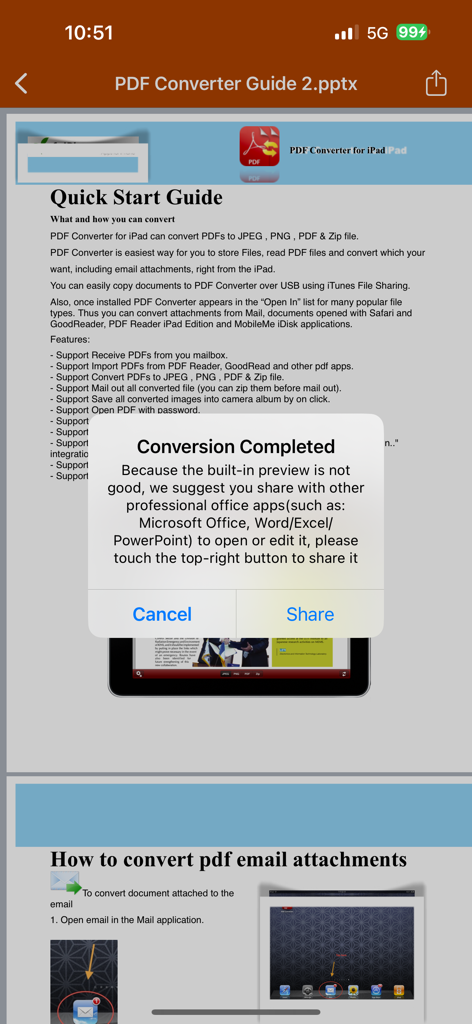
Un popup di conferma nell'app PDF in PowerPoint che indica che la conversione è completata con un'opzione per condividere con le app di Microsoft Office

Un popup di conferma nell'app PDF in PowerPoint che indica che la conversione è completata con un'opzione per condividere con le app di Microsoft Office

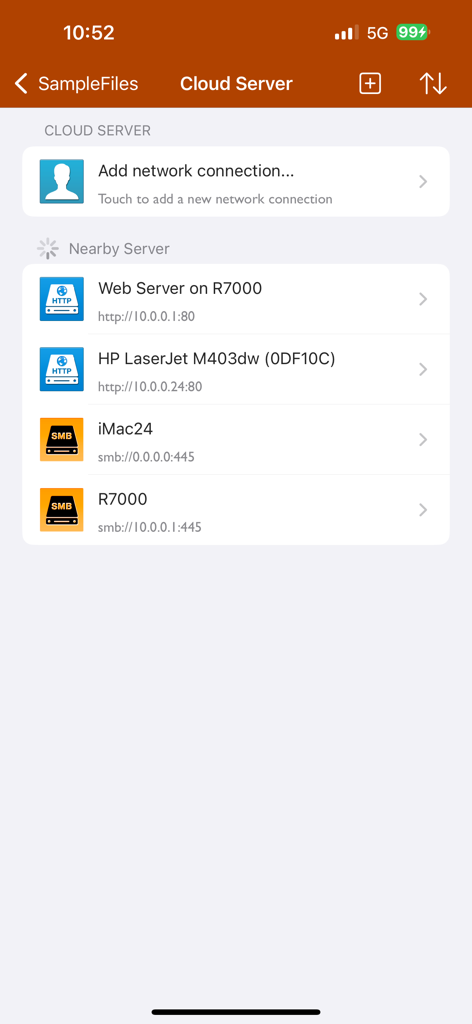
Interfaccia del server cloud e della connessione di rete dell'app PDF in PowerPoint

Interfaccia del server cloud e della connessione di rete dell'app PDF in PowerPoint

Gestisci il Tuo Flusso di Lavoro in Movimento

Gli strumenti che rendono questa app unica, scelti da 80K+ utenti.

Conversione Fulminea

Converti un PDF di 50 pagine in meno di 20 secondi. Recupera il tuo tempo con un output ad alta fedeltà che mantiene perfettamente intatti layout, font e immagini.

🔒

100% Privato e Offline

Elabora documenti aziendali sensibili localmente sul tuo dispositivo. Non è richiesta connessione internet o caricamento su cloud, garantendo che i tuoi dati rimangano sicuri e accessibili ovunque.

🎯

Selezione Precisa delle Pagine

Smetti di perdere tempo su contenuti irrilevanti. Seleziona pagine specifiche o intervalli per estrarre esattamente ciò di cui hai bisogno per la tua prossima presentazione importante.

Info sull'app

Tutto quello che devi sapere su PDF to PowerPoint by Flyingbee.

Descrizione

Flyingbee PDF to PowerPoint Converter convert PDF to PowerPoint documents quickly and efficiently. It convert PDF file back to files to editable and modifiable Microsoft Office PowerPoint Presentation with well-preserved original texts, images, layouts, hyperlinks, tables, and bezier graphics. it support opened in popular mobile office editor app(such as: Microsoft PowerPoint iOS, Polaris Office, WPS or QuickOffice).  Key Features: • Easily import PDF, convert a 50 pages PDF to PowerPoint within 20 secs, Extremely fast!! • Conversion Process 100% on your local iOS device, No internet connection need. • Output well organized powerpoint content, preserving content layout, the color, font style and images remain the same as the original pdf document, Very convenient tool, Reusing the presentation cannot be easier. • Convert any particular pages (e.g. 1, 3-8, 26 or all pages) to save your time. • Save time on learning complicated PowerPoint editing knowledge; • Save energy on skipping ads and annoying pop-up window ask for buying; • Connect to online cloud storage support, include Cloud Me, any FTP or WebDAV Server. • Offer you 4 ways to transfer files(Open in.., iTunes USB file sharing, Wifi Sharing and Cloud Disk) • Support Microsoft Office 2007, 2008, 2011, 2025 PowerPoint Application, not completely compatible with iWork Keynote.  == Quick Start Guide == Convert pdf to powerpoint in mail app can be as easy as three steps: 1. Open Mail app, use "Open In.." to send source PDF file to PDF to PowerPoint. 2. Go to PDF to PowerPoint app, touch to open the source PDF file where text come from. 3. Click "Convert" button to extract PDF to PowerPoint files.  Notice: Currently PDF to PowerPoint version don't have OCR function, the scanned PDF files will be extracted to image in powerpoint pptx. However, we suggest you to use other professional OCR app to recognize editable text from image.  Several sample files have been included, you can test it right now!  Q&A 1. Why I get "Converting failed" error message when I extracting from a PDF file? Do you have a PDF (Adobe Acrobat) file which cannot be printed, copied, or edited? Your PDF file has had password security and other restrictions added, you need remove restrictions.  2. Why some text in PDF file can not be extracted out? The PDF file format is complex, there are cases that text in a PDF file are actually pictures. We do not grantee PDF to PowerPoint will work for every PDF file, especially ones that have picture text, we suggest you to use professional OCR app to recognize text from image. == Subscriptions Information == Duration and price of each subscription are displayed in app storefront, updated at the time of purchase. Payment will be charged to iTunes account at confirmation of purchase. Subscriptions automatically renew unless auto-renew is turned off no later than 24 hours before the end of the current period. Subscriptions and auto-renewal can be managed/turned off in the iTunes account settings. Any unused portion of a free trial period is forfeited as soon as a subscription is purchased.  Terms of use & Privacy policy: https://www.flyingbee.com/term-of-service/ https://www.flyingbee.com/privacy-policy/ 

Ultima versione

8.8.6

Dimensione

79.2 MB

Data di lancio

22 gen 2015

Pronto a Smettere di Riscrivere e Iniziare a Presentare?

Unisciti a oltre 80.000 professionisti che utilizzano il convertitore offline più veloce e sicuro per iOS. Ottieni presentazioni PowerPoint perfette nel layout in meno di 20 secondi.

Scarica su App Store

App information, icons, screenshots, and descriptions displayed on this page are sourced from the Apple App Store and are the property of their respective developers. Download estimates and rankings are based on MWM's proprietary models and may not reflect actual figures. This page is provided for informational and analytical purposes only.

Believe this page infringes your intellectual property? File a dispute