PDF Viewer by Nutrient
Scarica su App Store

Questa pagina non è una pagina ufficiale dell'app o del suo sviluppatore, ma una pubblicazione editoriale indipendente creata a scopo informativo e di commento. Salvo espressa indicazione contraria, né l'app né il suo sviluppatore sono affiliati, approvati, sponsorizzati, autorizzati o altrimenti ufficialmente collegati a MWM, Apple, Google Play, all'editore dell'app o allo sviluppatore dell'app, e nulla in questa pagina implica che l'app sia stata sviluppata utilizzando i servizi di MWM. Tutti i marchi, loghi, screenshot e altri contenuti rimangono di proprietà dei rispettivi proprietari.


Logo di PDF Viewer by Nutrient
Scarica su App Store

PDF Viewer by Nutrient

Trasforma il tuo dispositivo in una workstation ad alte prestazioni. Annota, firma e modifica documenti con un'interfaccia veloce ed elegante, pensata per i professionisti e scelta dalle aziende leader a livello mondiale.

Numeri Chiave

Download

1M+

Valutazione

4.6/5

Valutazioni totali

9K+

Editore

PSPDFKit GmbH

Categoria

Productivity

Lingue

28

Ultima versione

2026.1

Dimensione

99.6 MB

Data di lancio

24 ott 2016
Funzioni

Potenza di classe desktop per il tuo flusso di lavoro mobile

Sfrutta il motore PDF scelto da aziende come IBM e Dropbox. PDF Viewer trasforma il tuo iPhone e iPad in una workstation professionale per qualsiasi operazione sui documenti.

Annotazione e markup intelligenti

Sperimenta una precisione al pixel con il supporto per Apple Pencil. Evidenzia il testo, aggiungi note o registra commenti audio per comprendere più velocemente le informazioni complesse.

Firma e moduli professionali

Concludi affari ovunque ti trovi. Compila rapidamente i moduli e applica firme sicure e appiattite per garantire che i tuoi documenti importanti rimangano a prova di manomissione.

Gli screenshot e la descrizione seguenti provengono direttamente dall'elenco ufficiale dello store dell'app e sono di proprietà dello sviluppatore.

App Store

Screenshot
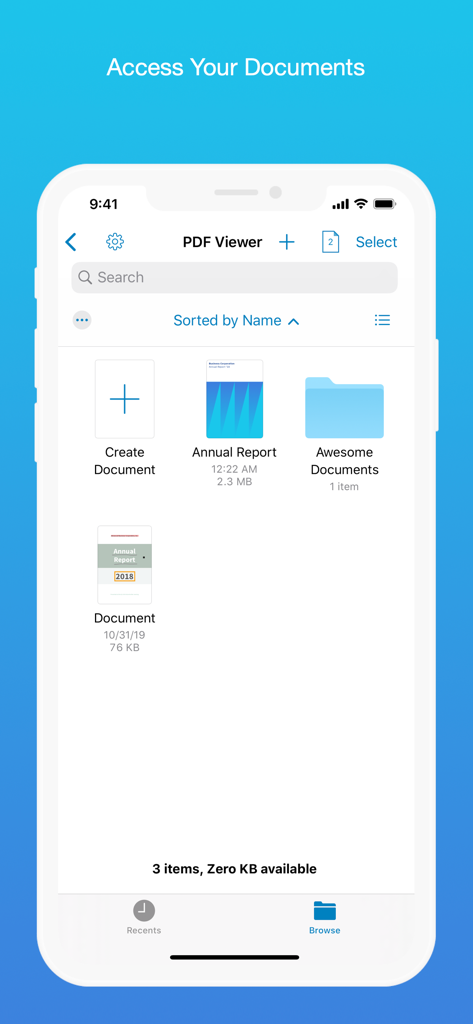
PDF Viewer by Nutrient - Interfaccia dell'app PDF Viewer che mostra un browser di documenti con file e cartelle
Interfaccia dell'app PDF Viewer che mostra un browser di documenti con file e cartelle

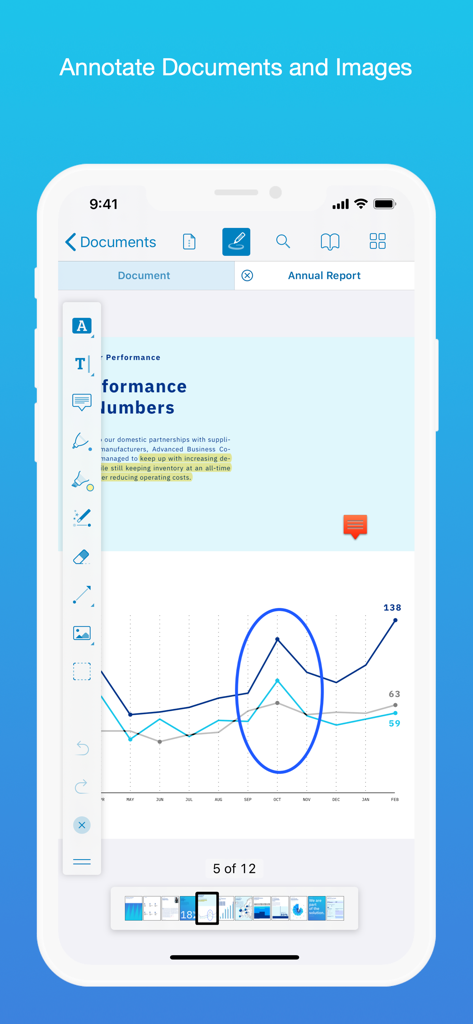
PDF Viewer by Nutrient - Screenshot di iPhone che mostra l'app PDF Viewer con strumenti di annotazione che evidenziano un grafico a linee in un documento di rapporto annuale
Screenshot di iPhone che mostra l'app PDF Viewer con strumenti di annotazione che evidenziano un grafico a linee in un documento di rapporto annuale

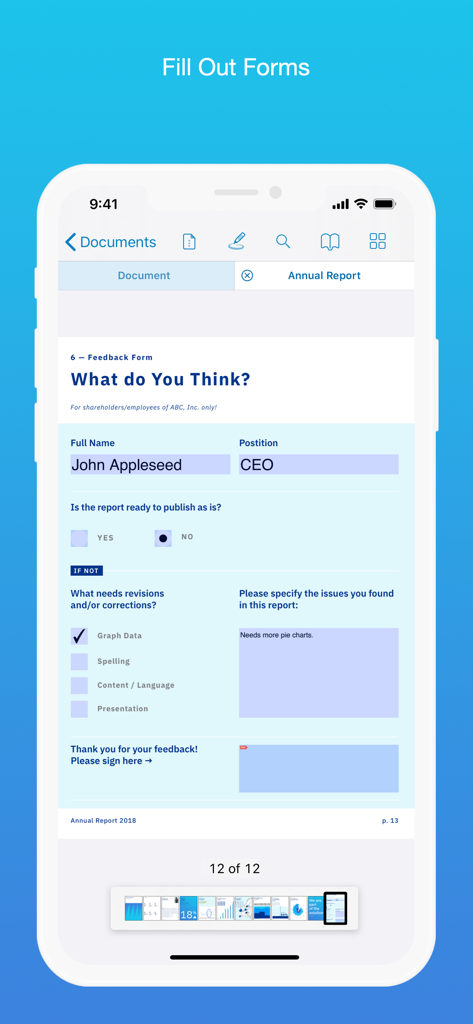
PDF Viewer by Nutrient - Compilazione di un modulo di feedback PDF su un telefono cellulare
Compilazione di un modulo di feedback PDF su un telefono cellulare

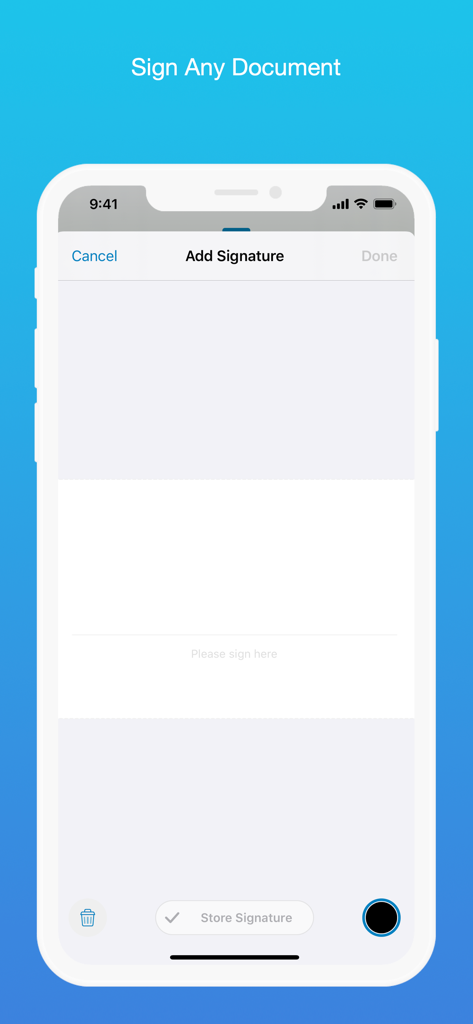
PDF Viewer by Nutrient - Interfaccia per la firma digitale nell'app PDF Viewer su un iPhone
Interfaccia per la firma digitale nell'app PDF Viewer su un iPhone

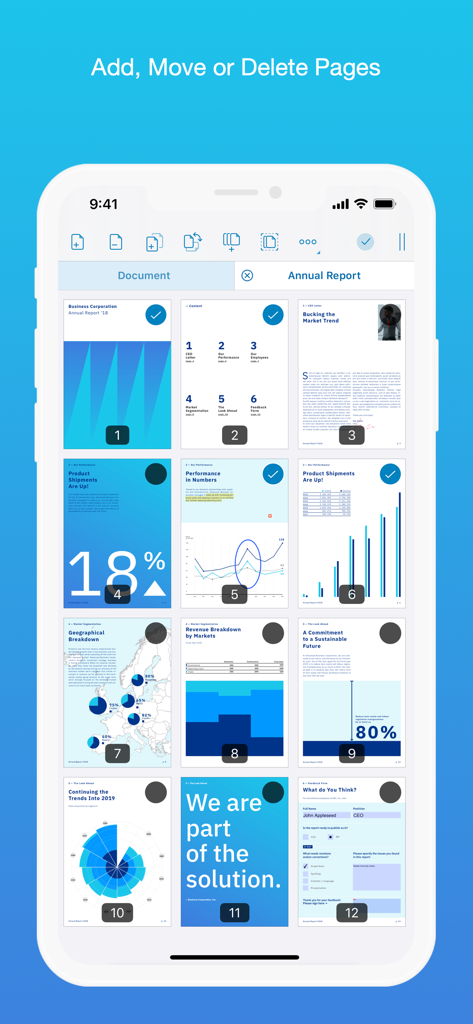
PDF Viewer by Nutrient - Un'interfaccia mobile che mostra una griglia di pagine PDF con opzioni per aggiungere, spostare o eliminare le stesse
Un'interfaccia mobile che mostra una griglia di pagine PDF con opzioni per aggiungere, spostare o eliminare le stesse

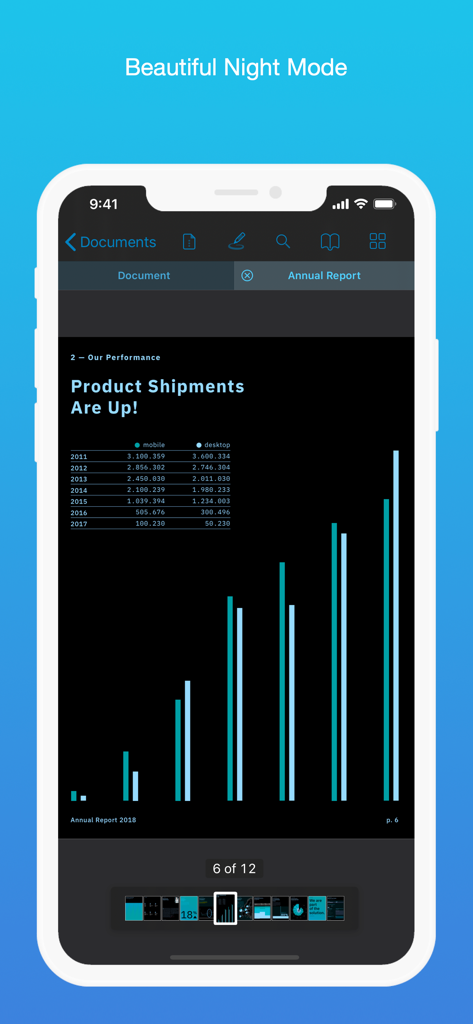
PDF Viewer by Nutrient - L'app PDF Viewer che mostra un documento in modalità notte su un iPhone
L'app PDF Viewer che mostra un documento in modalità notte su un iPhone

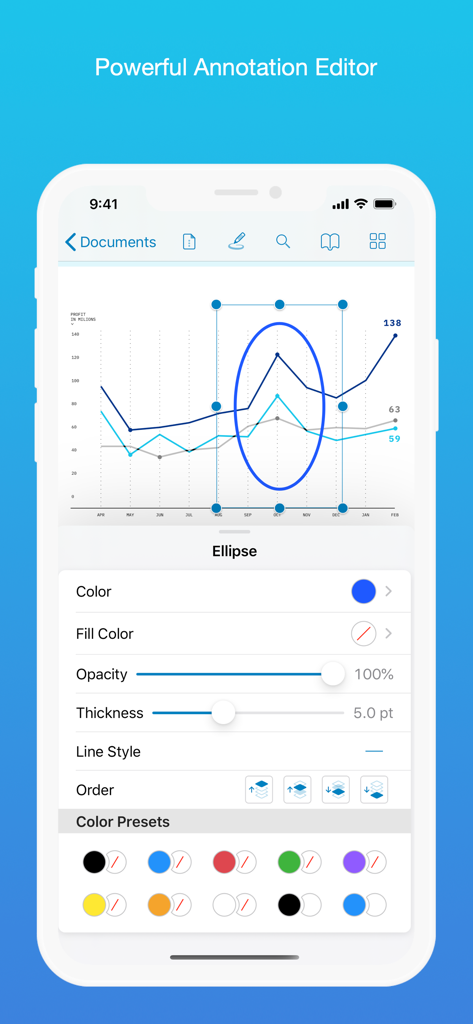
PDF Viewer by Nutrient - Schermata dell'iPhone che mostra l'editor di annotazioni di PDF Viewer con opzioni per personalizzare un'ellisse su un grafico di dati.
Schermata dell'iPhone che mostra l'editor di annotazioni di PDF Viewer con opzioni per personalizzare un'ellisse su un grafico di dati.

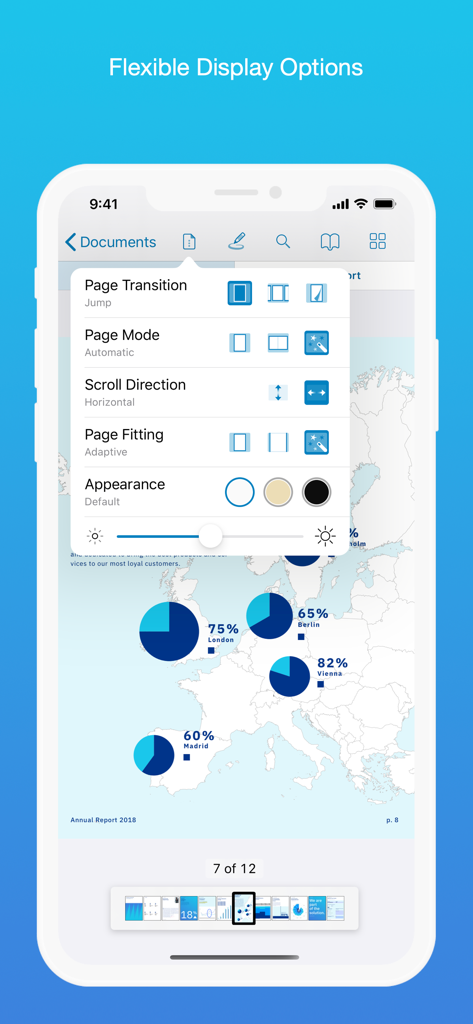
PDF Viewer by Nutrient - Interfaccia dell'app PDF Viewer che mostra opzioni di visualizzazione flessibili tra cui modalità pagina, direzione di scorrimento e temi estetici
Interfaccia dell'app PDF Viewer che mostra opzioni di visualizzazione flessibili tra cui modalità pagina, direzione di scorrimento e temi estetici

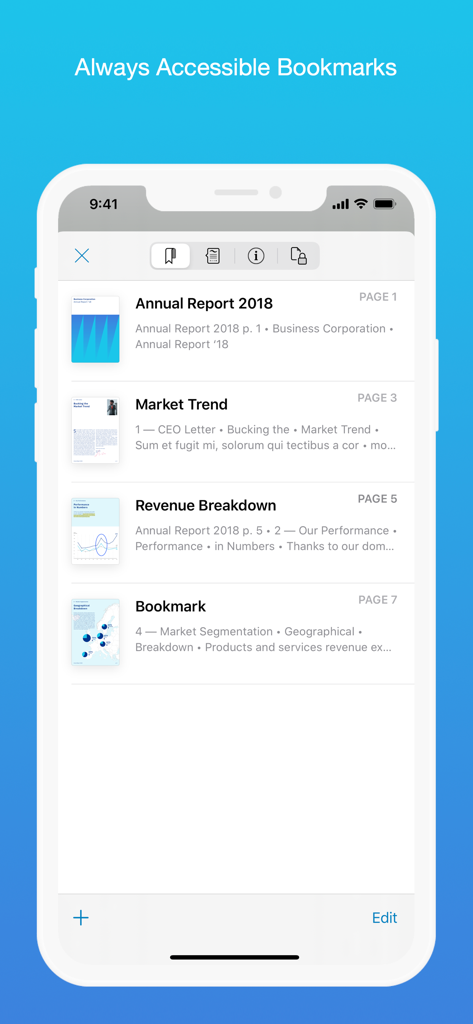
PDF Viewer by Nutrient - iPhone che mostra l'elenco dei segnalibri nell'app PDF Viewer
iPhone che mostra l'elenco dei segnalibri nell'app PDF Viewer

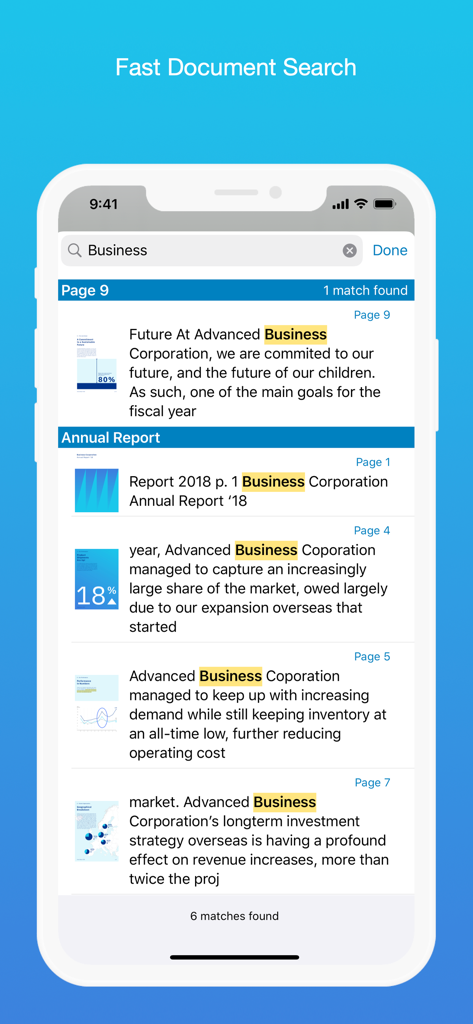
PDF Viewer by Nutrient - Un'interfaccia mobile che mostra i risultati della ricerca per la parola Business in più documenti nell'app PDF Viewer

Un'interfaccia mobile che mostra i risultati della ricerca per la parola Business in più documenti nell'app PDF Viewer

Descrizione

PDF Viewer is a fast and beautiful app, allowing you to view, search, and annotate PDF documents with ease on your iPhone and iPad. Access your files from iCloud, Dropbox, Box, OneDrive, Google Drive or any other cloud solution via Apple's familiar Document Browser interface. +++ Listed as “Productivity lifesaver” on the App Store +++ "A streamlined interface packed with powerful features - it’s like having a desktop-quality PDF toolkit wherever we go" – App Store Editor Notes “I'm impressed by how the folks at PSPDFKit have been able to fine-tune the document browser to the app's needs.” – MacStories.net "If you want a PDF viewer that is designed for reading PDF books, this is it." – App Review VIEW DOCUMENTS ON THE GO • Easily import a PDF from your favorite cloud service provider, email, or directly off a website. • Supports Open In Place, Drag & Drop and features the familiar Apple Document Browser interface from the Files app. • Search for the exact text you are looking for within the document. • Double tap on the screen to Smart Zoom directly to the text you want to read. • Annotate images (JPEG, PNG) non-destructive, just like PDF documents. (PRO) ANNOTATE WITH EASE • While reviewing a document, use your finger or Apple Pencil to highlight and markup text. • Leave comments by adding a note, text, or drawing directly on the PDF. • Add images or audio. • Reply to notes. (PRO) SIGN DOCUMENTS ANYWHERE • Add your signature to any document using your finger or Apple Pencil. • Move and resize your signature as needed. • Flatten a document to ensure the signature doesn’t change. CREATE AND EDIT PDFs • Create new documents from existing documents by moving, rotating, deleting, or adding new pages. • Combine multiple documents into a single one. (PRO) • Add bookmarks to easily return to certain pages in large documents. FILL OUT FORMS • Quickly fill out PDF Forms by adding text to the fields. • Flatten and secure the form once you’re done to ensure the document doesn’t change. • Add a signature to any Form. STORE, ORGANIZE AND SHARE • Store documents, create folders and organize your documents. • Share documents by printing, emailing or saving your edits back any cloud service. PASSWORD PROTECT DOCUMENTS • Read document metadata, title and keywords. • Protect documents with user and owner passwords and limit permissions. (PRO) AND SO MUCH MORE • Conveniently switch to night mode when viewing your documents at night. • Present on external screens without the distraction of toolbars. (PRO) • Have the text from a PDF read out loud to you with text-to-speech. • PDF Viewer remembers where you were down to the page/position where you left off - even across devices. PRICING PDF Viewer comes with a large feature set, completely free. Some advanced features require the purchase of PDF Viewer Pro, available as a subscription. We offer 3-monthly and yearly subscription plans. There’s also a fully functional 7-day trial, so you can test PDF Viewer Pro (including document merging and password editing) before you commit. All plans unlock the app on iPhone and iPad. TRUSTED BY COMPANIES YOU KNOW PDF Viewer is built on top of and powered by PSPDFKit, the same PDF engine trusted around the world by companies like Dropbox, Box, IBM, Atlassian, SAP, and Lufthansa. BE PART OF THE PDF VIEWER COMMUNITY pdfviewer.io twitter.com/pdfviewerapp LEGAL Duration and price of each subscription are displayed in PDF Viewers’ storefront, updated at the time of purchase. Payment will be charged to iTunes account at confirmation of purchase. Subscriptions automatically renew unless auto-renew is turned off no later than 24 hours before the end of the current period. Subscriptions and auto-renewal can be managed/turned off in the iTunes account settings. Any unused portion of a free trial period is forfeited as soon as a subscription is purchased. Terms of Use: https://pdfviewer.io/terms Privacy Policy: https://pdfviewer.io/privacy

Download

Scarica su App Store

Questa pagina non è una pagina ufficiale dell'app o del suo sviluppatore, ma una pubblicazione editoriale indipendente creata a scopo informativo e di commento. Salvo espressa indicazione contraria, né l'app né il suo sviluppatore sono affiliati, approvati, sponsorizzati, autorizzati o altrimenti ufficialmente collegati a MWM, Apple, Google Play, all'editore dell'app o allo sviluppatore dell'app, e nulla in questa pagina implica che l'app sia stata sviluppata utilizzando i servizi di MWM. Tutti i marchi, loghi, screenshot e altri contenuti rimangono di proprietà dei rispettivi proprietari.








