Photo to PDF Convert Scanner +
Scarica su App Store

Questa pagina non è una pagina ufficiale dell'app o del suo sviluppatore, ma una pubblicazione editoriale indipendente creata a scopo informativo e di commento. Salvo espressa indicazione contraria, né l'app né il suo sviluppatore sono affiliati, approvati, sponsorizzati, autorizzati o altrimenti ufficialmente collegati a MWM, Apple, Google Play, all'editore dell'app o allo sviluppatore dell'app, e nulla in questa pagina implica che l'app sia stata sviluppata utilizzando i servizi di MWM. Tutti i marchi, loghi, screenshot e altri contenuti rimangono di proprietà dei rispettivi proprietari.

Logo di Photo to PDF Convert Scanner +
Scarica su App Store

Photo to PDF Convert Scanner +

Semplifica il tuo flusso di lavoro aziendale con scansioni di alta qualità, estrazione istantanea di testo OCR e firme elettroniche sicure. Trasforma il tuo telefono in un potente strumento di produttività per scansionare, firmare e misurare da qualsiasi luogo con la massima sicurezza.

Numeri Chiave

Download

5M+

Valutazione

4.6/5

Valutazioni totali

26K+

Editore

JatApp LLC

Categoria

Business

Lingue

14

Ultima versione

3.8.0

Dimensione

113.3 MB

Data di lancio

4 feb 2020
Funzioni

Il tuo centro di comando mobile tutto in uno

Massimizza le tue ore fatturabili e semplifica il tuo flusso di lavoro con strumenti di scansione professionali, firma sicura e misurazione intelligente pensati per l'imprenditore moderno.

Scansione HD e OCR intelligente

Trasforma documenti cartacei in PDF cristallini o testo modificabile. La nostra IA garantisce una perfetta correzione della prospettiva per risultati professionali ogni volta.

Firma Elettronica e Sicurezza Inattaccabile

Finalizza contratti al volo con firme elettroniche integrate. Proteggi dati sensibili dei clienti con FaceID, accesso tramite PIN e filigrana personalizzata.

Gli screenshot e la descrizione seguenti provengono direttamente dall'elenco ufficiale dello store dell'app e sono di proprietà dello sviluppatore.

App Store

Screenshot
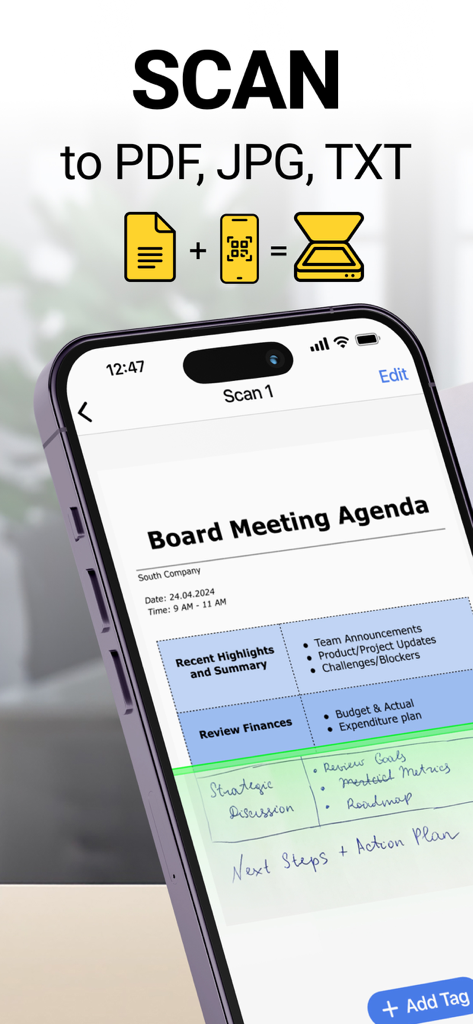
Photo to PDF Convert Scanner + - Interfaccia di uno smartphone che scansiona l'agenda di una riunione in PDF, JPG o TXT
Interfaccia di uno smartphone che scansiona l'agenda di una riunione in PDF, JPG o TXT

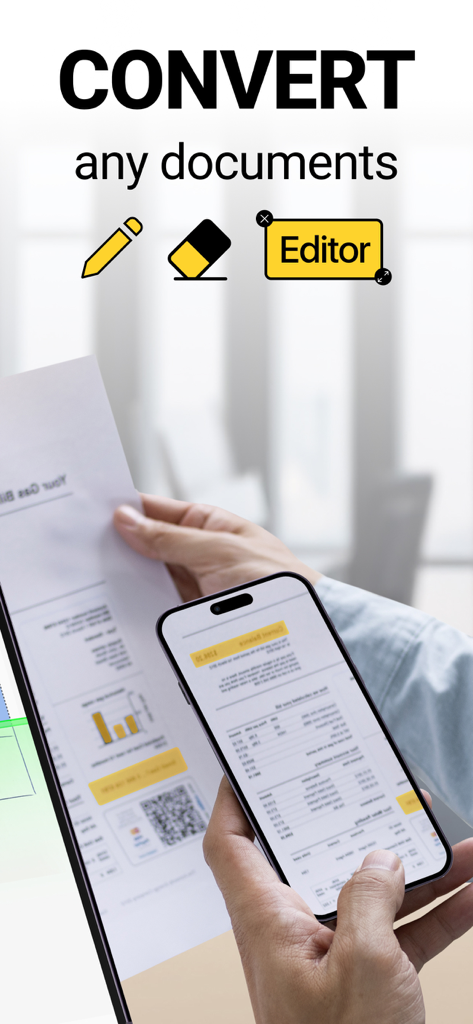
Photo to PDF Convert Scanner + - Una persona che scansiona un documento fisico con un iPhone per convertirlo in PDF utilizzando l'editor dell'app
Una persona che scansiona un documento fisico con un iPhone per convertirlo in PDF utilizzando l'editor dell'app

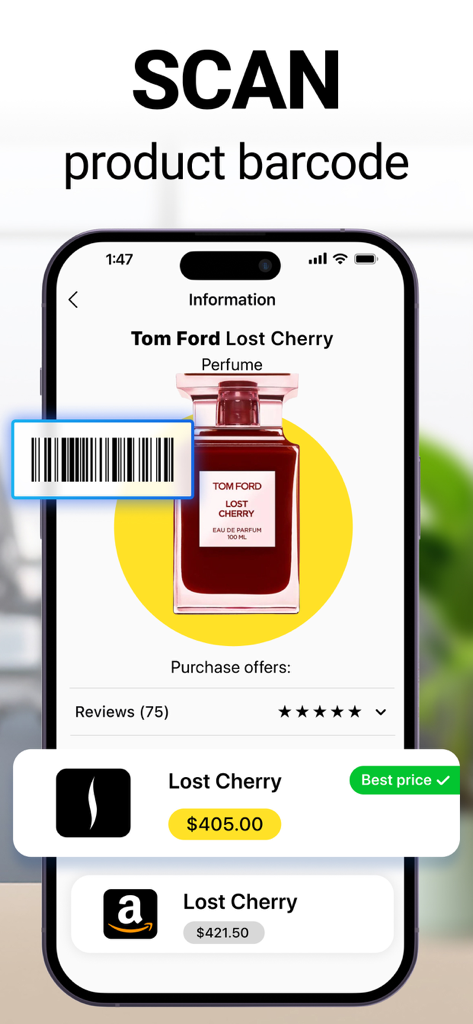
Photo to PDF Convert Scanner + - Interfaccia di uno smartphone che dimostra la funzione di scansione del codice a barre del prodotto per confrontare i prezzi tra diversi rivenditori.
Interfaccia di uno smartphone che dimostra la funzione di scansione del codice a barre del prodotto per confrontare i prezzi tra diversi rivenditori.

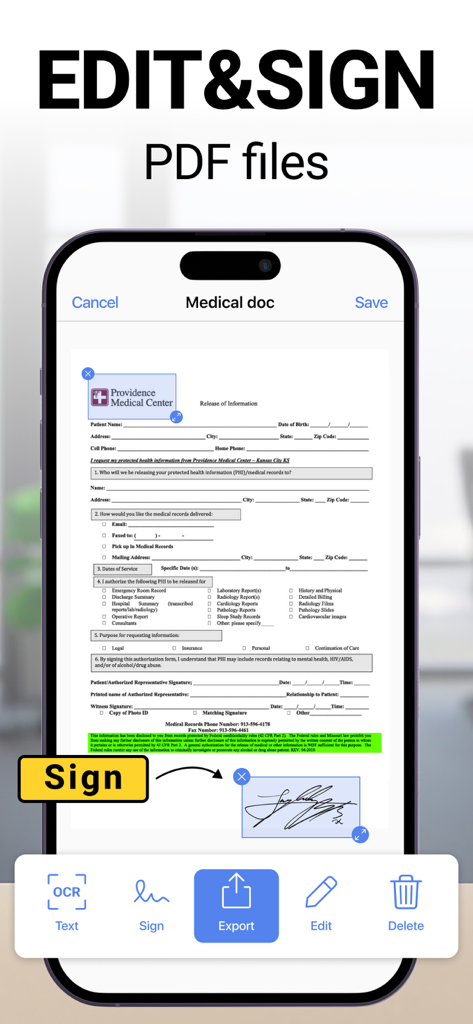
Photo to PDF Convert Scanner + - Interfaccia dell'app mobile che mostra come modificare e firmare documenti PDF
Interfaccia dell'app mobile che mostra come modificare e firmare documenti PDF

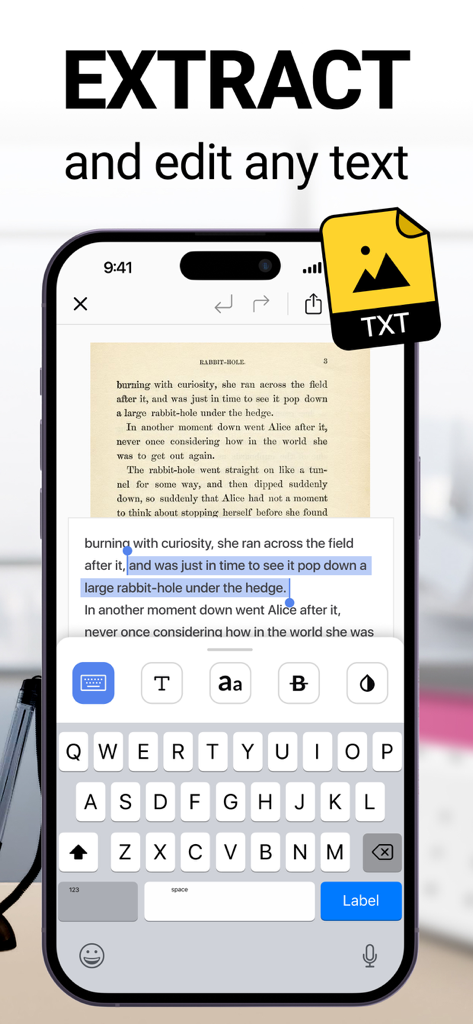
Photo to PDF Convert Scanner + - Interfaccia di un'app scanner di documenti che mostra l'estrazione e la modifica del testo OCR su un iPhone
Interfaccia di un'app scanner di documenti che mostra l'estrazione e la modifica del testo OCR su un iPhone

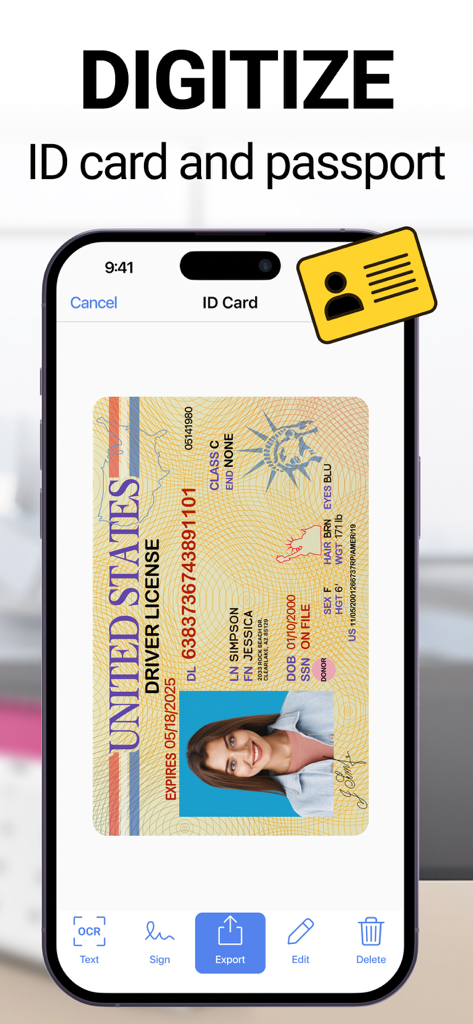
Photo to PDF Convert Scanner + - Schermata di uno smartphone che mostra una patente di guida USA che viene scansionata e digitalizzata dall'interfaccia dell'app Photo to PDF.
Schermata di uno smartphone che mostra una patente di guida USA che viene scansionata e digitalizzata dall'interfaccia dell'app Photo to PDF.

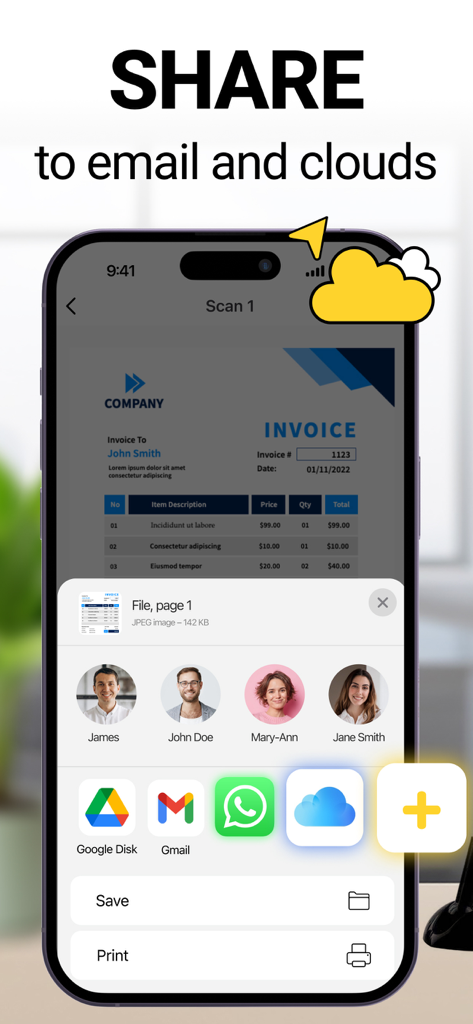
Photo to PDF Convert Scanner + - Interfaccia dell'app mobile che mostra le opzioni per condividere una fattura scannerizzata tramite e-mail e archiviazione cloud
Interfaccia dell'app mobile che mostra le opzioni per condividere una fattura scannerizzata tramite e-mail e archiviazione cloud

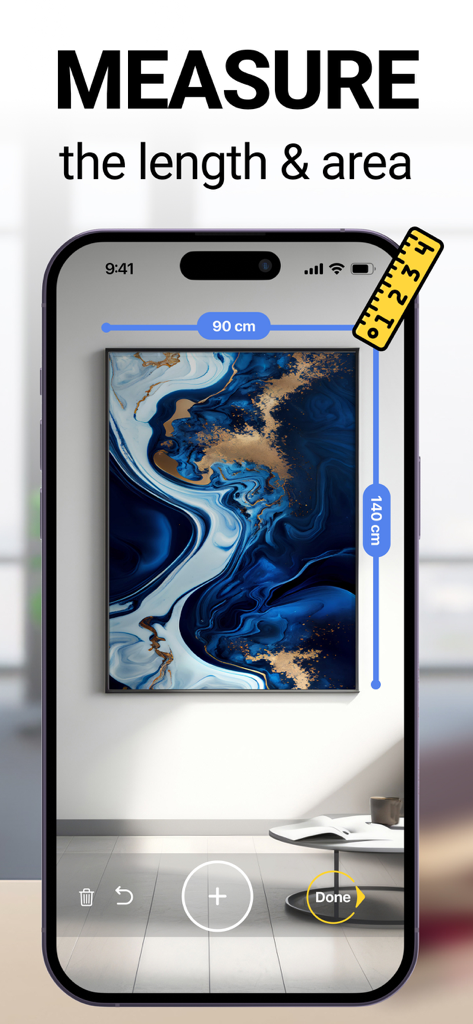
Photo to PDF Convert Scanner + - App per smartphone che misura le dimensioni di un quadro su un muro utilizzando un righello digitale

App per smartphone che misura le dimensioni di un quadro su un muro utilizzando un righello digitale

Descrizione

Want to boost your productivity thanks to using your phone at hand? Use a quick and effective scan app to process and save all documents you find necessary. Making your phone a small office is a possible thing with our document scanner app. Anytime and anywhere you may get quality images using your mobile scanner device only. ● Quick scanning You may easily scan any document and convert that to the most popular formats, like TXT, PDF, and JPEG. Do you have IDs, passports, bills, receipts, and other documents to scan? It is an easy thing to scan any document you have and get an instant result shortly. Quality scanning is ensured along with the quick processing mode also. The highest quality images will be available after scanning quickly. Color and perspective correction will be ensured also with powerful scanner. Make it convenient to scan quality multiple pages and join those in a single document using our PDF scanner app. ● Effective text conversion and recognition It will be nearly effortless to convert any text into an image in a couple of seconds only. Forget about wasting time rewriting a text. This scanner app will help you with picking any single part of an image with text and converting it into a textual format easily. Using OCR will enable quick and effective extraction of any piece of text from your scanned material. Edit the extracted text sample using your preferred settings, like fonts, colors, sizes, and other features. ● Good object ruler and counter Using your camera to count similar objects will become easier with our tool. What about measuring, calculating the total room area and measuring the length of any object? ● Effective file management We have an advanced file management system with the available folders, tags, and many other features. You may easily navigate between different view models. Choosing and changing file names is also effortless using our scan app. ● Quick document sharing Share any scanned file you have processed or obtained using our scanner app for iPhone. Print your scanned docs using Wi-Fi printers. Send all materials via email swiftly. ● Storage ensured Our best scanner app for iPhone is free and enables quick access to all exported or scanned documents. Any third party will not access your directory and the probable loss of the Internet connection will not have any impact on your access to this directory with scanned content also. Everything will be available to you anytime you may need that. ● Maximal safety Our PDF scanner is distinct from all other scan apps for iPhone. Make your docs more secure using extra features, like e-signature, watermarks, FACE ID, and PIN. Download scanner app and take the maximum of it. Scan, recognize, convert, edit, store, secure, and enjoy your pocket scanner. The subscription price is 6.99$ per week. The exact cost may vary depending on your location. - Subscription to scanner app automatically renews unless auto-renew is turned off at least 24-hours before the end of the current period. - Subscriptions may be managed by the user and auto-renewal may be turned off by going to the user's Account Settings after purchase. - Payment will be charged to iTunes Account at confirmation of purchase. - Account will be charged for renewal within 24 hours prior to the end of the current period. The cost depends on the selected plan. - Should the user choose to renew prior to the end of a free trial, any remaining time will be forfeited and replaced by the purchased subscription period. - During the active subscription period, cancellation of the current subscription will not be possible. – Subscriptions may be managed by the user and auto-renewal may be turned off by going to the user’s Account Settings after purchase Links to our Terms of Service and Privacy Policy can be found below: https://myscannerapp.net/privacy/ https://myscannerapp.net/terms_of_use/

Download

Scarica su App Store

Questa pagina non è una pagina ufficiale dell'app o del suo sviluppatore, ma una pubblicazione editoriale indipendente creata a scopo informativo e di commento. Salvo espressa indicazione contraria, né l'app né il suo sviluppatore sono affiliati, approvati, sponsorizzati, autorizzati o altrimenti ufficialmente collegati a MWM, Apple, Google Play, all'editore dell'app o allo sviluppatore dell'app, e nulla in questa pagina implica che l'app sia stata sviluppata utilizzando i servizi di MWM. Tutti i marchi, loghi, screenshot e altri contenuti rimangono di proprietà dei rispettivi proprietari.








