
Questa pagina non è una pagina ufficiale dell'app o del suo sviluppatore, ma una pubblicazione editoriale indipendente creata a scopo informativo e di commento. Salvo espressa indicazione contraria, né l'app né il suo sviluppatore sono affiliati, approvati, sponsorizzati, autorizzati o altrimenti ufficialmente collegati a MWM, Apple, Google Play, all'editore dell'app o allo sviluppatore dell'app, e nulla in questa pagina implica che l'app sia stata sviluppata utilizzando i servizi di MWM. Tutti i marchi, loghi, screenshot e altri contenuti rimangono di proprietà dei rispettivi proprietari.

Photomator – Photo Editor
Sperimenta l'editing RAW di livello desktop sul tuo iPhone, iPad e Mac. Migliora i tuoi scatti con strumenti intelligenti, sincronizzazione iCloud fluida e potenti funzionalità IA progettate per il creator moderno.
Download
1M+Valutazione
Valutazioni totali
8K+Editore
Categoria
Photo & VideoLingue
11Ultima versione
3.4.12Dimensione
793.4 MBData di lancio
9 apr 2019Potenza Professionale a Portata di Mano
Sperimenta il futuro dell'editing fotografico con strumenti basati sull'IA e prestazioni di livello desktop, progettati esclusivamente per i tuoi dispositivi Apple preferiti.
Miglioramenti Intelligenti con IA
Aumenta istantaneamente la risoluzione, rimuovi il rumore e seleziona soggetti con machine learning addestrato su 20 milioni di foto professionali.
Vero Editing RAW
Supporto completo per oltre 750 formati RAW, incluso Apple ProRAW, per un controllo non distruttivo totale su ogni pixel.
Domande Frequenti
Tutto quello che devi sapere su Photomator – Photo Editor
Cos'è Photomator?
Photomator è una potente app di fotoritocco progettata per dispositivi mobili. Include regolazioni colore all'avanguardia, selezioni basate sull'intelligenza artificiale, supporto per oltre 750 formati di immagine RAW e strumenti per la rimozione di oggetti e il miglioramento della qualità delle foto.
Photomator utilizza l'IA per le attività di fotoritocco?
Sì, Photomator utilizza l'IA per selezioni automatiche di soggetti, cieli e sfondi, riduzione del rumore (Denoise), aumento della risoluzione (Super Resolution), rimozione del color banding (Smart Deband) e ritaglio automatico intelligente.
Photomator supporta i formati RAW?
Sì, Photomator supporta oltre 750 formati RAW per l'apertura e il fotoritocco, inclusi Apple ProRAW e RAW Fujifilm compressi, consentendo regolazioni professionali complete.
Photomator può rimuovere oggetti indesiderati dalle foto?
Sì, Photomator include uno strumento magico di Riparazione che consente agli utenti di rimuovere facilmente oggetti indesiderati dalle loro foto, garantendo un'immagine finale pulita e focalizzata.
Photomator è compatibile su Mac, iPhone e iPad?
Sì, Photomator offre una sincronizzazione impeccabile delle modifiche su Mac, iPhone e iPad tramite iCloud Drive. È costruito nativamente per iOS e iPadOS 18, garantendo un'esperienza utente coerente.
Posso modificare più foto in blocco con Photomator?
Sì, Photomator consente agli utenti di copiare e incollare facilmente le modifiche tra le foto o di elaborare centinaia di fotografie in blocco alla volta, velocizzando significativamente il flusso di lavoro di fotoritocco.
Dove posso trovare l'informativa sulla privacy di Photomator?
L'informativa sulla privacy di Photomator è accessibile tramite il link fornito: https://www.apple.com/legal/privacy/en-ww/. Questo link descrive come vengono gestiti i dati degli utenti.
Quali tipi di strumenti di regolazione del colore sono disponibili in Photomator?
Photomator fornisce ampie regolazioni del colore, tra cui temperatura, tonalità, esposizione, contrasto, luminosità, tonalità, saturazione, vividezza, chiarezza, texture, colore selettivo, bilanciamento del colore, livelli, curve e miscelazione dei canali RGB.
Photomator include preset per foto?
Sì, Photomator include una varietà di preset progettati da fotografi per stili come paesaggio e bianco e nero. Offre anche preset ispirati alla fotografia su pellicola per alterare istantaneamente l'estetica dell'immagine.
Photomator offre funzionalità automatiche di miglioramento delle foto?
Sì, Photomator può migliorare automaticamente le foto utilizzando un algoritmo di machine learning addestrato su 20 milioni di foto professionali. Consente inoltre di perfezionare singole regolazioni come il Bilanciamento del Bianco con un solo tocco.
Gli screenshot e la descrizione seguenti provengono direttamente dall'elenco ufficiale dello store dell'app e sono di proprietà dello sviluppatore.
App Store
Screenshot
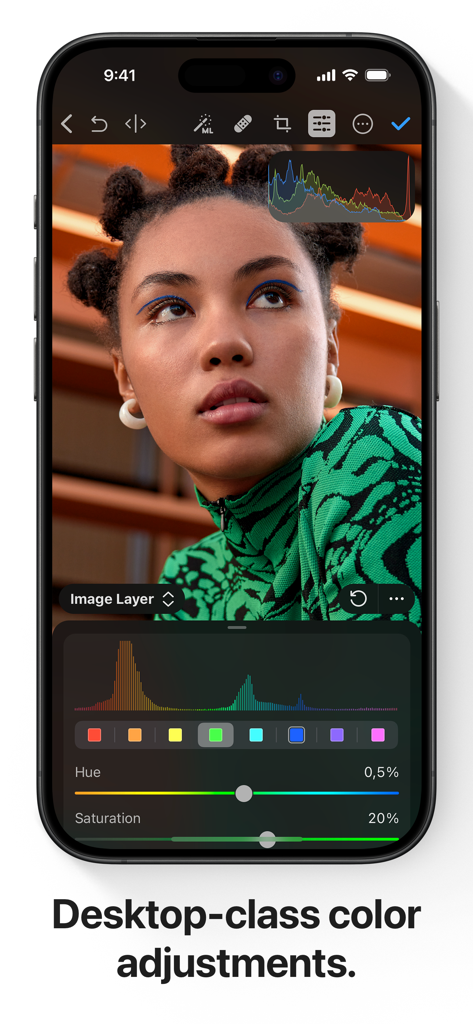
Schermata iPhone che mostra strumenti professionali di regolazione colore e un ritratto in Photomator.
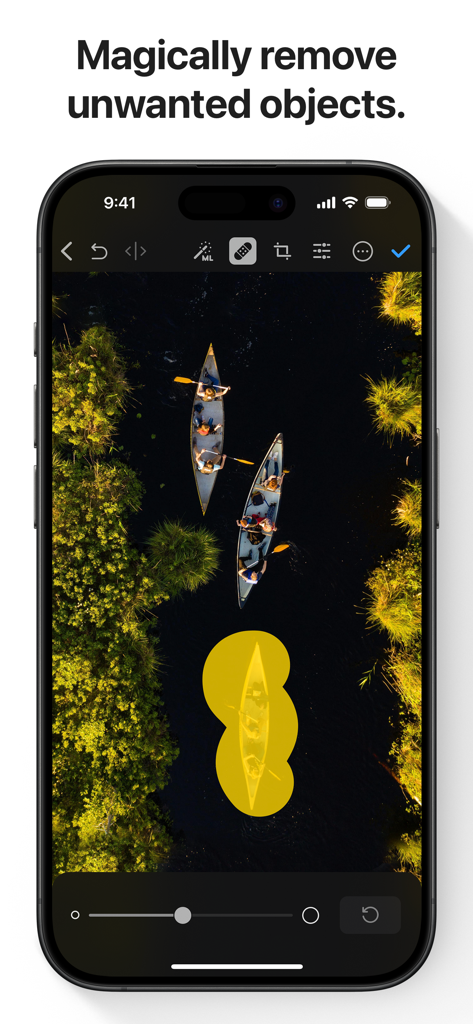
Uno screenshot dell'app Photomator che mostra lo strumento di rimozione oggetti potenziato dall'IA utilizzato su una foto aerea di canoe.
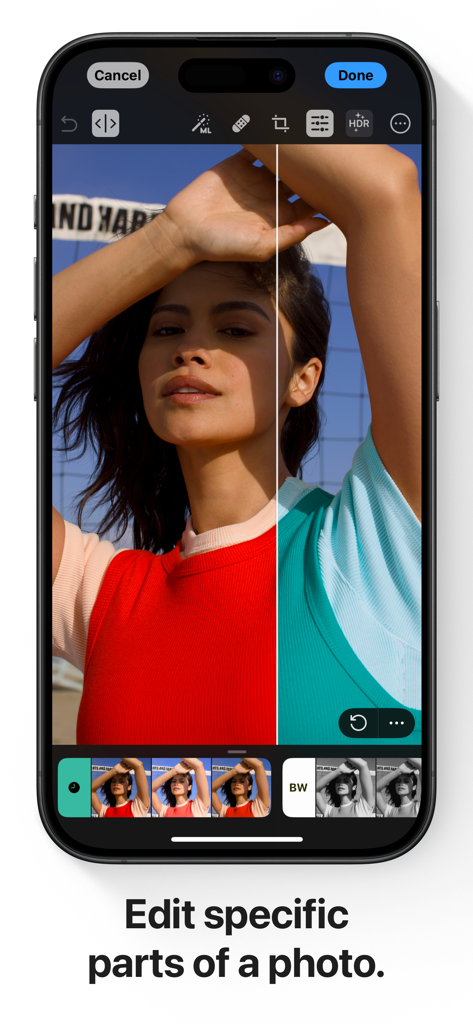
Schermata iPhone che mostra una vista divisa di dimostrazione di editing colore selettivo nell'app Photomator
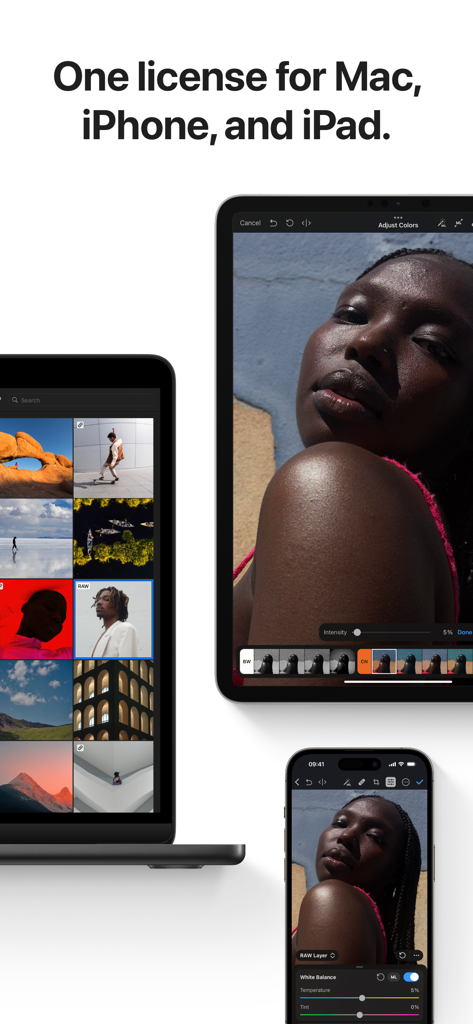
Interfaccia dell'app Photomator mostrata su MacBook, iPad e iPhone
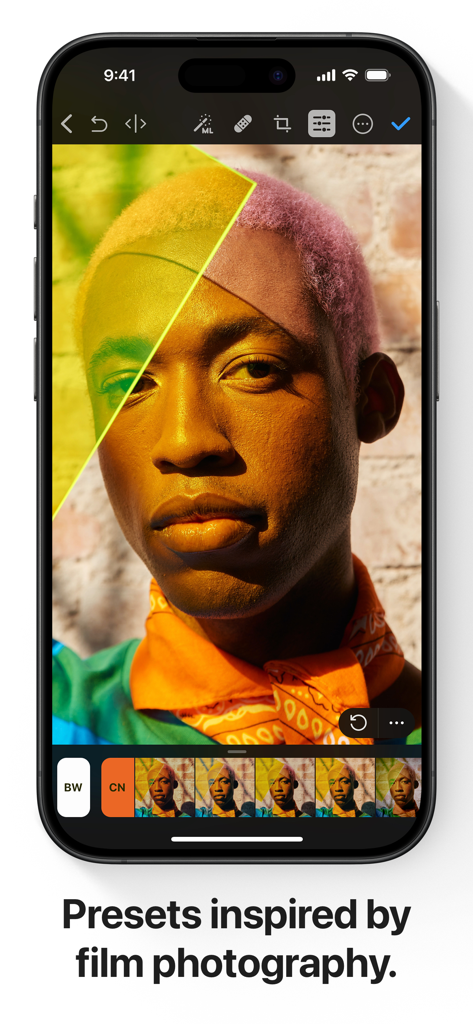
Interfaccia dell'app Photomator su iPhone che mostra preset professionali ispirati alla pellicola per l'editing di ritratti
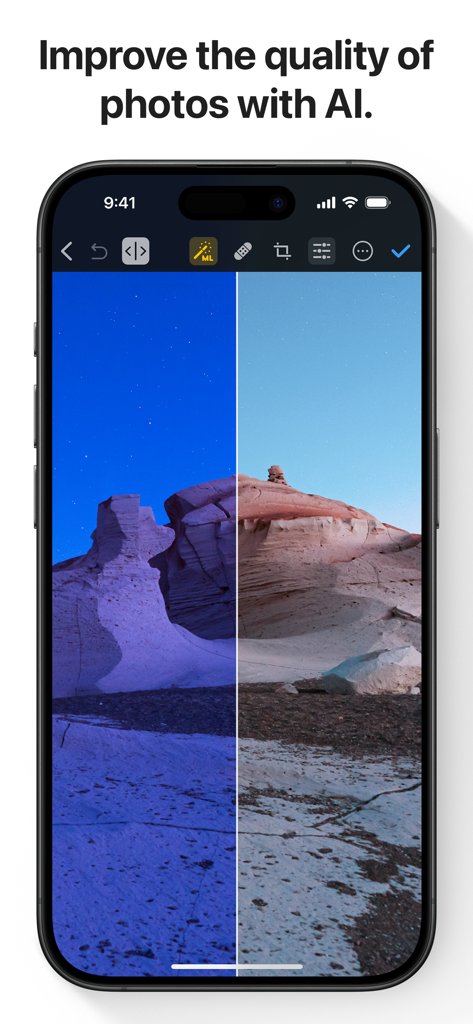
Un confronto prima e dopo di un paesaggio desertico migliorato dall'IA nell'app Photomator.
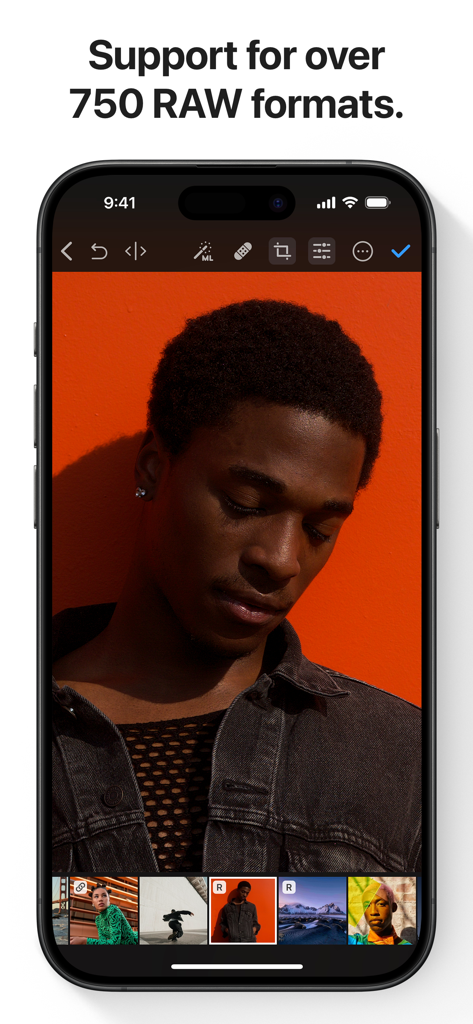
App Photomator su iPhone che mostra l'editing di foto RAW di un ritratto con sfondo arancione
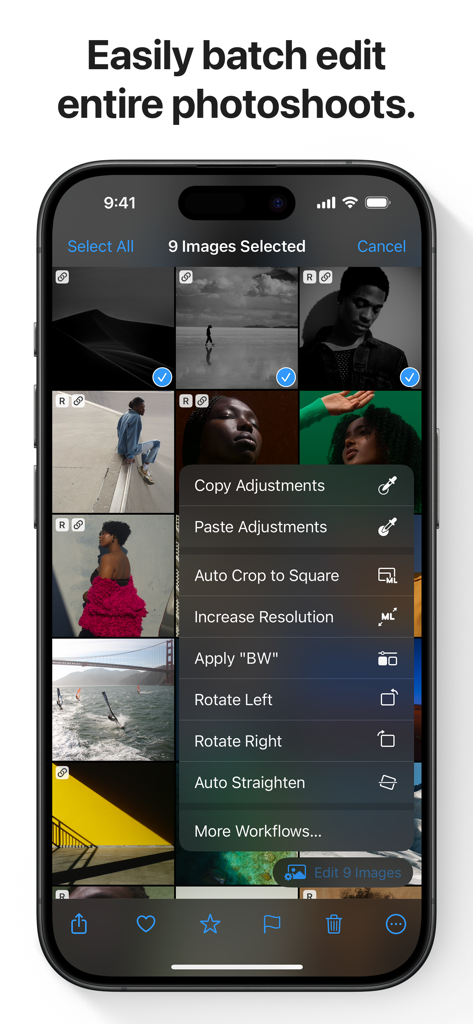
Interfaccia dell'app Photomator su iPhone che mostra opzioni di editing batch di foto per più immagini selezionate
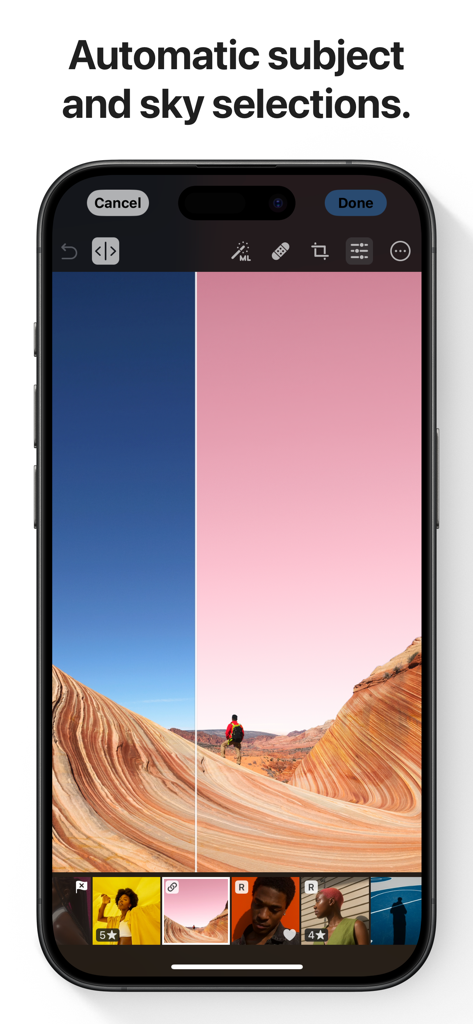
Uno smartphone che mostra l'app Photomator con selezione automatica AI del cielo e del soggetto su una foto paesaggistica
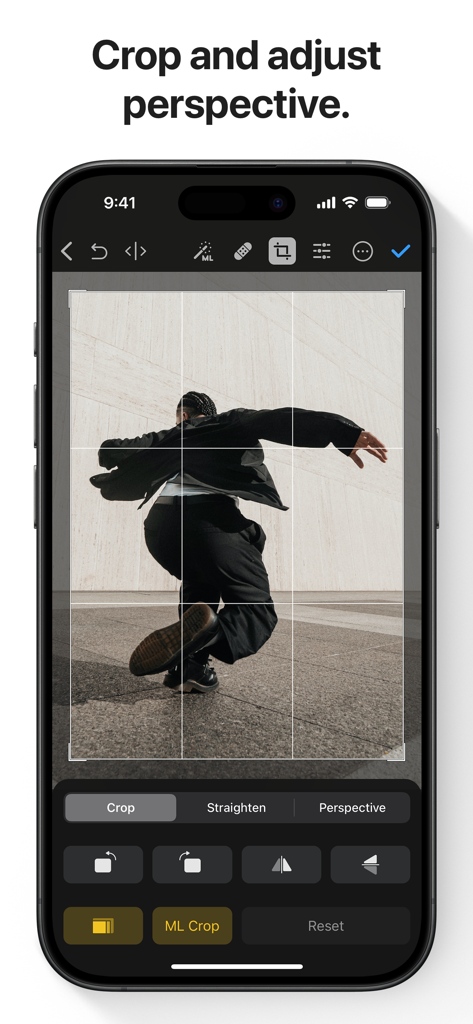
Interfaccia dell'app Photomator che mostra gli strumenti di regolazione ritaglio e prospettiva su un iPhone
Descrizione
Download
App Simili
App con funzionalità ed esperienza simili

Evoto-AI Photo Editor&Retouch
TRUESIGHT PTE. LTD.

Darkroom: Photo & Video Editor
Bergen Co.

LD - Photo & Video Finishing
Lens Distortions, LLC

Focos
Mosaic S.r.l.

SKRWT
Mathaeus Jagielski

Polarr Pro Photo Editor
Polarr Inc

Canon DPP Express
Canon Inc.

Snapseed: Photo Editor
Google LLC

原片
Beijing Kwai Technology Co., Ltd.
Questa pagina non è una pagina ufficiale dell'app o del suo sviluppatore, ma una pubblicazione editoriale indipendente creata a scopo informativo e di commento. Salvo espressa indicazione contraria, né l'app né il suo sviluppatore sono affiliati, approvati, sponsorizzati, autorizzati o altrimenti ufficialmente collegati a MWM, Apple, Google Play, all'editore dell'app o allo sviluppatore dell'app, e nulla in questa pagina implica che l'app sia stata sviluppata utilizzando i servizi di MWM. Tutti i marchi, loghi, screenshot e altri contenuti rimangono di proprietà dei rispettivi proprietari.