Pixelmator: editing di immagini professionale per il tuo iPhone e iPad
Scatena la tua creatività con un editor potente e basato su livelli, progettato per dispositivi mobili. Dal ritocco basato su ML allo straordinario graphic design, crea opere d'arte professionali ovunque.
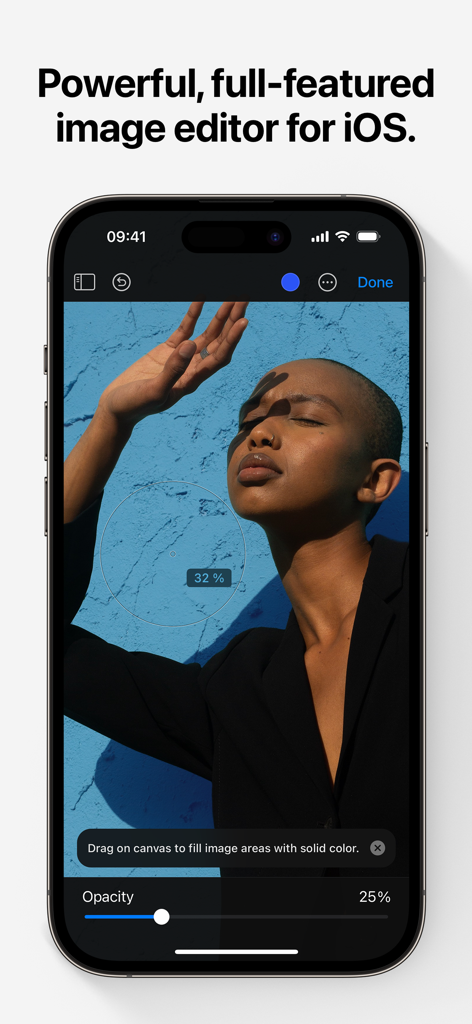
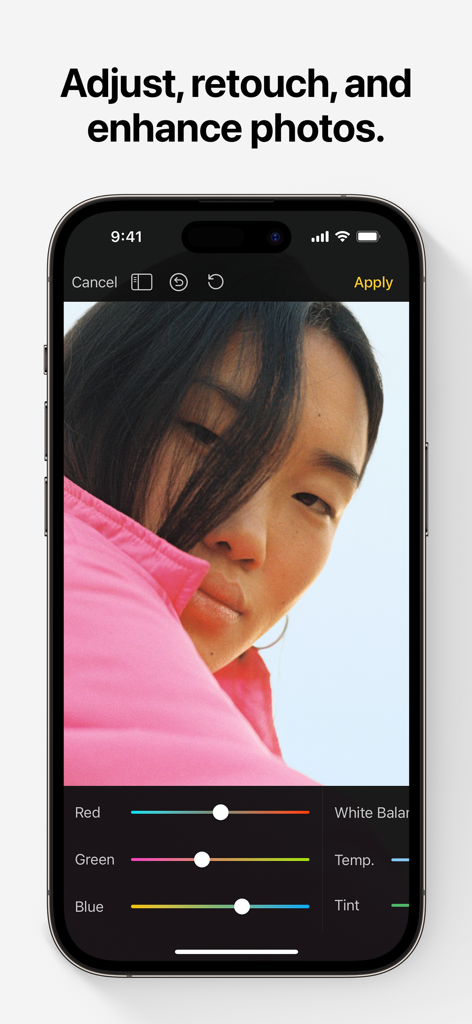
L'interfaccia dell'app Pixelmator su un iPhone che mostra strumenti di fotoritocco e un'immagine ritratto.
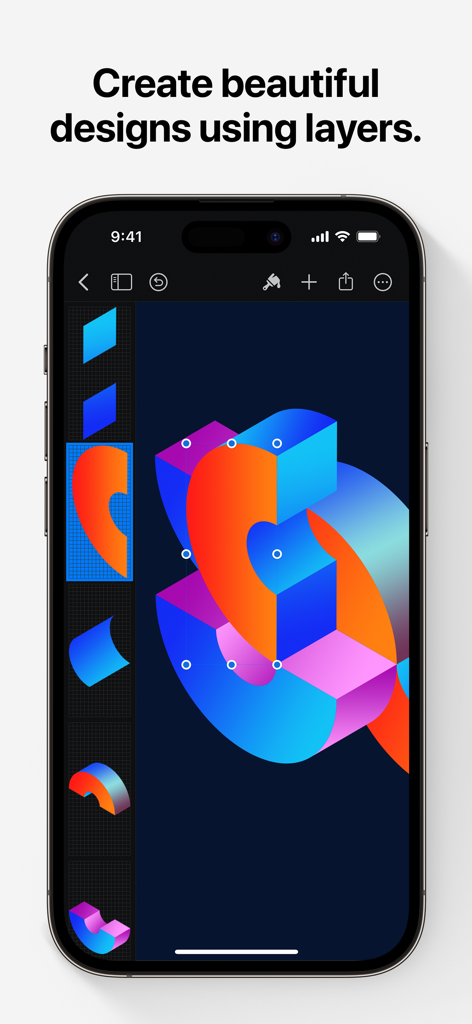
Interfaccia Pixelmator su iPhone che mostra un vibrante graphic design con più livelli
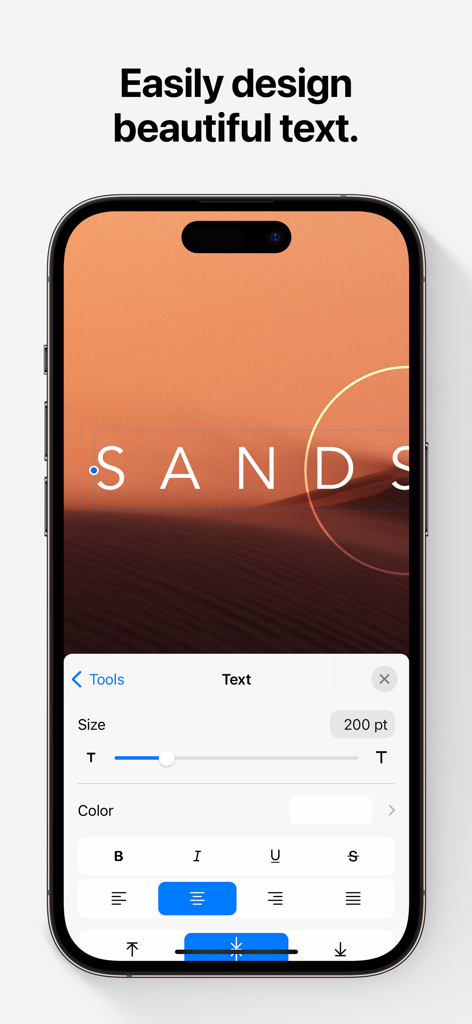
Schermata dell'iPhone che mostra l'interfaccia di modifica del testo dell'app Pixelmator
Interfaccia di fotoritocco Pixelmator su iPhone con strumenti di regolazione del colore
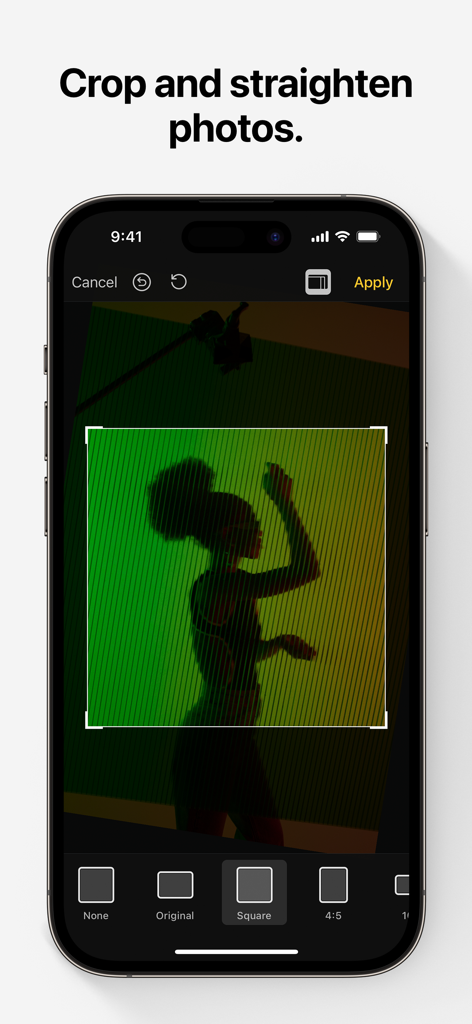
Interfaccia dell'app di fotoritocco Pixelmator che mostra la funzione di ritaglio e raddrizzamento su un iPhone
Strumenti di design professionali, perfezionati per i dispositivi mobili
Gli strumenti che rendono questa app unica, scelti da 817K+ utenti.
✨
Magia potenziata dall'IA
Risparmia tempo con strumenti di machine learning che selezionano automaticamente soggetti, rimuovono sfondi e cancellano imperfezioni con un solo tocco.
🎨
Livelli avanzati
Crea flyer, loghi e opere d'arte professionali utilizzando stili di livello non distruttivi, modalità di fusione e forme vettoriali precise per un controllo creativo totale.
✏️
Pittura digitale naturale
Trasforma il tuo iPad in una tela con pennelli progettati da artisti e supporto completo per Apple Pencil, con sensibilità alla pressione, inclinazione e rifiuto del palmo per un'esperienza realistica.
Info sull'app
Tutto quello che devi sapere su Pixelmator.
Descrizione
Pixelmator is a powerful, full-featured, layer-based image editor that lets you add shapes, images, and text to create beautiful image compositions, touch up and enhance images, sketch, and paint on iPad and iPhone alike.
Designed exclusively for iOS and iPadOS, Pixelmator takes full advantage of the latest iOS and iPadOS 17 features and technologies, giving you innovative, fast, and powerful tools.
Create Eye-Catching Designs
- Combine words, shapes, and images to create breathtaking artwork right on your iPhone and iPad
- Apply non-destructive layer styles like shadows, outlines, gradient fills, and more
- Insert, group, and blend layers of an image
- Easily add, combine, and customize shapes
- Blend layers, shapes, and text using any of the blending modes
- Use precise selection tools to edit areas of an image
- Automatically select subjects in images with the machine learning-powered Select Subject
- Crop, arrange, and rotate objects and layers with pixel-perfect precision
- Easily remove the background of images or cut and paste objects from one image to another
Add Shapes and Text
- Create flyers, logos, and other compositions using vector shapes and their styling options
- Customize Smart Shapes with easy-to-use controls
- Add text and make it look gorgeous with 24 pre-designed text styles
- Change the font, size, alignment, line spacing, use custom fonts, and more
Paint and Sketch
- Paint stunning images right on your iPhone and iPad
- Choose from over artist-designed brushes and numerous painting techniques
- Paint with near-natural wetness effect of watercolor and crayon brushes
- Create stunning pixel art images with the custom-designed Pixel brush
- Paint with incredible detail thanks to the double texture brush technology
- Vary the speed of your stroke to change the thickness of some of the brushes
- Easily select and fine-tune colors with a full-featured color picker
- Instantly choose colors right from your image with the Eyedropper
- Paint more naturally than ever with the Apple Pencil, featuring palm rejection, pressure, tilt, and acceleration sensitivity
Edit and Enhance Photos
- Get started with dozens of beautifully designed templates
- Instantly improve your photos with single-tap color presets
- Take full control over the tonal range of your image with levels and curves
- Easily remove color casts and set the right white balance
- Wipe away image imperfections, skin blemishes, and unwanted objects with the Repair tool
- Duplicate areas of your image with the easy-to-use Clone tool
- Pinch, bump, twirl, or warp areas of an image with powerful, Metal-based Distort tools
- Blur, sharpen, lighten, or darken areas of an image
- Choose from dozens of breathtaking effects to subtly improve or completely change the look of an image
- Open and edit images of up to 256 megapixels
Export and Share Images
- Optimize images for the web using quality, color depth, and size settings
- Export images to Files, iCloud, or open in other apps using a file format of your choice
- Using the integrated share extension, easily share your artwork with friends and family using Mail, AirDrop, or post it to social platforms like Instagram, Twitter, or Facebook
Compatibility
- Open and save images using HEIF, JPEG, PNG, and TIFF formats
- Work with multilayered Pixelmator Pro and Adobe Photoshop documents
- Save your edited images directly to Photos
- Create, edit, and keep all your images up to date on all your devices thanks to iCloud support
- External keyboard support with over 70 keyboard shortcuts
Built for iPhone and iPad
- Pixelmator is meticulously thought through and created from the ground up for iPhone and iPad devices
- Designed to take full advantage of powerful iOS and iPadOS features and technologies — iCloud Drive, Photos extension, Split View, and more
- Thanks to Apple silicon, Metal, Core Image, and Core Animation, Pixelmator delivers state-of-the-art performance and real-time responsiveness
Ultima versione
3.1.16
Dimensione
409.8 MB
Data di lancio
24 ott 2014
Pronto a progettare senza limiti?
Unisciti a oltre 800.000 creatori e sperimenta editing di immagini, pittura e design di livello professionale direttamente sul tuo iPhone e iPad.
FAQ
Domande Frequenti
Tutto quello che devi sapere su Pixelmator
Che cos'è Pixelmator Classic iOS?
Pixelmator Classic iOS è un potente editor di immagini basato su livelli, completo di funzionalità, per iPad e iPhone. Consente agli utenti di creare composizioni, ritoccare foto, schizzare e dipingere direttamente sui propri dispositivi.
Pixelmator Classic iOS è disponibile per dispositivi Android?
No, Pixelmator Classic iOS è progettato esclusivamente per iOS e iPadOS. Sfrutta le ultime funzionalità e tecnologie di questi sistemi operativi Apple, garantendo prestazioni ottimizzate.
Pixelmator Classic iOS può rimuovere sfondi dalle immagini?
Sì, Pixelmator Classic iOS rimuove facilmente gli sfondi delle immagini. Dispone inoltre di uno strumento "Seleziona soggetto" basato sull'apprendimento automatico per la selezione automatica del soggetto e consente di tagliare e incollare oggetti.
Pixelmator Classic iOS supporta l'editing basato su livelli?
Sì, Pixelmator Classic iOS è un editor di immagini basato su livelli. Supporta l'inserimento, il raggruppamento, la fusione di livelli e l'applicazione di stili di livello non distruttivi come ombre e riempimenti sfumati per progetti complessi.
Come posso aggiungere testo alle immagini in Pixelmator Classic iOS?
Pixelmator Classic iOS consente di aggiungere testo alle immagini. Offre 24 stili di testo predefiniti e controlli completi per modificare font, dimensioni, allineamento, spaziatura tra le righe e utilizzare font personalizzati.
Pixelmator Classic iOS supporta Apple Pencil per dipingere?
Sì, Pixelmator Classic iOS supporta Apple Pencil. Offre reiezione del palmo, sensibilità alla pressione, inclinazione e accelerazione, fornendo un'esperienza di pittura e disegno naturale e dettagliata su dispositivi compatibili.
Quali strumenti di regolazione foto sono disponibili in Pixelmator Classic iOS?
Pixelmator Classic iOS include uno strumento Ripara, uno strumento Clone e strumenti Distorsione basati su Metal. Offre inoltre livelli, curve, bilanciamento del bianco e vari effetti per regolare, ritoccare e migliorare le foto.
Qual è la dimensione massima dell'immagine che Pixelmator Classic iOS può aprire?
Pixelmator Classic iOS può aprire e modificare immagini fino a 256 megapixel. Questa capacità garantisce il supporto per la fotografia ad alta risoluzione e i progetti di graphic design dettagliati su iOS e iPadOS.
Quali formati di file supporta Pixelmator Classic iOS?
Pixelmator Classic iOS supporta l'apertura e il salvataggio di immagini nei formati HEIF, JPEG, PNG e TIFF. Funziona anche con documenti multistrato di Pixelmator Pro e Adobe Photoshop per un'ampia compatibilità.
Sì, Pixelmator Classic iOS consente agli utenti di ritagliare e raddrizzare le foto. Lo screenshot n. 5 mostra l'interfaccia di ritaglio, offrendo varie opzioni di rapporto d'aspetto come Quadrato e 4:5 per regolazioni precise.
App information, icons, screenshots, and descriptions displayed on this page are sourced from the Apple App Store and are the property of their respective developers. Download estimates and rankings are based on MWM's proprietary models and may not reflect actual figures. This page is provided for informational and analytical purposes only.
Believe this page infringes your intellectual property? File a dispute