
Questa pagina non è una pagina ufficiale dell'app o del suo sviluppatore, ma una pubblicazione editoriale indipendente creata a scopo informativo e di commento. Salvo espressa indicazione contraria, né l'app né il suo sviluppatore sono affiliati, approvati, sponsorizzati, autorizzati o altrimenti ufficialmente collegati a MWM, Apple, Google Play, all'editore dell'app o allo sviluppatore dell'app, e nulla in questa pagina implica che l'app sia stata sviluppata utilizzando i servizi di MWM. Tutti i marchi, loghi, screenshot e altri contenuti rimangono di proprietà dei rispettivi proprietari.

Pro Camera by Moment
Riporta la tua visione creativa con l'app fotocamera manuale creata per i creatori. Scatta in RAW, Apple Log e 4K con strumenti professionali come focus peaking, forme d'onda e LUT, tutto in un'interfaccia veloce e intuitiva.
Download
1M+Valutazione
Valutazioni totali
21K+Editore
Categoria
Photo & VideoLingue
1Ultima versione
5.8.5Dimensione
118.5 MBData di lancio
18 nov 2014Controllo professionale per il creatore moderno
Riporta la tua visione creativa dall'elaborazione automatica. Pro Camera ti offre gli strumenti manuali e le specifiche video di alta gamma di cui hai bisogno per produrre contenuti cinematografici senza l'ingombro di una DSLR.
Controllo manuale preciso
Regola finemente ISO, velocità otturatore e messa a fuoco con cursori intuitivi progettati per regolazioni rapide e professionali al volo.
Riprese cinematografiche
Sblocca Apple Log, LUT personalizzate e forme d'onda in tempo reale per ottenere un look cinematografico di alta gamma direttamente sul tuo dispositivo mobile.
Domande Frequenti
Tutto quello che devi sapere su Pro Camera by Moment
Che cos'è Pro Camera by Moment?
Pro Camera by Moment è un'app per fotocamera manuale che offre pieno controllo creativo e prestazioni professionali a un prezzo accessibile, ispirata alle fotocamere DSLR e mirrorless.
Pro Camera by Moment offre controlli manuali della fotocamera?
Sì, Pro Camera by Moment offre il pieno controllo manuale su velocità dell'otturatore, ISO, esposizione, messa a fuoco e bilanciamento del bianco tramite cursori intuitivi.
Gli utenti possono salvare impostazioni personalizzate della fotocamera in Pro Camera by Moment?
Sì, Pro Camera by Moment consente agli utenti di salvare e richiamare rapidamente le loro impostazioni preferite della fotocamera su richiesta.
Quali funzionalità di videografia sono disponibili in Pro Camera by Moment?
Pro Camera by Moment offre funzionalità di videografia come LUT, spazi colore, bitrate, misuratori audio a doppio canale, forme d'onda in tempo reale e accesso rapido ai frame rate.
Pro Camera by Moment supporta la cattura di foto in formato RAW?
Sì, Pro Camera by Moment scatta foto in formato RAW/ProRAW per una migliore modifica, e supporta anche opzioni TIFF e RAW+JPG per i fotografi.
Pro Camera by Moment offre supporto clienti o tutorial?
Pro Camera by Moment fornisce suggerimenti per iniziare, tutorial video e un servizio clienti a tempo pieno per aiutare gli utenti a configurare e utilizzare l'app.
Cos'è il Focus Peaking in Pro Camera by Moment?
Il focus peaking in Pro Camera by Moment regola manualmente la messa a fuoco evidenziando le aree a fuoco, garantendo che i soggetti rimangano nitidi.
Come funzionano le strisce zebra in Pro Camera by Moment?
Le strisce zebra in Pro Camera by Moment indicano rapidamente le aree sovraesposte e sottoesposte direttamente nel mirino, assistendo nel controllo dell'esposizione.
Pro Camera by Moment include misuratori audio per la registrazione video?
Sì, Pro Camera by Moment dispone di misuratori audio a doppio canale precisi in tempo reale per aiutare i cineasti a ottenere livelli audio ottimali.
La modalità Timelapse è una funzionalità gratuita in Pro Camera by Moment?
No, la modalità Timelapse in Pro Camera by Moment, che offre controlli manuali per timelapse 4K, è una funzionalità premium che richiede un acquisto in-app.
La modalità Slow Shutter è inclusa gratuitamente in Pro Camera by Moment?
No, la modalità Slow Shutter in Pro Camera by Moment, che crea effetti di motion blur o scie luminose, è una funzionalità premium che richiede un acquisto in-app.
Pro Camera by Moment è compatibile con gli obiettivi Moment?
Sì, Pro Camera by Moment funziona con gli obiettivi Moment, offrendo opzioni come lo s-de-squeeze anamorfico e la correzione della distorsione.
Posso utilizzare LUT personalizzate in Pro Camera by Moment?
Sì, Pro Camera by Moment consente agli utenti di importare, organizzare e applicare le loro LUT preferite per la color grading in modalità video.
Gli screenshot e la descrizione seguenti provengono direttamente dall'elenco ufficiale dello store dell'app e sono di proprietà dello sviluppatore.
App Store
Screenshot
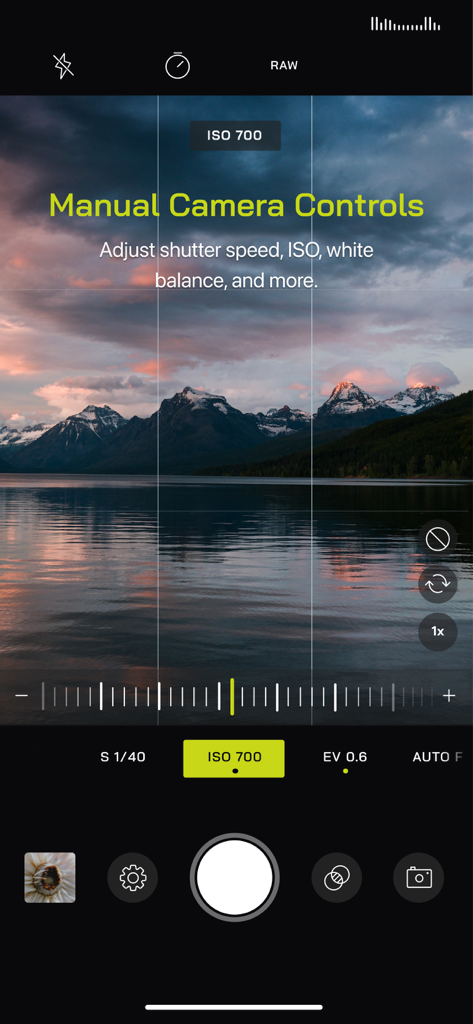
Interfaccia di Pro Camera by Moment che mostra controlli manuali di esposizione e ISO su una foto paesaggistica di montagne e un lago al tramonto.
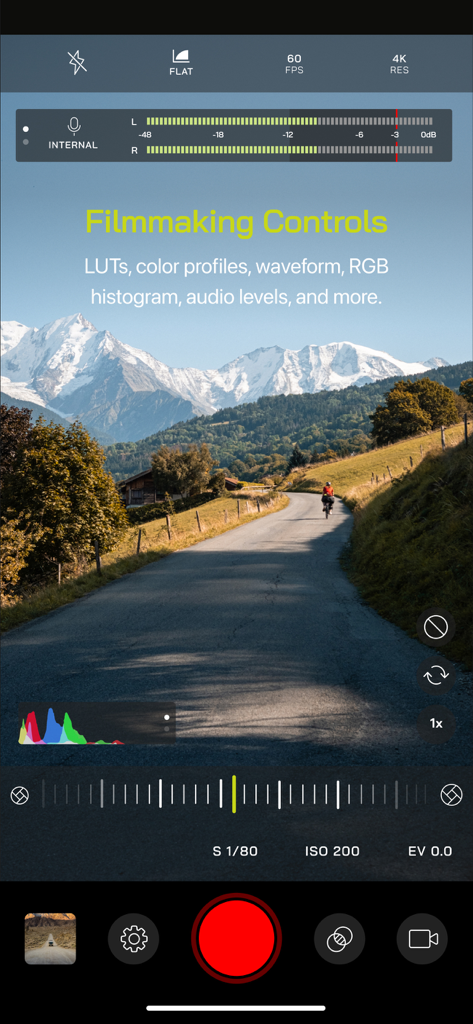
Interfaccia dell'app Pro Camera by Moment che mostra controlli di ripresa cinematografica, inclusi livelli audio e impostazioni video manuali, su un paesaggio montano.
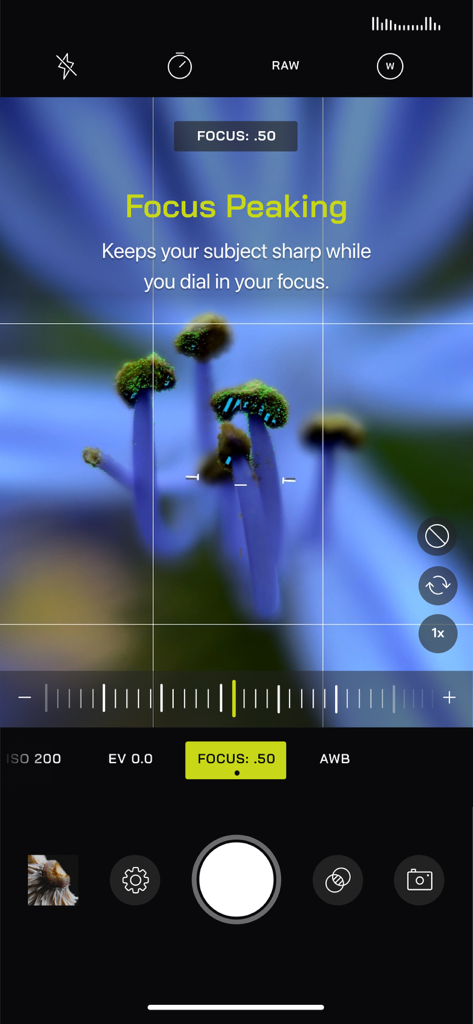
Interfaccia di Pro Camera by Moment che mostra la funzione di focus peaking su una foto ravvicinata di un fiore.
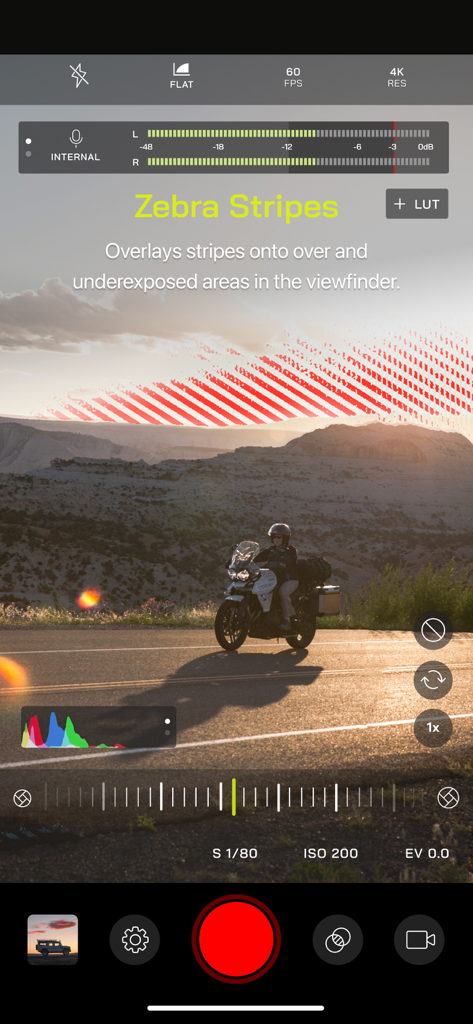
Interfaccia di Pro Camera by Moment con strisce zebrate per il controllo manuale dell'esposizione.
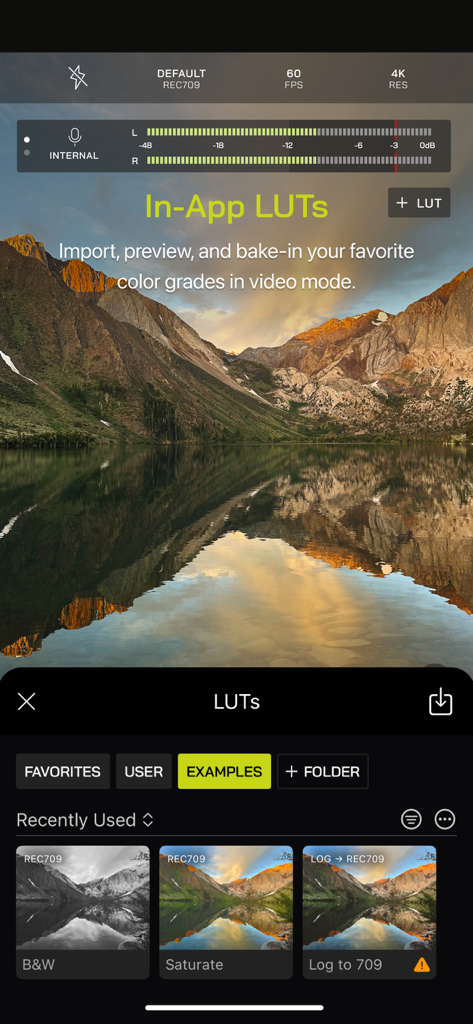
Interfaccia dell'app Pro Camera by Moment che mostra LUT in-app e opzioni di color grading per un'editing video professionale.
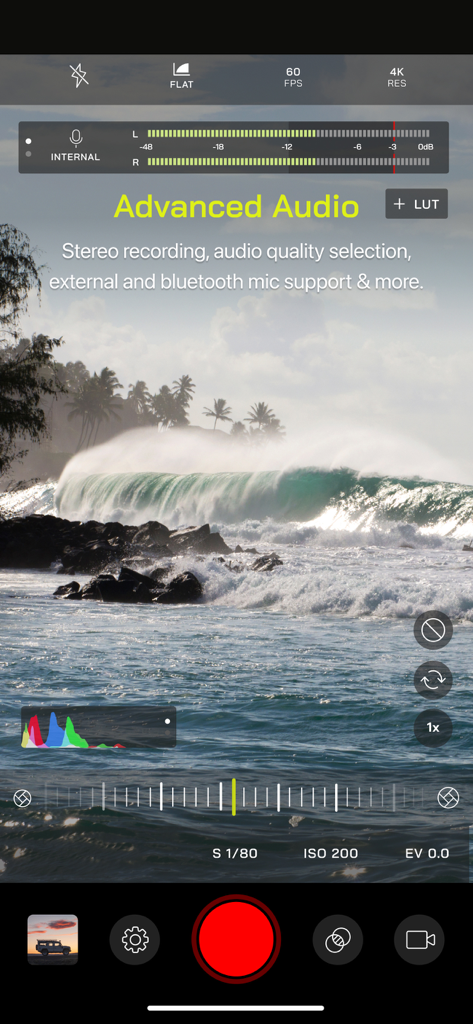
Interfaccia di registrazione video di Pro Camera by Moment con controlli manuali e misuratori audio.
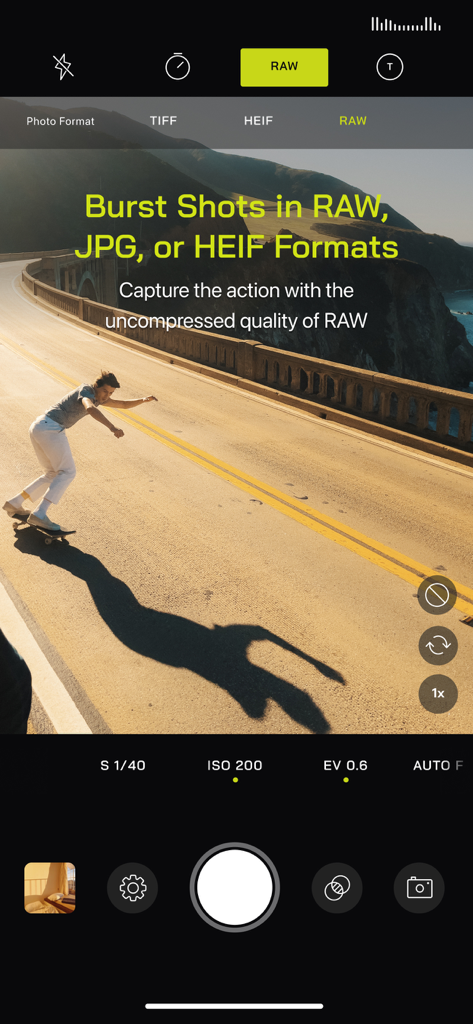
Interfaccia di Pro Camera by Moment che mostra scatti a raffica in formato RAW con uno skater in azione.
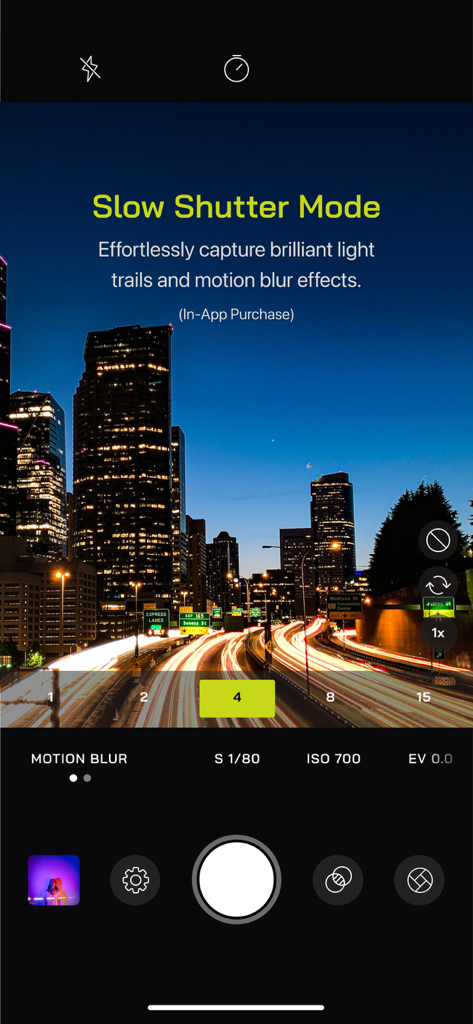
Interfaccia dell'app Pro Camera by Moment che mostra la modalità di scatto lento che cattura scie luminose in un paesaggio urbano notturno.
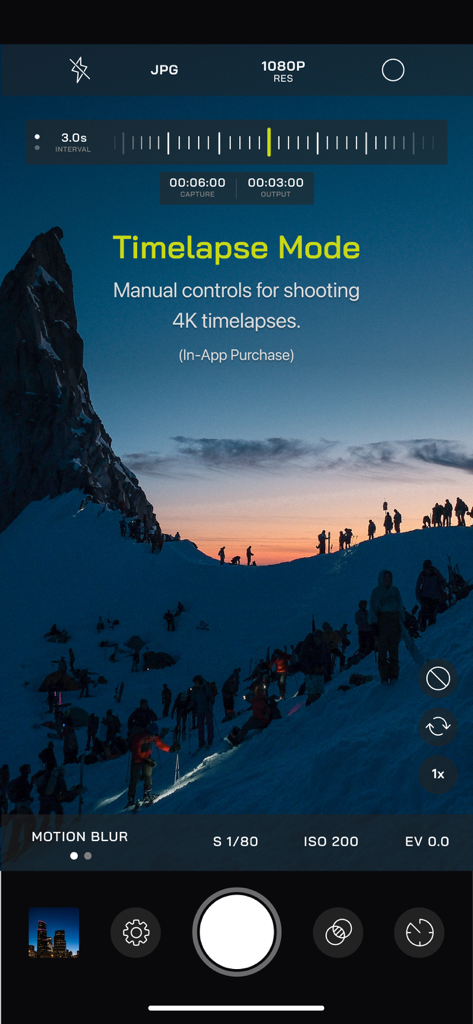
Interfaccia dell'app Pro Camera by Moment che mostra i controlli manuali della modalità timelapse su un paesaggio montano innevato.
Descrizione
Download
App Simili
App con funzionalità ed esperienza simili

Blackmagic Camera
Blackmagic Design Inc

飓风相机
Hangzhou Ostar Media Co.,Ltd.

ProMovie Recorder
Panda Apps Limited

ReLens Camera-DSLR Portrait
Pixl Concerto Technology Limited

Leica LUX - Pro Manual Camera
Leica Camera AG

FotorGear - Camera in Pocket
Shenzhen Fotorgear Technology Co., Ltd.

Unsharp
北北 宋

ProCam:Professional RAW Camera
BRAND CELLAR HOLDINGS PTE LTD

Vibe Cam - Moments Never Fade
森 林
Questa pagina non è una pagina ufficiale dell'app o del suo sviluppatore, ma una pubblicazione editoriale indipendente creata a scopo informativo e di commento. Salvo espressa indicazione contraria, né l'app né il suo sviluppatore sono affiliati, approvati, sponsorizzati, autorizzati o altrimenti ufficialmente collegati a MWM, Apple, Google Play, all'editore dell'app o allo sviluppatore dell'app, e nulla in questa pagina implica che l'app sia stata sviluppata utilizzando i servizi di MWM. Tutti i marchi, loghi, screenshot e altri contenuti rimangono di proprietà dei rispettivi proprietari.