Projector: All TV Remote App
Scarica su App Store

Questa pagina non è una pagina ufficiale dell'app o del suo sviluppatore, ma una pubblicazione editoriale indipendente creata a scopo informativo e di commento. Salvo espressa indicazione contraria, né l'app né il suo sviluppatore sono affiliati, approvati, sponsorizzati, autorizzati o altrimenti ufficialmente collegati a MWM, Apple, Google Play, all'editore dell'app o allo sviluppatore dell'app, e nulla in questa pagina implica che l'app sia stata sviluppata utilizzando i servizi di MWM. Tutti i marchi, loghi, screenshot e altri contenuti rimangono di proprietà dei rispettivi proprietari.

Logo di Projector: All TV Remote App
Scarica su App Store

Projector: All TV Remote App

Dimentica il disordine dei telecomandi persi. Effettua facilmente il mirroring dello schermo, trasmetti i ricordi di famiglia e controlla qualsiasi Smart TV in casa tua direttamente dal tuo iPhone.

Numeri Chiave

Download

60K+

Valutazione

3.3/5

Valutazioni totali

100

Editore

QUANTUM4U LAB PRIVATE LIMITED

Categoria

Photo & Video

Lingue

14

Ultima versione

12

Dimensione

146.4 MB

Data di lancio

23 ago 2023
Funzioni

Il Tuo Intero Home Theater, Controllato dalla Tua Tasca

Dimentica il disordine di più telecomandi e trasmetti i tuoi ricordi preferiti in 4K sul grande schermo con un'unica interfaccia fluida.

Controllo Remoto Universale

Gestisci ogni TV di casa tua — da Samsung ad Apple TV — con un'unica interfaccia intuitiva sul tuo iPhone.

Trasmissione Multimediale Istantanea

Dai vita alla tua galleria fotografica e ai tuoi video casalinghi proiettandoli sul grande schermo per amici e familiari.

Gli screenshot e la descrizione seguenti provengono direttamente dall'elenco ufficiale dello store dell'app e sono di proprietà dello sviluppatore.

App Store

Screenshot
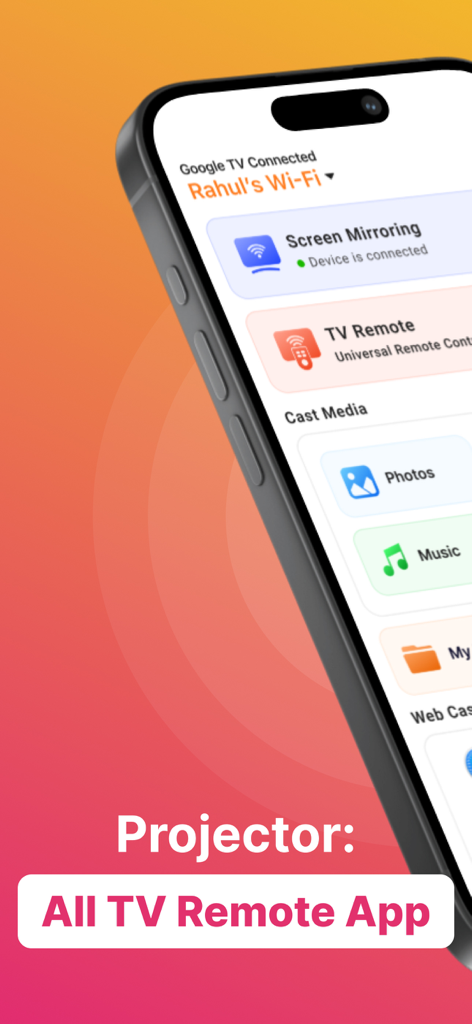
Projector: All TV Remote App - Interfaccia dell'app Projector su un iPhone che mostra le opzioni per il mirroring dello schermo, il telecomando TV universale e la trasmissione multimediale.
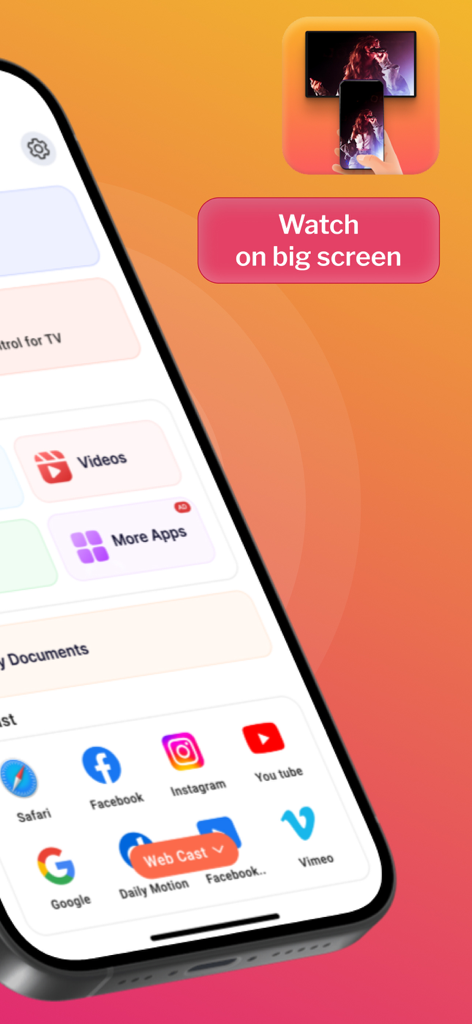
Interfaccia dell'app Projector su un iPhone che mostra le opzioni per il mirroring dello schermo, il telecomando TV universale e la trasmissione multimediale.

Projector: All TV Remote App - Schermata dell'app mobile che mostra le opzioni di trasmissione web per le app di social media e un messaggio di 'guarda sul grande schermo'.
Schermata dell'app mobile che mostra le opzioni di trasmissione web per le app di social media e un messaggio di 'guarda sul grande schermo'.

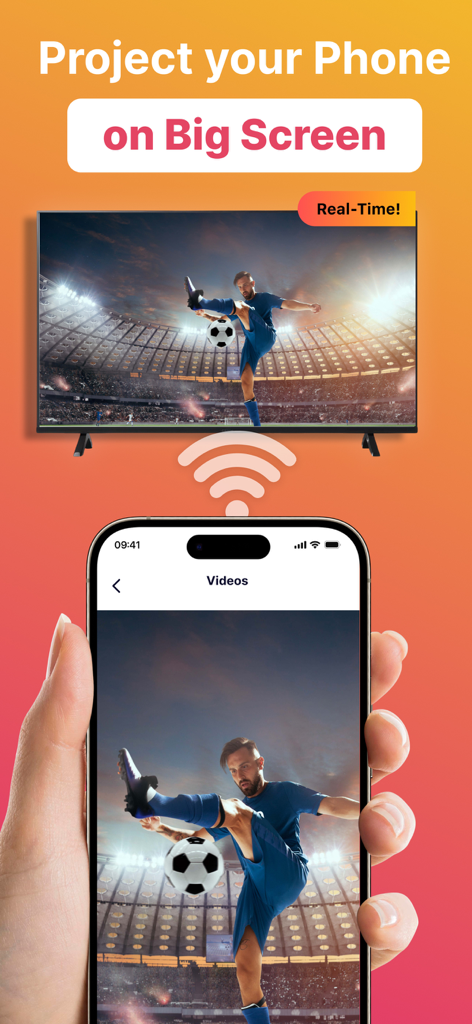
Projector: All TV Remote App - Schermata di uno smartphone che trasmette in tempo reale un video di calcio a un grande televisore smart.
Schermata di uno smartphone che trasmette in tempo reale un video di calcio a un grande televisore smart.

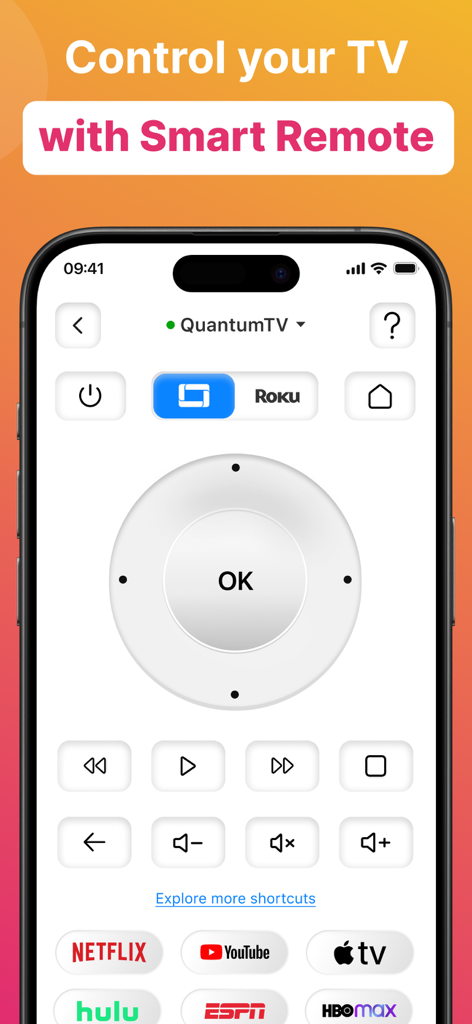
Projector: All TV Remote App - Schermata di uno smartphone che mostra un'interfaccia di telecomando smart TV universale con un pad di navigazione, controlli del volume e scorciatoie per servizi di streaming popolari come Netflix e YouTube.
Schermata di uno smartphone che mostra un'interfaccia di telecomando smart TV universale con un pad di navigazione, controlli del volume e scorciatoie per servizi di streaming popolari come Netflix e YouTube.

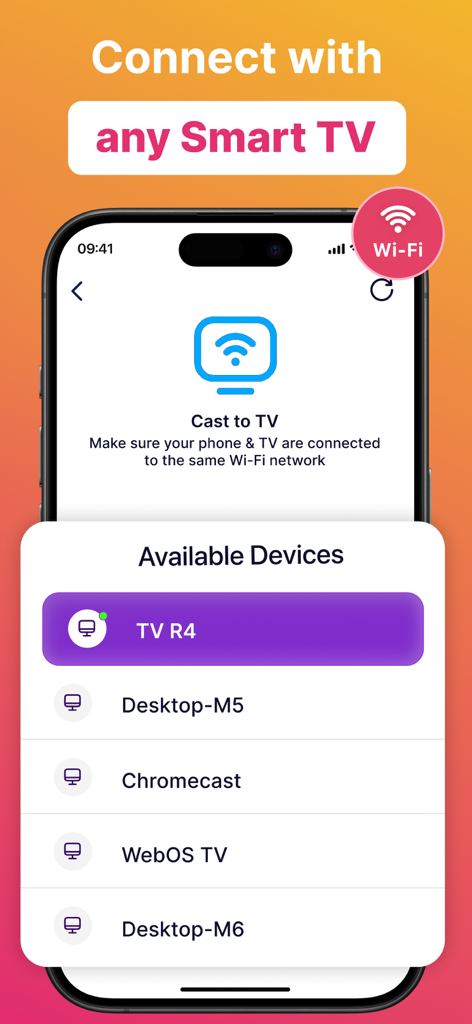
Projector: All TV Remote App - Interfaccia dell'app Projector che mostra un elenco di dispositivi smart TV disponibili per la trasmissione dello schermo.
Interfaccia dell'app Projector che mostra un elenco di dispositivi smart TV disponibili per la trasmissione dello schermo.

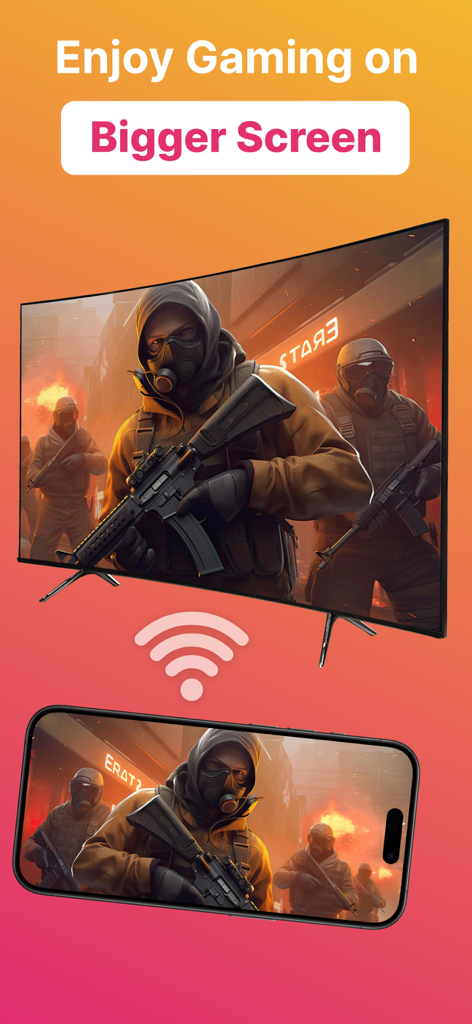
Projector: All TV Remote App - Uno smartphone che trasmette un videogioco su un grande televisore.

Uno smartphone che trasmette un videogioco su un grande televisore.

Descrizione

Introducing Projector TV Cast screen - the ultimate solution for hassle-free TV casting, making your entertainment experience seamless and immersive. Cast videos, photos, and apps from your mobile directly to your smart TV effortlessly. Enjoy reliving cherished memories or indulging in movie nights with friends, all in stunning HD. Screen Cast takes the hassle out of TV casting and lets you seamlessly cast videos, photos, and even apps from your mobile directly onto your smart TV. Whether it's reliving cherished memories with family and friends or indulging in an immersive movie night, our casting feature is your gateway to a captivating entertainment realm. However both devices must be connected to the same WiFi network for casting to work. Plus, you can keep using your phone normally while screen cast goes on in the background. Main Features of Screen Cast Cast on any TV This app works as projector TV HQ Screen Casting Cast photos, videos and audio. TV Remote & Shortcuts Experience the joy of seamless screen casting and projector TV casting to take your entertainment to the next level! Seamlessly connect your devices and unleash a whole new realm of entertainment possibilities with Screen Cast, a powerful casting and projector tv app. Features of Screen Casting TV Casting Immerse yourself in the wonders of TV casting. Cast or project your favorite videos, photos, and apps directly onto your smart TV with just a tap, and watch as they come to life in stunning high-definition. Universal TV Remote The new update includes the Universal TV Remote for all TV including smart TV & Apple TV. The new TV Remote also comes with Smart Remote & helps you by managing everything from the app only. You may not need to keep multiple remotes. Multiple TVs Supported This app comes with a ground breaking feature that lets you cast or project on any TV along with the Universal TV Remote control feature. Screen Casting Experience the joy of screen casting like never before. With Screen Casting or Tv Projector you can effortlessly cast your smartphone onto your TV screen, creating a captivating larger-than-life experience for TV! Universal TV Compatibility Screen Casting works its charm across a wide array of smart TVs. Whichever smart TV you own, our projector app ensures seamless compatibility to make the connection process a breeze. Cast anything You can select any Video, Audio or Photos and cast it on your big TV. Whether it be a movie you downloaded on your phone or priceless family photos of moments you want to relive, this video cast screen casting app does it all. Premium plans Monthly - $6.99 Yearly - $24.99 Subscription Info - The yearly subscription plan comes with a 3 day trial period. The user can cancel their subscription anytime during the trial period without being billed. They will be billed automatically after the trial period ends. - The user can cancel his/her subscription at any time by going into iTunes and App Store Apple ID Settings. - All prices include applicable local sales taxes. - Payment will be charged to your iTunes Account after confirmation of purchase. - Subscription automatically renews at least 24-hours before the end of the current period. - The user's account will be charged for renewal within 24-hours before the end of the current period. Privacy Policy: https://quantum4u.in/web/projectorios/privacy-policy Terms of Use: https://quantum4u.in/web/projectorios/tandc EULA: https://quantum4u.in/web/projectorios/eula

Download

Scarica su App Store

Questa pagina non è una pagina ufficiale dell'app o del suo sviluppatore, ma una pubblicazione editoriale indipendente creata a scopo informativo e di commento. Salvo espressa indicazione contraria, né l'app né il suo sviluppatore sono affiliati, approvati, sponsorizzati, autorizzati o altrimenti ufficialmente collegati a MWM, Apple, Google Play, all'editore dell'app o allo sviluppatore dell'app, e nulla in questa pagina implica che l'app sia stata sviluppata utilizzando i servizi di MWM. Tutti i marchi, loghi, screenshot e altri contenuti rimangono di proprietà dei rispettivi proprietari.








