QR Code Reader: Scanner

QR Code Reader: Scanner

Scarica su App Store
Logo di QR Code Reader: Scanner

Lettore QR Code: Scanner - Scansiona, Salva e Organizza il Tuo Mondo Digitale

Vai oltre la fotocamera di base con uno scanner di livello professionale costruito per l'efficienza. Tieni traccia della cronologia delle tue scansioni, decodifica formati di codici a barre industriali e sblocca le migliori offerte, tutto con totale privacy e supporto offline.

Scarica su App Store

Editore

Astrum Computing, LLC

Categoria

Utilities

Download

30K+

Valutazione

4.6/5

Valutazioni totali

500

Lingue

5

Precisione a Colpo d'Occhio

Scopri l'interfaccia usata da 30K+ utenti.
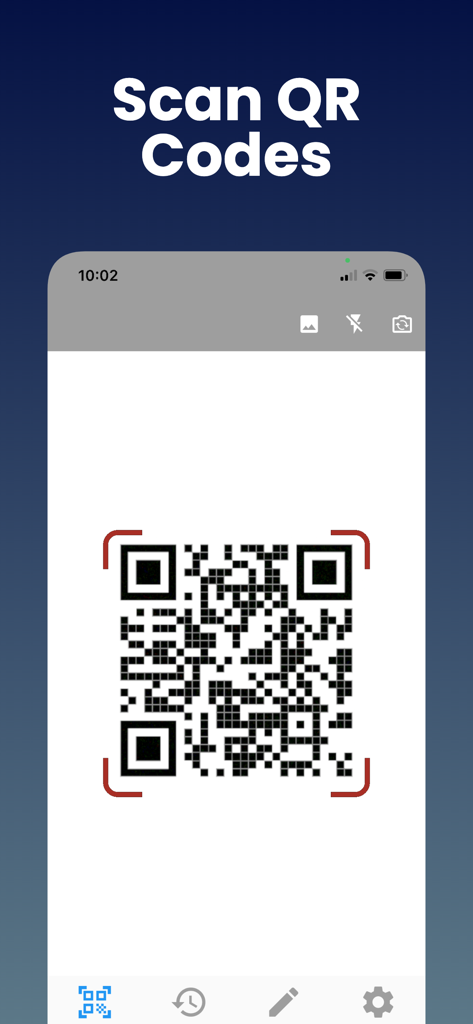
Uno schermo di smartphone che mostra la funzione di scansione codici QR dell'app Lettore QR Code.

Uno schermo di smartphone che mostra la funzione di scansione codici QR dell'app Lettore QR Code.

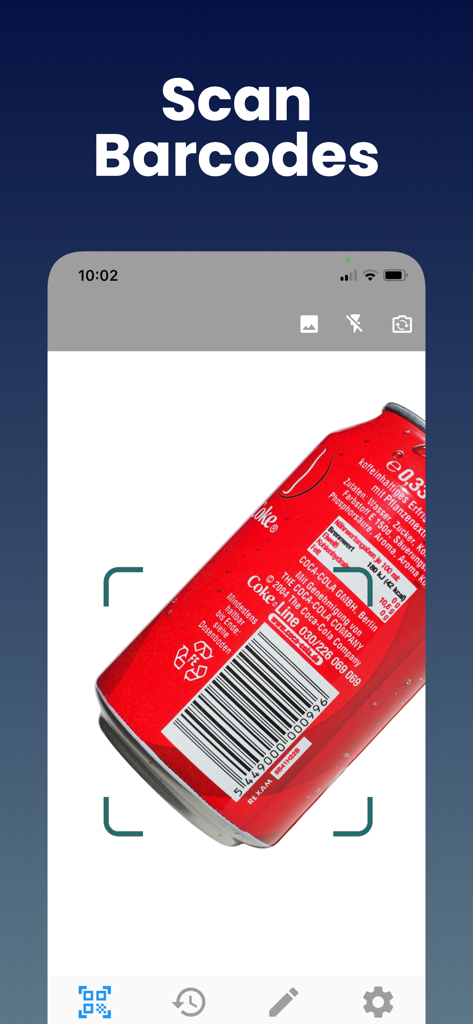
Interfaccia dell'app mobile che mostra la funzione di scansione codici a barre su una lattina di alluminio rossa.

Interfaccia dell'app mobile che mostra la funzione di scansione codici a barre su una lattina di alluminio rossa.

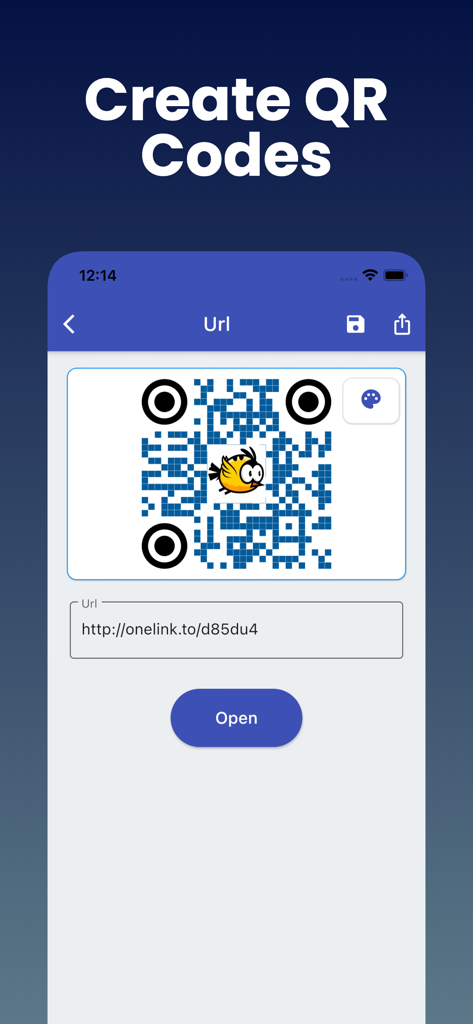
Interfaccia dell'app mobile che mostra come creare un codice QR personalizzato da un link URL

Interfaccia dell'app mobile che mostra come creare un codice QR personalizzato da un link URL

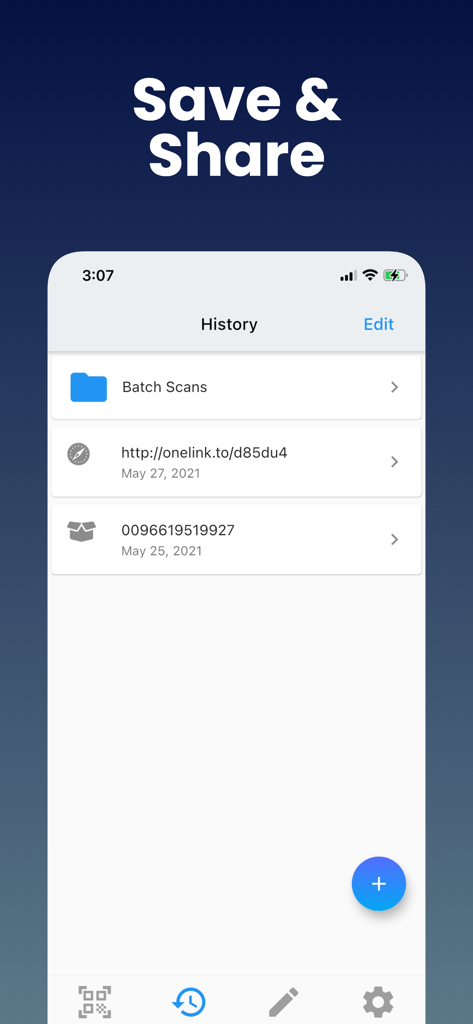
Interfaccia della cronologia scansioni che mostra i link QR salvati e i dati dei codici a barre

Interfaccia della cronologia scansioni che mostra i link QR salvati e i dati dei codici a barre

Padroneggia le Tue Scansioni Quotidiane

Gli strumenti che rendono questa app unica, scelti da 30K+ utenti.

📑

Cronologia Scansioni Organizzata

Smetti di perdere link importanti. Ogni QR e codice a barre che scansiona viene salvato istantaneamente, così puoi trovare i dettagli del prodotto o i coupon giorni dopo averli scansionati.

📦

Decodifica Formati Universale

Vai oltre i link di base. Scansiona UPC per confronti di prezzi, ISBN per libri o codici industriali come Data Matrix per la logistica professionale in un'unica app.

🔒

Privacy e Pronto all'Uso Offline

Scansiona in sicurezza nelle 'zone morte' dei negozi o nei magazzini senza bisogno di una connessione internet. Rispettiamo i tuoi dati con requisiti minimi di autorizzazione.

Info sull'app

Tutto quello che devi sapere su QR Code Reader: Scanner.

Descrizione

QR code Scanner & Barcode Reader app offers the most powerful free tools for scanning QR codes on your iPhone. With this barcode reader, you can scan and recognize all types of codes using your smartphone's camera. Our fast barcode Reader for iPhone, iPad, lets you read barcodes and scan barcodes to share with your friends. This free Barcode scanner app can save QR codes in history. Just scan any QR code or Barcode. QR Reader is the best QR code reader that supports all types of QR code formats, including UPC, ISBN, and more. Why Should You Use Free QR Code Scanner & Barcode Reader? - QR Code App supports all QR and barcode formats - Zoom in and out automatically - Scan history for QR Codes and Barcodes will be saved - Scan QR / barcodes from the gallery - Use a flashlight to scan QR Codes and Barcodes in a dark environment - There is no need for an internet connection - Scan promotion and coupon codes - QR Code Scanner respects your privacy and only asks for the minimal permissions needed to scan your barcodes. Unique Features of Free QR Code & Barcode Scanner App: This Barcode scanner can scan a wide variety of barcodes, like QR codes, Aztecs, Code 39s, Code93, Code128, EAN13, EAN8, PDF417, Data Matrix, and ITF. You can also copy the information from your barcode reader to your clipboard, then paste it into your other applications. Share the QR Code or other barcode via messaging, SMS, or other means. Find the QR Code product online or search the web for the QR Code. It is possible to subscribe to an auto-renewing subscription. When you confirm the purchase, a subscription will be automatically charged to your iTunes account and renewed (for the chosen period of time) unless auto-renew is turned off at least 24 hours before the end of the current period. During the active subscription period, a subscription cannot be canceled; however, after a purchase, you can manage your subscription and/or disable auto-renewal through your iTunes Account Settings. How to use Free QR Code & Barcode Scanner Apps? 1. Download the free QR code scanner and QR barcode scanner app from the App Store. 2. After you have downloaded the free QR code scanner, you need to open the app on your device. 3. Point the camera at the QR code scanner or barcode reader. 4. The QR code scan app will automatically recognize the code and can decode the result after scanning it. 5. Scanner app after scanning QR code, results are displayed with options based on the suggestions. Note: As much as possible, we're working to make it better by adding advanced and exciting features. In order to succeed, we need your constant support. Please feel free to send us your queries/suggestions/feedback at support@astrumcomputing.com. We are always interested in hearing from you. Download the QR Code Scanner, Barcode Reader app and enjoy the best scanning that you deserve. Privacy Policy: https://www.astrumcomputing.com/home/privacylegal Terms of Use: https://www.astrumcomputing.com/home/termsofservice

Ultima versione

1.01.69

Dimensione

57.3 MB

Data di lancio

3 set 2019

Ottimizza le Tue Scansioni e Salva Ogni Dettaglio

Unisciti a migliaia di utenti che si affidano allo strumento più potente per lo shopping intelligente e l'organizzazione professionale. Conserva la tua cronologia, scansiona qualsiasi formato e rimani produttivo, anche offline.

Scarica su App Store

App information, icons, screenshots, and descriptions displayed on this page are sourced from the Apple App Store and are the property of their respective developers. Download estimates and rankings are based on MWM's proprietary models and may not reflect actual figures. This page is provided for informational and analytical purposes only.

Believe this page infringes your intellectual property? File a dispute