QRBot: QR Code Maker + Barcode
Scarica su App Store

Questa pagina non è una pagina ufficiale dell'app o del suo sviluppatore, ma una pubblicazione editoriale indipendente creata a scopo informativo e di commento. Salvo espressa indicazione contraria, né l'app né il suo sviluppatore sono affiliati, approvati, sponsorizzati, autorizzati o altrimenti ufficialmente collegati a MWM, Apple, Google Play, all'editore dell'app o allo sviluppatore dell'app, e nulla in questa pagina implica che l'app sia stata sviluppata utilizzando i servizi di MWM. Tutti i marchi, loghi, screenshot e altri contenuti rimangono di proprietà dei rispettivi proprietari.

Logo di QRBot: QR Code Maker + Barcode
Scarica su App Store

QRBot: QR Code Maker + Barcode

Trasforma semplici link in risorse straordinarie e brandizzate. Crea QR code personalizzati con il tuo logo, scansiona istantaneamente ed esporta design ad alta risoluzione per il marketing stampato e digitale.

Numeri Chiave

Download

100

Valutazione

1.0/5

Valutazioni totali

0

Editore

Robust Research And Development Ltd.

Categoria

Shopping

Lingue

17

Ultima versione

1.0.3

Dimensione

67.4 MB

Data di lancio

16 dic 2025
Funzioni

Strumenti Potenti per Costruire il Tuo Brand

Trasforma semplici codici in potenti risorse brandizzate. Che tu sia nel networking o nel marketing, QRBot ti offre il vantaggio professionale di cui hai bisogno.

Studio di Branding Pro

Aggiungi il tuo logo e i colori del brand per creare QR code unici e artistici che costruiscono fiducia e visibilità professionale.

Generazione Multi-Tipo Istantanea

Crea rapidamente codici per Wi-Fi, vCard o link social per colmare il divario tra mondo fisico e digitale.

Gli screenshot e la descrizione seguenti provengono direttamente dall'elenco ufficiale dello store dell'app e sono di proprietà dello sviluppatore.

App Store

Screenshot
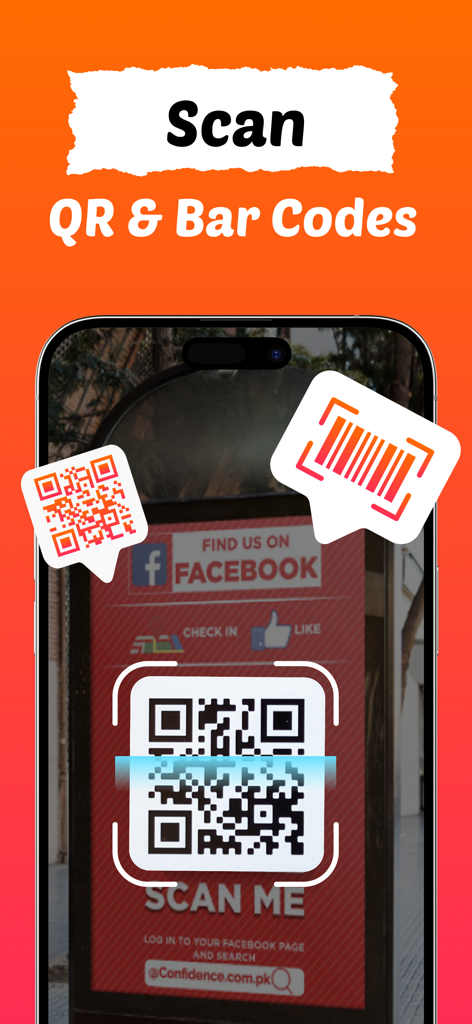
QRBot: QR Code Maker + Barcode - Schermata dell'iPhone che mostra l'app QRBot che scansiona un QR code su un cartello fisico
Schermata dell'iPhone che mostra l'app QRBot che scansiona un QR code su un cartello fisico

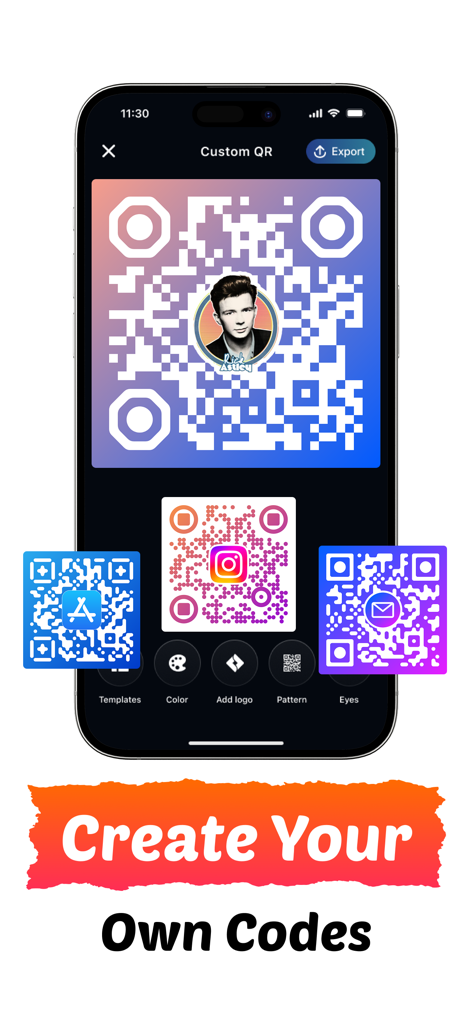
QRBot: QR Code Maker + Barcode - Interfaccia dell'app mobile per creare QR code brandizzati personalizzati con colori e loghi
Interfaccia dell'app mobile per creare QR code brandizzati personalizzati con colori e loghi

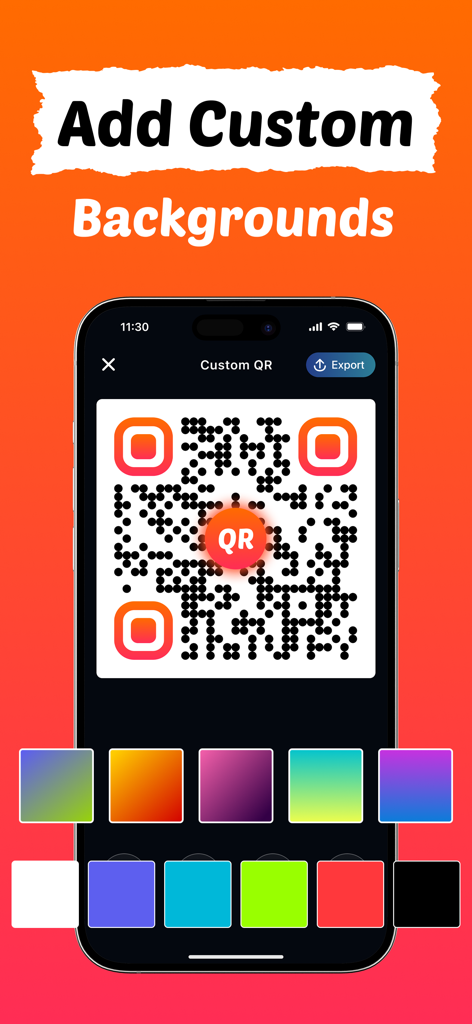
QRBot: QR Code Maker + Barcode - Personalizzazione degli sfondi dei QR code con colori e gradienti nell'app QRBot
Personalizzazione degli sfondi dei QR code con colori e gradienti nell'app QRBot

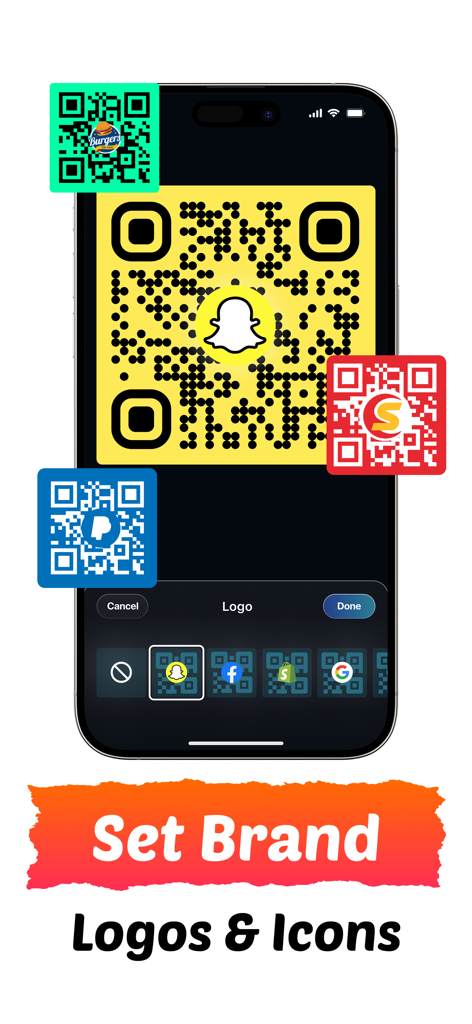
QRBot: QR Code Maker + Barcode - Interfaccia dell'app mobile per aggiungere loghi del brand e icone social ai QR code personalizzati
Interfaccia dell'app mobile per aggiungere loghi del brand e icone social ai QR code personalizzati

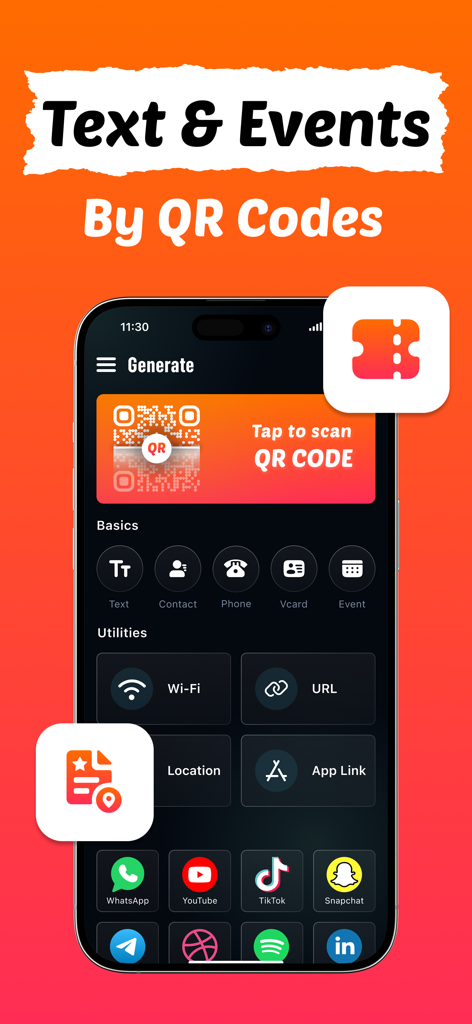
QRBot: QR Code Maker + Barcode - Interfaccia dell'app QRBot che mostra varie opzioni di creazione di QR code, inclusi eventi di testo e link ai social media
Interfaccia dell'app QRBot che mostra varie opzioni di creazione di QR code, inclusi eventi di testo e link ai social media

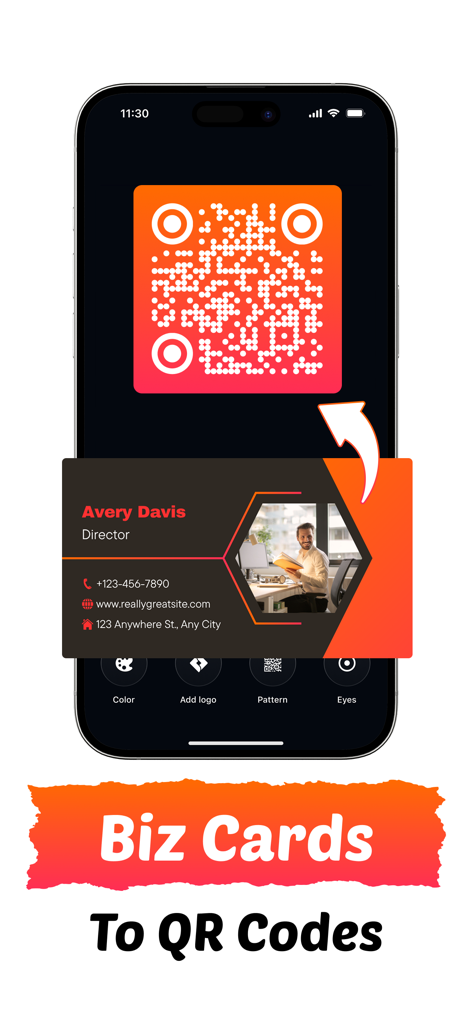
QRBot: QR Code Maker + Barcode - Schermata dell'iPhone che mostra la conversione di un biglietto da visita professionale in un QR code brandizzato personalizzato
Schermata dell'iPhone che mostra la conversione di un biglietto da visita professionale in un QR code brandizzato personalizzato

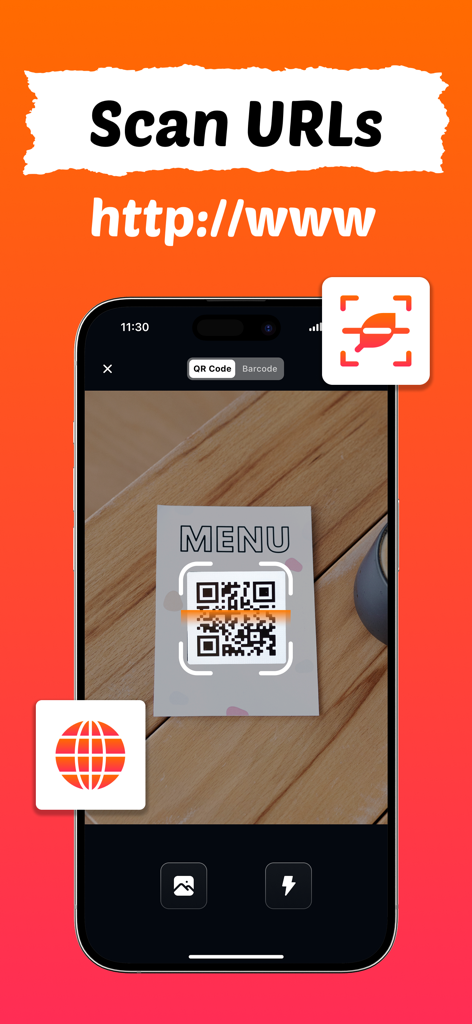
QRBot: QR Code Maker + Barcode - App QRBot che scansiona un QR code su un menu del ristorante per aprire un URL
App QRBot che scansiona un QR code su un menu del ristorante per aprire un URL

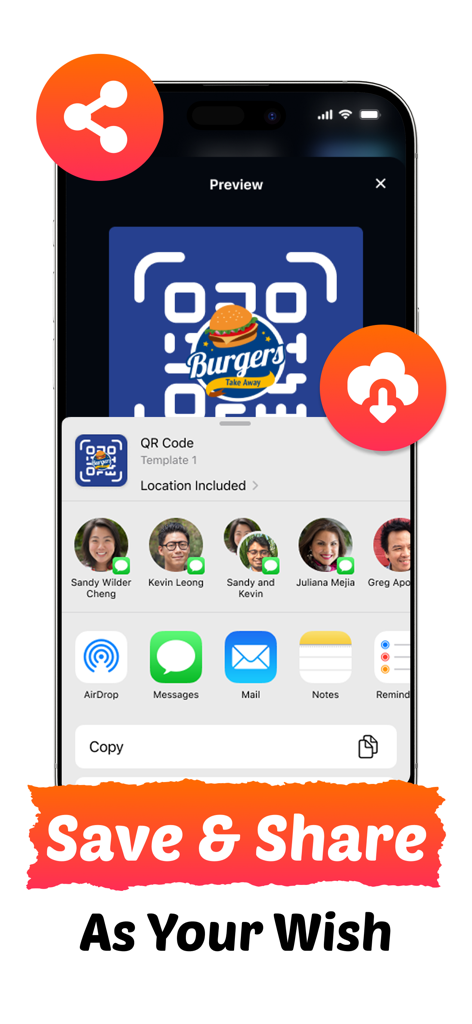
QRBot: QR Code Maker + Barcode - Una schermata che mostra le opzioni di salvataggio e condivisione di un QR code personalizzato con un logo

Una schermata che mostra le opzioni di salvataggio e condivisione di un QR code personalizzato con un logo

Descrizione

Introducing QRBot, the smartest and most intuitive QR scanning and QR code generation app designed for individuals, professionals, and businesses alike. Whether you want to scan codes instantly, create your own branded QR codes, or share information effortlessly, QRBot makes the process fast, customizable, and incredibly powerful. With professional tools for designing, exporting, and scanning, QRBot gives you complete control in just a few taps. QRBot redefines what a QR app can be, turning simple codes into powerful gateways for sharing information, connecting people, and building your brand identity. QRBOT FEATURES: GENERATE QR CODES - Generate fully functional QR codes for any purpose - Instantly generate QR codes for URLs, Text, and App Links. - Create Wi-Fi QRs to share internet access without typing passwords. - Generate VCard and Contact codes to share details in a snap. - Link directly to your Social Media profiles or specific Events and Locations. ADVANCED CUSTOMIZATION TOOLS - Stand out with personalized QR designs using custom colors. - Choose colors and backgrounds that match your brand or mood. - Add your personal or business logo to the center of the code. - Change the QR Eyes and QR Patterns to create a distinct look. - Create codes that are scannable while looking artistic. MULTIPLE EXPORT OPTIONS - Save your designs in JPEG, PNG, or PDF formats. - Print-ready QR codes for posters and business cards. - Share and use your QR codes anywhere. Why does QRBot stand out? QRBot is designed for efficiency and creativity with a simple and intuitive layout. What sets QRBot apart is its unique ability to turn standard QR codes into branded assets. The combination of a fast scanner with a robust Customization Studio, allowing for logo insertion and pattern changes, makes it the ultimate utility tool. Whether for marketing materials or personal convenience, QRBot bridges the physical and digital worlds with style. Ready to upgrade your connectivity? Download QRBot today and start creating professional, custom QR codes in seconds. From sharing your Wi-Fi to boosting your social media following, QRBot isn’t just a scanner; it is your personal digital bridge. QRBot has everything you need to share information instantly and stylishly. Start your journey today and experience the power of the perfect QR code. How to create a QR Code? - Select the type of QR you want (URL, contact, Wi-Fi, etc.). - Enter your information. - Customize with color, logo, patterns, and QR eyes. - Export as JPEG, PNG, or PDF. - Save, copy, or share anywhere. How to scan? - Tap the scanner banner. - Point your camera at any QR or Barcode. - Turn the flash on if needed. - QRBot instantly detects the code. - Now open, share, copy or decorate the scan result. - Fast, reliable, and accurate, even in low light. Subscribe now to enjoy all the features described above. • You can manage your subscriptions and turn off auto-renewal from your Account Settings after the purchase or later on and at least 24 hours before the renewal date; otherwise, your subscriptions will renew automatically. • The cost of renewal will be charged to your account in the 24 hours prior to the end of the current period. • When canceling a subscription, your subscription will stay active until the end of the period. Auto-renewal will be disabled, but the current subscription will not be refunded. • Any unused portion of a free trial period, if offered, will be forfeited when the user purchases a subscription to that publication, where applicable. Have a question? Need any assistance? Do not hesitate to contact us at https://qrbot.rrad.ltd/contact Privacy Policy: https://qrbot.rrad.ltd/privacy-policy Terms of Use: https://qrbot.rrad.ltd/terms-of-use

Download

Scarica su App Store

Questa pagina non è una pagina ufficiale dell'app o del suo sviluppatore, ma una pubblicazione editoriale indipendente creata a scopo informativo e di commento. Salvo espressa indicazione contraria, né l'app né il suo sviluppatore sono affiliati, approvati, sponsorizzati, autorizzati o altrimenti ufficialmente collegati a MWM, Apple, Google Play, all'editore dell'app o allo sviluppatore dell'app, e nulla in questa pagina implica che l'app sia stata sviluppata utilizzando i servizi di MWM. Tutti i marchi, loghi, screenshot e altri contenuti rimangono di proprietà dei rispettivi proprietari.