QuickNotes X Pro

QuickNotes X Pro

Scarica su App Store
Logo di QuickNotes X Pro

QuickNotes X Pro: Prendere Appunti Professionali e Annotazioni PDF Reinventate

Trasforma il tuo iPad in un potente spazio di lavoro digitale. Organizza senza sforzo quaderni, annota PDF e proteggi i tuoi pensieri privati con uno strumento leggero progettato per il professionista moderno e lo studente creativo.

Editore

Alessandro Sassi

Categoria

Productivity

Download

19K+

Valutazione

4.3/5

Valutazioni totali

100

Lingue

3

Uno Sguardo all'Interno

Scopri l'interfaccia usata da 19K+ utenti.
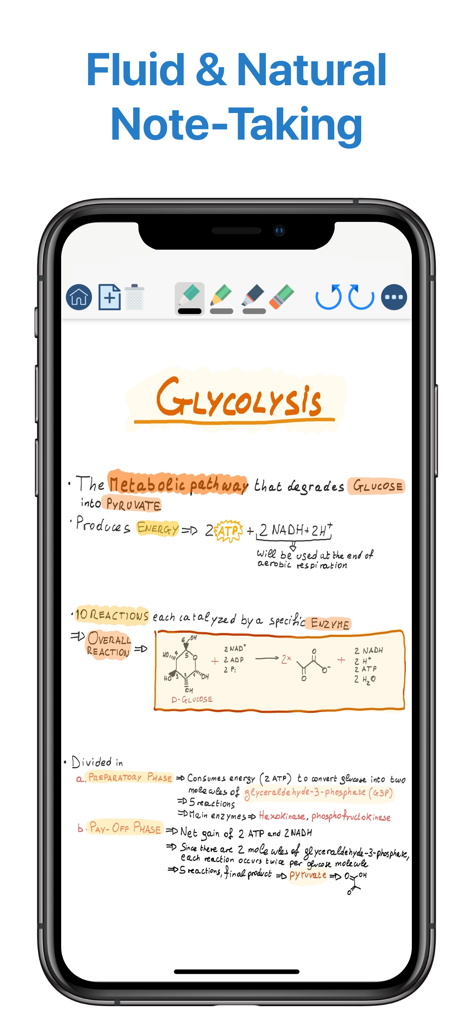
Appunti di biologia scritti a mano sulla glicolisi visualizzati nell'interfaccia dell'app QuickNotes X Pro su iPhone

Appunti di biologia scritti a mano sulla glicolisi visualizzati nell'interfaccia dell'app QuickNotes X Pro su iPhone

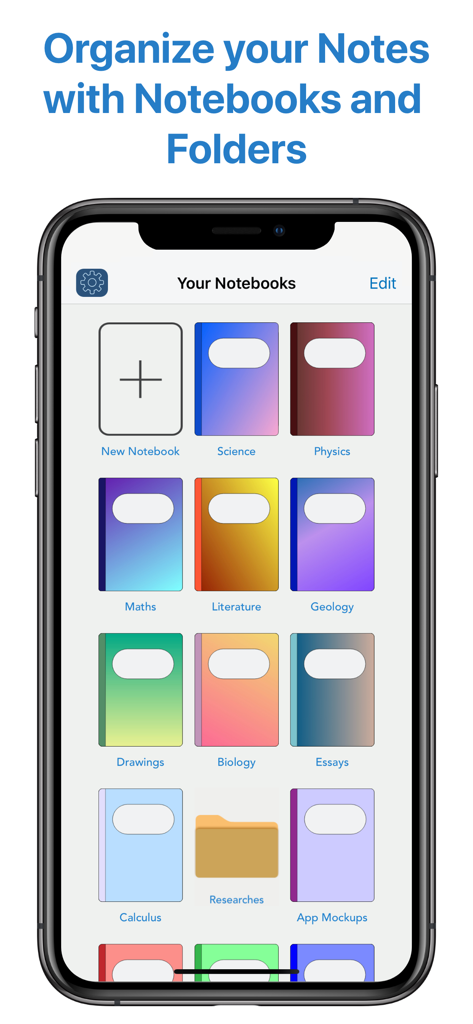
Libreria di quaderni digitali di QuickNotes X Pro e schermata di organizzazione

Libreria di quaderni digitali di QuickNotes X Pro e schermata di organizzazione

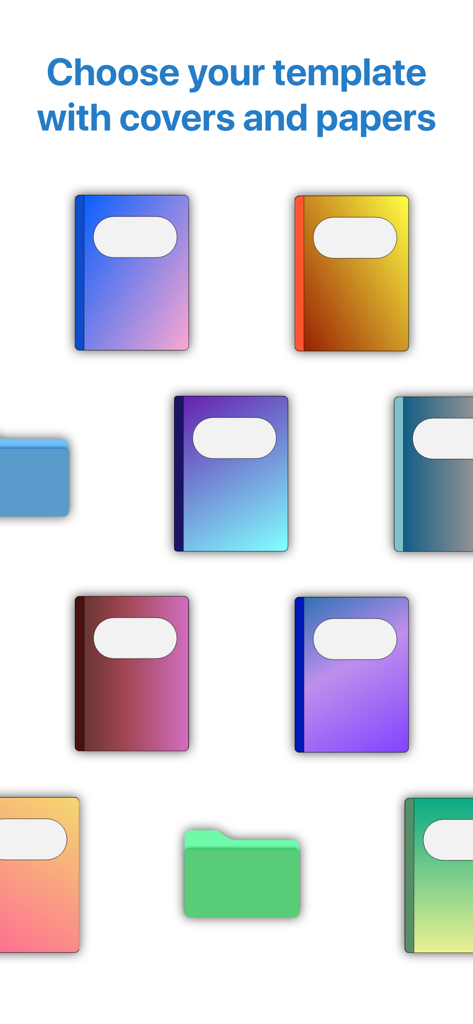
Una varietà di copertine colorate per quaderni digitali e cartelle di organizzazione per personalizzare gli appunti.

Una varietà di copertine colorate per quaderni digitali e cartelle di organizzazione per personalizzare gli appunti.

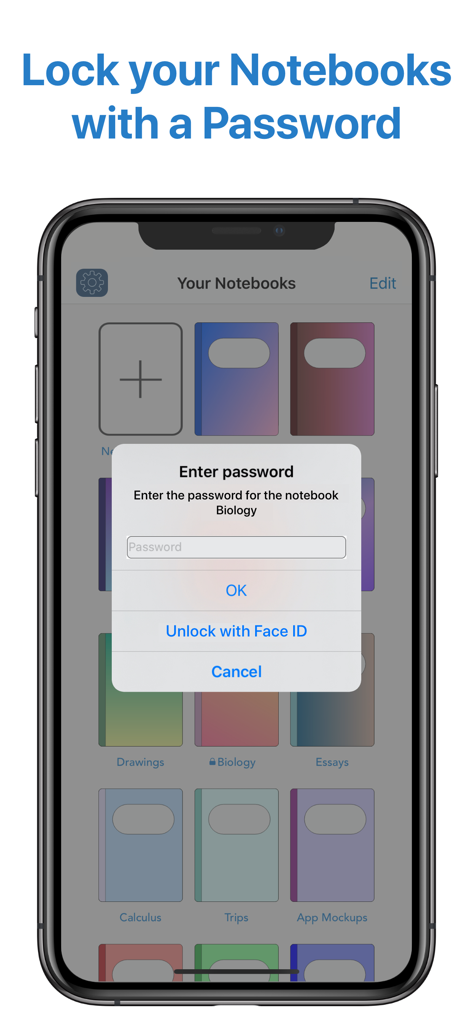
Interfaccia che mostra una richiesta di inserimento password e l'opzione di sblocco tramite Face ID per un quaderno privato in QuickNotes X Pro

Interfaccia che mostra una richiesta di inserimento password e l'opzione di sblocco tramite Face ID per un quaderno privato in QuickNotes X Pro

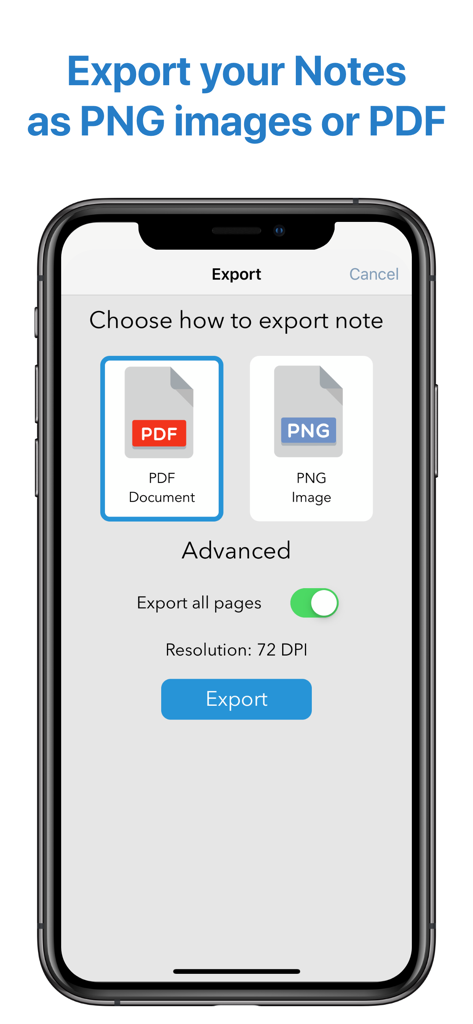
Interfaccia dell'app QuickNotes X Pro che mostra le opzioni per esportare gli appunti come immagini PDF o PNG.

Interfaccia dell'app QuickNotes X Pro che mostra le opzioni per esportare gli appunti come immagini PDF o PNG.

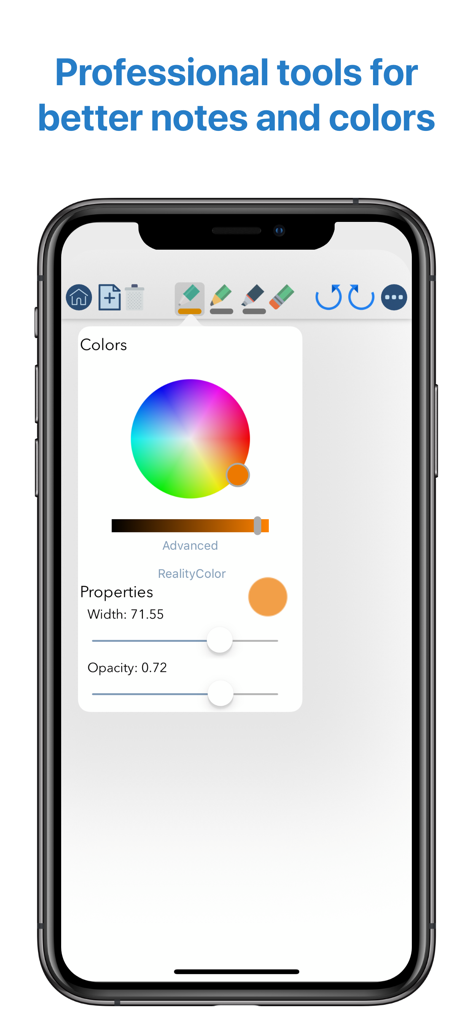
L'interfaccia di QuickNotes X Pro su iPhone che mostra strumenti di disegno professionali, inclusa una ruota dei colori avanzata e cursori per le proprietà del pennello per larghezza e opacità.

L'interfaccia di QuickNotes X Pro su iPhone che mostra strumenti di disegno professionali, inclusa una ruota dei colori avanzata e cursori per le proprietà del pennello per larghezza e opacità.

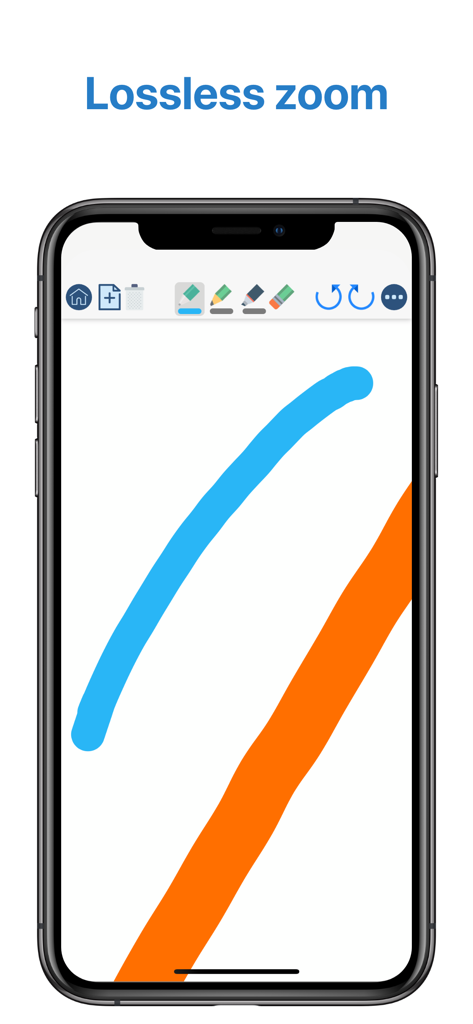
Interfaccia mobile di QuickNotes X Pro che mostra tratti di inchiostro digitale fluidi e la funzione di zoom lossless

Interfaccia mobile di QuickNotes X Pro che mostra tratti di inchiostro digitale fluidi e la funzione di zoom lossless

Migliora la Tua Esperienza di Appunti

Gli strumenti che rendono questa app unica, scelti da 19K+ utenti.

✍️

Motore di Disegno Professionale

Sperimenta una scrittura a latenza zero con precisione pixel-perfect e strumenti unici come RealityPicker per catturare qualsiasi colore dal mondo circostante.

📑

Potenti Annotazioni PDF

Importa dispense o contratti aziendali per annotare, evidenziare e firmare. Esporta documenti di alta qualità istantaneamente per rimanere al passo con i tuoi impegni.

🛡️

Design Privato e Leggero

Proteggi i tuoi quaderni sensibili con protezione FaceID e goditi un set completo di strumenti professionali in un'app leggera che occupa meno di 20MB.

Info sull'app

Tutto quello che devi sapere su QuickNotes X Pro.

Descrizione

- ORGANIZE YOUR NOTES - Create notebooks to organize your notes. Choose between a selection of paper templates and covers, and choose between vertical or horizontal layout to fit your note-taking needs. You can also rearrange your notebooks and create folders for them for maximum flexibility. - IMPORT & EDIT YOUR PDFs - With QuickNotes X you can import your PDF documents inside an existing notebook or in a new one, and you can edit them using all the tools QuickNotes X offers. Markup, annotate, highlight, insert images and text and more. You can also export these pages as a new PDF to share you edits. - ACCURATE NOTE-TAKING - QuickNotes X has a new accurate drawing engine that never loses detail, even after zooming or moving around the page. It also has the tools necessary to take perfect professional notes, all in one place. - DRAG & DROP SUPPORT - With QuickNotes X, you can easily create multi-media notes: use an image as a background, or import images from your library or from the web with an in-app tool or by using drag & drop from another window. In addition, these images are always resizable and movable, so that you can edit them whenever you want - PROFESSIONAL TOOLS - To create perfect notes, you need the right tools. This is why QuickNotes X has everything you need, from Pen and Highlighter to the Eraser, so that no mistakes are irreversible. Select the perfect line width and opacity to further customize your style, and choose the color you need from a hand-picked selection or by using the new HSV picker. You can even import a color from an image using the unique RealityPicker! - LOCK YOUR PRIVATE NOTEBOOKS - Want to restrict access to a specific notebook? Just set up a password when you create it or long press on its cover to lock it. And when you need to add some pages to it, just enter the password again or use Touch ID or Face ID to unlock it. - TYPE INSTEAD OF WRITING - With the new Text Tool you can add Text Boxes to your notes to type instead of writing. Want a different text style? Choose the font, size and color you like, underline or set to bold important things: now typing and writing notes is easier with QuickNotes X. - EXPORT TO EDIT ON OTHER DEVICES - You can export individual notes or entire notebooks as a QuickNotes X Document, which can be imported on another device to continue editing your notes. If you export your notebooks they will retain all properties, such as background and aspect ratio, so that if you reimport them they will look exactly as you expect. - SEAMLESS SHARING - Export your note as a PNG image or PDF, with the option to export the whole notebook in a single PDF document. Then, open it in your favorite app or share it with Mail, all with a few taps. - USE YOUR STYLUS - Have a Bluetooth stylus? No problem! QuickNotes X support a variety of styluses, from the Apple Pencil (1st & 2nd Generation)* to Adonit Jot, so that you can take notes while resting your palm on the screen, just like on paper. - OPTIMIZED FOR iOS 13 & 14 - With iOS 13 and 14, QuickNotes X is better than ever! A new, more modern look and support for Dark Mode makes taking notes with QuickNotes X a new experience. - BUT THERE IS MORE! - ⊱ Quickly change page by double-tapping on the edge of the screen ⊱ See all your notebook pages at a glance while taking notes with the new "Notes List" feature ⊱ Create a new page while writing with the dedicated button or by double-tapping on the edge of the screen ⊱ Unlimited undo-redo while writing (before leaving the page) ⊱ Clear your page with a single tap ⊱ Change your notebook template while writing thanks to the dedicated button ⊱ Rapidly delete notes and notebooks with just a long press ⊱ Option to reset all content (Notebooks and Notes) and preferences ⊱ Lightweight: all the features of a professional drawing app with less than 20MB of space ⊱ Localized in English, Italian and French. QuickNotes X Pro: note-taking, made easy. *Only on selected iPad models

Ultima versione

2.4.11

Dimensione

38.6 MB

Data di lancio

21 giu 2016

Pronto a Padroneggiare la Tua Produttività?

Unisciti a oltre 19.000 studenti e professionisti che si affidano a QuickNotes X Pro per una scrittura precisa, annotazioni PDF sicure e un'organizzazione estetica. Scarica ora sull'App Store.

Scarica su App Store

App information, icons, screenshots, and descriptions displayed on this page are sourced from the Apple App Store and are the property of their respective developers. Download estimates and rankings are based on MWM's proprietary models and may not reflect actual figures. This page is provided for informational and analytical purposes only.

Believe this page infringes your intellectual property? File a dispute