
Questa pagina non è una pagina ufficiale dell'app o del suo sviluppatore, ma una pubblicazione editoriale indipendente creata a scopo informativo e di commento. Salvo espressa indicazione contraria, né l'app né il suo sviluppatore sono affiliati, approvati, sponsorizzati, autorizzati o altrimenti ufficialmente collegati a MWM, Apple, Google Play, all'editore dell'app o allo sviluppatore dell'app, e nulla in questa pagina implica che l'app sia stata sviluppata utilizzando i servizi di MWM. Tutti i marchi, loghi, screenshot e altri contenuti rimangono di proprietà dei rispettivi proprietari.

Remote Controller for TV
Smetti di cercare i telecomandi smarriti. Assumi il controllo totale del tuo Roku con un trackpad intuitivo, tastiera integrata e accesso in un tap a tutti i tuoi canali di streaming preferiti.
Download
12K+Valutazione
Valutazioni totali
600Editore
Categoria
EntertainmentLingue
1Ultima versione
1.3.8Dimensione
17.9 MBData di lancio
28 mag 2024Controllo intelligente per il tuo soggiorno
Il tuo iPhone è sempre a portata di mano, ora anche il telecomando della tua TV. Sperimenta il modo più intuitivo per gestire la tua Roku TV, dalla digitazione veloce all'avvio istantaneo delle app.
Ricerca rapida con tastiera
Smetti di cliccare lettera per lettera. Usa la tastiera del tuo iPhone per cercare film, programmi e video di YouTube in un lampo.
Navigazione touch intuitiva
Scorri menu e app di streaming come Netflix o Disney+ con un trackpad ampio e reattivo, progettato per l'uso con una sola mano.
Domande Frequenti
Tutto quello che devi sapere su Remote Controller for TV
Come collego l'app Remote Controller for TV alla mia Roku TV?
Sì, collegare Remote Controller for TV è semplice. Assicurati che il tuo dispositivo iOS e la tua Roku TV siano sulla stessa rete Wi-Fi. L'app rileva e si connette automaticamente alla tua Smart TV con un tocco.
Quali funzionalità offre l'app Remote Controller for TV?
L'app Remote Controller for TV offre le funzioni standard del telecomando Roku, inclusa la gestione dei canali, il volume, l'avanzamento/riavvolgimento rapido e la navigazione nei menu tramite un trackpad. Supporta anche ricerche di testo e avvio diretto di app.
Remote Controller for TV è compatibile con tutti i modelli di Roku TV?
Sì, Remote Controller for TV è compatibile con tutti i modelli di TV che eseguono Smart TV OS. Supporta vari modelli Roku, inclusi Roku 1, 2, 3, Streaming Stick, Express, Premiere, Ultra e TV di TCL, Sharp, Hisense, Philips e Onn.
Posso usare la tastiera del mio telefono per inserire testo con Remote Controller for TV?
Sì, Remote Controller for TV consente ricerche di testo rapide utilizzando la tastiera del tuo telefono per canali come Netflix o YouTube, o per ricerche generali di Smart TV. Nota: alcune app come YouTube e Hulu+ utilizzano le proprie tastiere su schermo.
Remote Controller for TV sostituisce il mio telecomando fisico?
Sì, Remote Controller for TV agisce come un telecomando originale. Consente l'accesso a tutte le funzionalità del tuo dispositivo direttamente dal tuo smartphone, eliminando la necessità di un telecomando fisico.
Remote Controller for TV è un prodotto ufficiale Roku?
No, Remote Controller for TV non è un prodotto ufficiale Roku. Gli sviluppatori non sono affiliati all'azienda Roku.
Come navigo nei menu usando il trackpad in Remote Controller for TV?
Remote Controller for TV include un ampio trackpad per navigare facilmente nei menu e nei contenuti. Per utilizzarlo, seleziona l'opzione 'Trackpad', quindi scorri per navigare e tocca per confermare le selezioni.
Remote Controller for TV può avviare direttamente le app di streaming?
Sì, Remote Controller for TV consente agli utenti di avviare piattaforme popolari come YouTube, Netflix, Tubi, HBO e Prime Video con un singolo tocco.
Gli screenshot e la descrizione seguenti provengono direttamente dall'elenco ufficiale dello store dell'app e sono di proprietà dello sviluppatore.
App Store
Screenshot
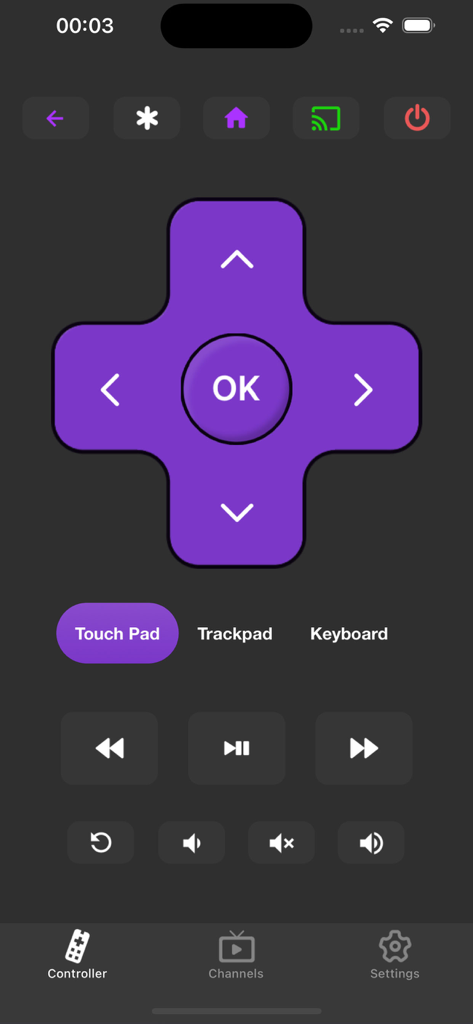
Interfaccia dell'app per smartphone che mostra un telecomando TV virtuale con un pad direzionale e controlli di riproduzione multimediale.
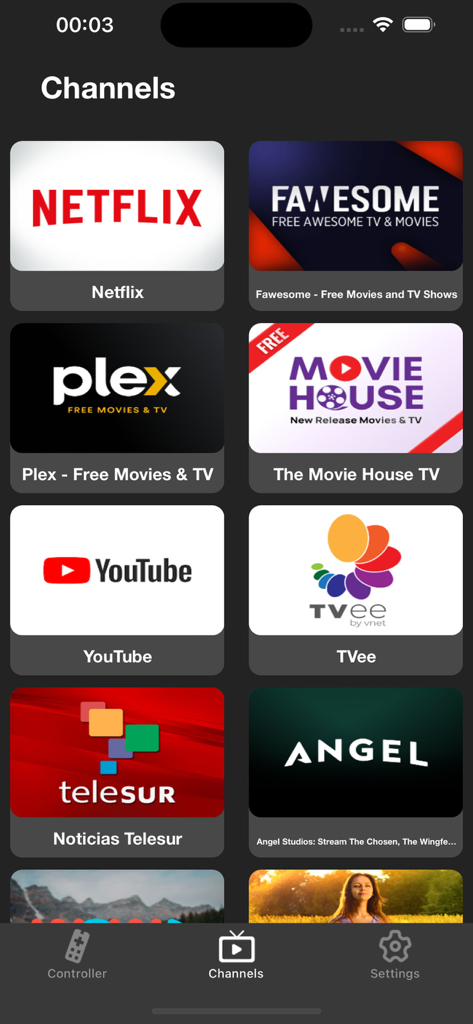
Schermata di un'app mobile intitolata Canali che mostra varie icone di servizi di streaming come Netflix e YouTube per un facile controllo della TV
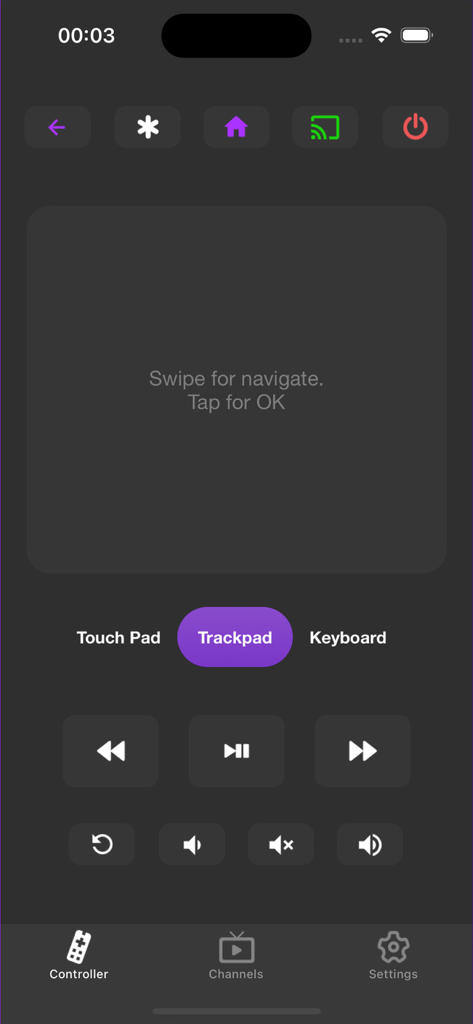
Interfaccia utente dell'app Remote Controller for TV con un trackpad digitale e pulsanti di riproduzione
Descrizione
Download
App Simili
App con funzionalità ed esperienza simili

The Roku App (Official)
ROKU INC

TV Remote & Smart TV Control
To Ngoc Mai

Universal TV Remote Control .
Apps Venture Inc.

TV Remote, Universal Remote
Hangzhou Yingshitong Technology Co., Ltd.

TV Remote Control “Universo”
Nemo Apps LLC

TV Remote・Universal Control #1
Mihai Turlea

Remote Smart Tv Universal
clement gasner

Remote TV Control TCL Onn App
CEMAL CAGLAR KIRICI

TV Remote Control Universal AI
Anh Ngo
Questa pagina non è una pagina ufficiale dell'app o del suo sviluppatore, ma una pubblicazione editoriale indipendente creata a scopo informativo e di commento. Salvo espressa indicazione contraria, né l'app né il suo sviluppatore sono affiliati, approvati, sponsorizzati, autorizzati o altrimenti ufficialmente collegati a MWM, Apple, Google Play, all'editore dell'app o allo sviluppatore dell'app, e nulla in questa pagina implica che l'app sia stata sviluppata utilizzando i servizi di MWM. Tutti i marchi, loghi, screenshot e altri contenuti rimangono di proprietà dei rispettivi proprietari.