RTA

RTA

Scarica su App Store
Logo di RTA

RTA: Analisi Acustica Professionale e Calibrazione Ambienti nel Palmo della Tua Mano

Trasforma il tuo iPhone o iPad in uno strumento di misurazione calibrato secondo gli standard ANSI. Calibra sistemi audio, analizza l'acustica degli ambienti ed esporta dati con precisione da laboratorio.

Scarica su App Store

Editore

Andrew Smith

Categoria

Music

Download

259K+

Valutazione

3.8/5

Valutazioni totali

300

Lingue

8

Precisione a Colpo d'Occhio

Scopri l'interfaccia usata da 259K+ utenti.
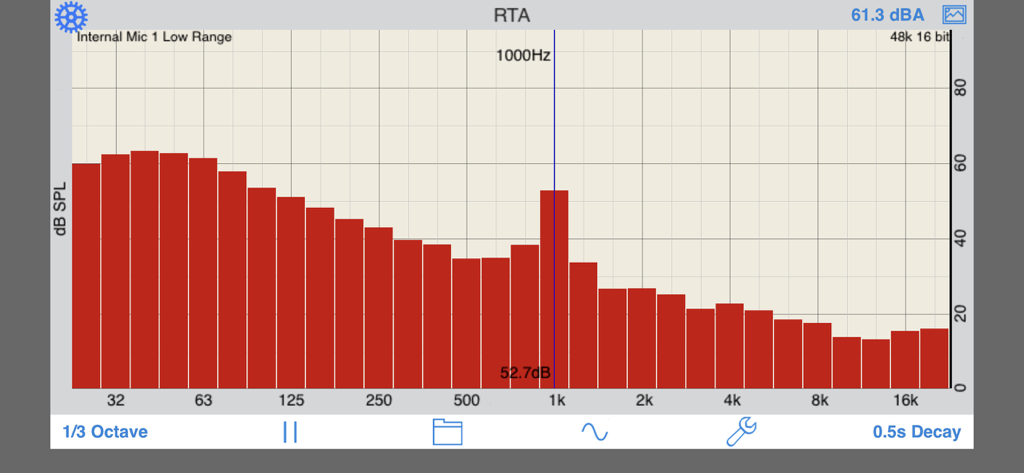
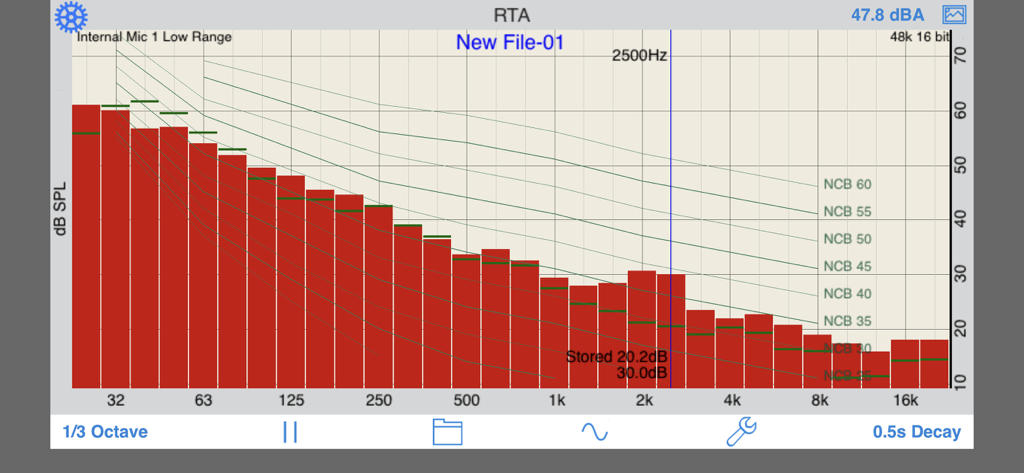
App RTA che mostra un grafico dello spettro di frequenza audio in tempo reale con livelli di decibel.

App RTA che mostra un grafico dello spettro di frequenza audio in tempo reale con livelli di decibel.

App Real Time Analyzer che mostra uno spettro di frequenza a 1/3 di ottava con sovrapposizioni di curve di rumore.

App Real Time Analyzer che mostra uno spettro di frequenza a 1/3 di ottava con sovrapposizioni di curve di rumore.

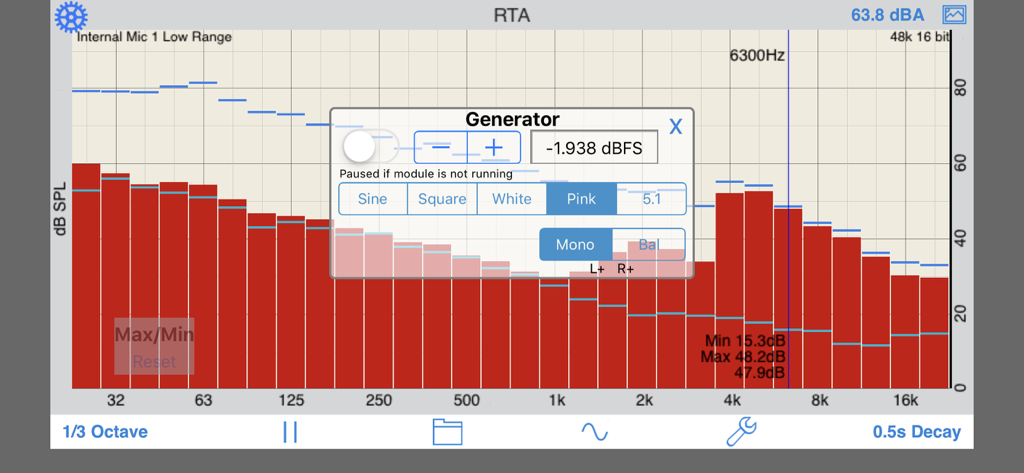
Interfaccia dell'app RTA che mostra uno spettro di frequenza a 1/3 di ottava e un popup del generatore di segnali audio.

Interfaccia dell'app RTA che mostra uno spettro di frequenza a 1/3 di ottava e un popup del generatore di segnali audio.

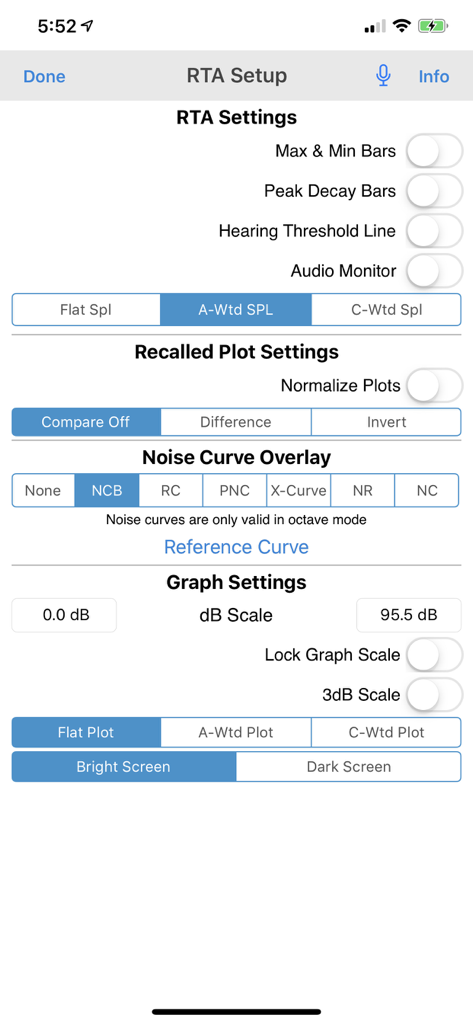
Schermata di configurazione dell'app RTA che mostra varie impostazioni di analisi audio tra cui ponderazione SPL e sovrapposizioni di curve di rumore.

Schermata di configurazione dell'app RTA che mostra varie impostazioni di analisi audio tra cui ponderazione SPL e sovrapposizioni di curve di rumore.

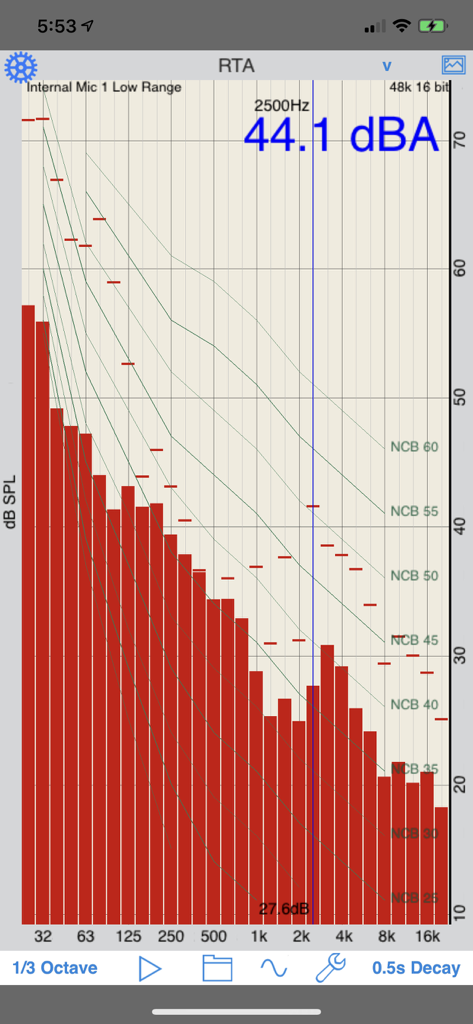
Interfaccia dell'app RTA che mostra uno spettro di frequenza a 1/3 di ottava con sovrapposizioni di curve di criteri di rumore bilanciate.

Interfaccia dell'app RTA che mostra uno spettro di frequenza a 1/3 di ottava con sovrapposizioni di curve di criteri di rumore bilanciate.

Ingegneria Audio di Precisione Ovunque

Gli strumenti che rendono questa app unica, scelti da 259K+ utenti.

🎙️

Calibrazione Automatica del Microfono

Ottieni un'accuratezza di livello professionale con file di compensazione personalizzati per ogni dispositivo iOS, garantendo che le tue misurazioni siano entro pochi dB dagli analizzatori hardware di fascia alta.

📏

Conformità agli Standard di Settore

Esegui analisi critiche con filtri ANSI e IEC Classe 1 e sovrapposizioni di curve di rumore professionali, inclusi NC, RC e NR, per report acustici certificati.

📈

Reportistica Dati di Livello Professionale

Acquisisci dati ad alta risoluzione con grafici geolocalizzati tramite GPS ed esporta i tuoi risultati in formato XLS per analisi avanzate e una perfetta integrazione nei report professionali.

Info sull'app

Tutto quello che devi sapere su RTA.

Descrizione

A Real Time Analyzer for the iPhone, iPad and iPod Touch. Test your speakers, tune your room, do acoustical analysis work or just have a better understanding of audio frequencies. RTA is a professional-grade acoustical analysis tool. All filters meet or exceed ANSI and IEC Class 1 specifications. Includes Octave and 1/3 Octave modes, with selectable decay times, as well as Peak Hold and true linear Average mode. *** iOS Microphones We have analyzied every iOS device, including all of the iPads, all iPhones, and iPod touches, and have created microphone compensation files that are applied automatically. You can trust the results you are getting, often within just a few dB of a far more expensive analyzer. Calibration is updated regularly, automatically, from our cloud-based calibration database. Upgrade to our iTestMic or iAudioInterface2 to bring your system up to full professional specs. *** Save and Recall Graphs You can save and recall graphs, marked with the GPS location, date & time, and your comment, as well as store the image to your photo roll. Export the data as an XLS formatted file to your computer for inclusion in reports or further analysis. *** Max and Min Bars You can also turn on resettable Max/Min bars (see image #4) to capture peaks. Double-tap to reset the bars. *** Specifications and Devices The internal iPhone mic has a noise floor near 30 dB, and if your are running iOS 6, clips around 120 dB. *** Touch GUI Fully interactive touch GUI features includes scroll up/down, pinch to zoom or compress the vertical dB scale, or swipe horizontally to get a cursor that reads out the exact dB level and frequency across the screen. To make the cursor disappear, swipe it off the graph to the left. The landscape-mode display flips 180 degrees so that you can face the internal mic in either direction. *** Overlay Curves Also included are optional noise curve overlays, in NCB, RC, PNC, NC, X-Curve and NR mode. See picture #2 for an example. Use this feature to get a quick reading on the noise levels in a room. Also includes the cinema large-room X-curve overlay. *** Calibration RTA can be fully calibrated, whether you are using it with the internal iOS microphone, or one of our professional test & measurement mic solutions. And, if you are using iTestMic, the mic calibration is transmitted directly to the app, so you are always calibrated. *** RTA or FFT? If you are wondering if you should download this app or our FFT app, check out our website, we have a page devoted to this topic. See our other acoustics and audio apps, including AudioTools.

Ultima versione

11.8

Dimensione

21.0 MB

Data di lancio

14 dic 2008

Porta l'Analisi di Livello di Laboratorio sul Campo

Equipaggia il tuo dispositivo iOS con la precisione conforme agli standard ANSI. Scarica RTA, lo standard del settore, e inizia oggi stesso a misurare con sicurezza professionale.

Scarica su App Store

App information, icons, screenshots, and descriptions displayed on this page are sourced from the Apple App Store and are the property of their respective developers. Download estimates and rankings are based on MWM's proprietary models and may not reflect actual figures. This page is provided for informational and analytical purposes only.

Believe this page infringes your intellectual property? File a dispute