Scanner App - PDF Scan Pro: Il Tuo Ufficio Tascabile ad Alte Prestazioni
Semplifica il tuo flusso di lavoro trasformando il tuo iPhone in un potente hub documentale. Scansiona, firma e organizza i tuoi file in pochi secondi con OCR professionale e sincronizzazione cloud sicura pensata per il professionista moderno.
Editore
Digitap Inc.
Categoria
Business
Download
1M+
Valutazione
4.9/5
Valutazioni totali
46K+
Lingue
2
Il Tuo Ufficio, Reinventato
Scopri l'interfaccia usata da 1M+ utenti.
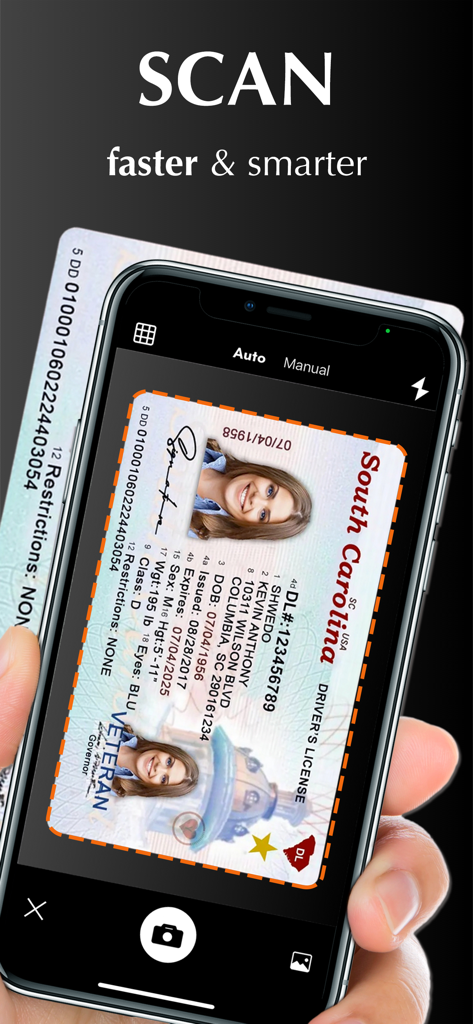
Una mano tiene un iPhone che scansiona una patente usando Scanner App PDF Scan Pro
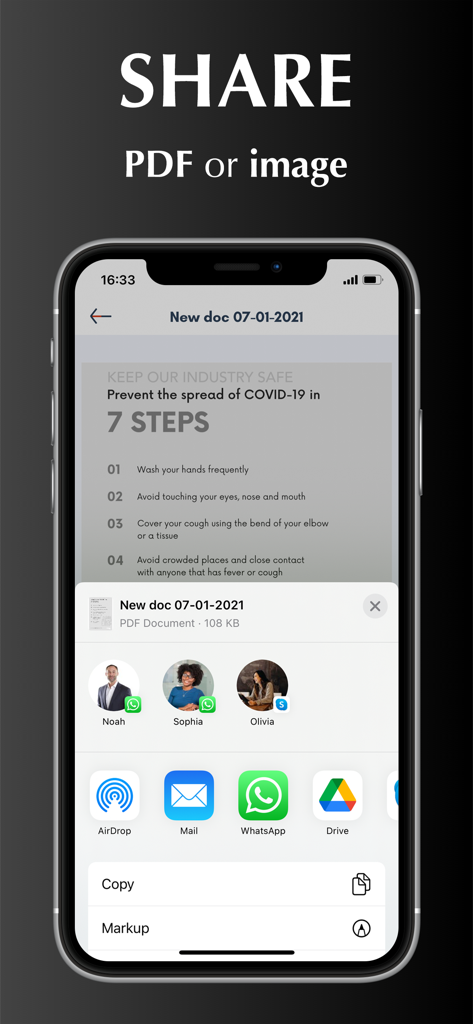
Schermata iPhone che mostra opzioni per condividere un PDF scansionato o un'immagine tramite varie app
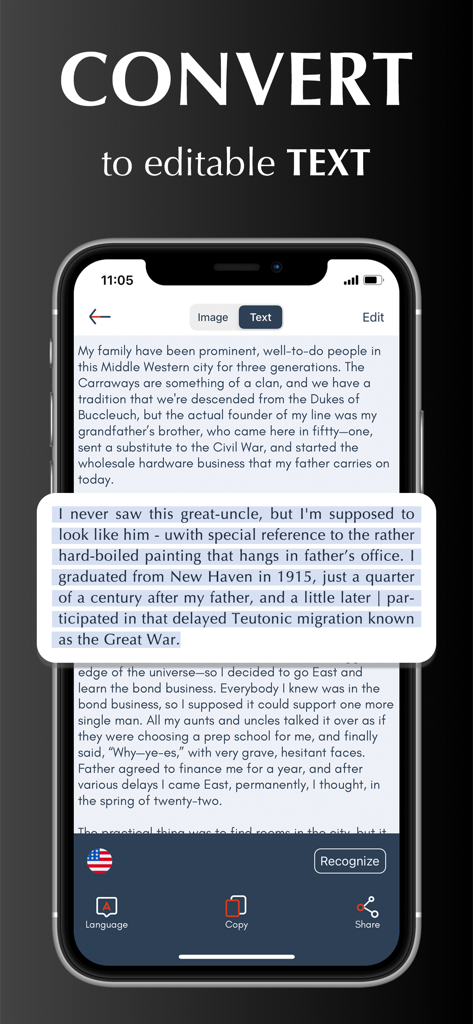
Schermata iPhone che mostra Scanner App che converte un documento scansionato in testo modificabile
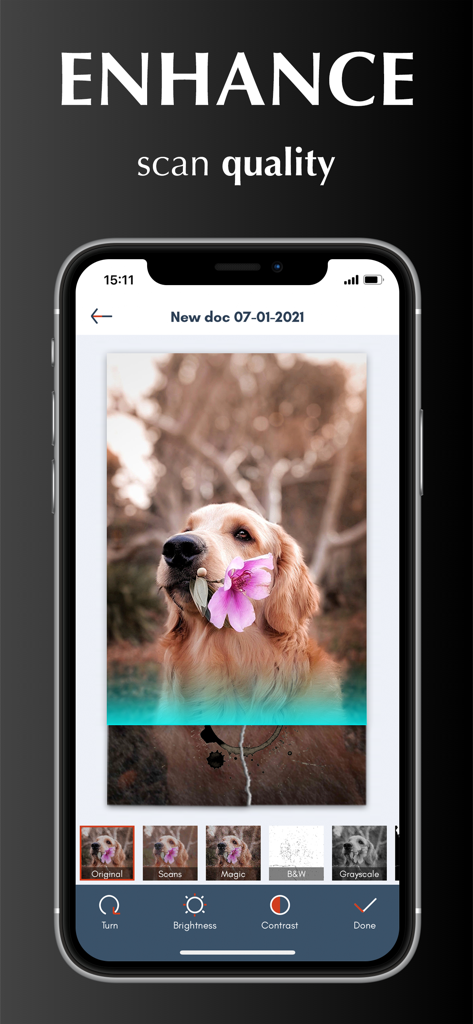
Interfaccia che mostra strumenti di miglioramento della qualità della scansione e filtri immagine in Scanner App PDF Scan Pro.
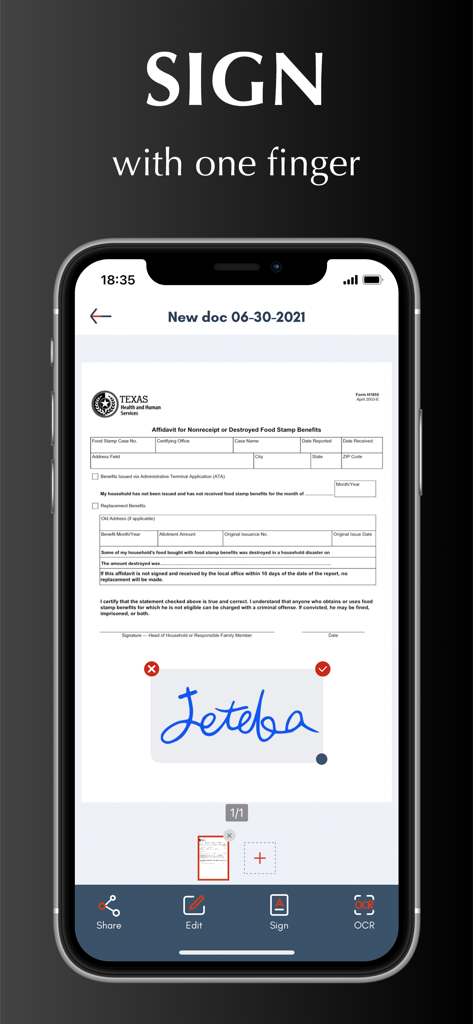
Funzione di firma digitale su un documento all'interno dell'interfaccia di Scanner App
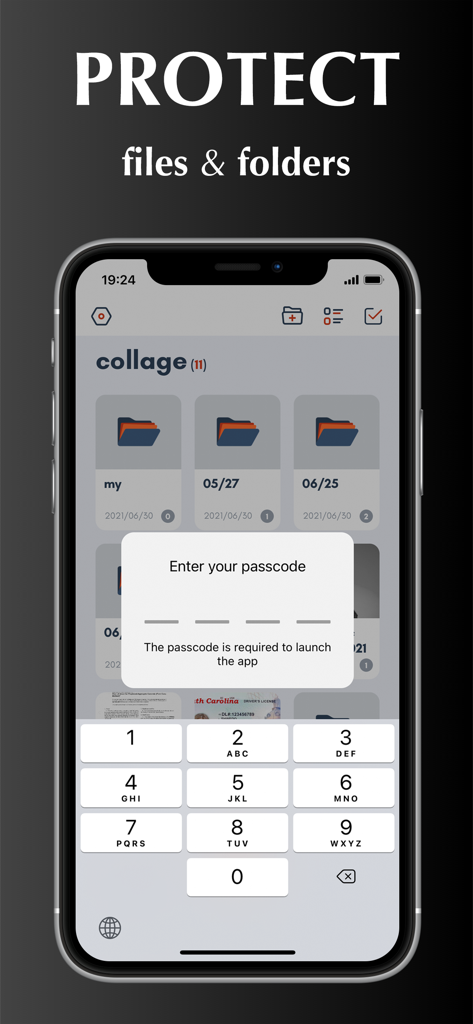
Schermata iPhone che mostra una funzione di blocco con codice di accesso per proteggere documenti e cartelle in Scanner App
Il Tuo Ufficio Tascabile Professionale
Gli strumenti che rendono questa app unica, scelti da 1M+ utenti.
✍️
Firma & Modifica in Movimento
Salta la complicazione 'Stampa-Firma-Scansiona'. Crea la tua firma digitale e usa filtri colore magici per rendere ogni documento nitido e ufficiale.
🔍
Estrazione Testo Intelligente (OCR)
Converti istantaneamente le scansioni in testo modificabile. Estrai dati dalle ricevute o traduci documenti in oltre 10 lingue con precisione.
☁️
Integrazione Cloud Sicura
Sincronizzazione automatica con iCloud, Dropbox o Google Drive. Mantieni i documenti sensibili al sicuro con protezione tramite password e cartelle personalizzate.
Info sull'app
Tutto quello che devi sapere su Scanner App - PDF Scan Pro.
Descrizione
Scanner App turns your iPhone into a powerful pocket scanner and help you increase productivity at work. With scanner app, you can scan any paper document into clear PDF or PNG, and sign, enhance, organize and share it to email, iCloud, Dropbox, Box......
SCANNER APP FEATURES
Scan:
√ Accurately detect edges of documents.
√ Automatically scan without tapping.
√ Scan multiple pages of files into one single PDF or long image.
√ Unlimited scan business documents, receipts, ID cards, written notes, agreements, paper sketches, books, printed photos, rentals, or any other printed documents...
√ Add pictures for scanning from camera roll.
√ Batch scanning mode automates multiple pages scanning tasks.
Edit:
√ Create and add signature to electronic documents.
√ Apply magic color effect to scanned files, or change filter to grayscale, black & white, threshold.
√ Adjust contrast or brightness to enhance scan quality.
√ Convert PDF document to PNG, JPG, TXT.
Share:
√ Share through Text, Email, WhatsApp, Facebook, LinkedIn, Messenger……
√ Save scanned files to cloud services (including OneDrive, Google Drive, Dropbox, Box, iCloud) in one tap.
OCR:
√ Use text recognition to extract or grab texts from scanned image.
√ Select, copy, cut, edit and share text.
√ Support 10+ languages.
Translate:
√ Translate Text to different languages.
Organize:
√ Import files from iPhone or cloud services.
√ Create, move and manage files and folders.
√ Rename and share files with friends or colleagues.
√ Protect everything with a Password.
Sync:
√ Sync and access your files from cloud space in seconds.
√ Sync files across multiple devices.
HOW TO USE
Open your scanner app. Place your document in view of the camera. Tap the Camera button. If your scanner app is in Auto mode, your document will automatically scan. Tap “Manual” if you need manually capture a scan. Then drag the corners to adjust the scan to fit the page, then tap the Camera button. Tap “continue” and “done” to save your scans.
UNLIMITED ACCESS MEMBERSHIP SUBSCRIPTION
- You can subscribe for premium account with all premium features and no ads and watermark
- Subscription is from $9.99 monthly, $4.99 weekly, $39.99 yearly
- Subscription automatically renews for the same price and duration period as the original "one week"/"one month"/"one year" package unless auto-renew is turned off at least 24-hours before the end of the current period
- Payment will be charged to iTunes Account at confirmation of purchase
- Subscriptions may be managed by the user and auto-renewal may be turned off by going to the user's Account Settings after purchase
- Any unused portion of a free trial period, if offered, will be forfeited when the user purchases a subscription to that publication, where applicable
Privacy Policy: https://scannerocr.com/privacy.html
Terms of Use: https://scannerocr.com/terms.html
Ultima versione
4.2.0
Dimensione
115.8 MB
Data di lancio
26 ago 2020
Trasforma il Tuo iPhone in una Potenza Professionale
Unisciti a oltre 1 milione di persone di successo che hanno abbandonato l'hardware ingombrante. Sperimenta lo strumento definitivo per scansionare, firmare e sincronizzare i tuoi documenti in movimento.
App information, icons, screenshots, and descriptions displayed on this page are sourced from the Apple App Store and are the property of their respective developers. Download estimates and rankings are based on MWM's proprietary models and may not reflect actual figures. This page is provided for informational and analytical purposes only.
Believe this page infringes your intellectual property? File a dispute