Scanner App - PDF Scanner Pro: Lo Strumento IA Definitivo per Scansionare, Firmare e Condividere
Trasforma il tuo iPhone in un ufficio di livello professionale. Digitalizza istantaneamente documenti, estrai testo con l'IA ed esegui contratti al volo. Progettato per professionisti impegnati che richiedono velocità, precisione e un flusso di lavoro senza carta.
Editore
Evinco Solutions Inc.
Categoria
Business
Download
2K+
Valutazione
4.6/5
Valutazioni totali
100
Lingue
1
Precisione in Ogni Pixel
Scopri l'interfaccia usata da 2K+ utenti.
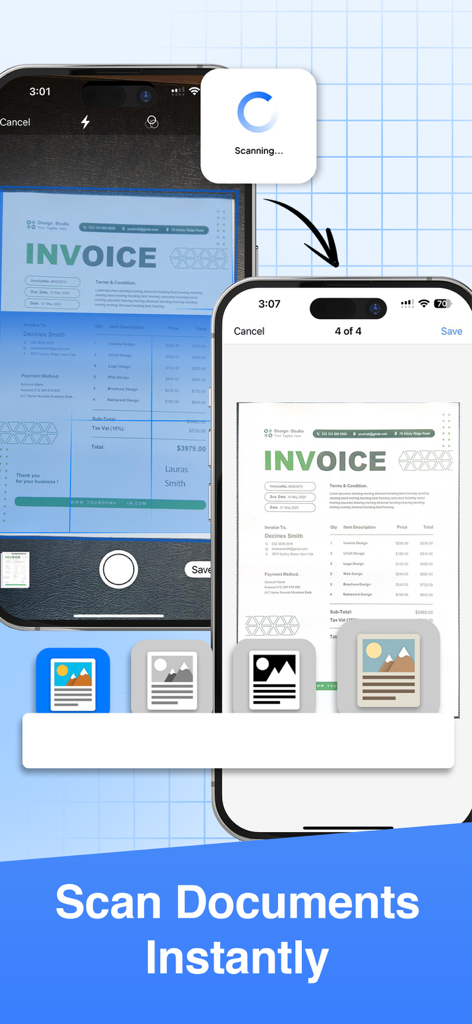
Due schermi iPhone che mostrano il processo di scansione istantanea di una fattura con Scanner App
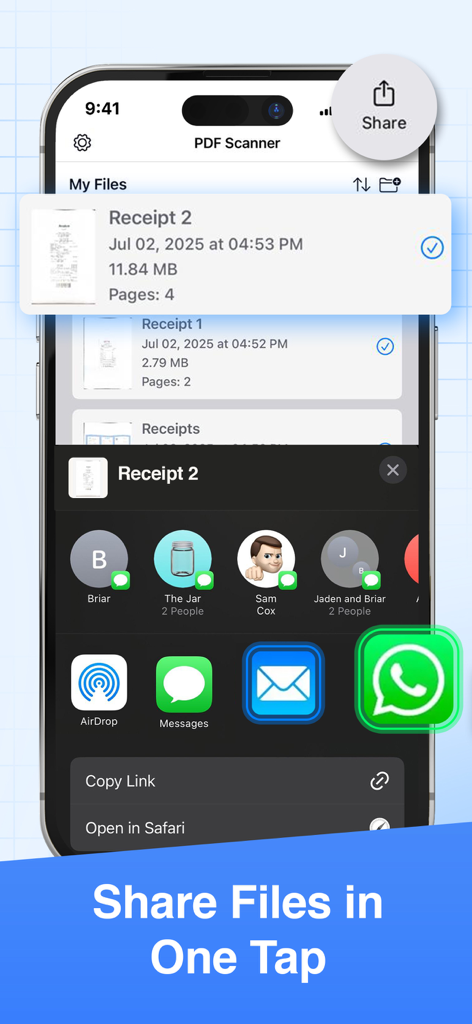
Interfaccia che mostra come condividere file in un solo tocco da PDF Scanner Pro.
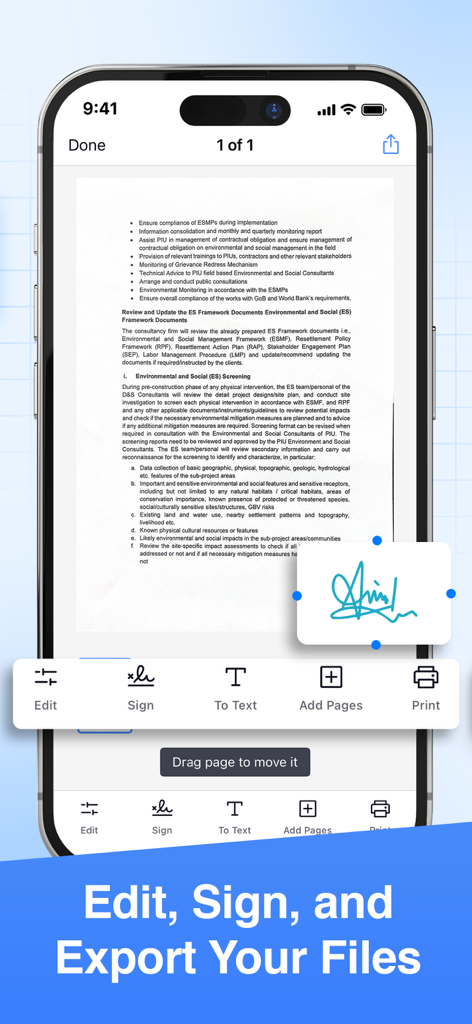
Interfaccia di un'app scanner PDF per smartphone che mostra strumenti di firma e modifica di documenti
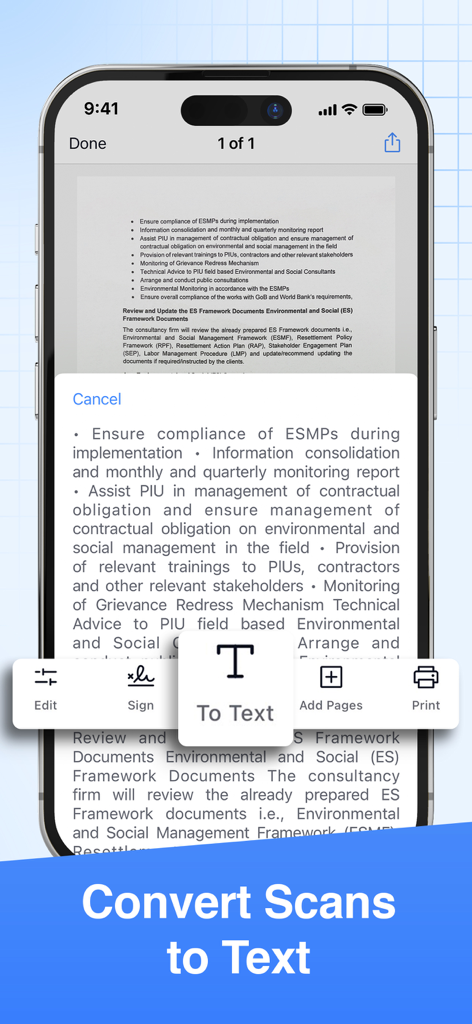
Interfaccia di un'app mobile che mostra la conversione di documenti scansionati in testo tramite tecnologia OCR
Un Ufficio di Livello Professionale in Tasca
Gli strumenti che rendono questa app unica, scelti da 2K+ utenti.
✨
Precisione Potenziata dall'IA
Genera scansioni di qualità da studio istantaneamente con ritaglio automatico, rimozione del rumore e affinamento IA che garantisce che ogni contratto e ricevuta appaia professionale.
✍️
Firme Elettroniche Sicure
Chiudi accordi in mobilità aggiungendo firme disegnate a mano o digitali a qualsiasi documento, eliminando la necessità di stampanti o gestione fisica dei documenti.
🔄
Conversione Intelligente dei Formati
Trasforma senza problemi le tue scansioni in file PDF, Word, Excel o PowerPoint e sincronizzali direttamente su Google Drive, Dropbox o Microsoft Teams.
Info sull'app
Tutto quello che devi sapere su Scanner App - PDF Scanner Pro.
Descrizione
● Scan to PDF: scan anything, save, and share it in PDF. Copy and edit text with the OCR.
● Convert: PDF to Word, PPT, JPG, PNG, and more.
● Edit: adjust, sign (supports e-signatures), share, and print.
Have a portable, fast, and accurate scanner anywhere you go with the PDF Scanner app.
Whether you're an accountant, realtor, manager, lawyer, or student, PDF Scanner is the must-have free scanner app that saves you time. Open the app to effortlessly digitize any document with just a few taps on your iOS device.
► Download now for free and accurately scan documents anytime, anywhere.
AI-POWERED SCAN
‣ Scan documents, contracts, tax forms, tickets, receipts, handwritten notes, and more using your camera.
‣ Supports multipage scans and PDFs.
‣ AI-refined scanning assures accuracy and speed.
EDIT & SIGN
‣ Supports advanced color correction, noise removal, and automatic crop tools that make it easy to perfect your document images and make them more realistic.
‣ Extract text from any scanned document using the in-built OCR technology.
‣ Create multipage scans.
‣ Sign documents (supports e-signature and hand/manual signatures).
CONVERT
‣ Convert your scans to PDF, JPG, PNG, Word, Excel, PowerPoint, and more with just one tap.
SHARE OR PRINT
‣ Share your scans with ease via WhatsApp, Teams, email, or popular cloud services like Dropbox, Google Drive, and OneDrive.
‣ Print your scanned files via Air and set copies, page size, orientation, and scaling.
PDF SCANNER APP FEATURES:
● scan documents using your camera
● intuitive UI
● turn scans to PDF
● edit the scanned PDFs
● add a page to create multipage PDFs
● sign the scanned documents
● convert PDF to variety documents and image formats
● save scans to files
● share the scanned documents with ease
● print any scanned files by Air
If you are looking for fast and precise document scanning, give PDF Scanner a try. It gives a feeling of convenince and productivity when you need to scan and sign multiple documents fast and on the go. Must-have for any busy professional or student.
► Download this superior, AI-powered, all-in-one scanning app for FREE.
_____________
Subscription Plans for PDF Scanner:
PDFScan offers flexible subscription plans including Monthly and Yearly Subscription to enable all the premium functionality like e-sign, scanning unlimited pages and unlimited sharing.
+ Monthly Subscription Plan:
The monthly subscription plan costs US$9.99 which auto-renews every month. Get monthly cost-effective and flexible subscription that costs US$9.99 to scan, sign & share unlimited documents throughout the month.
+ Yearly Subscription Plan:
If you prefer long-term convenience, the yearly subscription plan is ideal. It comes with a three days trial period then it renews annually at a rate of US$39.99 which ensures uninterrupted access to unlimited scanning features for a whole year.
Please note that payment for the chosen subscription plan will be charged to your iTunes Account. Subscriptions will automatically renew unless auto-renewal is turned off within the iTunes Account settings at least 24 hours before the end of the current period. You can manage your subscriptions and turn off auto-renewal by accessing your Account Settings after making the purchase.
By using PDF Scanner App, you are agreeing to our Privacy Policy and Terms of Use:
Privacy Policy & Terms : https://evincosolutions.com/pdfscan/privacy.html
We’d love to hear from you! Get in touch with us at support@evincosolutions.com
Ultima versione
2.0.0
Dimensione
17.7 MB
Data di lancio
16 mar 2023
Unisciti a Migliaia di Professionisti che Eliminano la Carta Oggi Stesso
Smetti di perdere tempo con i file fisici. Scansiona, firma e condividi qualsiasi documento in pochi secondi con la potenza dell'IA. Scarica gratuitamente lo scanner all-in-one sul tuo iPhone o iPad.
App information, icons, screenshots, and descriptions displayed on this page are sourced from the Apple App Store and are the property of their respective developers. Download estimates and rankings are based on MWM's proprietary models and may not reflect actual figures. This page is provided for informational and analytical purposes only.
Believe this page infringes your intellectual property? File a dispute