Screen Mirroring - 1001 TVs

Screen Mirroring - 1001 TVs


Scarica su App StoreScarica su Google Play
Logo di Screen Mirroring - 1001 TVs
1001 TVs: Mirroring dello schermo senza sforzo su PC, Mac e Smart TV

Liberati dal giardino recintato. Trasmetti il tuo iPhone o iPad su qualsiasi computer Windows, TV o browser con bassa latenza di livello professionale e sincronizzazione audio-video perfetta.

Editore

Nero AG

Categoria

Utilities

Download

998K+

Valutazione

4.1/5

Valutazioni totali

2K+

Lingue

43

Vedilo sul grande schermo

Scopri l'interfaccia usata da 998K+ utenti.
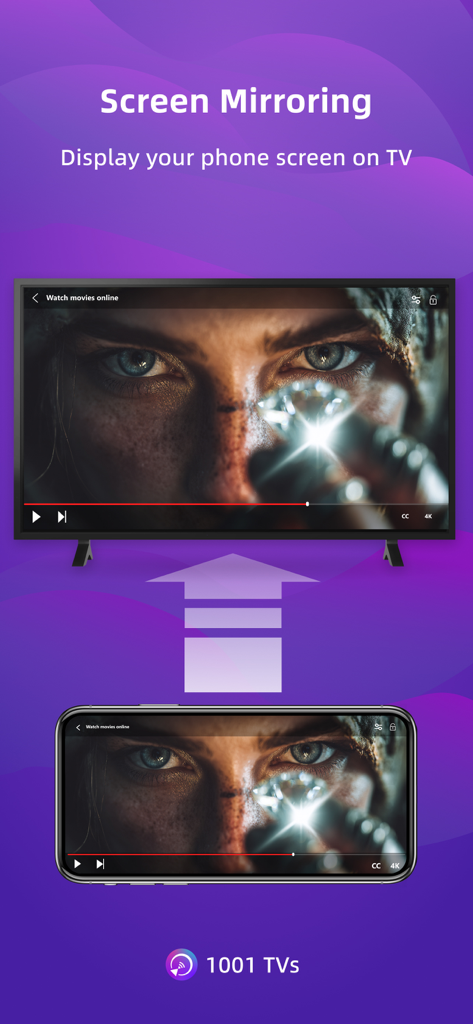
Lo schermo di uno smartphone viene replicato su un grande display di smart TV mostrando un film

Lo schermo di uno smartphone viene replicato su un grande display di smart TV mostrando un film

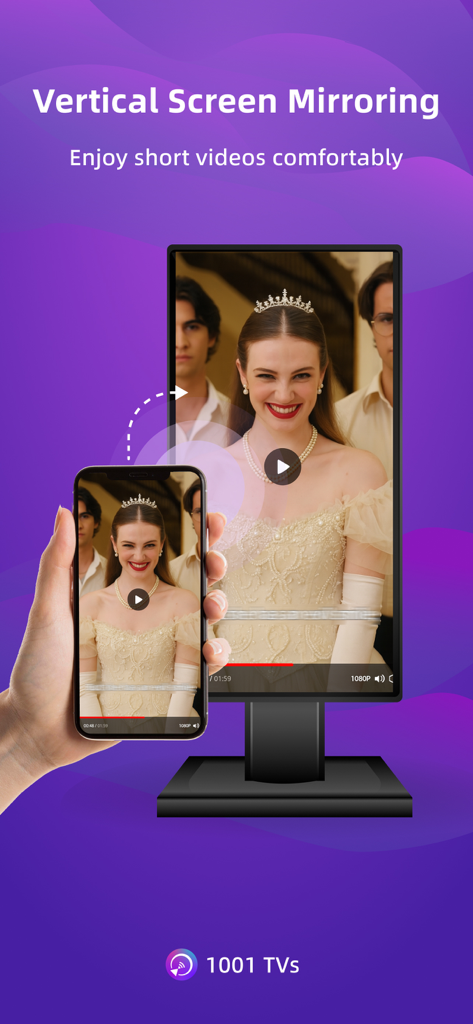
Lo smartphone trasmette un video verticale su un monitor desktop con l'app 1001 TVs

Lo smartphone trasmette un video verticale su un monitor desktop con l'app 1001 TVs

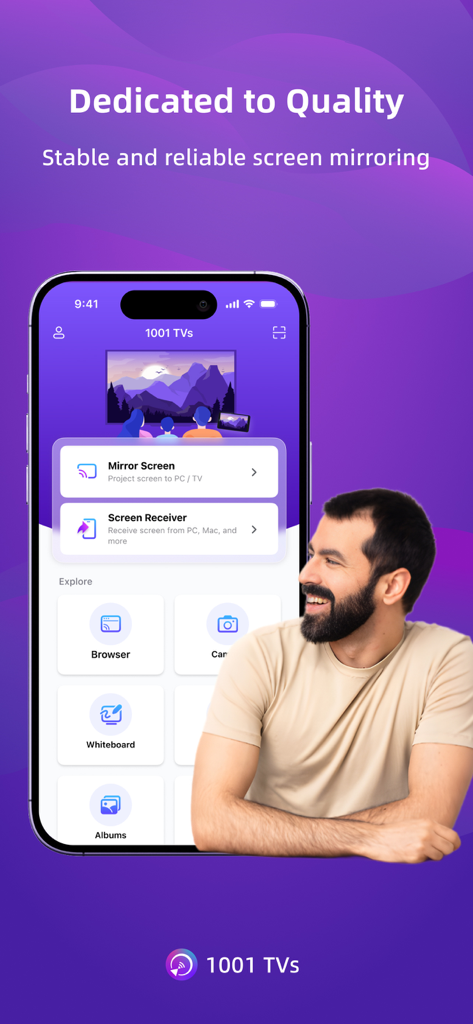
Uno smartphone che mostra l'interfaccia dell'app 1001 TVs con varie opzioni di mirroring e trasmissione dello schermo.

Uno smartphone che mostra l'interfaccia dell'app 1001 TVs con varie opzioni di mirroring e trasmissione dello schermo.

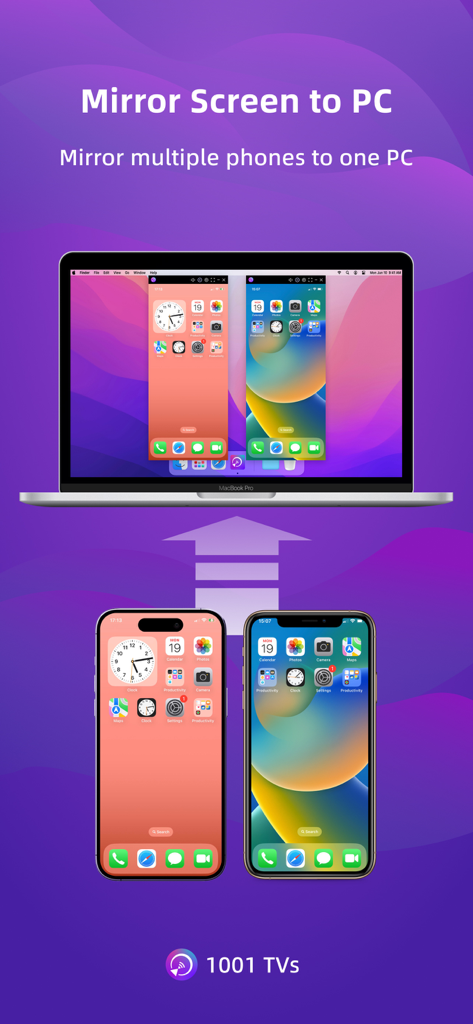
Due telefoni cellulari trasmettono contemporaneamente i loro schermi su un unico computer portatile

Due telefoni cellulari trasmettono contemporaneamente i loro schermi su un unico computer portatile

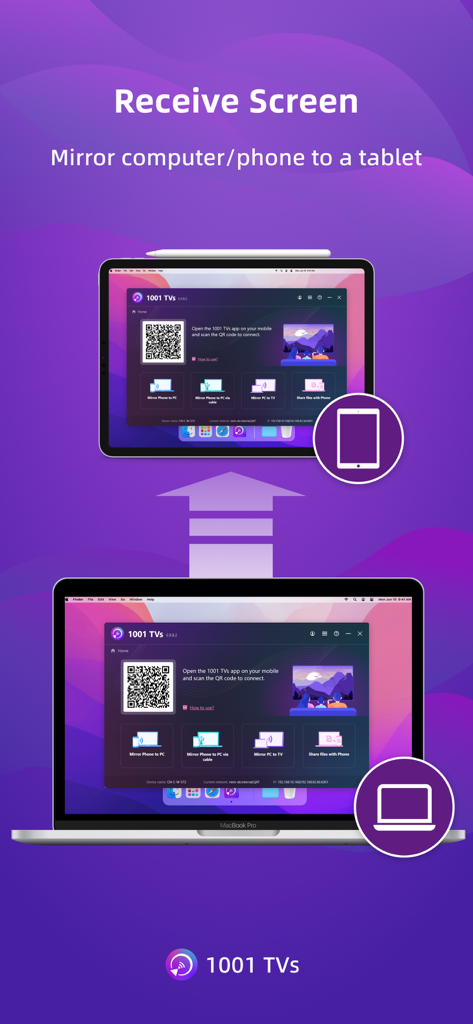
Lo schermo del laptop viene replicato su un tablet utilizzando l'app 1001 TVs mostrando un codice QR per la connessione

Lo schermo del laptop viene replicato su un tablet utilizzando l'app 1001 TVs mostrando un codice QR per la connessione

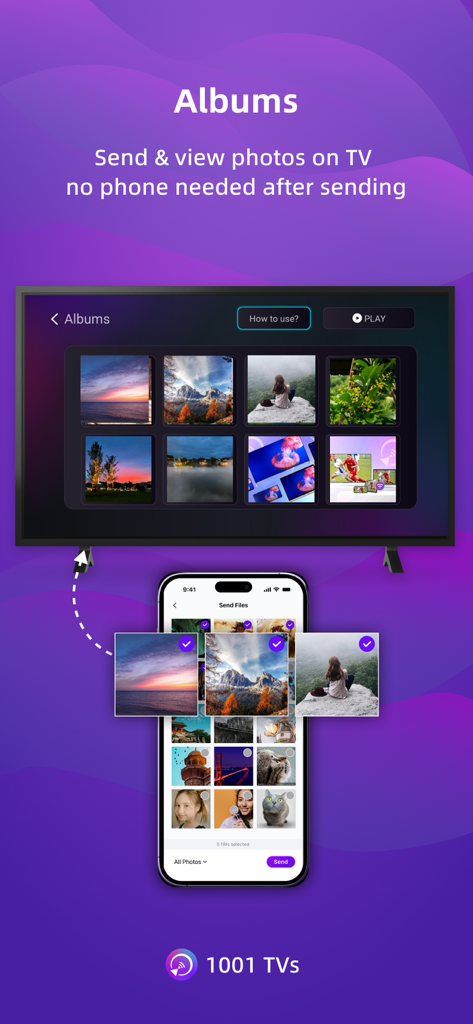
Uno smartphone invia album fotografici a uno schermo televisivo utilizzando 1001 TVs

Uno smartphone invia album fotografici a uno schermo televisivo utilizzando 1001 TVs

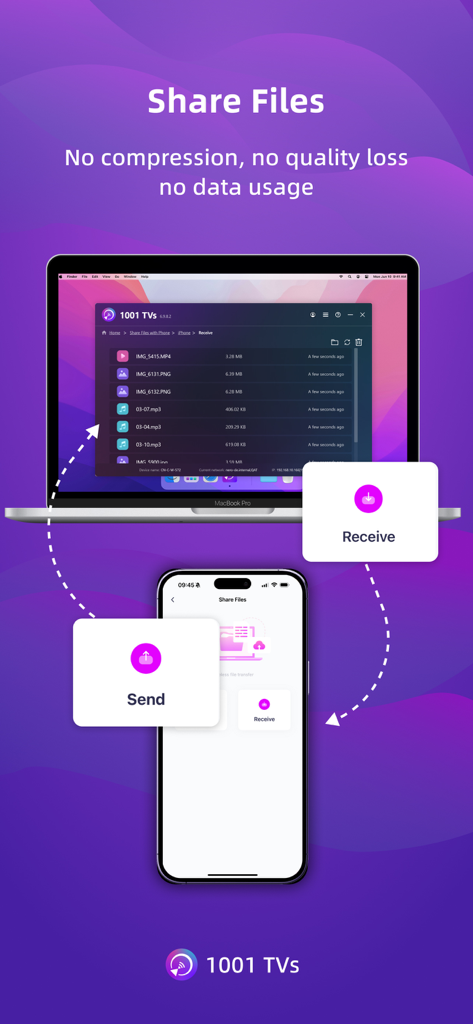
Uno smartphone e un laptop dimostrano il trasferimento di file wireless con l'app 1001 TVs, mostrando nessuna perdita di qualità e nessun utilizzo di dati.

Uno smartphone e un laptop dimostrano il trasferimento di file wireless con l'app 1001 TVs, mostrando nessuna perdita di qualità e nessun utilizzo di dati.

Collega ogni schermo della tua vita

Gli strumenti che rendono questa app unica, scelti da 998K+ utenti.

💻

Mirroring dell'iPhone su Windows e Mac

Finalmente, un modo semplice per condividere lo schermo del tuo cellulare con il tuo computer di lavoro. Nessun AirPlay? Nessun problema: connettiti istantaneamente tra piattaforme.

Prestazioni a bassissima latenza

Sperimenta il mirroring in tempo reale con audio e video perfettamente sincronizzati. Perfetto per il gaming su mobile, le demo dal vivo e la riproduzione fluida di video 4K.

🌐

Trasmissione istantanea via browser

Trasmetti su qualsiasi dispositivo dotato di browser web. Nessuna installazione di software richiesta sul lato ricevente: la soluzione perfetta per PC di lavoro con restrizioni.

Analisi recensioni

Approfondimenti dalle recensioni degli utenti.

Punteggio sentimento

13%
Negativo

Riepilogo

The app receives overwhelmingly negative feedback, primarily due to an aggressive subscription model and widespread technical issues. Many users report being unexpectedly charged after free trials or encountering immediate paywalls, labeling the app as a 'scam.' Common complaints include significant performance lag, audio/video synchronization problems, and an inability to reliably cast content, alongside issues with an outdated Fire TV receiver app. Despite these frustrations, a few users found the app simple to use and effective for basic screen mirroring, particularly valuing features like screen rotation.

Temi comuni

Subscription Model(26)
Free Trial Transparency(10)
Performance & Latency(9)
Core Functionality(7)
Billing & Refund Issues(6)
Ease of Use(2)

Info sull'app

Tutto quello che devi sapere su Screen Mirroring - 1001 TVs.

Descrizione

1001 TVs lets you cast your phone or tablet to Windows, Mac, Smart TV, Apple TV—even a web browser. You can also receive screen mirroring from other phones and PCs. We are a professional team on screen mirroring, always focus on the core features: - Support landscape mode and portrait mode that keep same ratio with phone's screen - Real-Time screen mirroring, keep best balance with low Latency and good quality - Audio and video stay perfectly in sync - Mirror multiple phones to one PC at the same time - Automatically rotates screen to match your phone’s orientation - Fit, Fill, or Zoom mode to remove black borders - Support screen mirroring to older devices that don't support AirPlay or Miracast - Mirror to any browser (like Chrome) — no app needed on the receiver side - Live Camera Mirroring — mirror what your camera sees to a big screen in real time. Great for selfies, support mirror flip - Whiteboard — draw or write and share in real time on TV or PC Also provide additional features: * Photo Albums — Upload and display photos on your TV * Web Streaming — Stream videos, music, and images to Smart TVs * Fast File Transfer — Quickly send files between devices without cables How to Get Started? # Install 1001 TVs on your phone and the device you want to cast to (PC, TV or tablet) # Connect both devices to the same Wi-Fi network # Open the app, select a device, and start mirroring No cables, no complicated setup — just tap and go. [Feedback] Reach out to us at 1001tvs@nero.com or visit our website: www.1001tvs.com [Subscription Plan] -Service Title: Auto-renew Weekly, Auto-renew Monthly, Auto-renew Yearly and Lifetime; -Your payment will be charged to your store account once you confirm the purchase; -Your subscription will automatically renew unless canceled at least 24 hours before the end of the current period; -You can always cancel the subscription through your store account; [Terms of Use] http://1001tvs.com/license/en/terms.html [Privacy Policy] http://1001tvs.com/license/en/privacy.html For privacy, screen casting data remains within your local network and will never be uploaded.

Ultima versione

3.0.23

Dimensione

90.6 MB

Data di lancio

28 mag 2019

Pronto a colmare il divario tra tutti i tuoi dispositivi?

Unisciti a oltre 1 milione di utenti e inizia oggi stesso a trasmettere il tuo iPhone sul tuo PC Windows, Smart TV o Browser. Alta qualità, bassa latenza e zero cavi richiesti.

Scarica su App StoreScarica su Google Play
FAQ

Domande Frequenti

Tutto quello che devi sapere su Screen Mirroring - 1001 TVs

Come funziona il mirroring dello schermo di 1001 TVs?

1001 TVs trasmette il tuo telefono o tablet su Windows, Mac, Smart TV, Apple TV o browser web. Entrambi i dispositivi devono essere connessi alla stessa rete Wi-Fi. È necessaria l'installazione su entrambi i dispositivi per iniziare il mirroring dello schermo.

A quali dispositivi posso trasmettere con Screen Mirroring - 1001 TVs?

Puoi trasmettere il tuo telefono o tablet su Windows, Mac, Smart TV, Apple TV e qualsiasi browser web. 1001 TVs supporta anche la ricezione del mirroring dello schermo da altri telefoni e PC.

1001 TVs offre una funzione di telecomando per TV?

Sì, 1001 TVs include una funzione di telecomando per TV. Rileva automaticamente le Smart TV sulla stessa rete Wi-Fi, consentendo il controllo di accensione, volume, home, canali e tasto direzionale.

Posso eseguire il mirroring dello schermo del mio telefono su un PC usando 1001 TVs?

Sì, 1001 TVs ti consente di eseguire il mirroring dello schermo del tuo telefono o tablet su un PC. Permette anche al tuo PC di ricevere il mirroring dello schermo da altri telefoni.

Il mirroring dello schermo è in tempo reale con 1001 TVs?

Sì, 1001 TVs fornisce il mirroring dello schermo in tempo reale. Mantiene il miglior equilibrio tra bassa latenza e buona qualità, assicurando che audio e video rimangano perfettamente sincronizzati.

1001 TVs supporta il mirroring su TV più vecchie senza AirPlay o Miracast?

Sì, 1001 TVs supporta il mirroring dello schermo su dispositivi più vecchi che non dispongono delle funzionalità AirPlay o Miracast. Ciò estende la compatibilità per varie configurazioni di visualizzazione.

Come trasferisco file usando 1001 TVs?

1001 TVs offre Fast File Transfer per inviare rapidamente file tra dispositivi senza cavi. Entrambi i dispositivi devono avere l'app installata e connessa alla stessa rete Wi-Fi.

Quali sono le opzioni di abbonamento per 1001 TVs?

1001 TVs offre piani di abbonamento con rinnovo automatico settimanale, mensile, annuale e a vita. I pagamenti vengono addebitati sul tuo account store alla conferma dell'acquisto.

Posso annullare il mio abbonamento a 1001 TVs?

Sì, puoi annullare il tuo abbonamento a 1001 TVs in qualsiasi momento tramite il tuo account store. Il rinnovo automatico si interrompe se annullato almeno 24 ore prima della fine del periodo corrente.

La mia privacy è protetta quando uso Screen Mirroring - 1001 TVs?

Sì, la tua privacy è protetta. I dati di trasmissione dello schermo con 1001 TVs rimangono all'interno della tua rete locale e l'app non li carica mai.

App information, icons, screenshots, and descriptions displayed on this page are sourced from the Apple App Store and are the property of their respective developers. Download estimates and rankings are based on MWM's proprietary models and may not reflect actual figures. This page is provided for informational and analytical purposes only.

Believe this page infringes your intellectual property? File a dispute