
Questa pagina non è una pagina ufficiale dell'app o del suo sviluppatore, ma una pubblicazione editoriale indipendente creata a scopo informativo e di commento. Salvo espressa indicazione contraria, né l'app né il suo sviluppatore sono affiliati, approvati, sponsorizzati, autorizzati o altrimenti ufficialmente collegati a MWM, Apple, Google Play, all'editore dell'app o allo sviluppatore dell'app, e nulla in questa pagina implica che l'app sia stata sviluppata utilizzando i servizi di MWM. Tutti i marchi, loghi, screenshot e altri contenuti rimangono di proprietà dei rispettivi proprietari.


Screen Mirroring・TV Cast View
La dominazione dello schermo, senza cavi, senza compromessi. L'app offre il controllo assoluto sulla destinazione dei pixel.
Download
5M+Valutazione
Valutazioni totali
34.0KEditore
Categoria
UtilitiesLingue
24Ultima versione
5.1Dimensione
235.5 MBData di lancio
3 dic 2021Valutazione delle Capacità Chiave per l'Esperienza Multimediale Domestica e Professionale
Analisi Funzionale: Screen Mirroring・TV Cast View
Mirroring Schermo Universale
L'app fornisce una connessione stabile e veloce per il mirroring dello schermo da iPhone/iPad a una vasta gamma di Smart TV, inclusi Samsung, LG, Roku, Chromecast e Fire TV, trasformando il piccolo schermo in una grande esperienza visiva senza hardware aggiuntivo.
Casting di Foto e Video
Consente agli utenti di condividere facilmente gallerie, album e video HD dal proprio dispositivo mobile direttamente sul grande schermo della TV, ideale per la visione in famiglia e la rivisitazione dei ricordi.
Casting Video da Web
Questo strumento presenta la capacità di riprodurre video da piattaforme popolari come YouTube, Facebook o qualsiasi altro sito web direttamente sulla TV, ampliando le opzioni di intrattenimento e fruizione di contenuti online.
Condivisione per Lavoro e Studio
L'app facilita la condivisione di documenti, file, lavagne e presentazioni, rendendola uno strumento efficace per riunioni, lezioni o sessioni di studio, proiettando il contenuto su un display più grande per una migliore visibilità.
Casting Musicale
Consente agli utenti di trasmettere la propria musica preferita sulla Smart TV, offrendo un'esperienza sonora dinamica e migliorata rispetto agli altoparlanti del dispositivo mobile, trasformando il soggiorno in un centro audio.
Streaming IPTV Integrato
Questo strumento offre l'accesso allo streaming di canali globali e programmi in qualità HD, arricchendo le opzioni di intrattenimento disponibili direttamente tramite l'app per un'esperienza televisiva diversificata.
Domande Frequenti
Tutto quello che devi sapere su Screen Mirroring・TV Cast View
What is Screen Mirroring・TV Cast View?
Screen Mirroring・TV Cast View connects your iPhone/iPad to any Smart TV for screen mirroring, HD video casting, and AirPlay streaming. It provides a wireless display solution without extra hardware.
Which Smart TVs are compatible with Screen Mirroring・TV Cast View?
Screen Mirroring・TV Cast View works with Samsung TV, Google Chromecast, Roku, Fire TV, LG, TCL, Hisense, and Sony Smart TVs. AirPlay is also supported, offering broad compatibility.
How do I connect my device using Screen Mirroring・TV Cast View?
To connect, ensure your iPhone/iPad and Smart TV are on the same Wi-Fi network with VPN/Proxy off. Open the Screen Mirroring・TV Cast View app, grant local network access, then select your TV device to start mirroring.
What types of content can I mirror with Screen Mirroring・TV Cast View?
You can mirror games, videos, photos, music, PDFs, files, whiteboards, and presentations with Screen Mirroring・TV Cast View. It also supports web videos from platforms like YouTube and Facebook.
Does Screen Mirroring・TV Cast View offer IPTV streaming?
Yes, Screen Mirroring・TV Cast View features IPTV Streaming, allowing access to global channels and shows in HD quality directly on your Smart TV.
How can I manage my subscription for Screen Mirroring・TV Cast View?
You manage your Screen Mirroring・TV Cast View subscription and turn off auto-renewal through your iTunes Account Settings after purchase. Auto-renewal must be disabled 24 hours before the period ends.
Does Screen Mirroring・TV Cast View offer a free trial?
Screen Mirroring・TV Cast View may offer a free trial. Any unused portion of a free trial period is forfeited if a subscription is purchased during that time.
Are there specific network requirements for Screen Mirroring・TV Cast View?
Yes, your iPhone/iPad and Smart TV must connect to the same Wi-Fi network. You must also turn off any VPN or Proxy if enabled for Screen Mirroring・TV Cast View to function correctly.
Does Screen Mirroring・TV Cast View support AirPlay?
Yes, Screen Mirroring・TV Cast View supports AirPlay streaming. It integrates this functionality as an all-in-one SmartTV Cast tool without requiring extra devices.
How many users does Screen Mirroring・TV Cast View have?
Screen Mirroring・TV Cast View has over 5 million happy users worldwide. This indicates its popularity and reliability for screen sharing and AirPlay streaming.
Gli screenshot e la descrizione seguenti provengono direttamente dall'elenco ufficiale dello store dell'app e sono di proprietà dello sviluppatore.
App Store
Screenshot
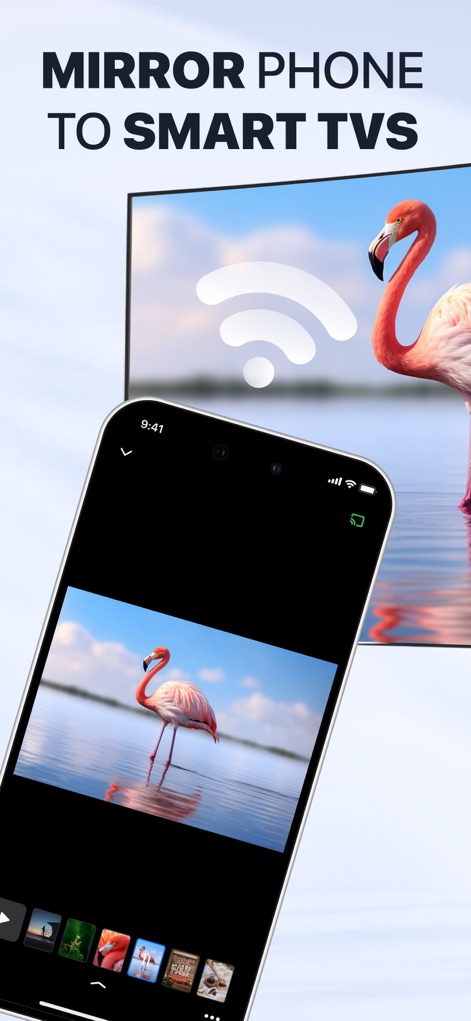
L'app permette agli utenti di proiettare facilmente contenuti, come l'immagine del fenicottero, dal proprio iPhone a una Smart TV, evidenziando una connessione wireless immediata con l'icona Wi-Fi.
Mirroring Veloce
Questo screenshot celebra il successo dell'app, mostrato dal badge "#1 SCREEN MIRRORING" e dalla fiducia di oltre "5M+ Happy Users" con una valutazione di cinque stelle.
Leader Riconosciuto
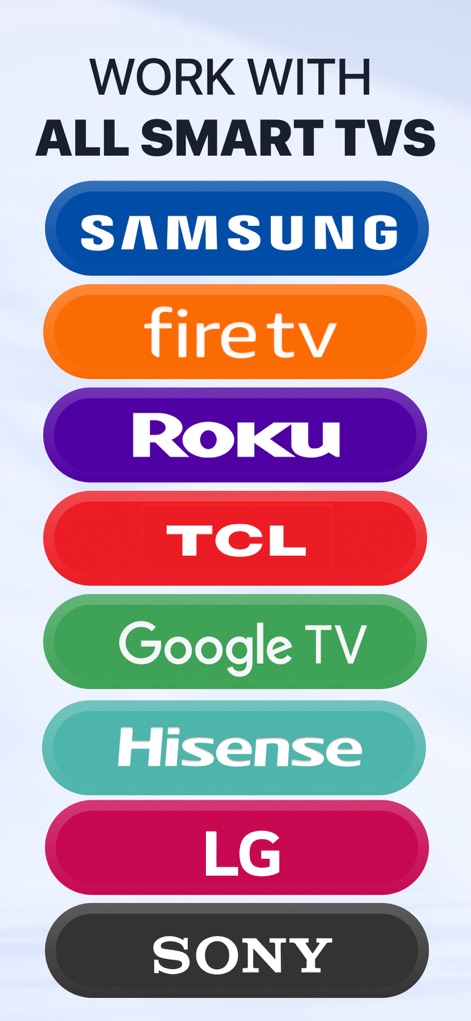
L'immagine illustra l'ampia compatibilità dell'app, supportando diversi marchi di Smart TV come "Samsung" e "Roku", garantendo agli utenti una connettività universale.
Ampia Compatibilità
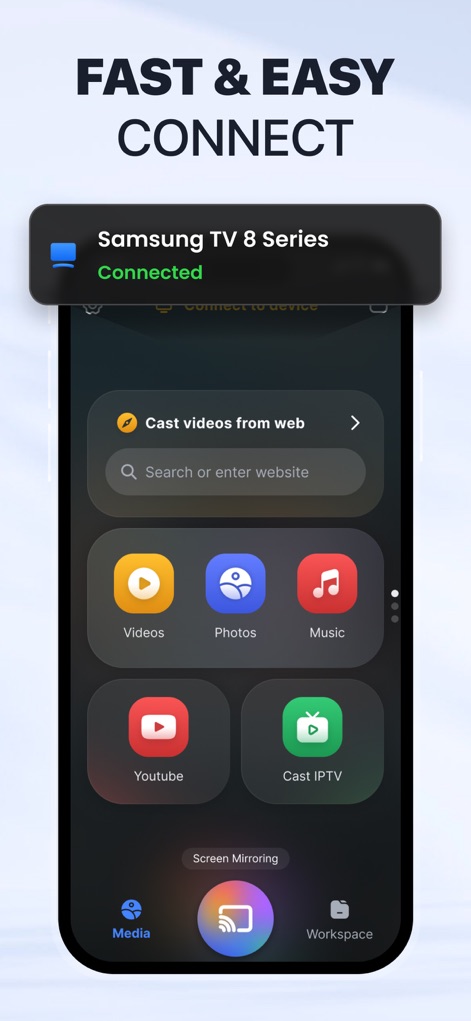
Gli utenti beneficiano di una connessione rapida e intuitiva, come evidenziato dalla notifica "Connected" a una "Samsung TV 8 Series" e dalle chiare opzioni di casting per "Videos" e "Photos".
Connessione Intuitiva
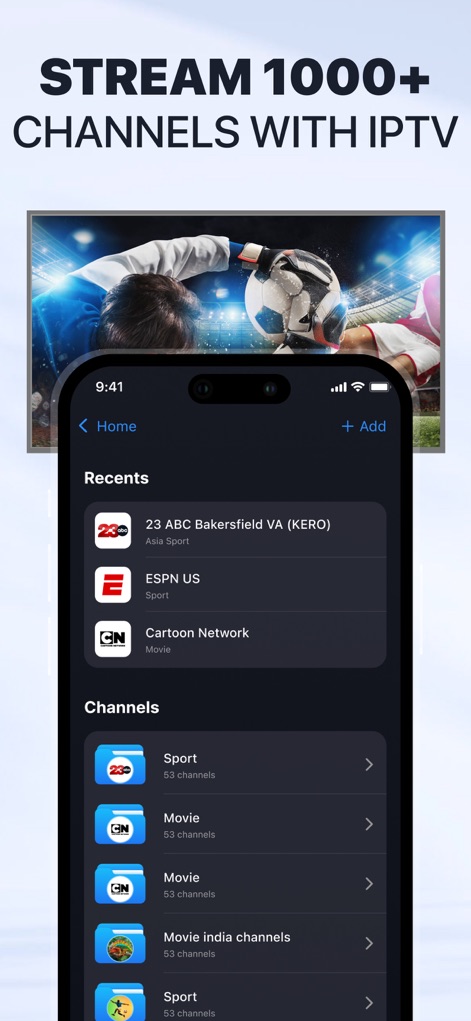
La schermata dimostra la ricchezza dell'offerta IPTV dell'app, con la possibilità di accedere a "1000+ CHANNELS" e visualizzare categorie come "Sport" e "Movie" direttamente sul televisore.
IPTV Globale

Questa funzione innovativa permette agli utenti di condividere disegni in tempo reale, visibili sia sull'interfaccia dell'iPhone con il disegno colorato che specchiati sulla Smart TV.
Creatività Condivisa
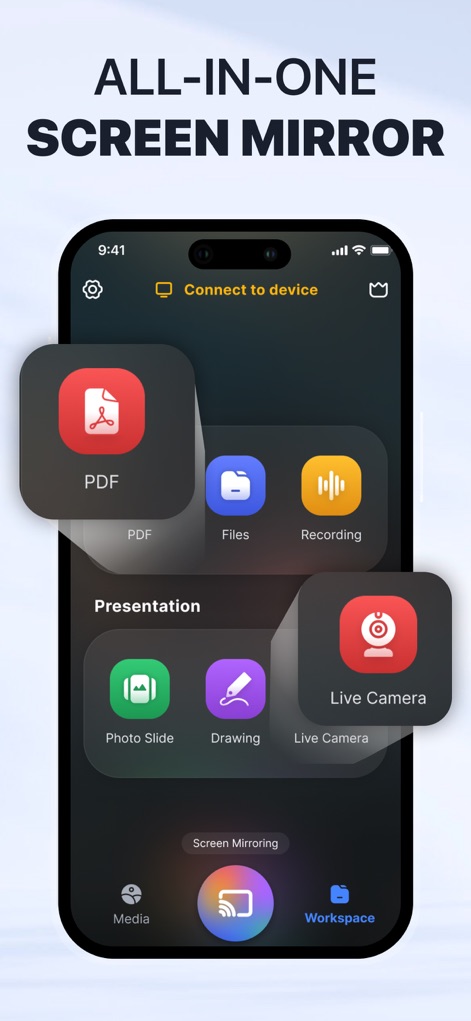
L'app si posiziona come un hub di mirroring all-in-one, offrendo un "Workspace" dedicato con strumenti di produttività come "PDF" e "Live Camera" per diverse esigenze.
Hub Versatile
Descrizione
Download
App Simili
App con funzionalità ed esperienza simili

Web Video Cast | Browser to TV
InstantBits Inc

PigeonCast:Send by Google Cast
Sichuan FalconAI Technology Co., Ltd.

Screen Mirroring • Smart TV
Mihkel Pikk

Screen Mirroring | Cast to TV
Ozuna Limited

Screen Mirroring・Smart View TV
TOGGLE APPS SP Z O O

UbeCast: Music Streamer & PiP
AER SOFTWARE COMPANY LIMITED

AirDroid Cast-screen mirroring
SAND STUDIO CORPORATION LIMITED

Miracast: Screen Mirroring TV
Hainan Delta Software Co., Ltd

Screen Mirroring・Air Cast TV
Dalma Innovation Solutions d.o.o.
Questa pagina non è una pagina ufficiale dell'app o del suo sviluppatore, ma una pubblicazione editoriale indipendente creata a scopo informativo e di commento. Salvo espressa indicazione contraria, né l'app né il suo sviluppatore sono affiliati, approvati, sponsorizzati, autorizzati o altrimenti ufficialmente collegati a MWM, Apple, Google Play, all'editore dell'app o allo sviluppatore dell'app, e nulla in questa pagina implica che l'app sia stata sviluppata utilizzando i servizi di MWM. Tutti i marchi, loghi, screenshot e altri contenuti rimangono di proprietà dei rispettivi proprietari.