Screen Recorder & Recorder

Screen Recorder & Recorder

Scarica su App Store
Logo di Screen Recorder & Recorder

Registratore schermo e Registratore: Cattura, Modifica e Trasmetti in Streaming come un professionista

Crea tutorial, reazioni di gioco e walkthrough senza watermark con FaceCam. Registra in HD 1080p, perfeziona i tuoi video con l'editor integrato e vai in diretta all'istante, tutto da un'unica app.

Editore

K NAROLA BROTHERS & CO

Categoria

Productivity

Download

143K+

Valutazione

4.6/5

Valutazioni totali

2K+

Lingue

1

Qualità Pro a colpo d'occhio

Scopri l'interfaccia usata da 143K+ utenti.

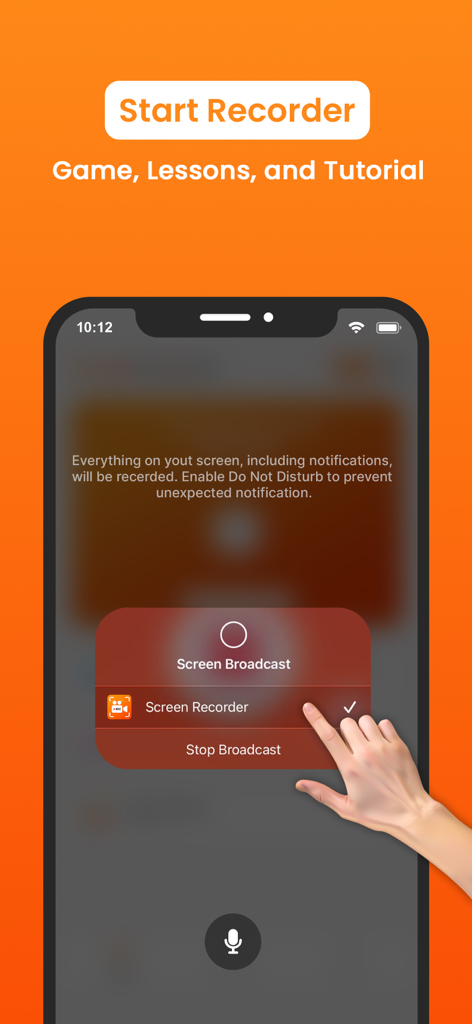
Avvio di una sessione di registrazione schermo su iPhone utilizzando l'app Registratore schermo per giochi e tutorial
Avvio di una sessione di registrazione schermo su iPhone utilizzando l'app Registratore schermo per giochi e tutorial

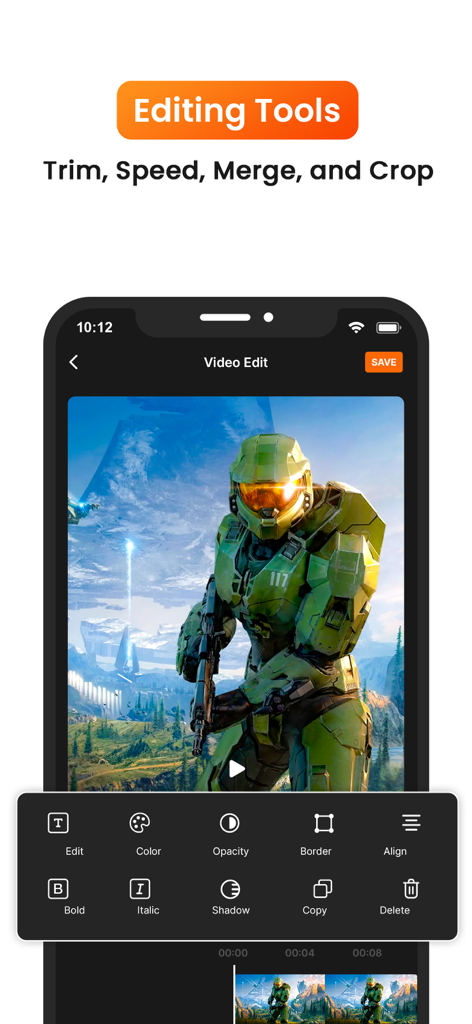
Interfaccia di un'app mobile che mostra strumenti di editing video per filmati di gioco, inclusi ritaglio e regolazioni colore
Interfaccia di un'app mobile che mostra strumenti di editing video per filmati di gioco, inclusi ritaglio e regolazioni colore

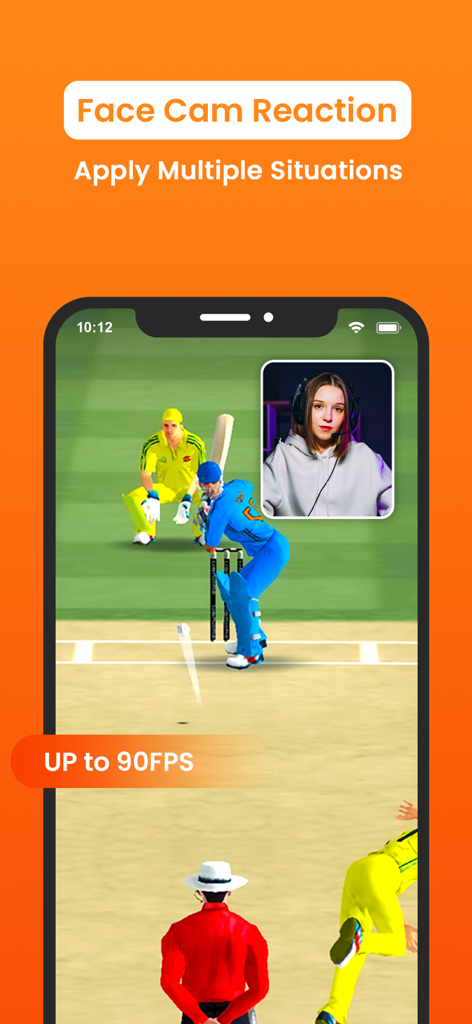
Interfaccia di un'app di registrazione schermo che mostra un gioco di cricket con una sovrapposizione FaceCam in picture-in-picture per le reazioni dei giocatori
Interfaccia di un'app di registrazione schermo che mostra un gioco di cricket con una sovrapposizione FaceCam in picture-in-picture per le reazioni dei giocatori

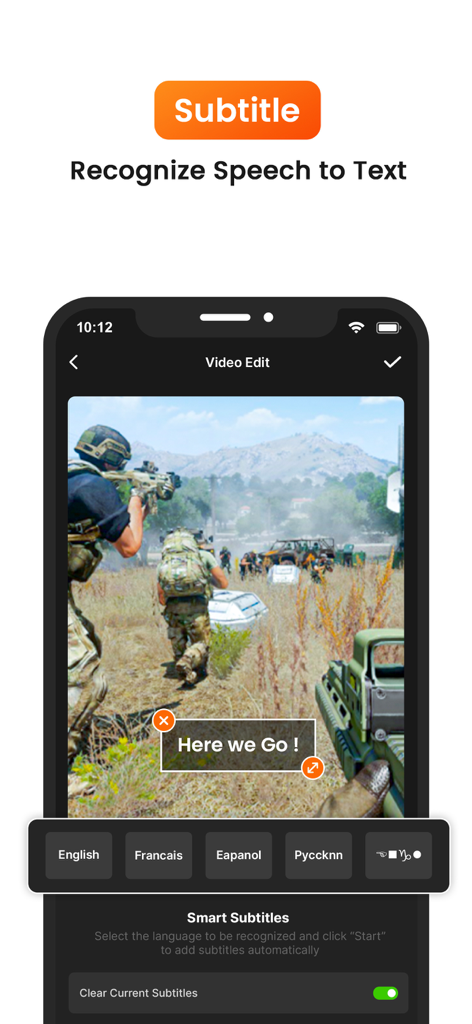
Interfaccia di un'app di registrazione schermo per aggiungere sottotitoli intelligenti e sintesi vocale nell'editing video
Interfaccia di un'app di registrazione schermo per aggiungere sottotitoli intelligenti e sintesi vocale nell'editing video

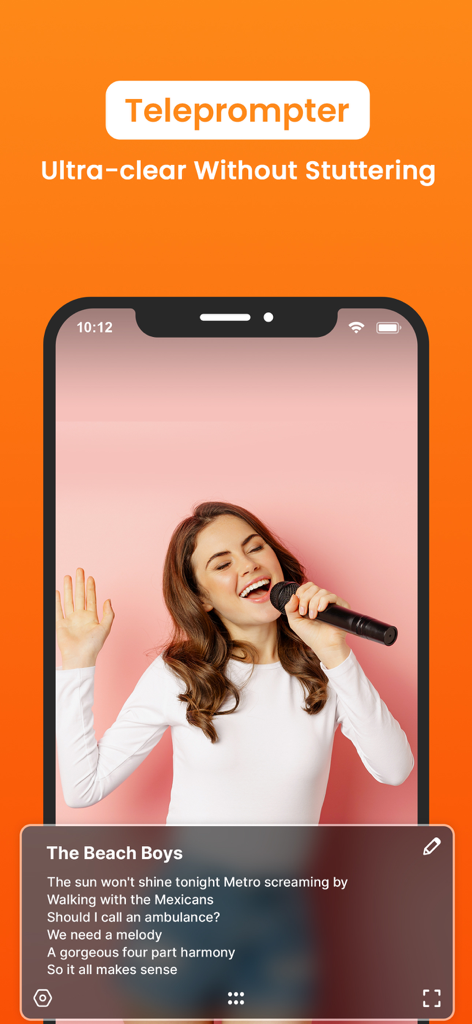
Interfaccia di un'app mobile che mostra una funzione di gobbo per una registrazione video fluida e la lettura di copioni.
Interfaccia di un'app mobile che mostra una funzione di gobbo per una registrazione video fluida e la lettura di copioni.

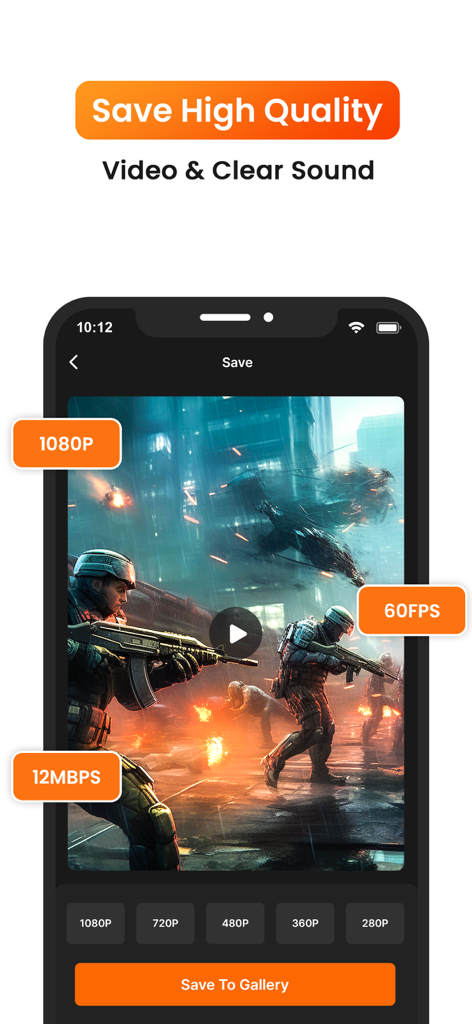
Interfaccia di un'app di registrazione schermo che mostra opzioni di esportazione video di alta qualità per risoluzione 1080p e 60fps

Interfaccia di un'app di registrazione schermo che mostra opzioni di esportazione video di alta qualità per risoluzione 1080p e 60fps

Crea contenuti come un professionista

Gli strumenti che rendono questa app unica, scelti da 143K+ utenti.

🤳

Integrazione FaceCam e Audio

Aggiungi la tua personalità a gameplay e tutorial con reazioni picture-in-picture e audio interno cristallino.

✂️

Editor Pro All-in-One

Taglia, ritaglia, aggiungi musica e regola la velocità senza lasciare l'app. Passa da filmati grezzi a contenuti pronti per diventare virali in pochi minuti.

Mai nessun watermark

Esporta video professionali 1080p/60fps che mantengono l'attenzione sul tuo marchio. Pulito, nitido e pronto per qualsiasi piattaforma.

Analisi recensioni

Approfondimenti dalle recensioni degli utenti.

Punteggio sentimento

28%
Negativo

Riepilogo

This mobile app receives mixed to largely negative feedback from users. While some appreciate its good video quality, ease of use for general or game recording, and utility for capturing specific sounds (with one user noting the absence of a watermark), the app is plagued by several critical issues. A prevalent problem involves recording functionality, where videos frequently fail to save, are corrupted, or do not appear in the album, with specific reports of previous recordings saving over current ones after multiple uses. Users also widely criticize the lack of essential UI controls, such as a pause button or a floating record indicator, and the overwhelming presence of intrusive and sometimes inappropriate advertisements, alongside various audio problems like delayed or absent sound.

Temi comuni

Recording Functionality(6)
Audio Features(3)
User Interface & Controls(2)
Video Quality(2)
Ad & Monetization Experience(1)

Info sull'app

Tutto quello che devi sapere su Screen Recorder & Recorder.

Descrizione

Screen Recorder is a powerful and easy-to-use app that allows you to record high-quality videos of your screen activities on Phone. Whether you're creating tutorials, game walkthroughs, or live streams, this app has everything you need to capture and share your screen effortlessly. ◆ Key Features ◆ • High-Quality Screen Recording: Record your screen in HD, up to 1080p resolution and 60 fps for a smooth, high-quality video experience. • FaceCam & Audio Recording: Add a personal touch to your videos by recording yourself using FaceCam, along with internal and external audio support. This is perfect for tutorials, gaming reactions, or presentations. • Live Streaming: Stream your screen directly to popular platforms like YouTube, Twitch, and Facebook in real-time. Engage with your audience while showing off your gameplay, app tutorials, or live presentations. • Video Editor: After recording, polish your videos with our built-in editor. Trim, cut, or merge clips, add text, music, and stickers for professional-looking results. You can even adjust playback speed for timelapse or slow-motion effects. • Video Sharing: Instantly share your recorded videos or live streams to social media platforms like YouTube, Instagram, Facebook, and more, or save them to your device's camera roll for later use. • Customizable Settings: Control recording parameters like resolution, bitrate, and frame rate to tailor your videos to your exact needs. • Record Games, Tutorials, & More: Capture your gameplay, create app tutorials, record video calls, or show step-by-step instructions with ease. • No Watermarks: Enjoy recording your screen without any watermarks, ensuring that your content looks clean and professional. • Background Recording: Continue recording even when switching apps or when your screen is off, perfect for longer tutorials or multi-tasking. • Countdown Timer & Gesture Controls: The countdown timer allows you to prepare before recording, while gesture controls help you highlight important areas on the screen during your video. ◆ Why Choose Screen Recorder? • User-Friendly Interface: Easy setup and recording for both beginners and professionals. • Ad-Free Experience: Enjoy an uninterrupted experience while recording or editing videos. • Free with Optional Premium Features: Get full access to basic recording features for free, with the option to unlock additional tools and advanced features via in-app purchases. ◆ How to Use: 1. Open the app and tap the "Start Recording" button. 2. Adjust your recording settings (resolution, frame rate, etc.). 3. Start recording your screen with just one tap. 4. Once done, access your recording in the gallery to edit or share. 5. Add FaceCam or external audio if needed. 6. Share your content or stream live with the tap of a button! ◆ Perfect for - Gamers looking to share gameplay videos - YouTubers and vloggers creating tutorials and app reviews - Teachers and educators making instructional videos - Anyone who needs to record and share their phone screen activities Get unlimited access to all premium features of Screen Recorder Pro by Subscribe Monthly Screen Recorder Pro at $1.99 and Yearly Screen Recorder Pro at $9.99 to use ads free versions of the premium app which can cancel anytime. • Privacy Policy: https://sites.google.com/view/knarolaprivacy •Terms of Service: https://sites.google.com/view/knarolaterms Download Screen Recorder today and start capturing your screen like a pro! Download now and turn your phone into a powerful content creation tool!

Ultima versione

1.9

Dimensione

33.7 MB

Data di lancio

17 ott 2024

Inizia a catturare il tuo schermo come un professionista

Unisciti a oltre 143.000 creatori che registrano tutorial, gameplay e streaming live di alta qualità senza watermark. Scarica ora per trasformare il tuo telefono in uno studio di produzione professionale.

Scarica su App Store

App information, icons, screenshots, and descriptions displayed on this page are sourced from the Apple App Store and are the property of their respective developers. Download estimates and rankings are based on MWM's proprietary models and may not reflect actual figures. This page is provided for informational and analytical purposes only.

Believe this page infringes your intellectual property? File a dispute