ServerLife - Tip Tracker
Scarica su App Store

Questa pagina non è una pagina ufficiale dell'app o del suo sviluppatore, ma una pubblicazione editoriale indipendente creata a scopo informativo e di commento. Salvo espressa indicazione contraria, né l'app né il suo sviluppatore sono affiliati, approvati, sponsorizzati, autorizzati o altrimenti ufficialmente collegati a MWM, Apple, Google Play, all'editore dell'app o allo sviluppatore dell'app, e nulla in questa pagina implica che l'app sia stata sviluppata utilizzando i servizi di MWM. Tutti i marchi, loghi, screenshot e altri contenuti rimangono di proprietà dei rispettivi proprietari.


Logo di ServerLife - Tip Tracker
Scarica su App Store

ServerLife - Tip Tracker

Smetti di chiederti dove finiscono i tuoi contanti. Unisciti a oltre 500.000 professionisti del settore dei servizi e della gig economy che utilizzano lo strumento n. 1 per monitorare le mance, analizzare i turni e padroneggiare il proprio reddito variabile.

Numeri Chiave

Download

398K+

Valutazione

4.8/5

Valutazioni totali

8K+

Editore

MZBApps LLC

Categoria

Finance

Lingue

1

Ultima versione

2.1.24

Dimensione

53.9 MB

Data di lancio

13 apr 2016
Funzioni

Gestisci al meglio il tuo flusso di denaro

Dalle mance in contanti ai salari orari, ServerLife ti fornisce i dati necessari per lavorare in modo più intelligente e far crescere il tuo conto in banca.

Chiarezza sui guadagni in tempo reale

Vedi istantaneamente quanto hai guadagnato in tutti i tuoi lavori. Niente più contanti che spariscono: solo una chiara visibilità su ogni centesimo in tasca.

Confronto intelligente dei turni

Identifica i tuoi giorni, settori e ruoli più redditizi. Usa una potente logica di filtraggio per lavorare dove ci sono i soldi e massimizzare il tuo tempo.

Gli screenshot e la descrizione seguenti provengono direttamente dall'elenco ufficiale dello store dell'app e sono di proprietà dello sviluppatore.

App Store

Screenshot
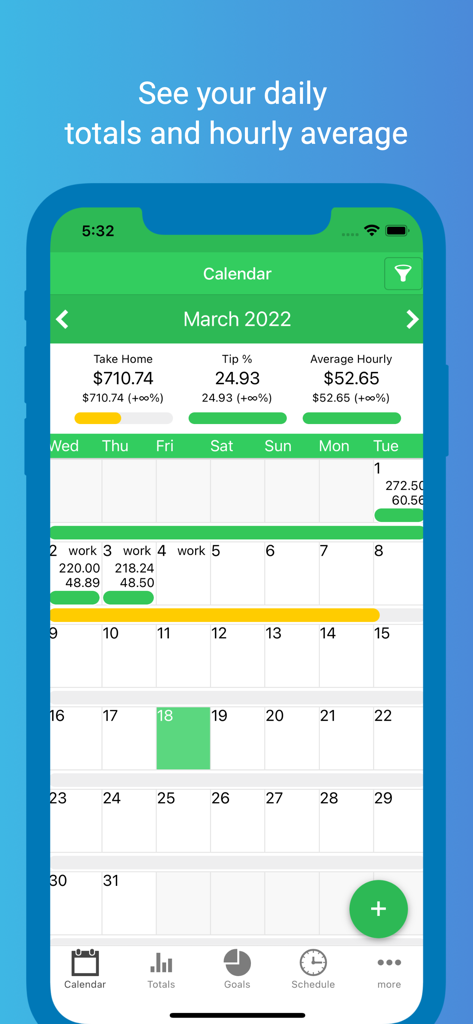
ServerLife - Tip Tracker - Vista calendario mensile dell'app ServerLife che mostra i totali giornalieri delle mance e le medie orarie.
Vista calendario mensile dell'app ServerLife che mostra i totali giornalieri delle mance e le medie orarie.

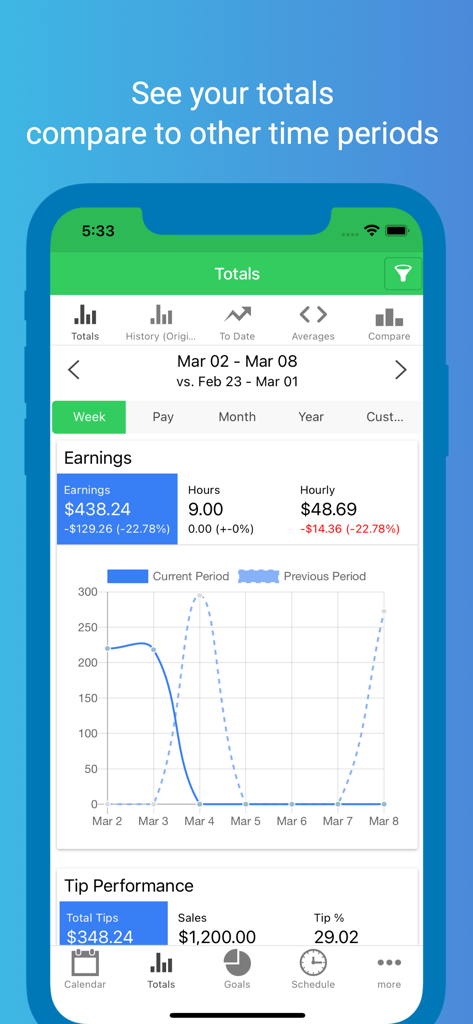
ServerLife - Tip Tracker - Screenshot dell'app ServerLife che mostra i totali dei guadagni settimanali e i grafici di confronto delle prestazioni delle mance.
Screenshot dell'app ServerLife che mostra i totali dei guadagni settimanali e i grafici di confronto delle prestazioni delle mance.

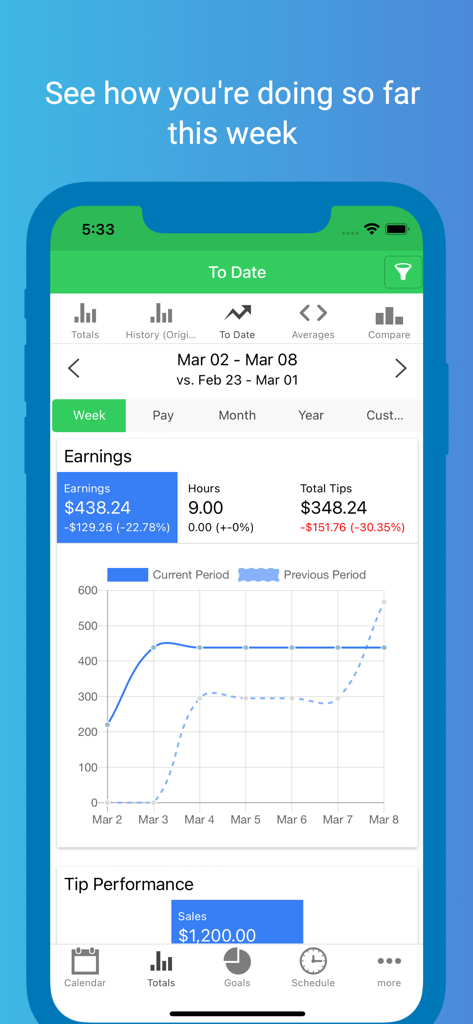
ServerLife - Tip Tracker - Interfaccia dell'app ServerLife che mostra il riepilogo dei guadagni settimanali con un grafico di confronto tra mance e ore.
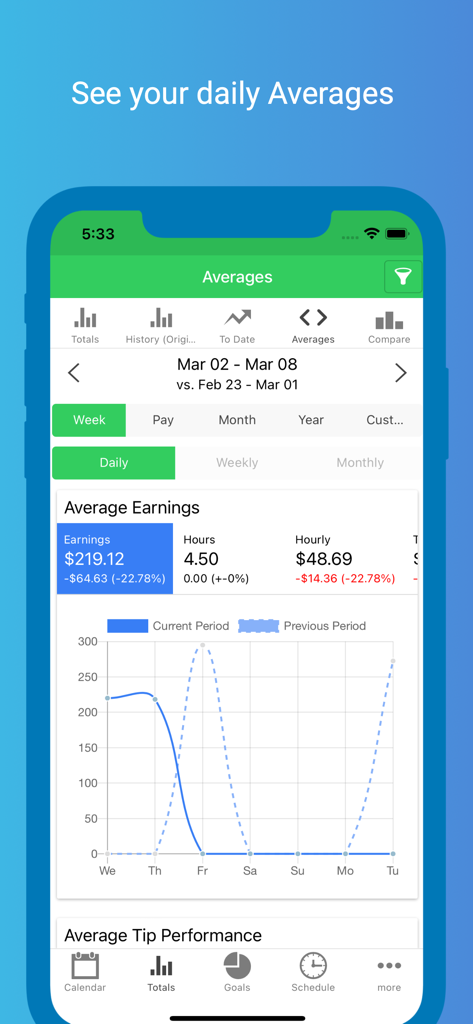
Interfaccia dell'app ServerLife che mostra il riepilogo dei guadagni settimanali con un grafico di confronto tra mance e ore.

ServerLife - Tip Tracker - Screenshot dell'app ServerLife che mostra una dashboard con i guadagni medi giornalieri, le tariffe orarie e i grafici di confronto delle prestazioni.
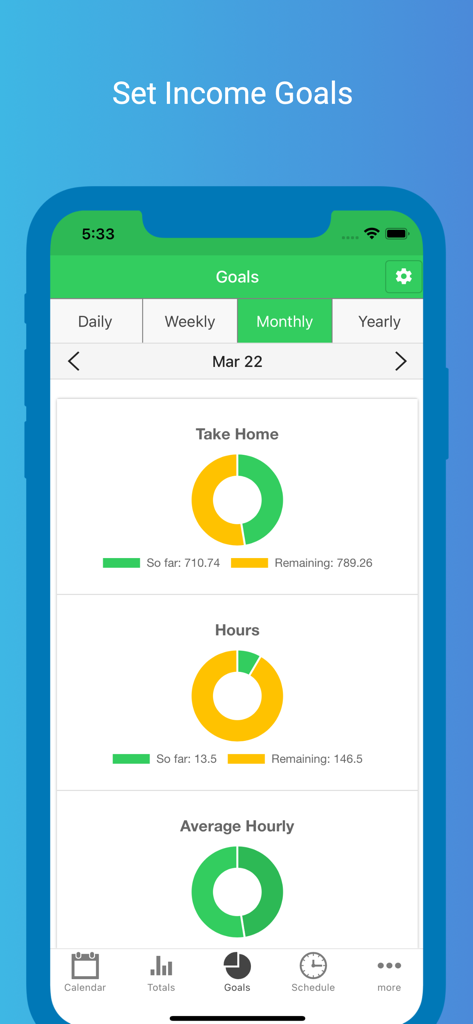
Screenshot dell'app ServerLife che mostra una dashboard con i guadagni medi giornalieri, le tariffe orarie e i grafici di confronto delle prestazioni.

ServerLife - Tip Tracker - Interfaccia dell'app ServerLife che mostra gli obiettivi mensili di reddito e ore con grafici a ciambella dei progressi.
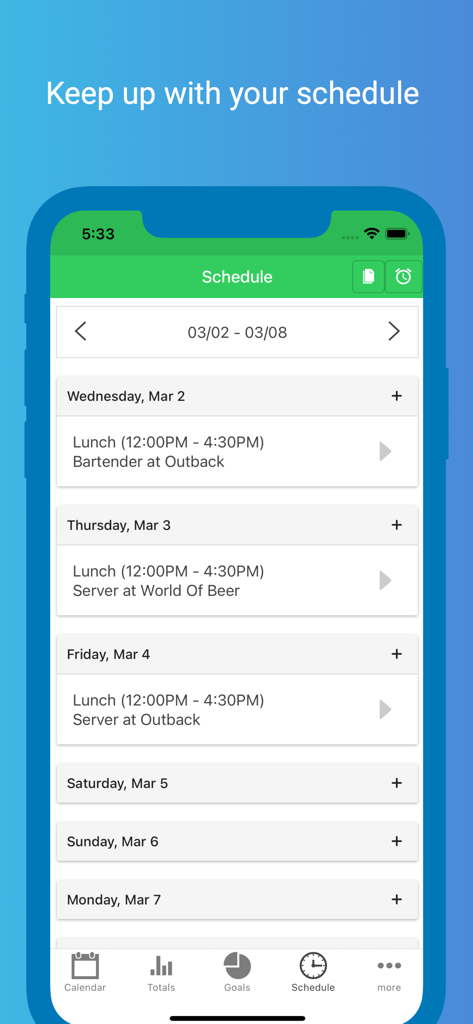
Interfaccia dell'app ServerLife che mostra gli obiettivi mensili di reddito e ore con grafici a ciambella dei progressi.

ServerLife - Tip Tracker - Un programma di lavoro settimanale all'interno dell'app ServerLife che mostra gli orari dei turni e le sedi di lavoro.
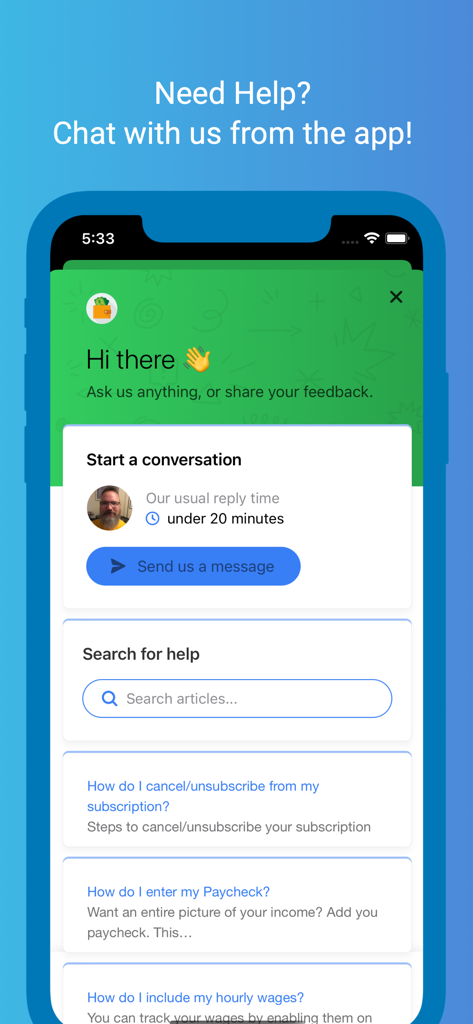
Un programma di lavoro settimanale all'interno dell'app ServerLife che mostra gli orari dei turni e le sedi di lavoro.

ServerLife - Tip Tracker - Screenshot del centro assistenza dell'app ServerLife che mostra le opzioni per la chat dal vivo e gli articoli di supporto.

Screenshot del centro assistenza dell'app ServerLife che mostra le opzioni per la chat dal vivo e gli articoli di supporto.

Descrizione

ServerLife is the best Tip Tracker app that enables you to clearly see the money you earn. Half a million people like you have entered over 30 Million tips! Are you tired of never knowing exactly how much money you make because it ends up as cash in your pocket? ServerLife will solve that. ServerLife is perfect for anyone whose income is variable and fluctuates from week to week. Hospitality Industry (Servers, Bartenders, Hosts) Gaming Dealers Uber & Lyft Drivers Shoppers (Shipt, Instacart) Hair Stylist, Barbers, Makeup Artists Fitness and Yoga Instructors, Personal Trainers Real Estate Agents Freelancers & Entrepreneurs Small Business Owners Self Employed Individuals Independent Contractors Enter your earnings at the end of your shift and easily see your totals. You'll be able to clearly see which days pay the best with our powerful filtering and comparison logic. You can easily track the following values for each entry: - Tips - Hours - Notes HISTORY The History page will show you the total tips and wages you earned for the any week, 2 weeks, semimonthly, month and year. DAILY AVERAGES Want to see the daily average for any month and year - head over to the Averages page. This page breaks down the daily averages for any month and the entire year. REMINDERS You can configure ServerLife to remind you to enter your tips. We all get busy and forget important things sometimes. Have ServerLife remind you to enter your tips at the same time every day. START OF WEEK Does your pay week start on a Tuesday? No problem you can change the start of the week so that the charts and totals will align with how you get paid. NEXT LEVEL Want even more from the app? Take your tracking to the next level with the in app purchase of the Advanced features. With the in app purchase you'll be able to see: - Work Schedule - Pictures - Credit/Cash Tips - Expenses - Sales Total/Tip % - Hourly Wage - Covers - Tips/Sales per Cover - Miles/Deliveries - Mile and Delivery Fee - Tip Out (Tips to others) - Tip In (Tips to you) - Weekly and Monthly Averages WORK SCHEDULE Tired of always referring back to the picture you took of the schedule? Quickly enter your weekly schedule and add default reminders so you're never late again. EXPENSES Have additional expenses that you payout to work, i.e. childcare, meals at work, transportation, or Tip Out multiple positions? Track them with Expense categories. HOURLY WAGE Want to include your hourly wage with your tips? Track your hourly wages so that your earnings are more accurate. GOALS Studies have shown that when you set a goal for yourself you are more likely to progress faster towards that goal. You can set daily, weekly, and monthly goals with any of the 17 fields the app calculates. TRACK MULTIPLE JOBS Work multiple Jobs or different Positions that have a different hourly wage? You can track the following with the in app purchase: - Multiple Jobs, Positions (with different hourly wage), Sections, and Shifts (save the typical start and end time and it'll populate when you enter your tip) COMPARE Compare all of these on the Compare page. Here you can compare your Jobs, Positions, Sections, or Shifts to see which one you're making the most money. FILTER Once you start tracking your Jobs, Positions, Sections or Shifts you can filter any of the pages to show any combination of these. You can also filter to show Paychecks or Tips. IMPORT YOUR DATA Upgrading from the Just the Tips or TipSee app? Email us your latest backup file and we'll import it for you. Step by step instructions are located on the Import button on the Settings page. SAFE AND SECURE Your data is always safe and secure. All of your data is saved to our private cloud securely every time you make a change. It is available on all of your devices. Even if you lose and get a new phone your data will always be safe. Terms and Conditions: https://www.iubenda.com/terms-and-conditions/30944670

Download

Scarica su App Store

Questa pagina non è una pagina ufficiale dell'app o del suo sviluppatore, ma una pubblicazione editoriale indipendente creata a scopo informativo e di commento. Salvo espressa indicazione contraria, né l'app né il suo sviluppatore sono affiliati, approvati, sponsorizzati, autorizzati o altrimenti ufficialmente collegati a MWM, Apple, Google Play, all'editore dell'app o allo sviluppatore dell'app, e nulla in questa pagina implica che l'app sia stata sviluppata utilizzando i servizi di MWM. Tutti i marchi, loghi, screenshot e altri contenuti rimangono di proprietà dei rispettivi proprietari.