
Questa pagina non è una pagina ufficiale dell'app o del suo sviluppatore, ma una pubblicazione editoriale indipendente creata a scopo informativo e di commento. Salvo espressa indicazione contraria, né l'app né il suo sviluppatore sono affiliati, approvati, sponsorizzati, autorizzati o altrimenti ufficialmente collegati a MWM, Apple, Google Play, all'editore dell'app o allo sviluppatore dell'app, e nulla in questa pagina implica che l'app sia stata sviluppata utilizzando i servizi di MWM. Tutti i marchi, loghi, screenshot e altri contenuti rimangono di proprietà dei rispettivi proprietari.

Shot Designer
Lo strumento all-in-one per registi e direttori della fotografia per creare diagrammi di ripresa professionali, shot list automatizzate e animazioni in tempo reale. Ottimizza il tuo flusso di lavoro e dai vita alla tua visione, anche quando il tempo stringe sul set.
Download
96K+Valutazione
Valutazioni totali
600Editore
Categoria
Photo & VideoLingue
1Ultima versione
1.80.8Dimensione
81.8 MBData di lancio
10 ott 2012Padroneggia il Set con un Blocking di Precisione
Shot Designer rivoluziona il tuo flusso di lavoro integrando diagrammi di ripresa, shot list e storyboard in un unico strumento professionale e senza interruzioni, pensato per produzioni ad alto rischio.
Blocking Fulmineo
Crea complessi diagrammi di ripresa in pochi secondi. Il nostro software intelligente riorganizza automaticamente le telecamere quando sposti i personaggi, così puoi rifare il blocking anche mentre gli attori aspettano.
Shot List Auto-Scriventi
Smetti di perdere tempo con i fogli di calcolo. La tua shot list è direttamente collegata al tuo diagramma e si aggiorna in tempo reale mentre lavori, garantendo che il tuo piano e la tua lista siano sempre sincronizzati.
Gli screenshot e la descrizione seguenti provengono direttamente dall'elenco ufficiale dello store dell'app e sono di proprietà dello sviluppatore.
App Store
Screenshot
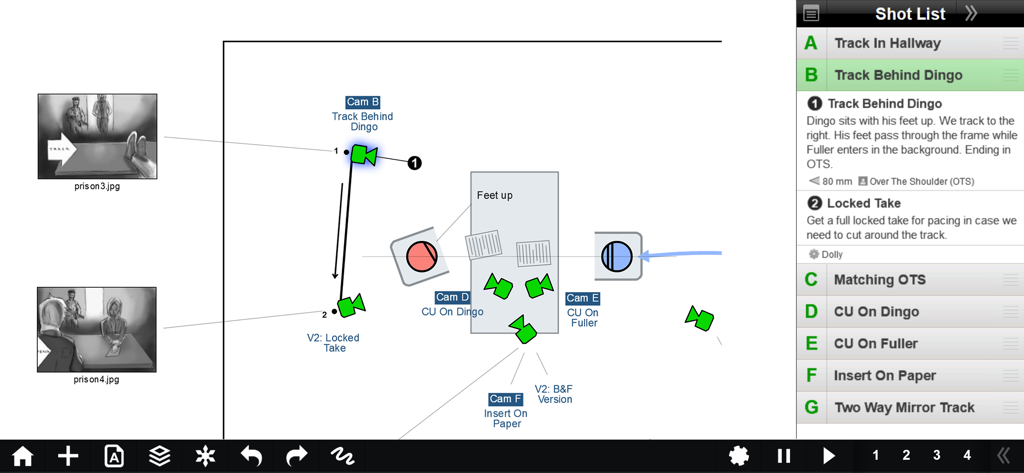
Interfaccia dell'app Shot Designer che mostra un diagramma di blocking della telecamera con movimenti dei personaggi e una shot list integrata
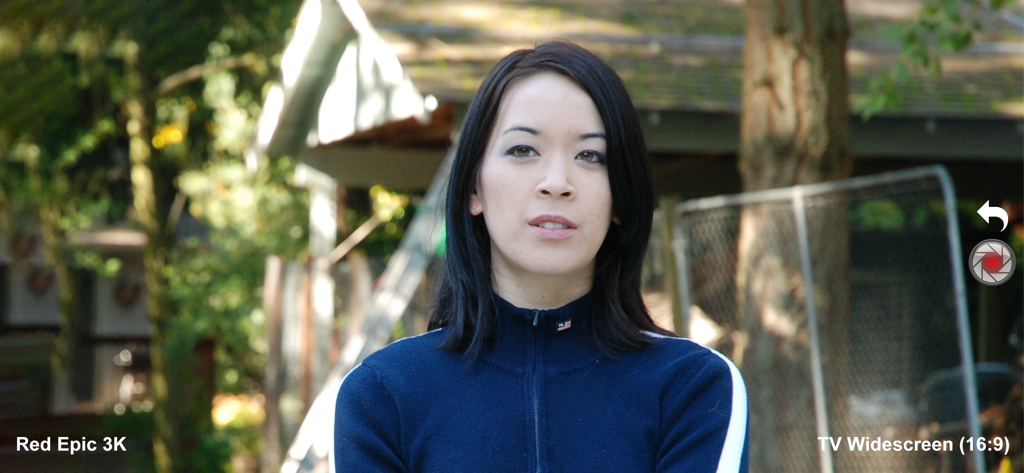
Mirino del regista dell'app Shot Designer che mostra la simulazione di una telecamera Red Epic 3K e il formato widescreen
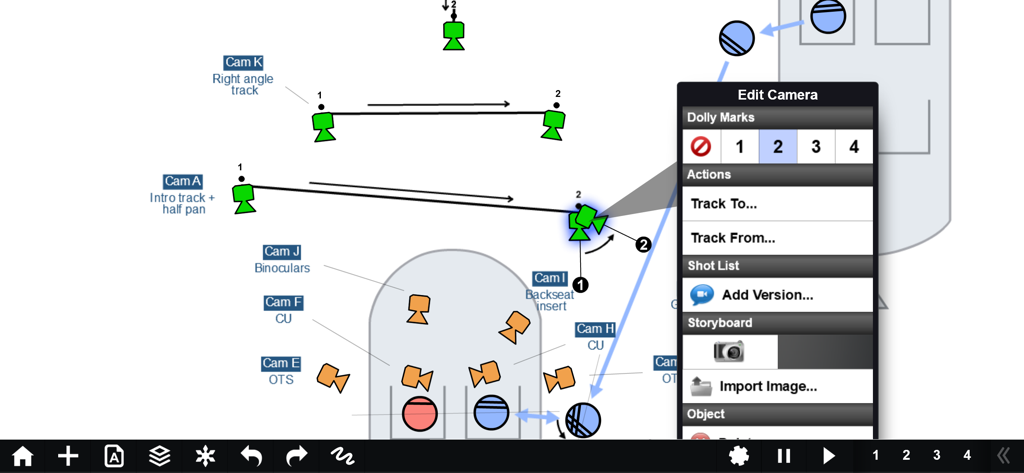
Un diagramma di blocking della telecamera professionale nell'app Shot Designer che mostra movimenti di tracciamento della telecamera e segni di dolly.
Descrizione
Download
App Simili
App con funzionalità ed esperienza simili



Questa pagina non è una pagina ufficiale dell'app o del suo sviluppatore, ma una pubblicazione editoriale indipendente creata a scopo informativo e di commento. Salvo espressa indicazione contraria, né l'app né il suo sviluppatore sono affiliati, approvati, sponsorizzati, autorizzati o altrimenti ufficialmente collegati a MWM, Apple, Google Play, all'editore dell'app o allo sviluppatore dell'app, e nulla in questa pagina implica che l'app sia stata sviluppata utilizzando i servizi di MWM. Tutti i marchi, loghi, screenshot e altri contenuti rimangono di proprietà dei rispettivi proprietari.