ShotBOT

ShotBOT

Scarica su App Store
Logo di ShotBOT

ShotBOT: Lo Standard Professionale per la Gestione dei Dati VFX sul Set

Elimina costosi errori di post-produzione con tracciamento preciso, integrazione Teradek e reporting completo. Progettato da veterani del settore per soddisfare le esigenze ad alta pressione dei set cinematografici e televisivi moderni.

Scarica su App Store

Editore

Todd Freese

Categoria

Photo & Video

Download

2K+

Valutazione

1.0/5

Valutazioni totali

0

Lingue

1

Precisione sul Set

Scopri l'interfaccia usata da 2K+ utenti.
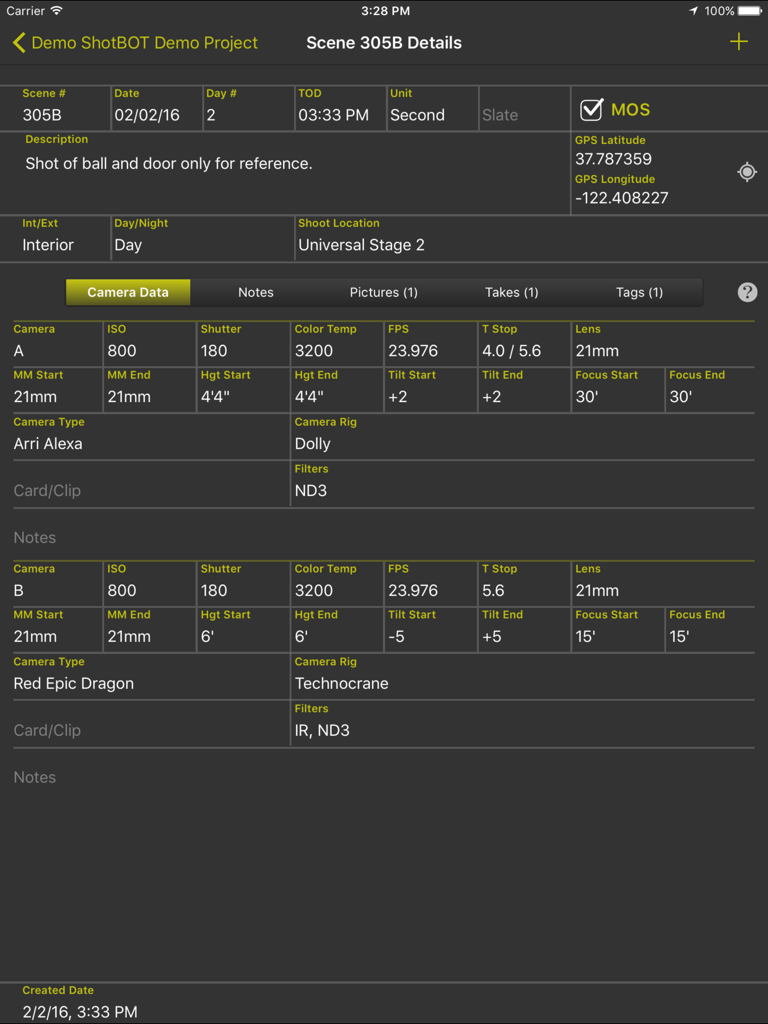
Interfaccia dell'app ShotBOT che visualizza metadati dettagliati della fotocamera e informazioni sulla scena su un iPad

Interfaccia dell'app ShotBOT che visualizza metadati dettagliati della fotocamera e informazioni sulla scena su un iPad

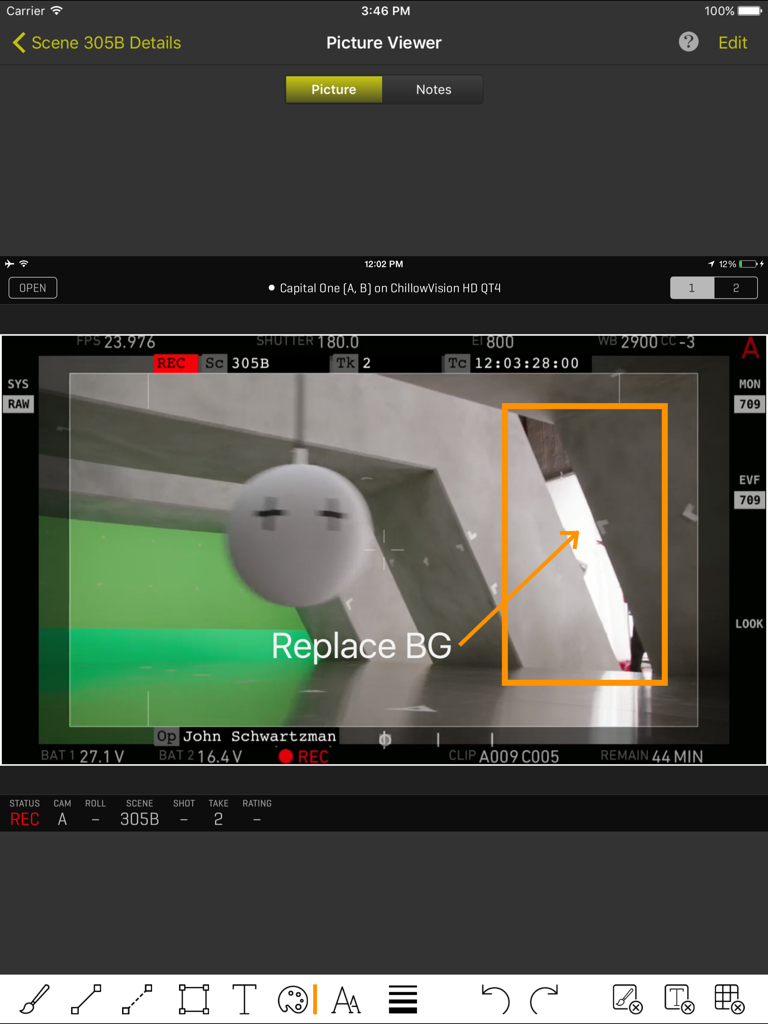
Interfaccia iPad di ShotBOT che mostra un'acquisizione di frame della fotocamera con annotazioni VFX professionali e metadati della scena.

Interfaccia iPad di ShotBOT che mostra un'acquisizione di frame della fotocamera con annotazioni VFX professionali e metadati della scena.

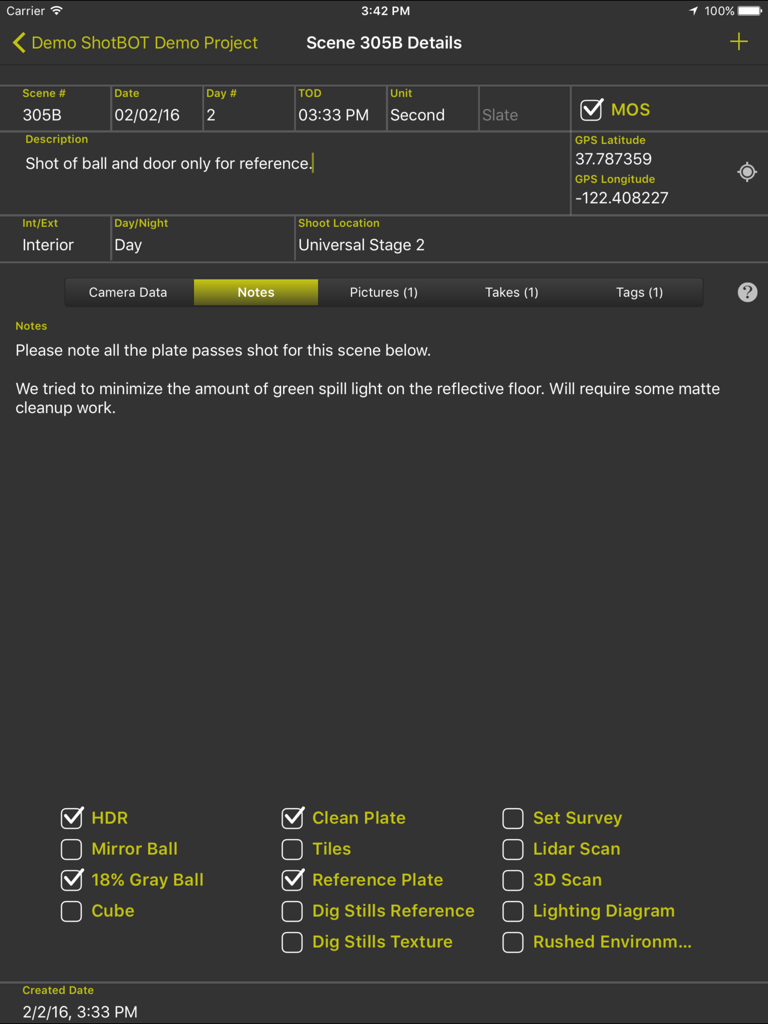
Interfaccia dell'app ShotBOT su iPad che mostra dettagli della scena VFX, note e caselle di controllo tecniche per la produzione cinematografica.

Interfaccia dell'app ShotBOT su iPad che mostra dettagli della scena VFX, note e caselle di controllo tecniche per la produzione cinematografica.

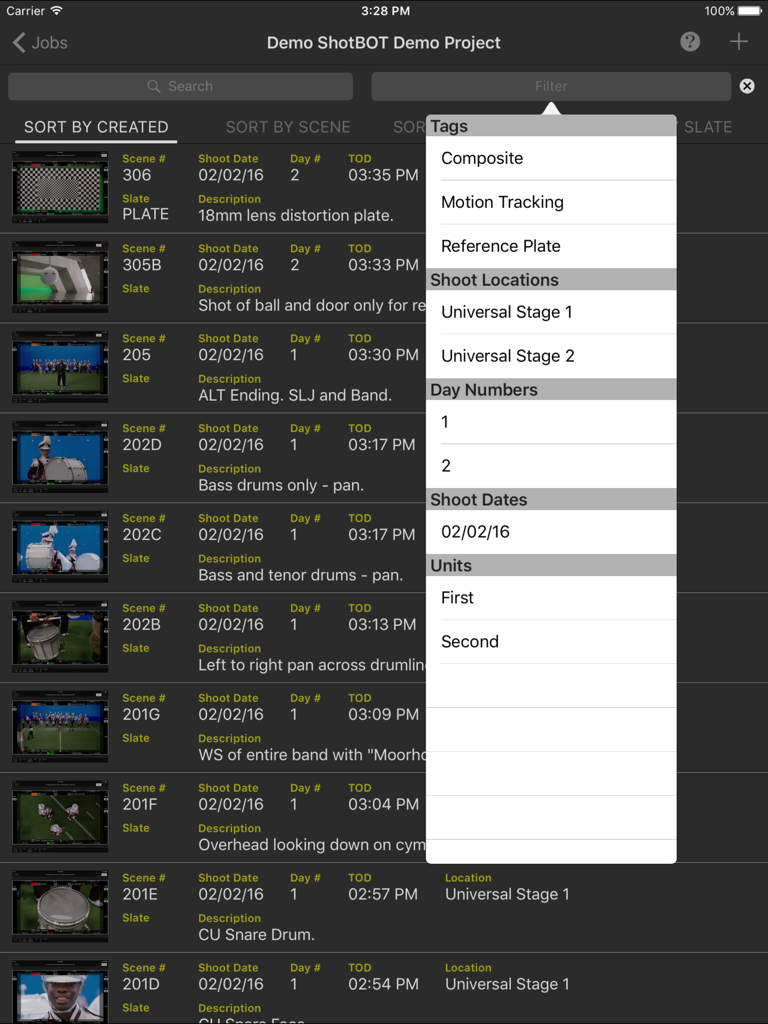
Interfaccia dell'app iPad ShotBOT che mostra un elenco di scene VFX e un menu filtro aperto con tag e posizioni di ripresa

Interfaccia dell'app iPad ShotBOT che mostra un elenco di scene VFX e un menu filtro aperto con tag e posizioni di ripresa

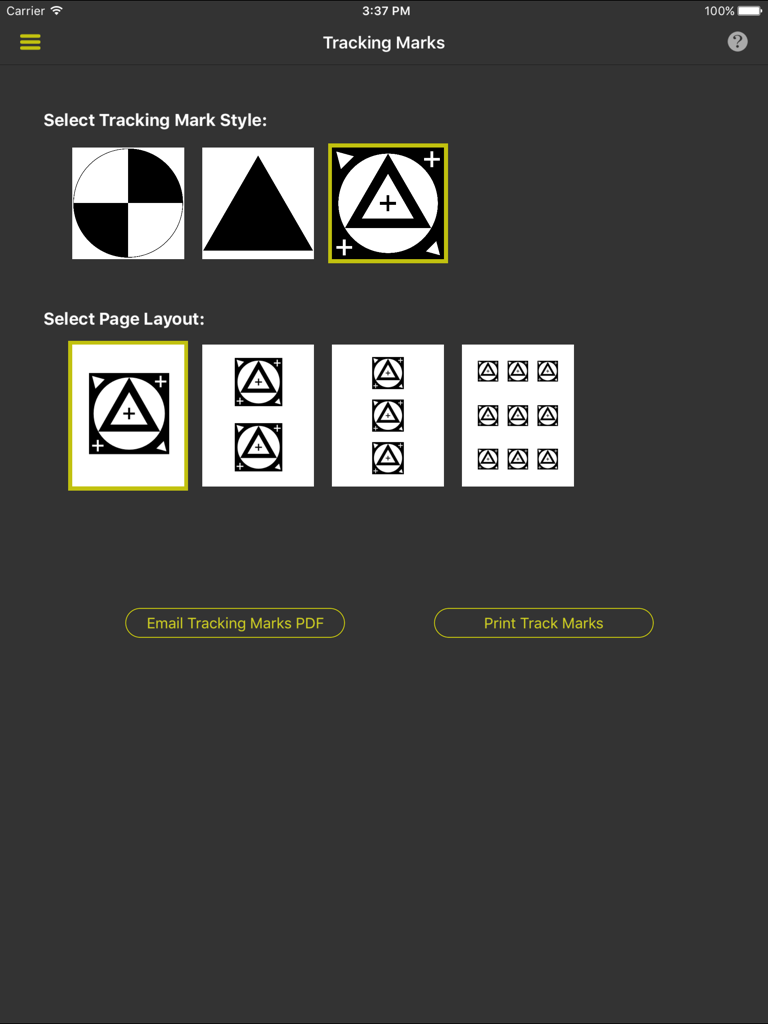
Interfaccia per la scelta degli stili dei marcatori di tracciamento VFX e dei layout di stampa in ShotBOT

Interfaccia per la scelta degli stili dei marcatori di tracciamento VFX e dei layout di stampa in ShotBOT

Costruito per i Rigori della Produzione

Gli strumenti che rendono questa app unica, scelti da 2K+ utenti.

🎯

Campi Dati Standard del Settore

Smetti di usare app di note generiche. Tieni traccia di tutto, dai diaframmi (T-Stop) e altezze dell'obiettivo, ai flag HDR e riferimenti Gray Ball con campi specializzati a inserimento rapido.

🎬

Integrazione Video Wireless

Connettiti direttamente agli encoder Teradek per acquisire frame di riferimento e visualizzare feed video live, assicurando che le tue note visive corrispondano perfettamente alla prospettiva della fotocamera.

📄

Reporting Professionale Automatizzato

Genera istantaneamente report di riprese VFX completi o esporta dati strutturati per colmare il divario tra la produzione fisica e il software di post-produzione.

Info sull'app

Tutto quello che devi sapere su ShotBOT.

Descrizione

ShotBOT is designed for professional visual effects supervisors, to use during production, to take all the necessary production notes when shooting visual effects scenes. It tracks all the VFX needs for film, TV, documentaries, music videos and commercial production. This app is designed by someone who has spent 20 years shooting visual effects. All advanced features are sold via in-app purchases so you only need to buy what you need. For more detailed information on ShotBOT, please check out our web site for demo screencasts and a comprehensive FAQ page. FEATURES -ShotBOT has all the fields you would expect. A full list of fields is at the bottom of this page. -Track general scenes or individual takes. -Print or email a comprehensive shooting report to your VFX artists after the shoot. -Built in drawing feature to create diagrams or annotate pictures. -App-wide built in help screens to explain every feature. -Supports multi-camera shoots. -Full support for user defined presets for all commonly used fields. Includes default set of presets for professional production. Entering the data for a scene is very fast! -Scenes can be tagged to group sets of scenes together for complete organization of the scenes. -Take pictures or import existing images for scene reference. -View and grab frames from a wireless, live video feed from the camera. (Requires Teradek wireless encoder and in-app purchase) -Print a variety of different style tracking marks in a variety of sizes. (Requires in-app purchase) -Two different interface styles. Dark for indoor, Light for outdoor. You will always be able to view screen content without blinding your eyes. -Export your data so you can import it into your own post production tracking software. (Require in-app purchase) -Optional ShotBOT Cloud option to backup your data in realtime and sync between multiple devices. (Require in-app purchase) JOB FIELDS -Job Number -Episode Name and Number -Working Title -Agency and Client Name -Product Description -Production Company Name -Default FPS -Job Description SCENE FIELDS -Scene Number -Scene Description -Slate -Shot Date, Day Number, Time of day. -Unit (First unit, second unit, plate unit) -MOS or Sync sound. -Interior/Exterior -Day, Night, or Day For Night -Shoot Location -Scene Notes -Flags for: HDR, Mirror Ball, 18% Gray Ball, Cube, Clean Plate, Tiles, Ref Plates, Dig Stills Ref, Dig Stills Texture, Set Survey, Lidar Scan, 3D Scan, Lighting Diagram, Rushed Enviroment. CAMERA FIELDS -Camera ID -Camera Type -Camera Rig -Card/Clip Info -Filters -ISO -Shutter -Color Temp -FPS -T Stop -Lens -MM Start & End -Camera Height Start & End -Camera Tilt Start & End -Camera Focus Start & End -Camera Notes TAKE FIELDS -Take Number -Hero or Circled Take Flag -Take Notes

Ultima versione

1.62

Dimensione

60.0 MB

Data di lancio

25 giu 2015

Pronto a Semplificare il Tuo Flusso di Lavoro VFX sul Set?

Unisciti ai professionisti del settore e ai data wrangler che si affidano a ShotBOT per un tracciamento ad alta precisione. Scarica ora e inizia a consegnare report VFX di livello professionale direttamente dal tuo iPad.

Scarica su App Store

App information, icons, screenshots, and descriptions displayed on this page are sourced from the Apple App Store and are the property of their respective developers. Download estimates and rankings are based on MWM's proprietary models and may not reflect actual figures. This page is provided for informational and analytical purposes only.

Believe this page infringes your intellectual property? File a dispute