Simple Flash Card Maker

Simple Flash Card Maker

Scarica su App Store
Logo di Simple Flash Card Maker

Simple Flash Card Maker: Padroneggia Qualsiasi Materia con Carte Multimediali Personalizzate

Crea mazzi di studio interattivi con video, audio e immagini. Che tu ti stia preparando per il SAT o imparando una nuova lingua, raggiungi i tuoi obiettivi 10 carte alla volta.

Scarica su App Store

Editore

Paul Stevenson

Categoria

Education

Download

3K+

Valutazione

3.1/5

Valutazioni totali

0

Lingue

1

Studio in Azione

Scopri l'interfaccia usata da 3K+ utenti.
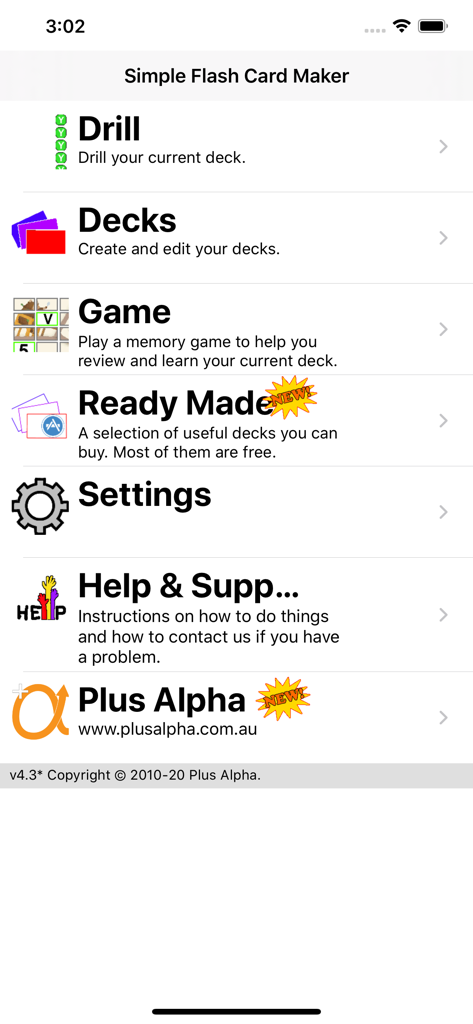
Schermata del menu principale dell'app Simple Flash Card Maker che mostra le opzioni per ripasso, mazzi, gioco e impostazioni.

Schermata del menu principale dell'app Simple Flash Card Maker che mostra le opzioni per ripasso, mazzi, gioco e impostazioni.

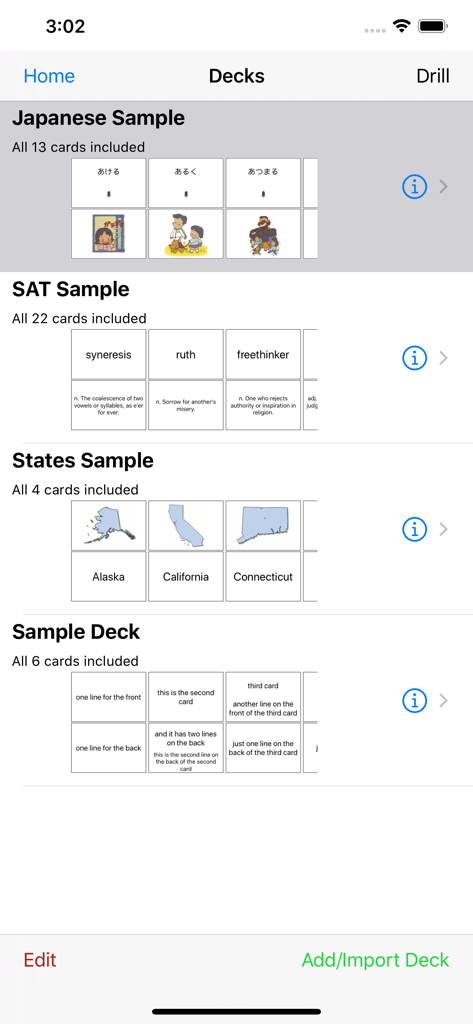
Interfaccia principale di Simple Flash Card Maker che mostra vari mazzi di studio tra cui Giapponese SAT e Stati USA.

Interfaccia principale di Simple Flash Card Maker che mostra vari mazzi di studio tra cui Giapponese SAT e Stati USA.

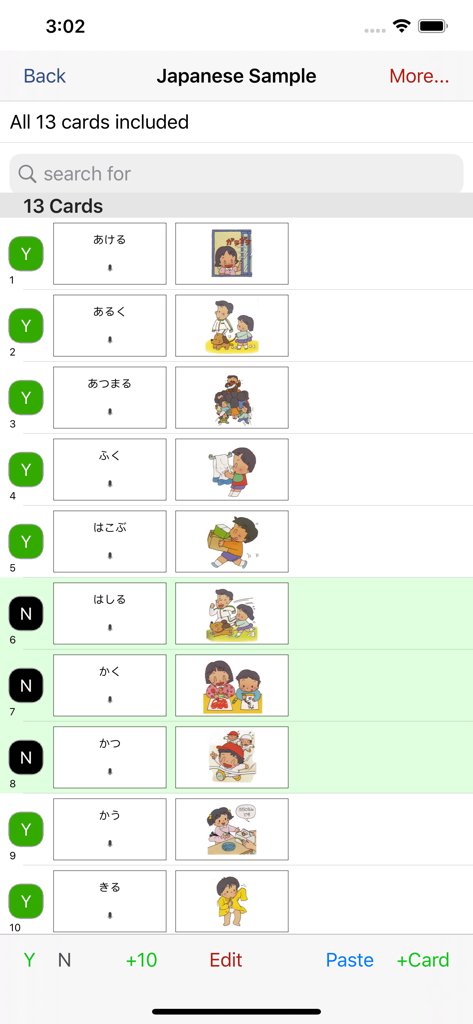
Un elenco di flashcard di lingua giapponese che mostrano testo e illustrazioni colorate nell'app Simple Flash Card Maker.

Un elenco di flashcard di lingua giapponese che mostrano testo e illustrazioni colorate nell'app Simple Flash Card Maker.

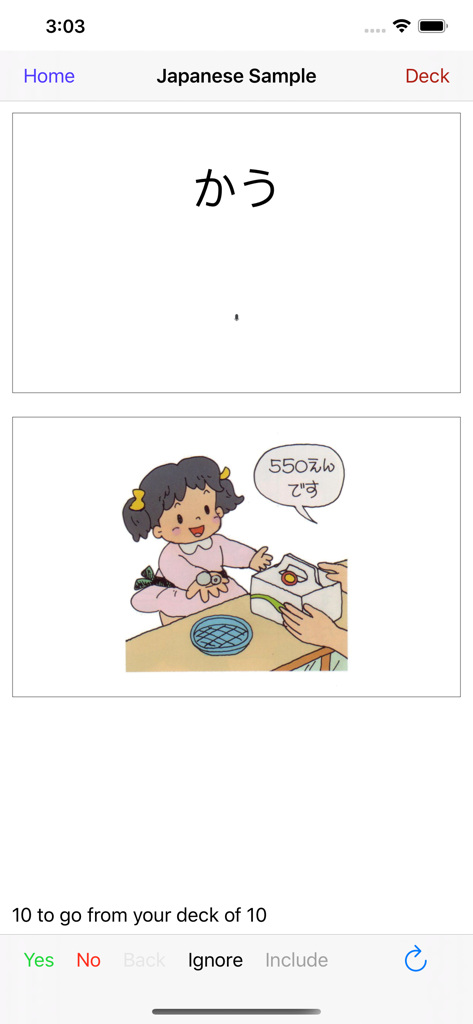
Interfaccia di flashcard di lingua giapponese che visualizza testo hiragana e un'illustrazione di un personaggio al banco di un negozio.

Interfaccia di flashcard di lingua giapponese che visualizza testo hiragana e un'illustrazione di un personaggio al banco di un negozio.

Illustrazione in stile cartone animato di un giovane ragazzo che si asciuga le mani con un asciugamano bianco.

Illustrazione in stile cartone animato di un giovane ragazzo che si asciuga le mani con un asciugamano bianco.

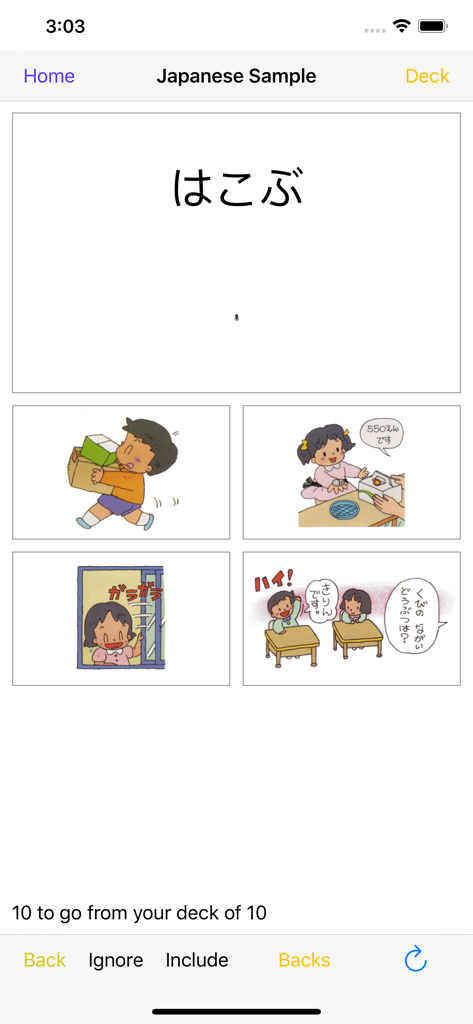
Ripasso di flashcard di lingua giapponese con un'interfaccia a scelta multipla che presenta hiragana e illustrazioni colorate.

Ripasso di flashcard di lingua giapponese con un'interfaccia a scelta multipla che presenta hiragana e illustrazioni colorate.

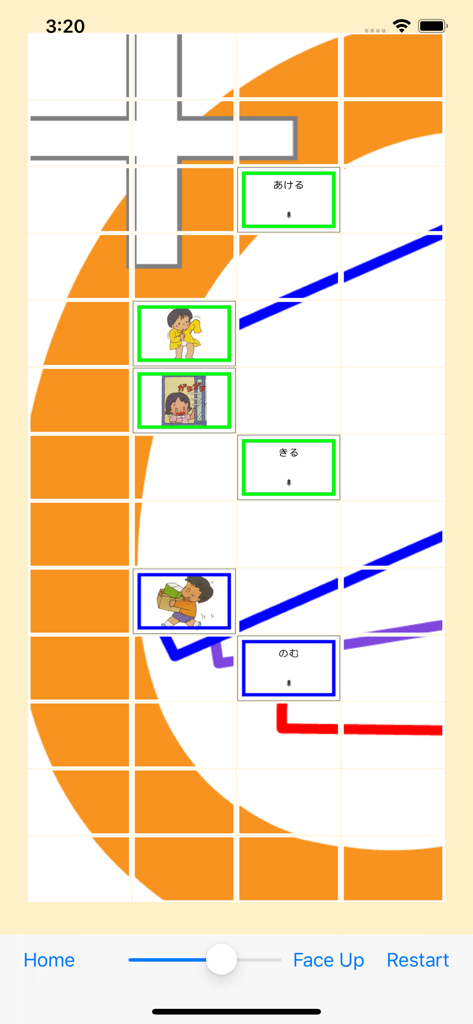
Un'interfaccia di gioco di abbinamento che mostra carte hiragana giapponesi e illustrazioni per la pratica del vocabolario.

Un'interfaccia di gioco di abbinamento che mostra carte hiragana giapponesi e illustrazioni per la pratica del vocabolario.

Padroneggia Qualsiasi Materia con Facilità

Gli strumenti che rendono questa app unica, scelti da 3K+ utenti.

🎥

Multimedia Interattivi

Dai vita alle tue carte con video, audio e immagini. Perfetto per studenti di lingue e pensatori visivi che necessitano di più del semplice testo.

Il Metodo delle 10 Carte

Suddividi materie enormi in piccoli pezzi. Impara 10 carte alla volta per rimanere concentrato e vedere i progressi durante le tue brevi pause.

🚀

Personalizzazione Senza Sforzo

Crea mazzi velocemente sul tuo computer o telefono. Importa istantaneamente i tuoi contenuti e inizia a studiare in secondi, non in ore.

Info sull'app

Tutto quello che devi sapere su Simple Flash Card Maker.

Descrizione

User comment: "This app is very convenient for getting some quick studying in when walking from class to class or waiting at a bus stop etc. I highly recommend it especially for college students." User comment: "I like being able to study two ways: playing the matching game as well as drilling with the flashcards." Don't like our flash cards? Then make your own. Simple Flash Card Maker lets you easily make your own flash cards. Either right there on your iOS device, or make them even more quickly on your computer, (mac or pc), and import them using iTunes. Or you can download our ready made decks from within the app (for FREE). We currently have decks for Japanese, Chinese and the SAT. Each card can have combinations of text, images, sound or video. The text can be in any language that you can enter using your keyboard. Images and Video can come direct from your camera, from your albums or from your mac/pc. Sound can be recorded live, from your music, or imported from your mac/pc using iTunes. Cards within your deck can be marked to be included (or not) when you are doing drills. This lets you learn the cards 10 at a time. Easily add 10 more when you master those. And after you have learned those 10, easily drill yourself on the whole deck so far. 10 at a time is a great way to learn even a very large deck. Easily drill just the last 10 cards at the tap of a button. During a drill you can see either the front, the back or both. Or you can rotate to landscape and see "Just the Card" - one side of the card filling the entire screen. You can also do a multichoice drill and choose from one of four answers. If you get a card right it is removed from that drill, (not the deck). If you get it wrong it's shuffled back in and it will come back again later. Keep going until you get them all right. You can also play a simple memory game, (face up or face down), to test your knowledge of the cards by finding pairs of matching cards. Simple Flash Card Maker is great for elementary maths and for learning to read. It is indispensable for language study, and for learning vocabulary. Use it to memorise your favorite Bible verses. Or cram key facts for upcoming examinations. Video takes it to a whole new level beyond old school paper flash cards. Kids can learn from short videos instead of just static text or images. They can record their own voices for names of animals. Video is also great for learning things like sign language where complicated diagrams usually just make it harder to get started. Regular practice and review is the only way to memorise anything using flash cards. You always have your phone with you, so use those spare moments throughout the day to review your deck and you will be amazed at how quickly your knowledge grows.

Ultima versione

4.3

Dimensione

10.4 MB

Data di lancio

27 gen 2012

Trasforma Ogni Minuto Libero in un Successo di Studio

Scarica lo strumento semplice e senza fronzoli, progettato per studenti impegnati e genitori proattivi. Crea carte multimediali personalizzate sul tuo dispositivo o computer e inizia a raggiungere i tuoi obiettivi, 10 carte alla volta.

Scarica su App Store

App information, icons, screenshots, and descriptions displayed on this page are sourced from the Apple App Store and are the property of their respective developers. Download estimates and rankings are based on MWM's proprietary models and may not reflect actual figures. This page is provided for informational and analytical purposes only.

Believe this page infringes your intellectual property? File a dispute