Sketchbook: Create Digital Art

Sketchbook: Create Digital Art


Scarica su App Store
Logo di Sketchbook: Create Digital Art

Sketchbook: Crea arte digitale con precisione professionale

Trasforma il tuo dispositivo mobile in uno studio potente. Sperimenta un ambiente di disegno pluripremiato e privo di distrazioni con oltre 60 pennelli realistici e strumenti di livello professionale progettati per il tuo flusso creativo.

Editore

Loyal Foundry, Inc.

Categoria

Graphics & Design

Download

766K+

Valutazione

3.9/5

Valutazioni totali

1K+

Lingue

1

La tua visione, realizzata

Scopri l'interfaccia usata da 766K+ utenti.
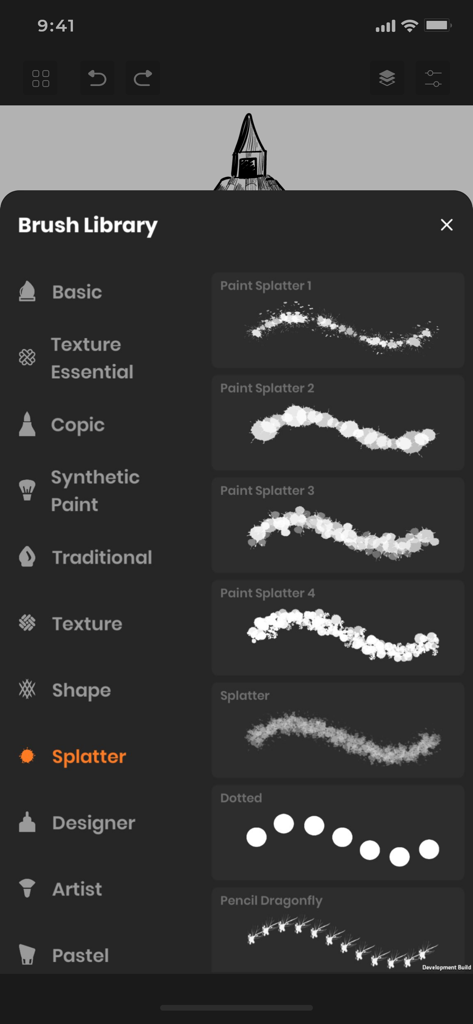
La libreria dei pennelli nell'app Sketchbook che mostra diversi tipi di pennelli con schizzi di vernice

La libreria dei pennelli nell'app Sketchbook che mostra diversi tipi di pennelli con schizzi di vernice

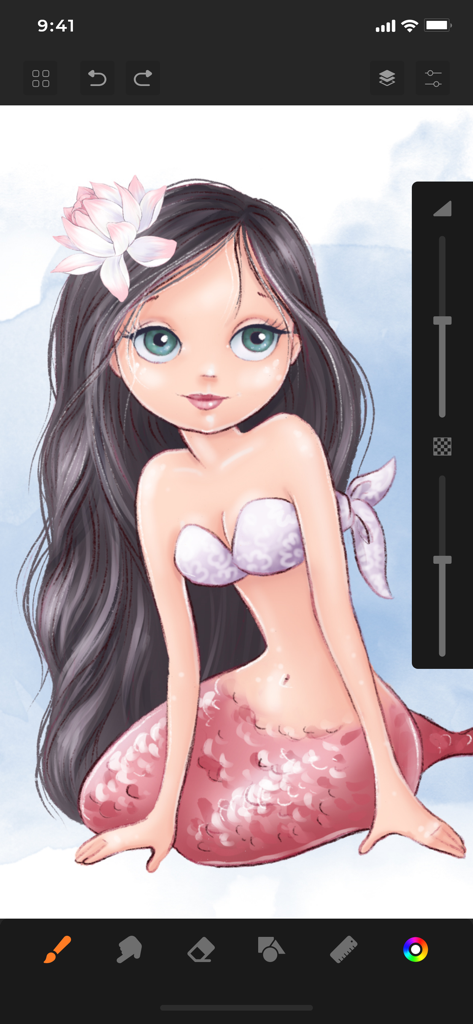
Illustrazione digitale di un personaggio di una sirena creata nell'interfaccia dell'app Sketchbook

Illustrazione digitale di un personaggio di una sirena creata nell'interfaccia dell'app Sketchbook

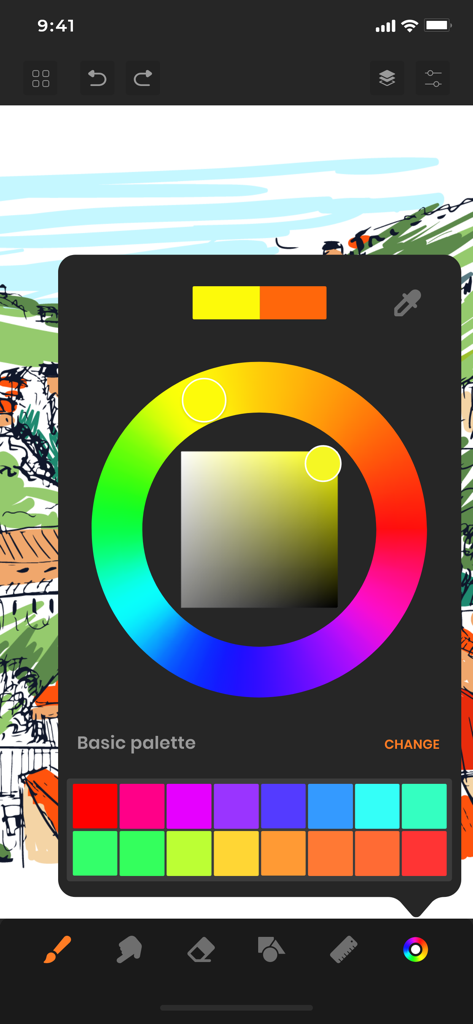
Interfaccia dell'app Sketchbook con una ruota dei colori e una tavolozza personalizzata sopra uno schizzo digitale.

Interfaccia dell'app Sketchbook con una ruota dei colori e una tavolozza personalizzata sopra uno schizzo digitale.

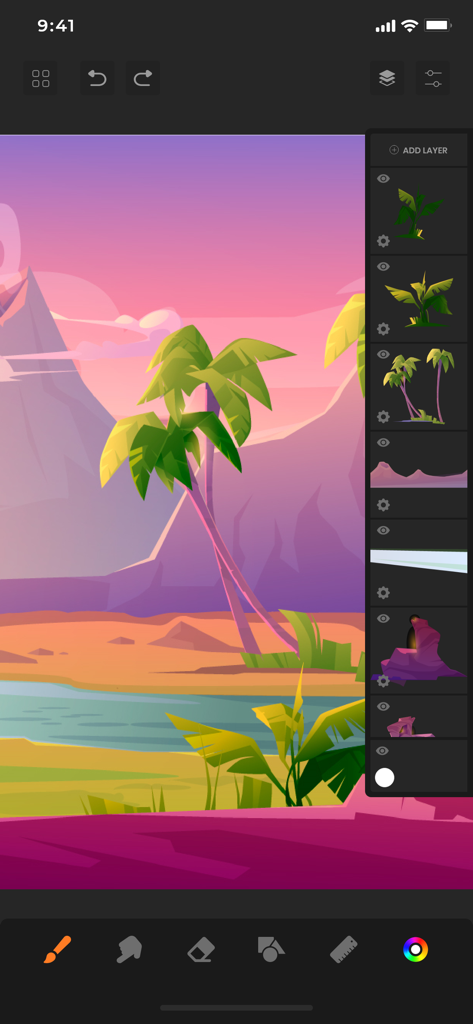
Illustrazione digitale di un paesaggio tropicale nell'app Sketchbook con il pannello livelli visibile

Illustrazione digitale di un paesaggio tropicale nell'app Sketchbook con il pannello livelli visibile

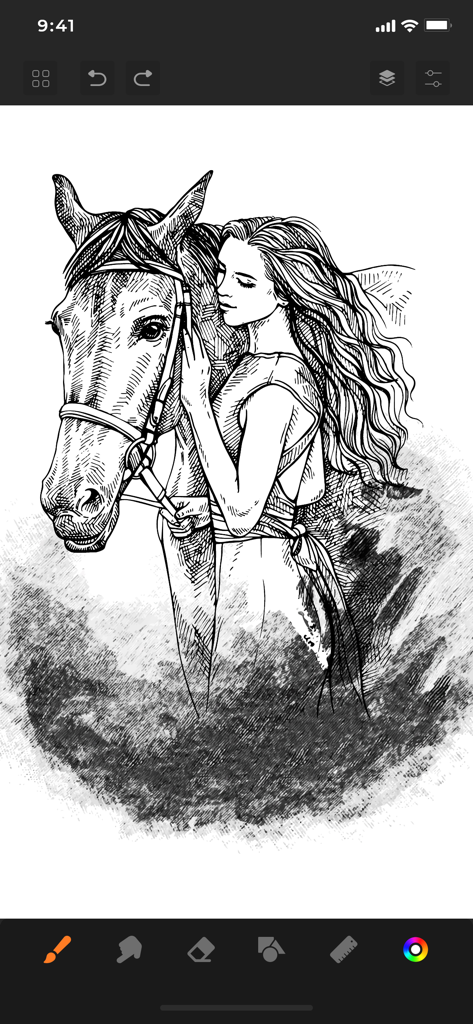
Schizzo digitale in bianco e nero di una donna che abbraccia un cavallo nell'app Sketchbook

Schizzo digitale in bianco e nero di una donna che abbraccia un cavallo nell'app Sketchbook

Strumenti professionali per il tuo flusso creativo

Gli strumenti che rendono questa app unica, scelti da 766K+ utenti.

🖌️

Strumenti artistici iperrealistici

Padroneggia la tua arte con oltre 60 pennelli professionali, inclusi i pennarelli Copic e texture che imitano la sensazione dei media del mondo reale.

🏗️

Livelli e precisione avanzati

Crea illustrazioni complesse senza sforzo utilizzando più livelli, guide di assistenza per forme e righelli specializzati per una prospettiva perfetta.

Area di lavoro senza distrazioni

Concentrati completamente sulla tua arte con un'interfaccia pulita e riflessiva che massimizza il tuo spazio di disegno e riduce al minimo le interruzioni.

Analisi recensioni

Approfondimenti dalle recensioni degli utenti.

Punteggio sentimento

24%
Negativo

Riepilogo

The app receives overwhelmingly negative feedback, primarily due to aggressive paywalls and mandatory subscriptions that restrict basic functionalities like saving and exporting drawings. Many users report frequent, intrusive advertisements, even appearing when switching apps, and numerous critical bugs such as the app not opening, crashing, or drawing functionality not working. While some users praise the full version for its good features and intuitive design, a significant number express frustration over lost work and the inability to use core drawing tools without payment. Overall, the app is perceived as a scam attempting to force subscriptions.

Temi comuni

Paywall & Subscriptions(18)
App Functionality & Bugs(11)
Aggressive Ads(8)
Saving & Export Issues(8)
Limited Free Features(7)
Positive User Experience(6)
Unintuitive UI/UX(4)

Info sull'app

Tutto quello che devi sapere su Sketchbook: Create Digital Art.

Descrizione

SketchBook is the most practical, versatile and user-friendly sketching app designed for mobile gadgets. This exhaustive artist's toolbox helps users create dazzling sketches, cheerful paintings and smashing illustrations on the go. A reflexive way to produce a custom drawing! Whether you want to create graffiti or you want to create a doodle, or you want to learn to paint and draw, SketchBook is your tool of choice. Sketchbook is an award-winning sketching, artwork, and drawing app for anyone who loves to draw. Artists and illustrators love Sketchbook for its professional-grade characteristic set and highly customizable mechanisms. Everyone loves Sketchbook for its elegant interface and natural drawing experience, free of distractions so you can focus on capturing and articulating your idea. FEATURES - Shape draw assist - Paint. Draw, Sketch. Repeat - Draw smoothly like never before on iPad or iPhone with super realistic brushes. - Draw creative sketches using 60 brushes and tools - Enhance your drawing by importing pictures and photos - Zoom to paint fine details - Share instantly - Import photos for Reference - Ruler - 16 Shape Rulers - Color Palette - Custom Color Wheel - Multiple Layers drawings - Layer settings - Undo - Redo steps - Hard and soft Eraser with opacity settings Beautiful tools make beautiful drawings, we endlessly refined SketchBook brushes to create the most realistic drawing tools. List of BRUSH tools - Basic - Texture Essentials - Copic - Pen Brush - Synthetic Paint - Traditional - Texture - Shape - Splatter - Designer - Artist - Pastel - Eraser - Cutter - Smudge tool Create amazing drawing ideas to life. Use SketchBook state-of-the-art brushes and tools to sketch, type, paint, and draw. Take your drawing creations to wherever your thoughts want to go! Unlimited access to all the premium features and future updates during the subscription period. The subscriptions are $6.99 per month with 3 days trial period and $24.99 yearly or equal to the same price tier as Apple App Store Matrix, determined as the equivalent of subscription price in $USD. You may cancel a subscription or free-trial anytime via the subscription setting through your iTunes account. This must be done 24 hours before the end of the free trial or subscription period to avoid being charged. The subscription will automatically renew unless auto-renew is turned off at least 24 hours before the end of the current period. No cancellation of the current subscription is allowed during the active subscription period. Any unused portion of a free trial period will be forfeited when the user purchases a SketchBook Premium Features subscription. Privacy Policy and Terms of Use : https://www.loyal.app/privacy-policy

Ultima versione

6.1.3

Dimensione

198.5 MB

Data di lancio

28 feb 2021

Pronto a dare vita alla tua visione?

Unisciti a oltre 766.000 artisti e trasforma il tuo iPad in uno studio digitale professionale. Inizia oggi la tua prova gratuita di 3 giorni e sperimenta la potenza di oltre 60 pennelli realistici nel palmo della tua mano.

Scarica su App Store
FAQ

Domande Frequenti

Tutto quello che devi sapere su Sketchbook: Create Digital Art

Cos'è Sketchbook: Create Digital Art?

Sketchbook: Create Digital Art è un'app di disegno versatile e pluripremiata per dispositivi mobili. Offre una suite completa di strumenti per artisti, consentendo agli utenti di creare schizzi, dipinti e illustrazioni con un'esperienza di disegno naturale.

Quanti pennelli e strumenti offre Sketchbook: Create Digital Art?

Sketchbook: Create Digital Art offre 60 pennelli e strumenti per schizzi creativi. Questi includono categorie come Basic, Copic, Splatter, Designer e Synthetic Paint, offrendo una vasta gamma di opzioni artistiche.

Sketchbook: Create Digital Art consente la selezione personalizzata dei colori?

Sì, Sketchbook: Create Digital Art consente la selezione personalizzata dei colori. L'app dispone di una Tavolozza Colori e di una Ruota Colori Personalizzata, che consentono agli utenti di scegliere e definire colori precisi per le loro opere d'arte.

Posso usare i livelli in Sketchbook: Create Digital Art?

Sì, Sketchbook: Create Digital Art supporta più livelli per i disegni. Gli utenti possono gestire questi livelli e regolarne le impostazioni per creare opere d'arte complesse e organizzate.

Quali sono i prezzi degli abbonamenti per Sketchbook: Create Digital Art?

Sketchbook: Create Digital Art offre un abbonamento mensile a $6,99, che include una prova gratuita di 3 giorni. È disponibile un abbonamento annuale a $24,99, che fornisce l'accesso illimitato a tutte le funzionalità premium.

Come posso annullare il mio abbonamento o la prova gratuita di Sketchbook: Create Digital Art?

Annulli il tuo abbonamento o la prova gratuita di Sketchbook: Create Digital Art tramite le impostazioni del tuo account iTunes. La cancellazione deve avvenire almeno 24 ore prima della fine del periodo corrente per evitare addebiti di rinnovo automatico.

Sketchbook: Create Digital Art supporta l'importazione di immagini?

Sì, Sketchbook: Create Digital Art supporta l'importazione di immagini. Gli utenti possono importare immagini e foto per migliorare i loro disegni o per usarle come materiale di riferimento all'interno dell'app.

Sketchbook: Create Digital Art ha funzioni di annullamento e ripristino?

Sì, Sketchbook: Create Digital Art dispone di passaggi di annullamento e ripristino. Questa funzionalità consente agli utenti di correggere facilmente le azioni e gestire efficacemente i progressi del loro disegno durante la creazione.

Sono disponibili i righelli in Sketchbook: Create Digital Art?

Sì, i righelli sono disponibili in Sketchbook: Create Digital Art. L'app include una funzionalità Righello e fornisce 16 Righelli Forma per aiutare gli utenti a creare disegni precisi e strutturati.

App information, icons, screenshots, and descriptions displayed on this page are sourced from the Apple App Store and are the property of their respective developers. Download estimates and rankings are based on MWM's proprietary models and may not reflect actual figures. This page is provided for informational and analytical purposes only.

Believe this page infringes your intellectual property? File a dispute