Slow Motion Video Editor SLOMO

Slow Motion Video Editor SLOMO


Scarica su App Store
Logo di Slow Motion Video Editor SLOMO

Slow Motion Video Editor SLOMO: Crea Capolavori Cinematografici in Pochi Secondi

L'editor all-in-one definitivo per trasformare le tue clip con slow-mo professionale, musica di tendenza ed effetti spettacolari. Unisciti a oltre 3 milioni di creator che realizzano contenuti virali per TikTok e Instagram.

Editore

App Dynatics LLC

Categoria

Photo & Video

Download

3M+

Valutazione

4.4/5

Valutazioni totali

141K+

Lingue

18

Brillantezza Cinematografica

Scopri l'interfaccia usata da 3M+ utenti.
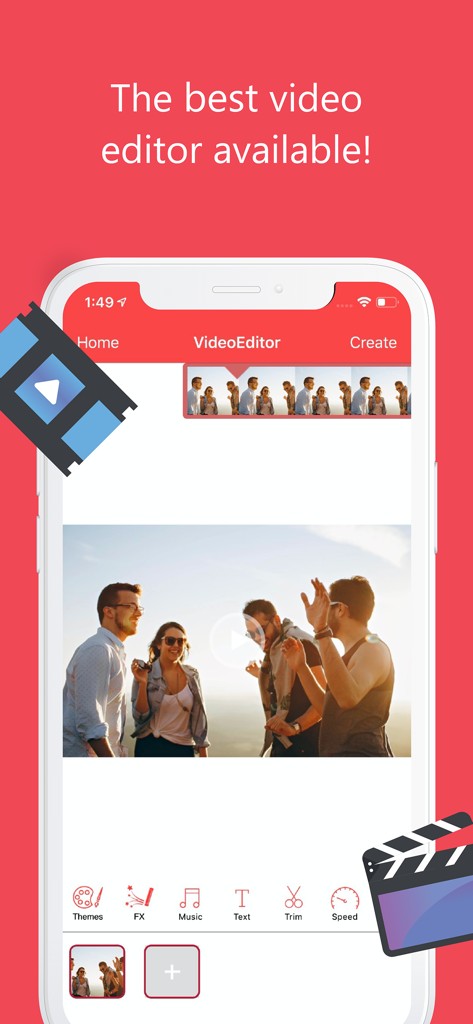
Interfaccia dell'app Slow Motion Video Editor SLOMO che mostra gli strumenti di editing video e una timeline per i creator di social media.

Interfaccia dell'app Slow Motion Video Editor SLOMO che mostra gli strumenti di editing video e una timeline per i creator di social media.

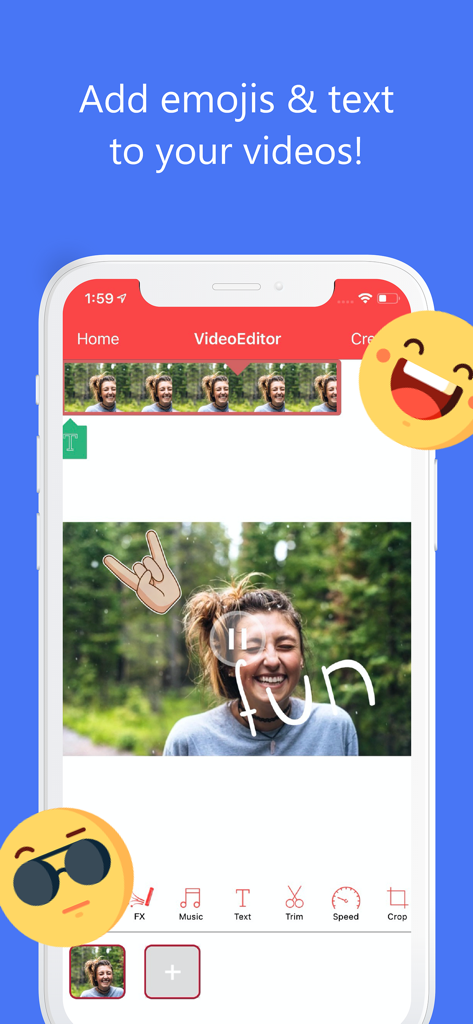
Interfaccia dell'app Slow Motion Video Editor SLOMO che mostra come aggiungere emoji e sovrapposizioni di testo a un video.

Interfaccia dell'app Slow Motion Video Editor SLOMO che mostra come aggiungere emoji e sovrapposizioni di testo a un video.

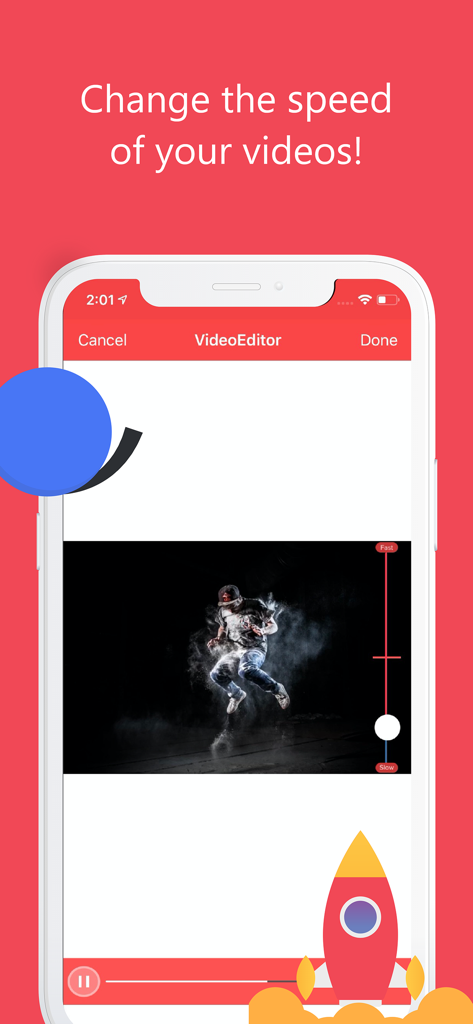
Schermo dell'iPhone che mostra l'interfaccia dell'app SLOMO per regolare la velocità del video tramite uno slider

Schermo dell'iPhone che mostra l'interfaccia dell'app SLOMO per regolare la velocità del video tramite uno slider

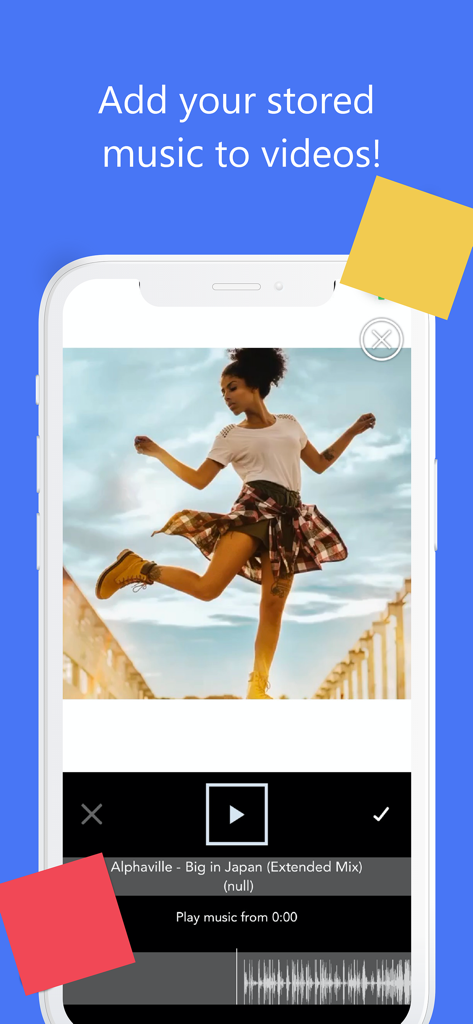
Interfaccia dell'app SLOMO che mostra il video di una donna che balla con un'opzione per aggiungere musica da una libreria personale

Interfaccia dell'app SLOMO che mostra il video di una donna che balla con un'opzione per aggiungere musica da una libreria personale

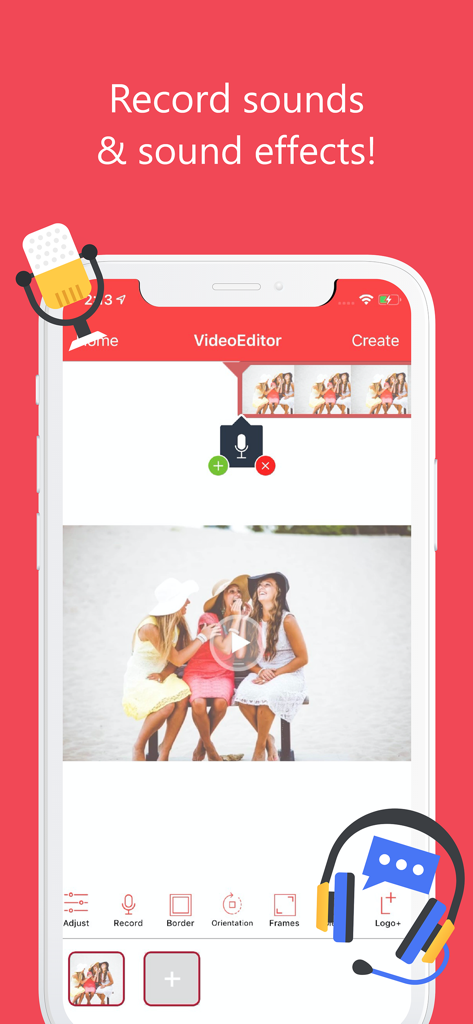
Interfaccia iPhone di Slow Motion Video Editor che mostra la funzione di registrazione audio e lo strumento degli effetti sonori

Interfaccia iPhone di Slow Motion Video Editor che mostra la funzione di registrazione audio e lo strumento degli effetti sonori

Migliora i tuoi contenuti con potenti strumenti di editing

Gli strumenti che rendono questa app unica, scelti da 3M+ utenti.

🎬

Speed Ramping Dinamico

Passa fluidamente dallo slow motion di precisione al fast motion ad alta energia per enfatizzare ogni momento epico.

🎵

Crea la colonna sonora della tua storia

Aggiungi facilmente musica dalla tua libreria per sincronizzare i battiti con le tue immagini, creando video ad alto impatto che catturano l'attenzione.

Miglioramenti di livello professionale

Applica filtri eleganti, testo personalizzato e ritagli precisi per garantire che i tuoi contenuti siano inquadrati perfettamente e pronti a diventare virali.

Analisi recensioni

Approfondimenti dalle recensioni degli utenti.

Punteggio sentimento

32%
Negativo

Riepilogo

The app receives overwhelmingly negative feedback from users, primarily due to its aggressive pricing model, which locks essential features behind a paywall and often renders the app unusable without a paid subscription. Many users reported functionality issues, including freezing, black screens, and an inability to access features even after purchasing a subscription, alongside a lack of responsive customer support. While a few users found the app easy to use and expressed general satisfaction, the widespread frustration over unexpected costs and poor performance dominates the user experience. There were no specific version-related bugs mentioned across multiple reviews.

Temi comuni

Pricing & Paywall(29)
Overall Experience(29)
Functionality & Bugs(11)
Ease of Use(2)
Customer Support(2)

Info sull'app

Tutto quello che devi sapere su Slow Motion Video Editor SLOMO.

Descrizione

Perfect Video Editor is the most popular video editor app on the app store. Perfect Video Editor is an easy video editor with fast editing tools, filters, and many other effects for personalizing your videos. Key Features FEATURES 1. Trim: Cut out any unwanted moments. 2. Music: Add from your iPod library 3. Slow motion & fast motion): Adjust video speed to slow or fast 4. Adjust Display: Change Brightness, Blur, etc. 5. Text: Type your text with color, various fonts, and effects with time constraint 6. Filters: Select from several filters to enhance your videos. 7. Crop: Rescale your video within the video frame. 8. Copy: Create duplicate video clips. 9. Share on Instagram, Facebook, YouTube, or email 10 Stickers: add emojis and stickers to your video with time constraint Subscription options: ◦ VideoEditor 1 month subscription - $3.99/Monthly ◦ VideoEditor 1 year subscription with 3 days free trial - $14.00/Yearly ◦ VideoEditor One-Time Purchase - $34.99 VideoEditor adds the great features above and is available through an auto-renewing subscription. Subscriptions will be charged to your credit card through your iTunes account. Your subscription will automatically renew unless canceled at least 24-hours before the end of the current period. Account will be charged for renewal within 24-hours before the end of the current period. You will not be able to cancel a subscription during the active period. Manage your subscriptions in your account. VideoEditor’s Privacy Policy is available at http://videoeditormoviemaker.com/privacy-policy and Terms of Use http://videoeditormoviemaker.com/terms-condition Have Fun!

Ultima versione

6.9

Dimensione

178.0 MB

Data di lancio

11 gen 2016

Pronto a creare il tuo prossimo highlight virale?

Unisciti a oltre 3 milioni di creator che usano SLOMO per trasformare le clip quotidiane in oro cinematografico. Ottieni il controllo professionale della velocità, i filtri e gli strumenti musicali di cui hai bisogno per distinguerti su Reels, TikTok e oltre.

Scarica su App Store

App information, icons, screenshots, and descriptions displayed on this page are sourced from the Apple App Store and are the property of their respective developers. Download estimates and rankings are based on MWM's proprietary models and may not reflect actual figures. This page is provided for informational and analytical purposes only.

Believe this page infringes your intellectual property? File a dispute