Smart PDF Document Scanner

Smart PDF Document Scanner


Scarica su App Store
Logo di Smart PDF Document Scanner

Scanner di Documenti PDF Intelligente: La Scelta del Professionista per Scansioni Ultra Nitide

Sostituisci l'hardware ingombrante dell'ufficio con una correzione prospettica ad alte prestazioni e un esclusivo sistema di tagging codificato a colori progettato per il tuo flusso di lavoro mobile.

Scarica su App Store

Editore

Qrayon, LLC

Categoria

Business

Download

13K+

Valutazione

4.5/5

Valutazioni totali

0

Lingue

1

Precisione a Colpo d'Occhio

Scopri l'interfaccia usata da 13K+ utenti.
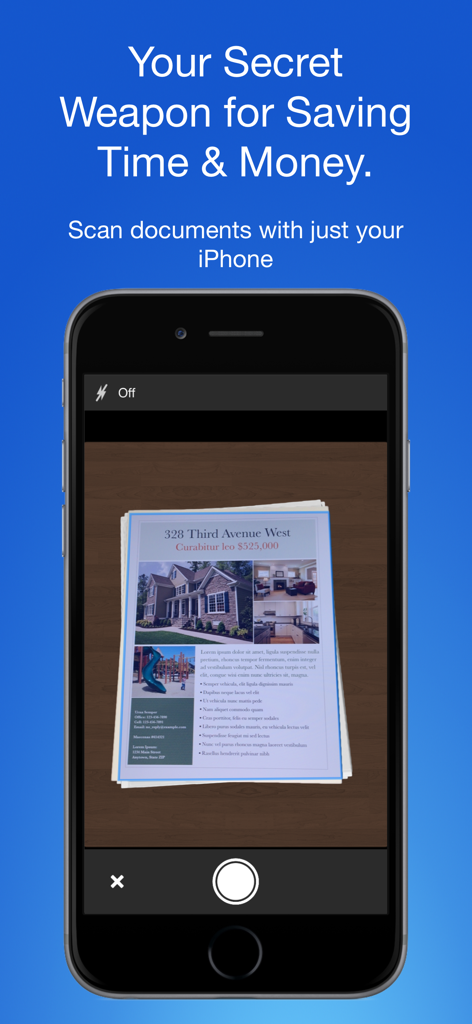
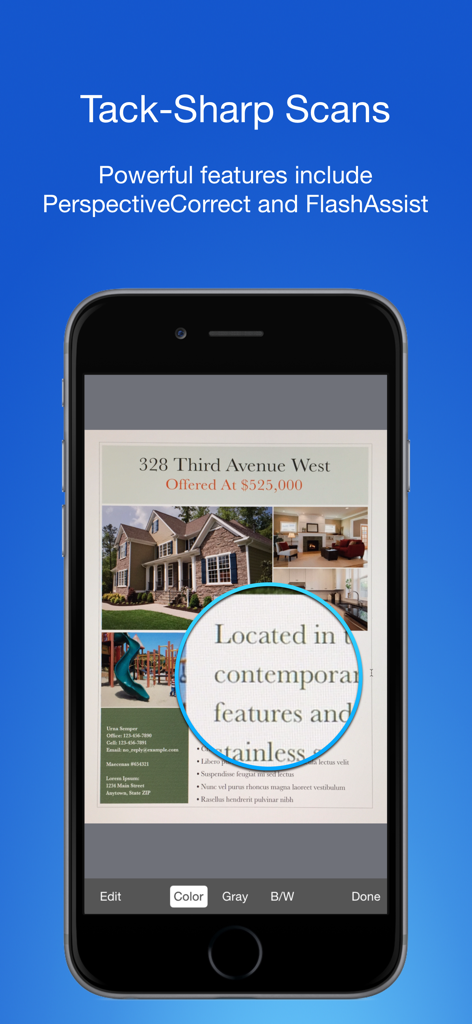
Schermata iPhone che mostra l'app Smart PDF Document Scanner che acquisisce un documento immobiliare

Schermata iPhone che mostra l'app Smart PDF Document Scanner che acquisisce un documento immobiliare

Interfaccia dell'app mobile che mostra la scansione di documenti di alta qualità con ingrandimento del testo nitido.

Interfaccia dell'app mobile che mostra la scansione di documenti di alta qualità con ingrandimento del testo nitido.

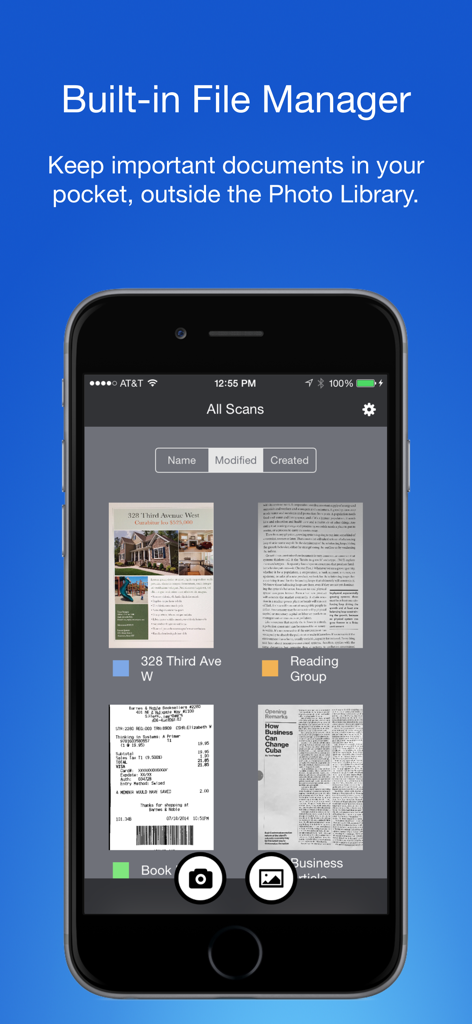
App Smart PDF Document Scanner che mostra il file manager integrato con tag codificati a colori per la gestione organizzata dei documenti

App Smart PDF Document Scanner che mostra il file manager integrato con tag codificati a colori per la gestione organizzata dei documenti

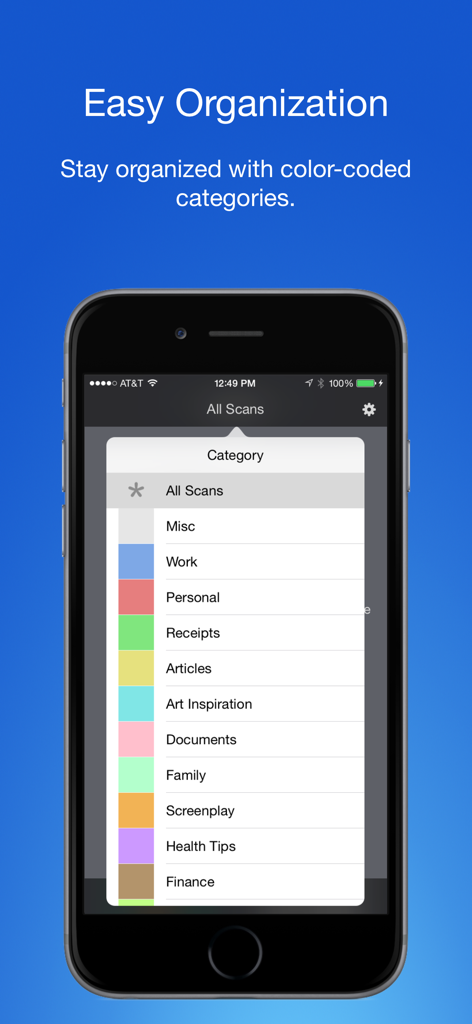
Schermata dello smartphone che visualizza tag e categorie codificati a colori per organizzare i documenti scansionati

Schermata dello smartphone che visualizza tag e categorie codificati a colori per organizzare i documenti scansionati

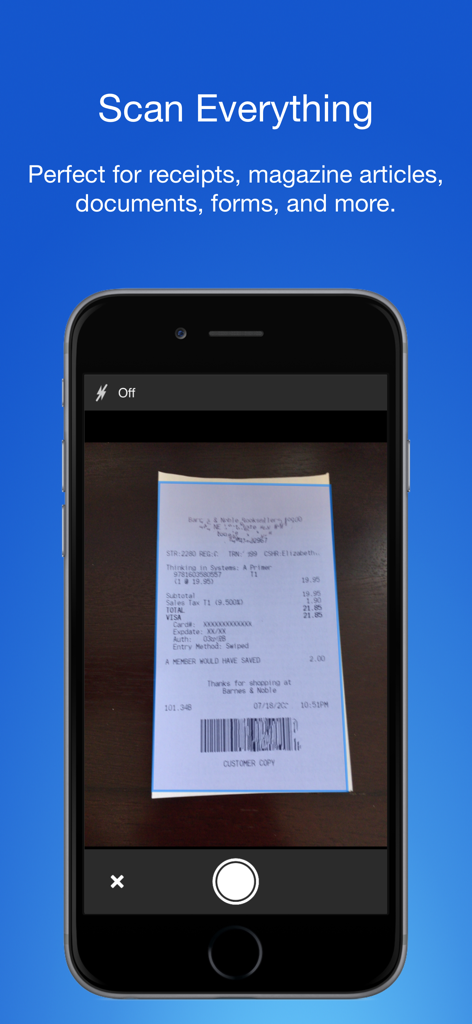
App Smart PDF Document Scanner su un iPhone che acquisisce una ricevuta del negozio

App Smart PDF Document Scanner su un iPhone che acquisisce una ricevuta del negozio

L'Unico Scanner di Cui un Professionista Ha Bisogno

Gli strumenti che rendono questa app unica, scelti da 13K+ utenti.

📄

Scansioni Nitide come Cristallo

La correzione prospettica automatica e FlashAssist assicurano che ogni contratto e ricevuta appaia nitido, professionale e pronto per l'invio.

🏷️

Organizzazione Senza Sforzo

Abbandona i rigidi sistemi di cartelle. Il nostro tagging codificato a colori ti consente di categorizzare e trovare documenti in pochi secondi con un semplice tocco.

🔒

Separazione Lavoro-Vita Privata

Mantieni i tuoi confini tenendo i documenti aziendali in un hub dedicato, completamente separato dalla tua libreria fotografica personale.

Info sull'app

Tutto quello che devi sapere su Smart PDF Document Scanner.

Descrizione

Ditch the office scanner! Just snap a photo of your document, and get a PDF file you can instantly send to your colleagues, all from your phone or iPad. TACK SHARP SCANS That processor in your phone is quite a little monster. Smart Scanner uses it fully to make the best possible scans. Even full-page articles come out tack-sharp and easy to read. It automatically detects the page edges and corrects for perspective. Pick full-color scans, grayscale, or black-and-white for maximum legibility. FlashAssist can take perfect scans even in poor lighting conditions. You can even change the correction and enhancement settings after the fact. POWERFUL COLOR-CODED ORGANIZATION Scanning is just half the problem. You need a good way to keep all your documents organized, and easy to find later. Smart Scanner uses a simple tagging system that is much easier and more powerful than the regular folder system. File documents under custom color-coded categories with just a couple taps. Browse and sort files by category with a couple more. It's the way filing should work. FOR ALL YOUR SCANNING NEEDS + Quickly scan and send contracts and forms + Keep scans of important documents in your pocket, separate form the Photo Library + Scan all your travel receipts for easy expense reports + Keep digital copies of your notes and sketches + Scan articles to read later + And more! TIPS AND TRICKS Here are a few tips to get the best scans: + Place your document on a darker surface to improve the edge auto-detection. + You can drag the corners of the blue rectangle to fine tune it after taking a photo. + Make sure there is adequate lighting. Use the flash in low-light conditions. + You can tap on a page to edit its scan settings (including edges) after the fact.

Ultima versione

2.5

Dimensione

19.4 MB

Data di lancio

5 dic 2016

Pronto ad Abbandonare lo Scanner da Ufficio?

Unisciti a oltre 13.000 professionisti che si affidano a Smart Scanner per PDF ultra nitidi e un'organizzazione impeccabile e codificata a colori in movimento.

Scarica su App Store

App information, icons, screenshots, and descriptions displayed on this page are sourced from the Apple App Store and are the property of their respective developers. Download estimates and rankings are based on MWM's proprietary models and may not reflect actual figures. This page is provided for informational and analytical purposes only.

Believe this page infringes your intellectual property? File a dispute