Smart Printer App: iPrint Scan – La Soluzione di Stampa Wireless Tutto in Uno per Utenti Apple
Connettiti senza interruzioni a oltre 1.200 modelli di stampanti. Stampa documenti, etichette di spedizione e poster creativi direttamente dal tuo Mac o iPhone con la semplicità di un clic e la massima sicurezza.
Editore
Sidra Hussain
Categoria
Business
Download
1K+
Valutazione
1.0/5
Valutazioni totali
0
Lingue
35
Semplicità in Vista
Scopri l'interfaccia usata da 1K+ utenti.
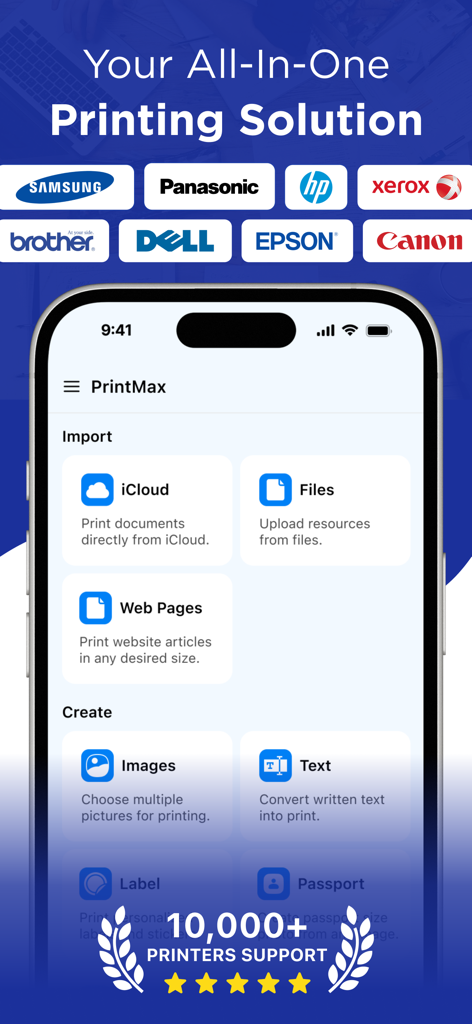
Schermata principale dell'app PrintMax che mostra le opzioni di importazione e creazione con i loghi di vari marchi di stampanti supportati
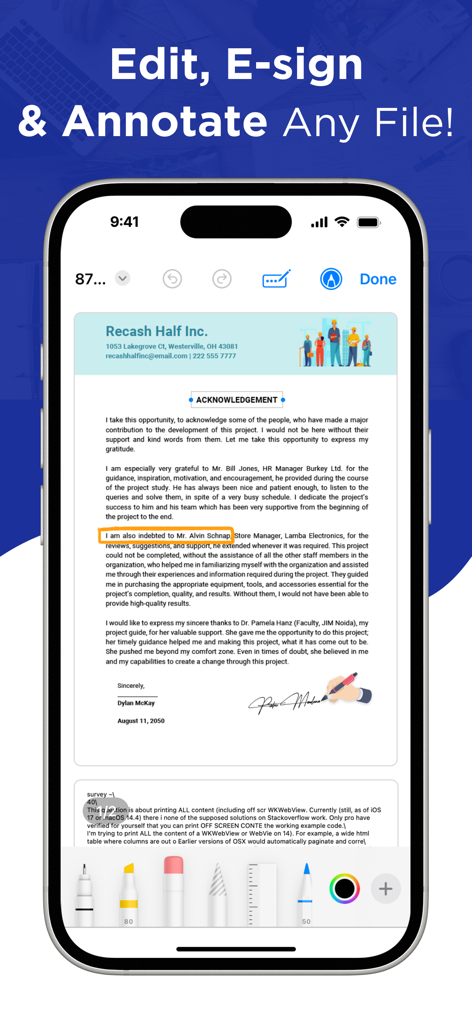
Schermata di uno smartphone che mostra l'interfaccia dell'app Smart Printer per la modifica, la firma elettronica e l'annotazione di documenti digitali.
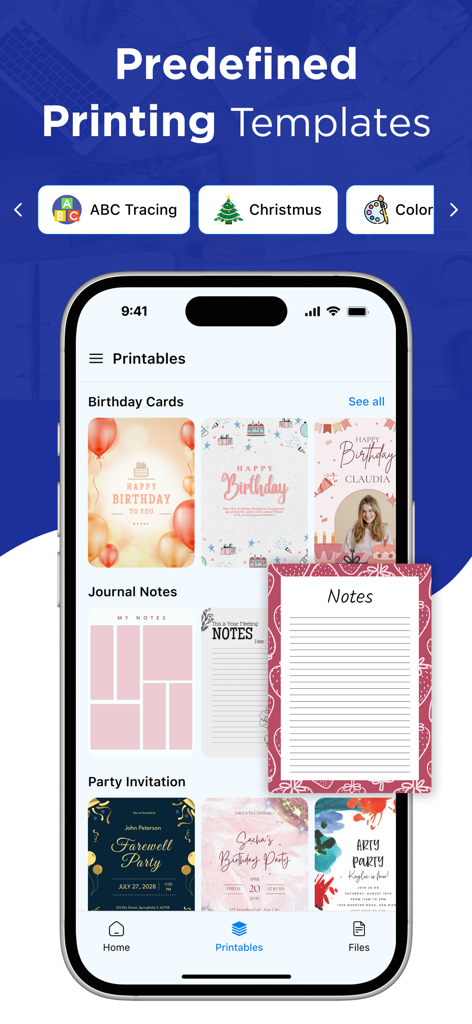
Interfaccia dell'app Smart Printer che mostra modelli di stampa predefiniti per biglietti di compleanno, note di diario e inviti a feste
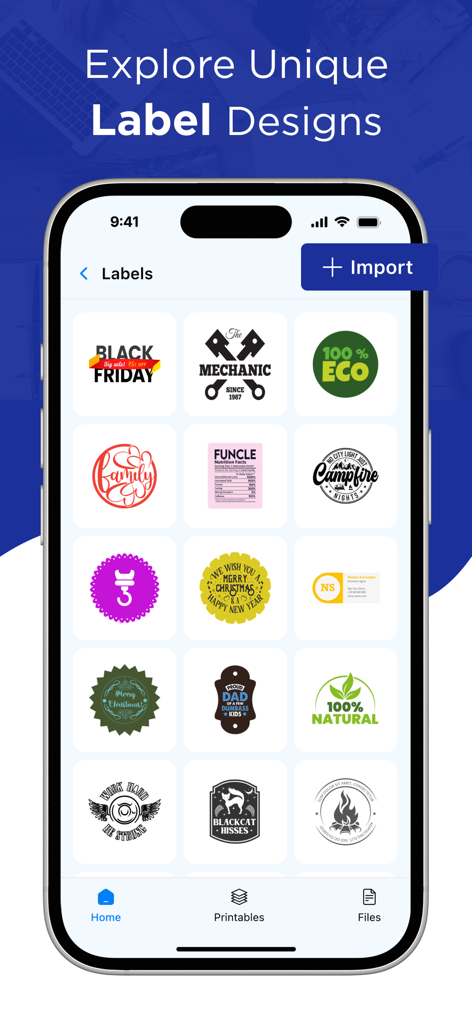
Interfaccia dell'app Smart Printer che mostra una varietà di modelli di etichette unici per la stampa.
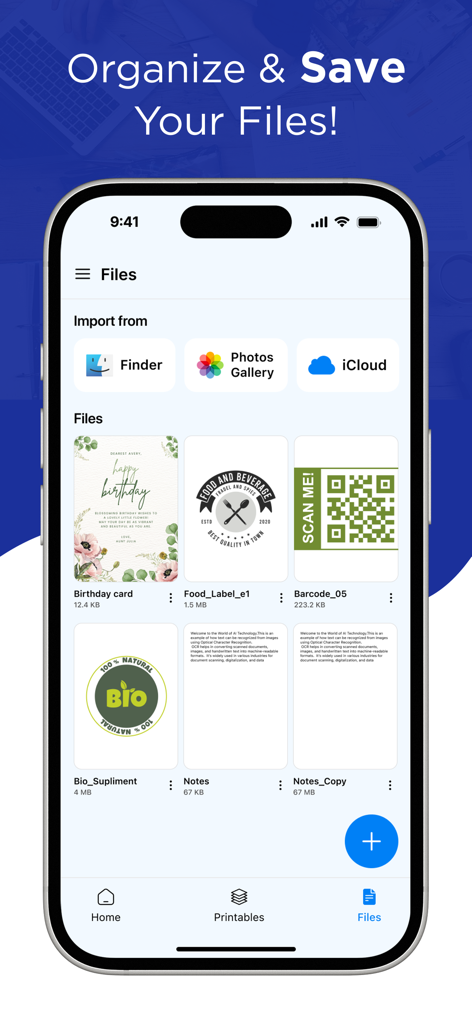
Schermata dell'iPhone che mostra l'interfaccia di gestione dei file e importazione dell'app Smart Printer con opzioni per iCloud e Foto.
Il Tuo Hub di Stampa Wireless Tutto in Uno
Gli strumenti che rendono questa app unica, scelti da 1K+ utenti.
🖨️
Compatibilità Universale
Dimentica le molteplici app dei produttori. Connettiti istantaneamente a oltre 1.200 modelli di stampanti, tra cui HP, Canon, Epson e Brother, tramite WiFi, Bluetooth o USB.
📄
Scansione Professionale e Modelli
Trasforma il tuo dispositivo in uno scanner portatile o utilizza modelli predefiniti per stampare etichette di spedizione, planner e poster, perfetti per venditori Etsy e lavoratori da remoto.
🔒
Flusso di Lavoro Sicuro e Privato
Stampa moduli fiscali sensibili, contratti e documenti legali con fiducia. I tuoi dati vengono gestiti in modo sicuro, senza accesso o archiviazione non autorizzata nel cloud.
Info sull'app
Tutto quello che devi sapere su Smart Printer App: iPrint Scan.
Descrizione
PrintMax: Smart Object Printer App– The Ultimate Printing Solution for macOS!
Printing and scanning have never been this easy! PrintMax: Smart Object Printer App is a powerful all-in-one solution designed to streamline document printing, scanning, and management on your Mac.
You can instantly iPrint and scan files directly from the app—no need for extra downloads or printing tools. It seamlessly supports almost any WiFi, Bluetooth, or USB printer, enabling you to print photos, images, web pages, PDFs, and documents anytime, anywhere.
Key Features of PrintMax: Smart Object Printer
App:
• Print on WiFi, Bluetooth, or USB-OTG-connected printers.
• iPrint and scan directly from your device to almost any inkjet, laser, or thermal printer.
• Print websites (HTML pages) accessed through the built-in web browser.
• Print photos and images in JPG, PNG, GIF, and WEBP formats.
• Print multiple images per sheet.
• Print files, PDFs, and documents.
Effortless Setup and Connection:
Setting up your printer is simple with the printer app. Just connect your printer to the same Wi-Fi network as your device, and the app will automatically detect and configure it for instant use.
One-Click Wireless Printing:
Connect to any AirPrint-enabled printer wirelessly. Supports over 1,200+ printer models (Canon, HP, Epson, Brother, Xerox, and more).
Multiple Devices:
Easily share your printer with family, friends, or colleagues. The iPrint and scan app lets multiple devices connect and print to the same printer, making it perfect for home and office settings where several users need access.
Print Forms, Labels & Posters:
Access ready-to-print templates for business, planners, and greeting cards. Print large posters by splitting a single image into multiple sheets.
Safe Printing:
Security is our top concern. The printer app ensures that your documents are securely sent to the printer, safeguarding your sensitive information from unauthorized access.
Why Choose Smart Print & Scan?
- Fast, reliable, and easy-to-use with an intuitive macOS interface.
- Supports all major file formats including PDF, DOCX, PNG, and JPEG.
- Optimized for efficiency – perfect for students, professionals, and home users.
Download Smart Print & Scan today and experience hassle-free printing with IOS!
Privacy Policy: https://sites.google.com/view/smart-object-printer/privacy-policy
Terms of Use: https://sites.google.com/view/smart-object-printer/terms-of-use
EULA: https://sites.google.com/view/smart-object-printer/eula
Ultima versione
1.3
Dimensione
28.6 MB
Data di lancio
7 mag 2025
Pronto a Semplificare la Tua Stampa?
Unisciti a migliaia di professionisti e proprietari di piccole imprese che stampano, scansionano e creano con facilità. Connettiti in modo sicuro a oltre 1.200 modelli di stampanti con un clic.
App information, icons, screenshots, and descriptions displayed on this page are sourced from the Apple App Store and are the property of their respective developers. Download estimates and rankings are based on MWM's proprietary models and may not reflect actual figures. This page is provided for informational and analytical purposes only.
Believe this page infringes your intellectual property? File a dispute