Questa pagina non è una pagina ufficiale dell'app o del suo sviluppatore, ma una pubblicazione editoriale indipendente creata a scopo informativo e di commento. Salvo espressa indicazione contraria, né l'app né il suo sviluppatore sono affiliati, approvati, sponsorizzati, autorizzati o altrimenti ufficialmente collegati a MWM, Apple, Google Play, all'editore dell'app o allo sviluppatore dell'app, e nulla in questa pagina implica che l'app sia stata sviluppata utilizzando i servizi di MWM. Tutti i marchi, loghi, screenshot e altri contenuti rimangono di proprietà dei rispettivi proprietari.

Smart Printer : Scanner App
Il modo più semplice per stampare documenti, foto e pagine web dal tuo iPhone su qualsiasi stampante wireless. Scansiona, firma e condividi file istantaneamente: perfetto per professionisti in smart working e famiglie impegnate.
Numeri Chiave
Download
1K+
Valutazione
4.0/5
Valutazioni totali
0
Editore
Muhammad Umar Farooq
Categoria
Business
Lingue
15
Ultima versione
2.2
Dimensione
4.0 MB
Data di lancio
28 gen 2025
Funzioni
Il Tuo Ufficio Mobile Completo in un'unica App
Potenzia il tuo flusso di lavoro ibrido con il modo più intuitivo per scansionare, gestire e stampare documenti direttamente dal tuo iPhone o iPad, senza bisogno di cavi o configurazioni complesse.
Stampa Wireless Universale
Dimentica driver ingombranti. Rileva automaticamente qualsiasi stampante Wi-Fi o Bluetooth sulla tua rete e stampa documenti, foto o pagine web in pochi secondi con pochi tocchi.
Scanner Documenti ad Alta Definizione
Trasforma il tuo dispositivo in uno scanner portatile. Digitalizza contratti, ricevute e moduli istantaneamente, con strumenti integrati per ritagliare, ruotare e migliorare le tue scansioni prima della stampa.
Gli screenshot e la descrizione seguenti provengono direttamente dall'elenco ufficiale dello store dell'app e sono di proprietà dello sviluppatore.
App Store
Screenshot
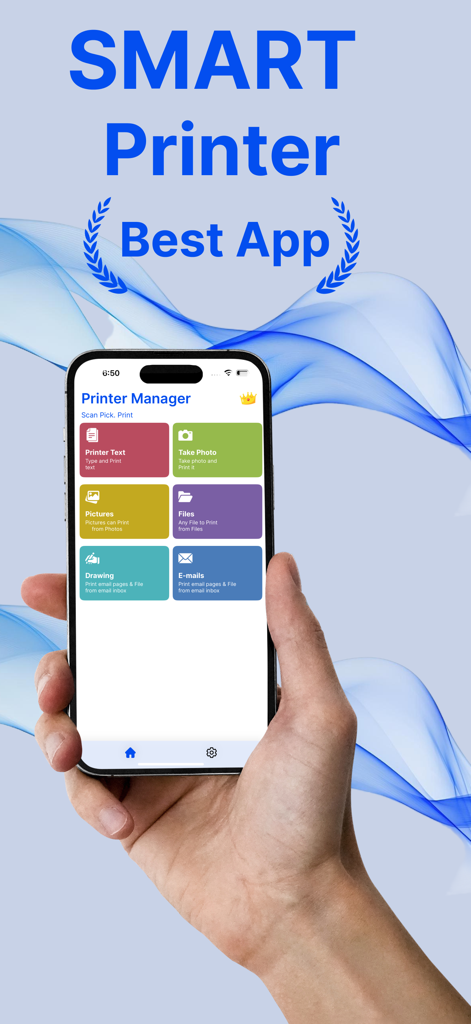
Una mano che tiene un iPhone che mostra la dashboard dell'app Smart Printer con opzioni per stampare testi, foto, file ed email
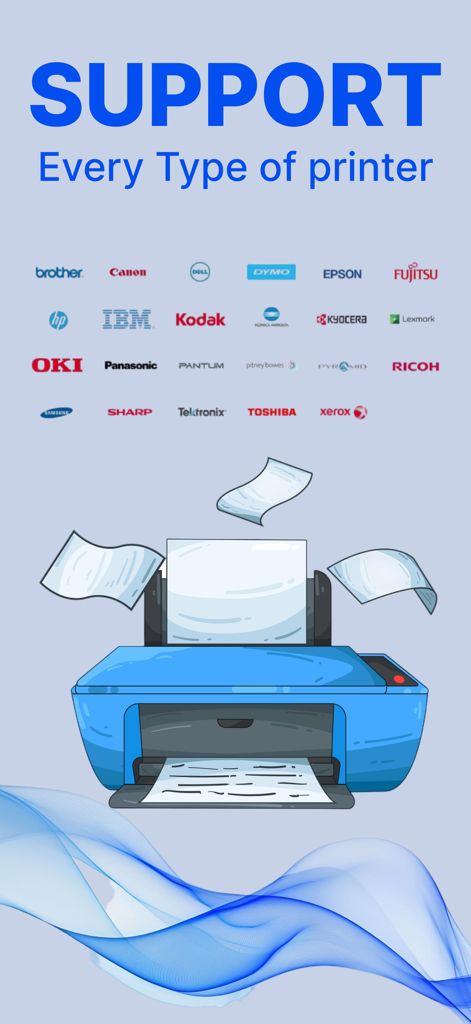
Un'illustrazione di una stampante blu con vari loghi di marchi come HP, Canon ed Epson che mostrano la compatibilità universale con le stampanti.
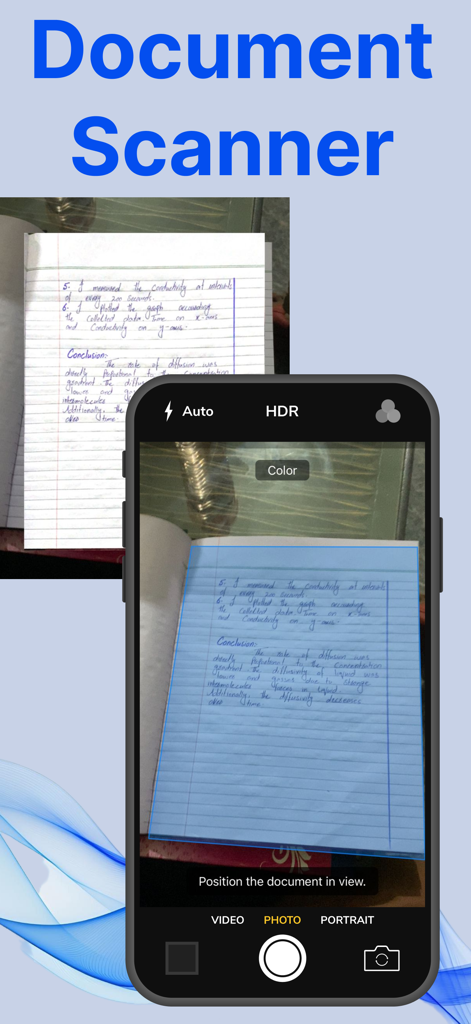
Interfaccia dell'iPhone che mostra la funzione di scanner documenti che acquisisce una pagina di taccuino scritta a mano
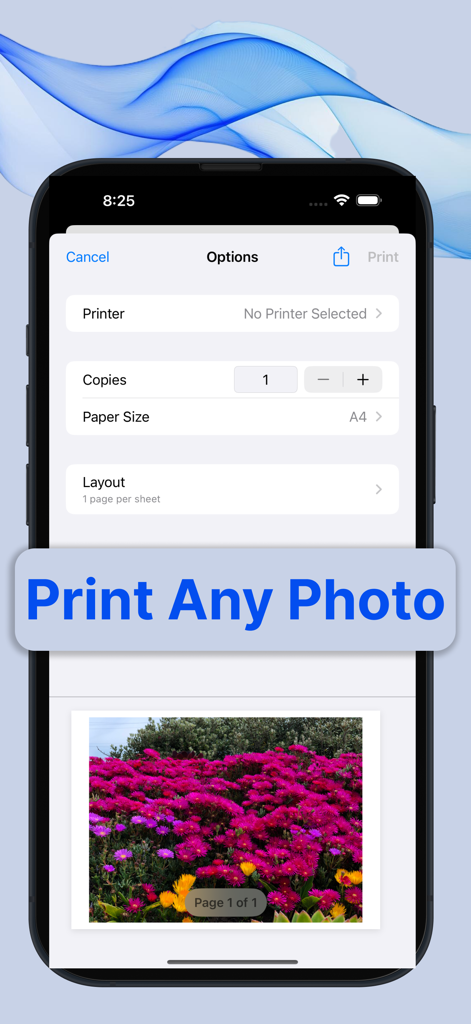
Uno smartphone che mostra l'interfaccia di anteprima e impostazioni di stampa delle foto dell'app Smart Printer.
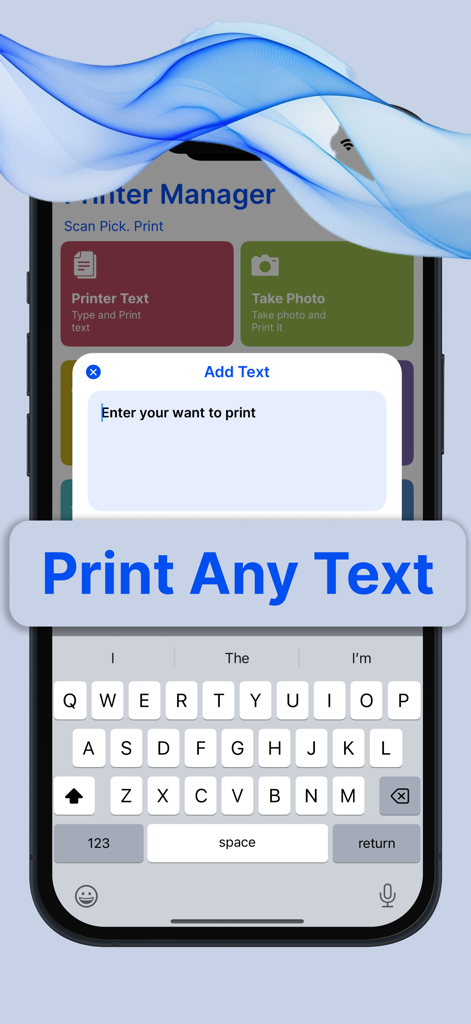
Schermata dell'iPhone che mostra l'interfaccia dell'app Smart Printer per inserire e stampare testo personalizzato
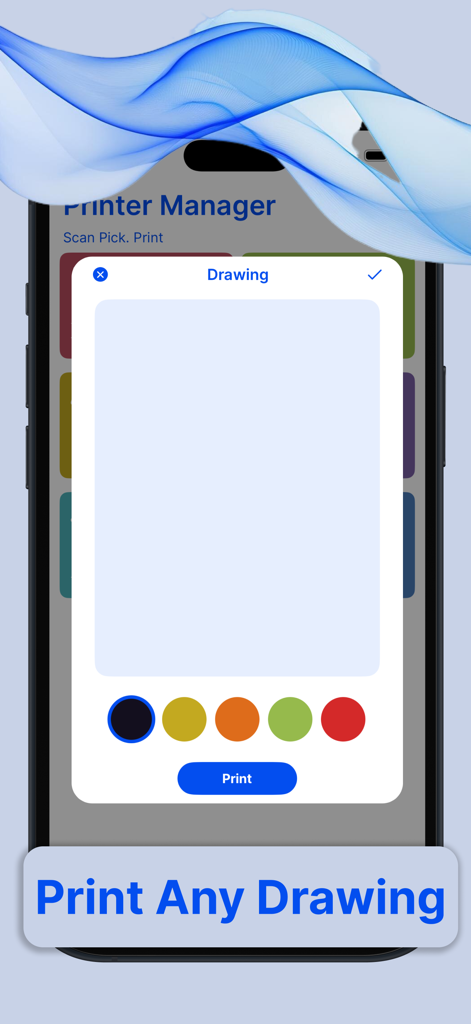
Interfaccia dell'app Smart Printer che mostra uno strumento di disegno con selezione del colore e un pulsante di stampa
Descrizione
Printer App: The Ultimate Wireless Printing Solution
In today’s fast-paced, mobile-driven world, convenience and accessibility are paramount. With the rise of smartphones, tablets, and other mobile devices, the need for seamless integration between these devices and traditional technologies like printers has become more important than ever. The Printer App is a game-changer in this regard. It is a robust, easy-to-use application designed to wirelessly connect users to any compatible printer, enabling them to print anything, anytime, from their mobile device without the need for cables or complicated setups.
A Seamless Experience
The primary goal of the Printer App is to eliminate the friction that often comes with traditional printing. In the past, users needed to deal with clunky drivers, complex configurations, and cables. This app streamlines the entire process, ensuring that users can print documents, photos, and even web pages with just a few taps, making the experience feel effortless.
Wireless Connectivity
The core feature of the Printer App is its ability to connect wirelessly to any printer that supports Wi-Fi, Bluetooth, or other wireless printing protocols. Whether you're at home, in the office, or on the go, the app makes it easy to find and connect to any nearby printer. Whether you have an inkjet, laser, or photo printer, the app ensures compatibility with most modern printer models, regardless of the manufacturer.
The app automatically detects available printers on the same Wi-Fi network, eliminating the need to manually search for or configure devices. It can also pair with printers using Bluetooth, making it an excellent solution for users who want to print directly from their phones without the need for a Wi-Fi connection.
Easy-to-Use Interface
The Printer App is designed with user experience in mind. Its interface is clean, intuitive, and highly responsive, making it easy for even the least tech-savvy individuals to navigate. Upon opening the app, users are greeted with a simple dashboard that displays options to print documents, images, or even web pages directly from their browser.
To print a document, users simply select the file they wish to print, choose the printer from a list of available devices, and hit the print button. The app even allows users to adjust print settings, such as paper size, print quality, and the number of copies, all from within the app. If you’re printing a photo, the app offers built-in options to crop, rotate, or enhance images before printing.
Versatility: Print from Anywhere
One of the standout features of the Printer App is its ability to print from virtually any location. As long as your mobile device and the printer are connected to the same wireless network, you can print documents from the comfort of your home or office. Even if you're on the go, the app allows you to send print jobs to remote printers via cloud printing services, meaning you can print from a cafe, library, or even while traveling.
The app supports printing from a variety of sources, including documents stored on your mobile device, cloud storage platforms like Google Drive and Dropbox, or even email attachments. For those who frequently need to print from web pages, the app also includes a web browser integration that lets users print directly from websites without having to download or transfer files.
https://farooqdevs.wordpress.com/2024/06/22/term-of-use/
https://farooqdevs.wordpress.com/2024/06/22/privacy-policy/
Questa pagina non è una pagina ufficiale dell'app o del suo sviluppatore, ma una pubblicazione editoriale indipendente creata a scopo informativo e di commento. Salvo espressa indicazione contraria, né l'app né il suo sviluppatore sono affiliati, approvati, sponsorizzati, autorizzati o altrimenti ufficialmente collegati a MWM, Apple, Google Play, all'editore dell'app o allo sviluppatore dell'app, e nulla in questa pagina implica che l'app sia stata sviluppata utilizzando i servizi di MWM. Tutti i marchi, loghi, screenshot e altri contenuti rimangono di proprietà dei rispettivi proprietari.