Smart Scan Receipts: Receiptly
Scarica su App Store

Questa pagina non è una pagina ufficiale dell'app o del suo sviluppatore, ma una pubblicazione editoriale indipendente creata a scopo informativo e di commento. Salvo espressa indicazione contraria, né l'app né il suo sviluppatore sono affiliati, approvati, sponsorizzati, autorizzati o altrimenti ufficialmente collegati a MWM, Apple, Google Play, all'editore dell'app o allo sviluppatore dell'app, e nulla in questa pagina implica che l'app sia stata sviluppata utilizzando i servizi di MWM. Tutti i marchi, loghi, screenshot e altri contenuti rimangono di proprietà dei rispettivi proprietari.


Logo di Smart Scan Receipts: Receiptly
Scarica su App Store

Smart Scan Receipts: Receiptly

Lo strumento tutto-in-uno per liberi professionisti e famiglie impegnate per scansionare ricevute, automatizzare i rimborsi e organizzare le garanzie dei prodotti con esportazioni PDF professionali.

Numeri Chiave

Download

1K+

Valutazione

4.4/5

Valutazioni totali

100

Editore

Karmjit Singh

Categoria

Finance

Lingue

30

Ultima versione

7.1.6

Dimensione

228.5 MB

Data di lancio

19 ott 2020
Funzioni

Semplifica la Tua Vita Finanziaria

Dalla scansione AI istantanea ai report fiscali professionali, Receiptly ti offre gli strumenti per recuperare il tuo tempo e proteggere i tuoi acquisti.

Scansione Intelligente AI Istantanea

Estrai automaticamente date, totali e informazioni fiscali con un solo tocco. Dì addio all'inserimento manuale dei dati e al disordine cartaceo.

Report Pronti per la Dichiarazione Fiscale

Esporta fogli di calcolo PDF o Excel organizzati per il tuo commercialista o per i rimborsi aziendali in pochi secondi.

Gli screenshot e la descrizione seguenti provengono direttamente dall'elenco ufficiale dello store dell'app e sono di proprietà dello sviluppatore.

App Store

Screenshot
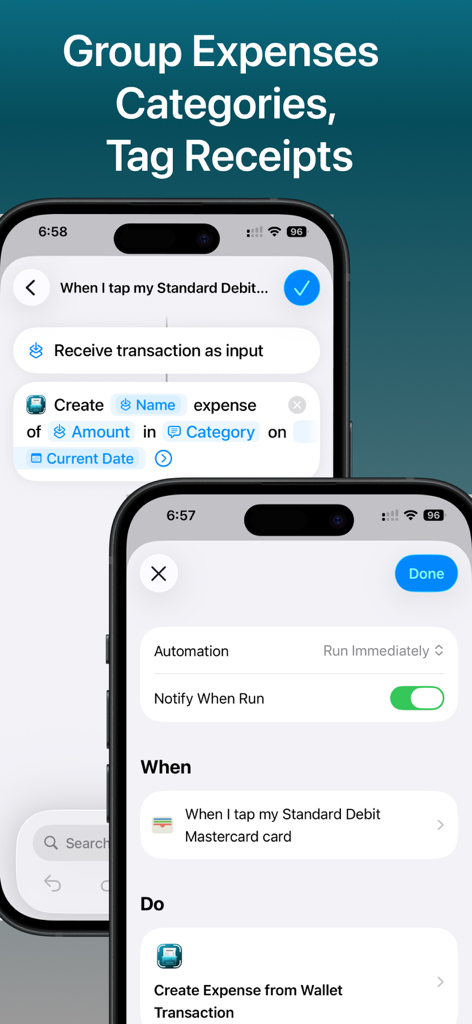
Smart Scan Receipts: Receiptly - Interfaccia dell'app Receiptly che mostra l'automazione di Apple Shortcut per raggruppare le spese e taggare le ricevute
Interfaccia dell'app Receiptly che mostra l'automazione di Apple Shortcut per raggruppare le spese e taggare le ricevute

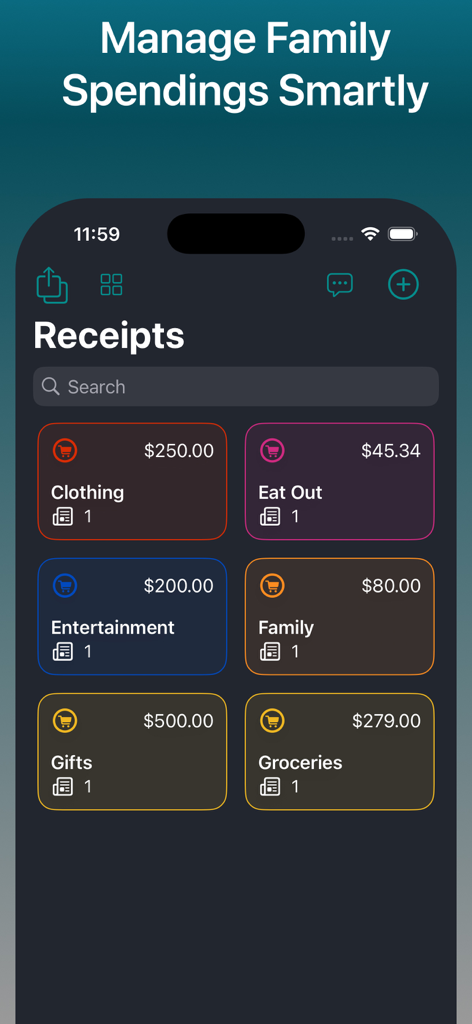
Smart Scan Receipts: Receiptly - Dashboard dell'app Receiptly che mostra varie categorie di spesa come abbigliamento, generi alimentari e intrattenimento con importi totali di spesa
Dashboard dell'app Receiptly che mostra varie categorie di spesa come abbigliamento, generi alimentari e intrattenimento con importi totali di spesa

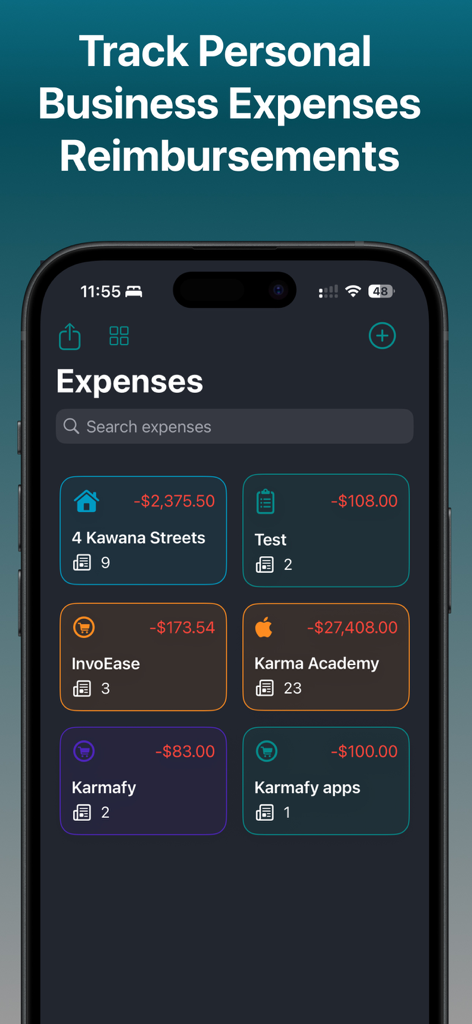
Smart Scan Receipts: Receiptly - Dashboard che mostra le spese personali e aziendali categorizzate nell'app Receiptly
Dashboard che mostra le spese personali e aziendali categorizzate nell'app Receiptly

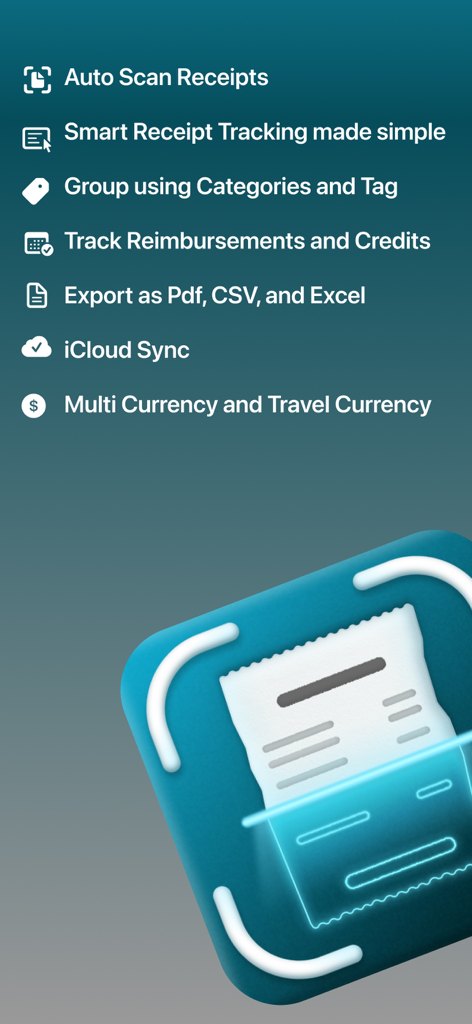
Smart Scan Receipts: Receiptly - Panoramica delle funzionalità di Smart Scan Receipts, inclusa la scansione automatica e la sincronizzazione cloud
Panoramica delle funzionalità di Smart Scan Receipts, inclusa la scansione automatica e la sincronizzazione cloud

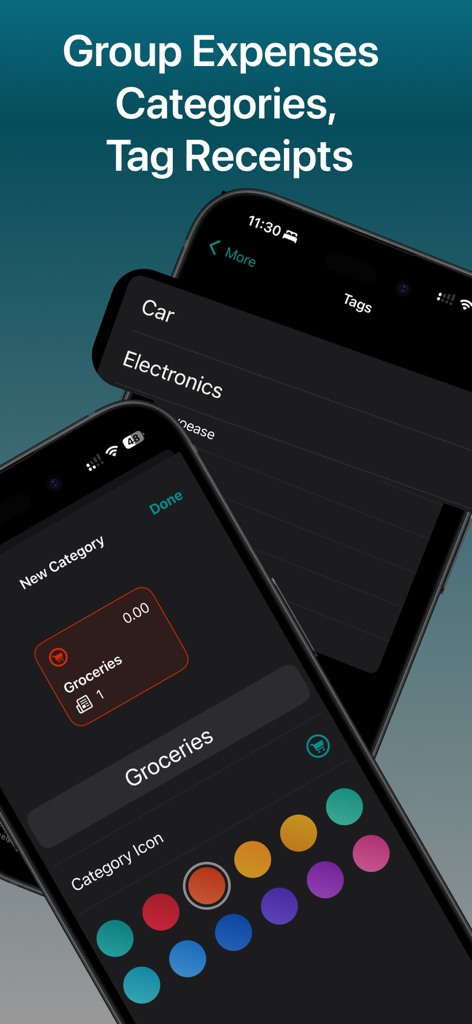
Smart Scan Receipts: Receiptly - Interfaccia dell'app Receiptly che mostra come organizzare le spese utilizzando categorie e tag personalizzati su un iPhone
Interfaccia dell'app Receiptly che mostra come organizzare le spese utilizzando categorie e tag personalizzati su un iPhone

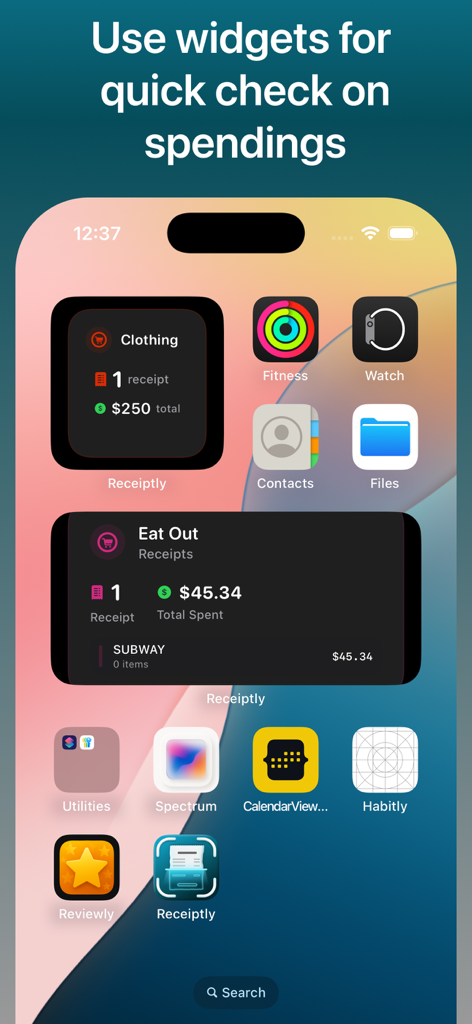
Smart Scan Receipts: Receiptly - Schermata Home dell'iPhone che mostra i widget dell'app Receiptly per monitorare le spese di abbigliamento e ristorazione
Schermata Home dell'iPhone che mostra i widget dell'app Receiptly per monitorare le spese di abbigliamento e ristorazione

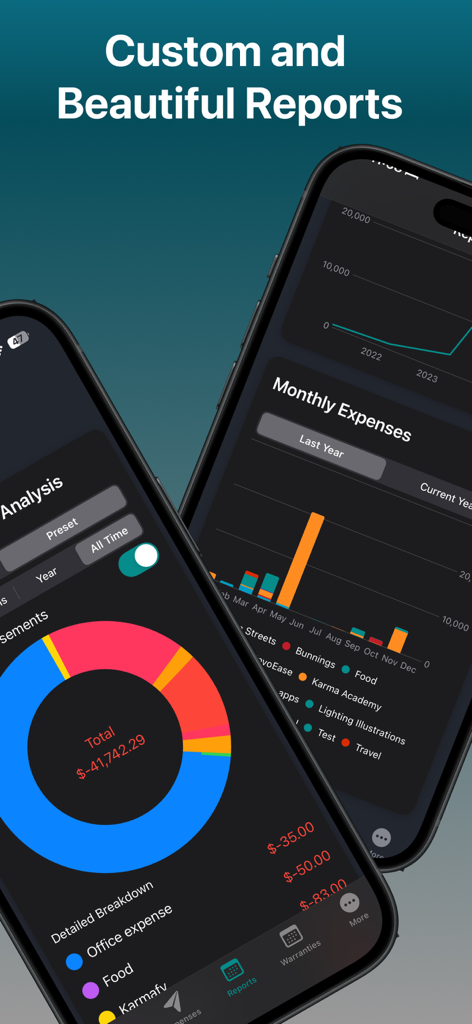
Smart Scan Receipts: Receiptly - Due smartphone che mostrano l'app Receiptly con grafici dettagliati della ripartizione delle spese e report finanziari mensili
Due smartphone che mostrano l'app Receiptly con grafici dettagliati della ripartizione delle spese e report finanziari mensili

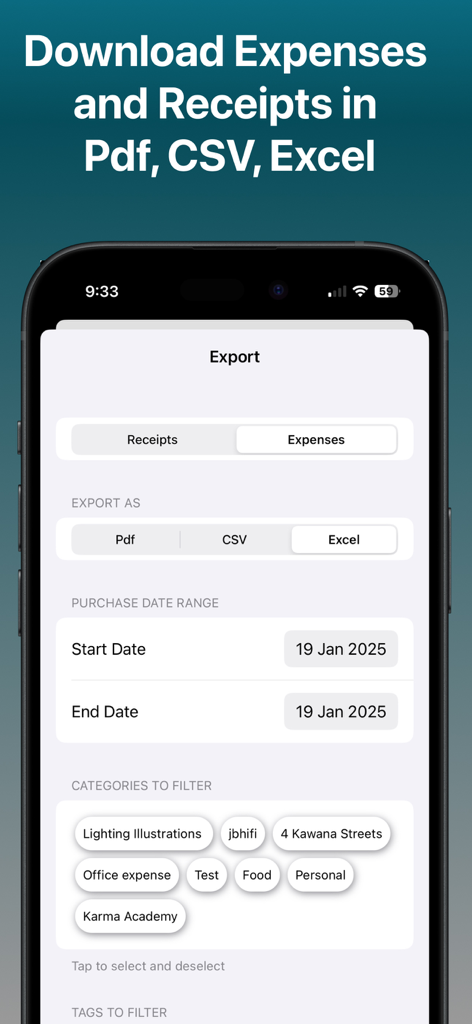
Smart Scan Receipts: Receiptly - Interfaccia dell'app Receiptly che mostra le opzioni di esportazione per ricevute e spese in formati PDF, CSV ed Excel
Interfaccia dell'app Receiptly che mostra le opzioni di esportazione per ricevute e spese in formati PDF, CSV ed Excel

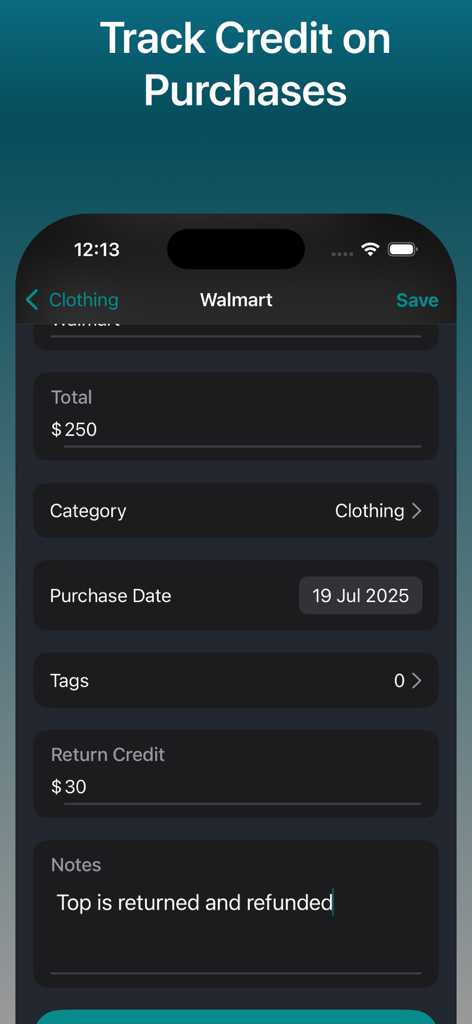
Smart Scan Receipts: Receiptly - Interfaccia dell'app mobile che mostra come tracciare crediti di reso e rimborsi per una ricevuta di acquisto.
Interfaccia dell'app mobile che mostra come tracciare crediti di reso e rimborsi per una ricevuta di acquisto.

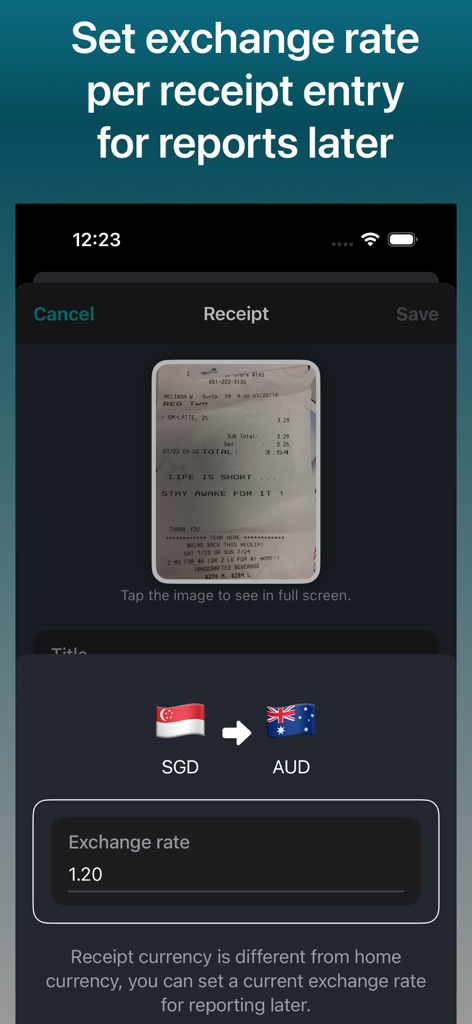
Smart Scan Receipts: Receiptly - Un'interfaccia mobile per impostare i tassi di cambio tra SGD e AUD per le ricevute scansionate.

Un'interfaccia mobile per impostare i tassi di cambio tra SGD e AUD per le ricevute scansionate.

Descrizione

Smart Receipt Scanner and Expense Tracker. Track Reimbursements against your expenses. PDF/CSV/EXCEL export of receipts and expenses. Maintain your receipts across your iPhone and iPads with iCloud sync. Drag and drop images on iPads to quickly create receipts entries. Maintain your Business Travel receipts in different currencies and set exchange rates to later submit your reimbursements. Receiptly is not restricted to only receipts, you can save your vouchers, invoices, or gift cards to keep track of their expiry date. RECEIPTLY: ALL IN ONE Business and Personal Accounting Solution Whether you are an individual trying to track home expenses, groceries, and tracking all the home purchases receipts to claim your warranties or person running a small business. This is one app that is made for you. Organise your receipts and expenses into Categories. Use tags to quickly filter your related receipts or expenses. Quickly saves a photo of receipt or Invoice on the go while shopping. Customises the details regarding receipts for easy search and tracking. App offers widgets to view a quick summary of the store. Medium size widget helps you keep track of top receipts/invoices for selected stores and/or to keep an eye on upcoming warranties of your products. Features: > Smart Scan: Automatically extract the important information from the receipts. > Quick create: Quickly create using a camera or choose from your photo library. Add existing receipts from the photo library. > Support for Apple Shortcut automations! Automatically create expenses whenever you make a payment. > Set home currency for the receipts and have the ability to set the currency for receipt if you are travelling and can set an exchange rate to use for later for reporting. > Track warranties if products added to the receipts and get notifications. > Track Expenses and reimbursements to get a overview of your incoming and outgoing amount. > Beautiful reports to view your expanses. > Export: Export your receipts data to CSV, PDF or even Excel(spreadsheet) to share with accountants. > Widgets: Beautiful widgets to keep an eye on the spending summary on a store or configure the widget to keep track of product warranties. > Easy Organisation: The app helps you keep your receipts in an organized way for easy search. > Product Tracking > Keep an eye on the product warranties. > Tagging: Tag the receipts to search them easily later. You may purchase an auto-renewing subscription through an In-App Purchase to upgrade to plus and you get > Unlimited Smart scans: Unlimited smart scans to easily create receipts. > Export: Export your receipts to share with your tax agents or others. > App Icons: Choose from different app icons of your liking. > Access to the reports for quick summary. For support and suggestions reach at karm.singh@outlook.com • Auto-renewable subscription • Your subscription will be charged to your iTunes account at confirmation of purchase and will automatically renew (at the duration selected) unless auto-renew is turned off at least 24 hours before the end of the current period. • Current subscription may not be canceled during the active subscription period; however, you can manage your subscription and/or turn off auto-renewal by visiting your iTunes Account Settings after purchase • Privacy policy: https://receiptly.karmaacademy.com.au/privacypolicy/ • Terms of use: https://receiptly.karmaacademy.com.au/termsofuse/

Download

Scarica su App Store

Questa pagina non è una pagina ufficiale dell'app o del suo sviluppatore, ma una pubblicazione editoriale indipendente creata a scopo informativo e di commento. Salvo espressa indicazione contraria, né l'app né il suo sviluppatore sono affiliati, approvati, sponsorizzati, autorizzati o altrimenti ufficialmente collegati a MWM, Apple, Google Play, all'editore dell'app o allo sviluppatore dell'app, e nulla in questa pagina implica che l'app sia stata sviluppata utilizzando i servizi di MWM. Tutti i marchi, loghi, screenshot e altri contenuti rimangono di proprietà dei rispettivi proprietari.








