
Questa pagina non è una pagina ufficiale dell'app o del suo sviluppatore, ma una pubblicazione editoriale indipendente creata a scopo informativo e di commento. Salvo espressa indicazione contraria, né l'app né il suo sviluppatore sono affiliati, approvati, sponsorizzati, autorizzati o altrimenti ufficialmente collegati a MWM, Apple, Google Play, all'editore dell'app o allo sviluppatore dell'app, e nulla in questa pagina implica che l'app sia stata sviluppata utilizzando i servizi di MWM. Tutti i marchi, loghi, screenshot e altri contenuti rimangono di proprietà dei rispettivi proprietari.


Sony | Imaging Edge Mobile
La tua fotocamera Sony, finalmente libera. Questo software trasferisce il controllo e la tua visione direttamente allo smartphone, senza frizioni né attese.
Download
12.5M+Valutazione
Valutazioni totali
45.1KEditore
Categoria
Photo & VideoLingue
18Ultima versione
7.8.3Dimensione
52.6 MBData di lancio
9 gen 2012Funzionalità Principali di Sony | Imaging Edge Mobile
Un'analisi delle capacità chiave per fotografi Sony esigenti.
Trasferimento Flessibile di Immagini e Video
L'app consente agli utenti di trasferire foto e video, inclusi file 4K ad alto bitrate, dalla fotocamera allo smartphone. È possibile visualizzare e trasferire contenuti anche quando la fotocamera è spenta, ottimizzando la condivisione e l'editing.
Trasferimento Automatico per un Flusso di Lavoro Ottimizzato
Questo strumento offre una funzione di trasferimento automatico in sfondo, inviando le immagini allo smartphone non appena scattate, eliminando la necessità di selezione manuale post-scatto e velocizzando la disponibilità per la condivisione.
Controllo Remoto della Fotocamera con Live View
L'app permette di controllare la fotocamera a distanza, scattando foto o registrando video, visualizzando l'anteprima in tempo reale sullo smartphone. Questo è ideale per scatti che richiedono stabilità o angolazioni complesse.
Salvataggio e Applicazione Rapida delle Impostazioni
Questo strumento permette di salvare fino a 20 configurazioni di impostazioni della fotocamera all'interno dell'app e di applicarle rapidamente, garantendo coerenza e velocità nella preparazione per diverse situazioni di scatto.
Domande Frequenti
Tutto quello che devi sapere su Sony | Imaging Edge Mobile
How does Sony | Imaging Edge Mobile transfer images and videos?
Imaging Edge Mobile transfers images and videos from a camera to a smartphone or tablet. It supports automatic background transfers after shooting and can handle high bit rate video files, including 4K.
Does Sony | Imaging Edge Mobile support 4K video transfer?
Yes, Imaging Edge Mobile can transfer high bit rate video files, including 4K, from a camera to a smartphone or tablet. The availability of video transfer varies depending on the smartphone.
Does Sony | Imaging Edge Mobile allow remote camera shooting?
Yes, Imaging Edge Mobile enables remote shooting of a camera. Users can capture photos and videos while checking the camera's live view on their smartphone, useful for long-exposure or macro shots.
How does Sony | Imaging Edge Mobile add location information to photos?
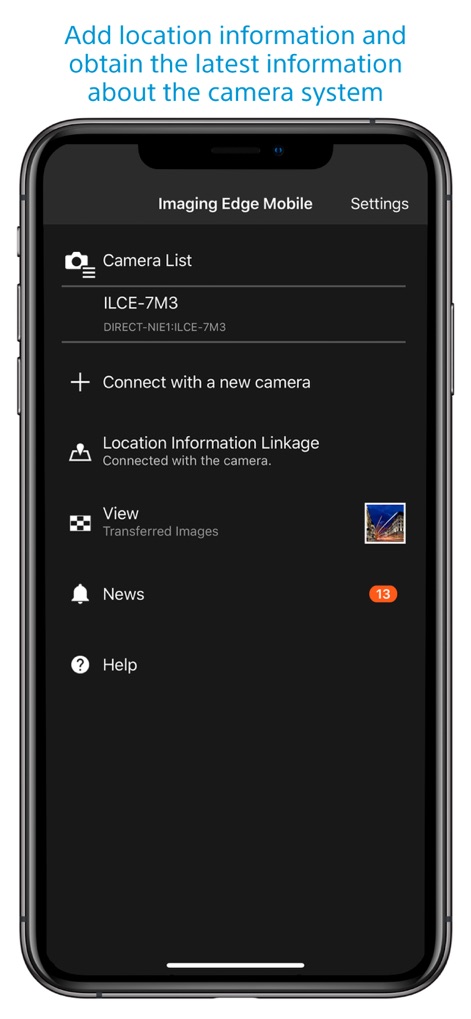
Imaging Edge Mobile adds location information by linking with compatible cameras to embed smartphone-acquired data into captured images. For cameras without linkage, it adds location info to photos saved on the smartphone during remote shooting.
What operating systems does Sony | Imaging Edge Mobile support?
Imaging Edge Mobile supports iOS operating systems ranging from iOS 17.7 to iOS 18.6. The app's functionality is not guaranteed with all smartphones/tablets.
Can Sony | Imaging Edge Mobile save camera settings?
Yes, Imaging Edge Mobile allows users to save up to 20 camera settings within the app. These saved settings can then be applied to compatible cameras with the same model name.
Does Sony | Imaging Edge Mobile support automatic image transfer?
Yes, Imaging Edge Mobile features an automatic background transfer function. Images are transferred to the smartphone as they are captured, eliminating the need for manual selection after shooting.
Gli screenshot e la descrizione seguenti provengono direttamente dall'elenco ufficiale dello store dell'app e sono di proprietà dello sviluppatore.
App Store
Screenshot
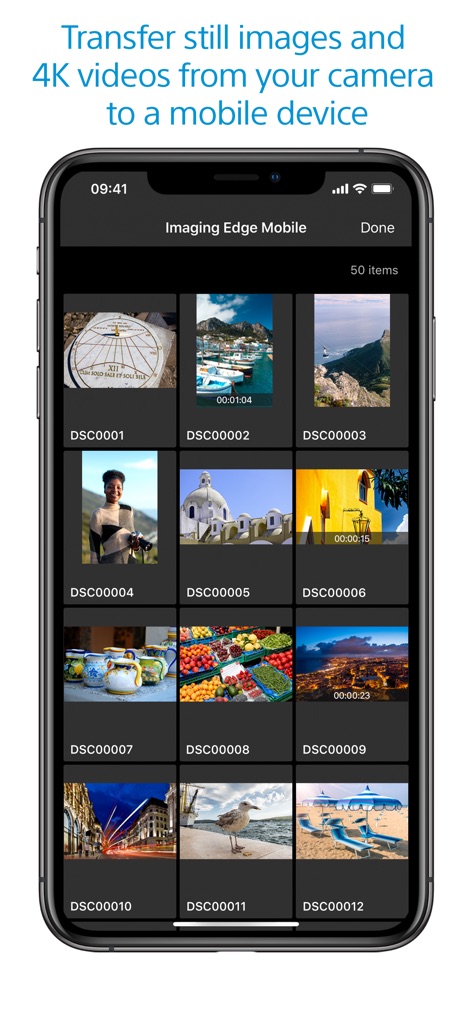
Trasferimento Immagini Rapido
L'app semplifica la gestione dei media, consentendo agli utenti di visualizzare una griglia di miniature dei file e il contatore "50 items", per selezionare e trasferire rapidamente immagini e video dalla fotocamera allo smartphone.
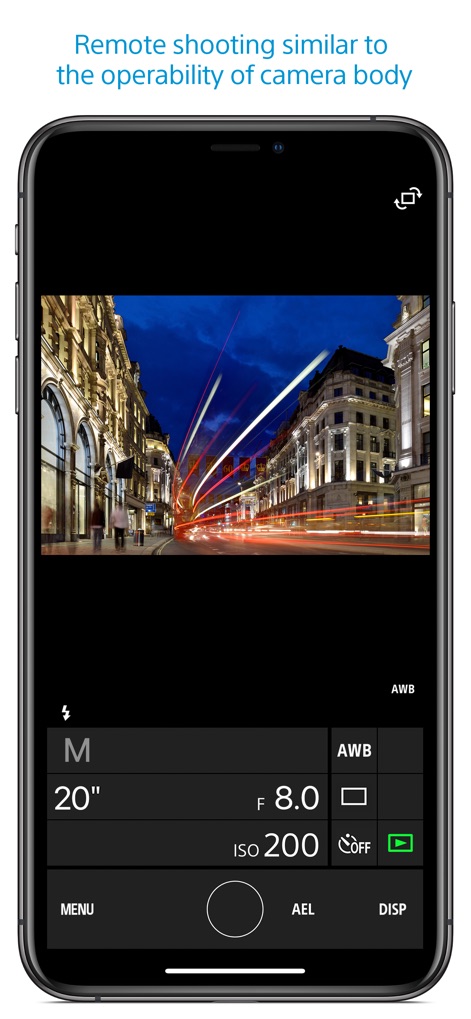
Controllo Remoto Preciso
Gli utenti possono catturare foto e video a distanza con un controllo dettagliato, come dimostrato dalla visualizzazione dei parametri di scatto come "20"" di esposizione e "ISO 200", replicando l'esperienza di una fotocamera professionale.
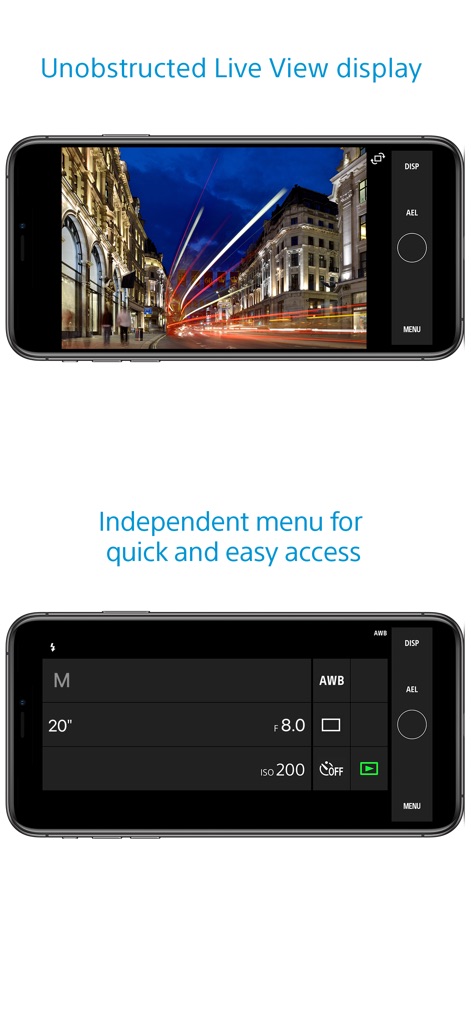
Visualizzazione Live Pulita
L'app offre una visualizzazione Live View senza elementi di disturbo, permettendo agli utenti di concentrarsi sulla composizione, come evidente dall'immagine a schermo intero e dalla presenza di soli controlli essenziali come il pulsante "DISP" in alto a destra.
Impostazioni Intuitivamente Accessibili
Questo strumento propone un'interfaccia dedicata per le impostazioni, offrendo accesso rapido a parametri cruciali come l'apertura "f 8.0" e la modalità "M" (Manuale), migliorando l'efficienza durante lo scatto remoto.
Descrizione
Download
App Simili
App con funzionalità ed esperienza simili

DJI Mimo
SZ DJI TECHNOLOGY CO., LTD

DJI Ronin
SZ DJI TECHNOLOGY CO., LTD

Roku TV Remote Control & Cast
Aleh Piashkou

Remote for Hisense TV.
Duscov Stepan

Alpha Linker - Camera Transfer
恒茂 刘

MyCentsys Pro
Centurion Systems (Pty) Ltd

Roku TV Remote Control・
Artur Belov

Luminair
Synthe FX, LLC

FUJIFILM XApp
FUJIFILM Corporation
Questa pagina non è una pagina ufficiale dell'app o del suo sviluppatore, ma una pubblicazione editoriale indipendente creata a scopo informativo e di commento. Salvo espressa indicazione contraria, né l'app né il suo sviluppatore sono affiliati, approvati, sponsorizzati, autorizzati o altrimenti ufficialmente collegati a MWM, Apple, Google Play, all'editore dell'app o allo sviluppatore dell'app, e nulla in questa pagina implica che l'app sia stata sviluppata utilizzando i servizi di MWM. Tutti i marchi, loghi, screenshot e altri contenuti rimangono di proprietà dei rispettivi proprietari.