Speech Assist Switch
Scarica su App Store

Questa pagina non è una pagina ufficiale dell'app o del suo sviluppatore, ma una pubblicazione editoriale indipendente creata a scopo informativo e di commento. Salvo espressa indicazione contraria, né l'app né il suo sviluppatore sono affiliati, approvati, sponsorizzati, autorizzati o altrimenti ufficialmente collegati a MWM, Apple, Google Play, all'editore dell'app o allo sviluppatore dell'app, e nulla in questa pagina implica che l'app sia stata sviluppata utilizzando i servizi di MWM. Tutti i marchi, loghi, screenshot e altri contenuti rimangono di proprietà dei rispettivi proprietari.

Logo di Speech Assist Switch
Scarica su App Store

Speech Assist Switch

La soluzione AAC professionale progettata specificamente per utenti iPad con difficoltà motorie. Comunica con indipendenza usando schemi di scansione personalizzabili, librerie di frasi personalizzate e voci di alta qualità su misura per le tue esigenze uniche.

Numeri Chiave

Download

29K+

Valutazione

1.0/5

Valutazioni totali

0

Editore

Ton Schalke

Categoria

Medical

Lingue

4

Ultima versione

3.5.2

Dimensione

67.7 MB

Data di lancio

3 mag 2019
Funzioni

Potenziare Ogni Voce con Precisione Accessibile

Progettata appositamente per utenti iPad con sfide motorie, la nostra app colma il divario tra pensiero e parola attraverso una scansione ottimizzata e griglie di comunicazione completamente personalizzabili.

Efficienza di Scansione Ottimizzata

Riduci l'affaticamento fisico con raggruppamenti regolabili di righe e pulsanti, progettati per minimizzare le pressioni del commutatore necessarie per trovare le parole giuste.

Navigazione Senza Scorrimento

Sperimenta un'interazione fluida utilizzando pulsanti dedicati per avanzare e tornare indietro tra le pagine, eliminando la difficoltà dello scorrimento per gli utenti con disabilità motorie.

Gli screenshot e la descrizione seguenti provengono direttamente dall'elenco ufficiale dello store dell'app e sono di proprietà dello sviluppatore.

App Store

Screenshot
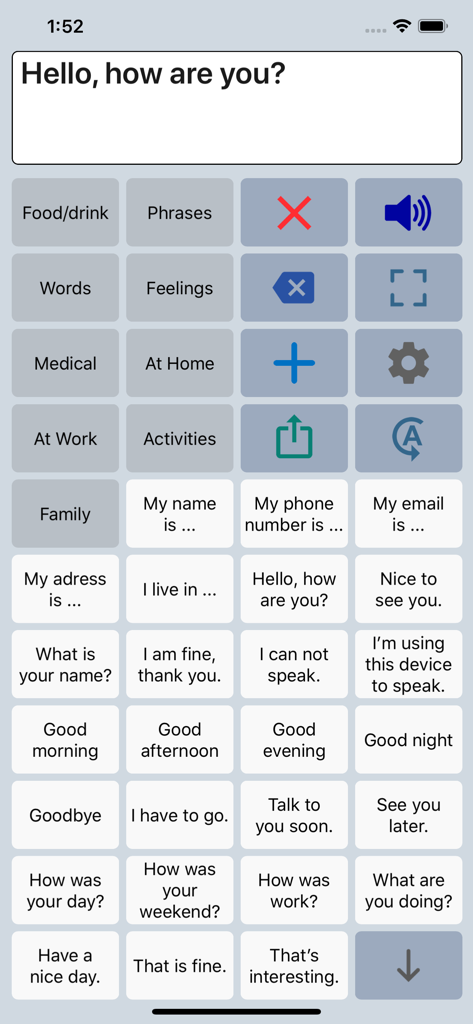
Speech Assist Switch - Interfaccia dell'app AAC Speech Assist Switch che mostra una griglia di frasi e categorie personalizzabili per l'assistenza vocale.
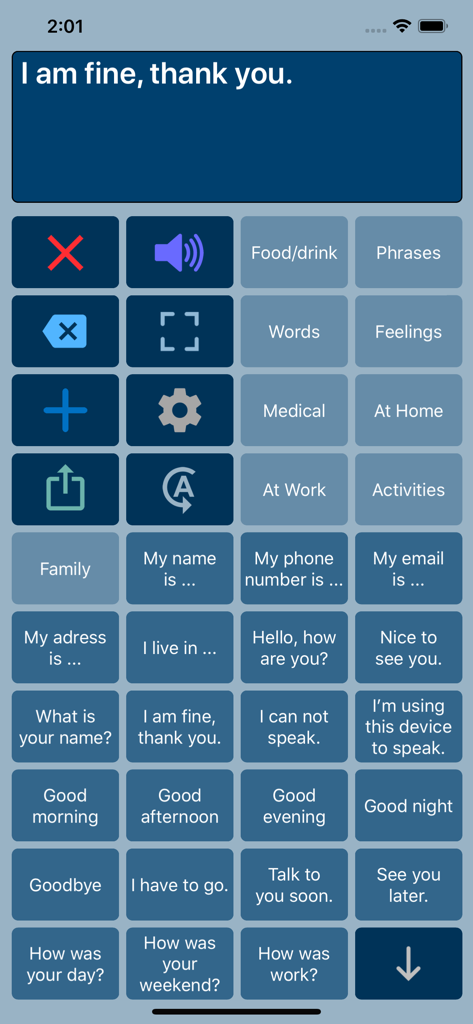
Interfaccia dell'app AAC Speech Assist Switch che mostra una griglia di frasi e categorie personalizzabili per l'assistenza vocale.

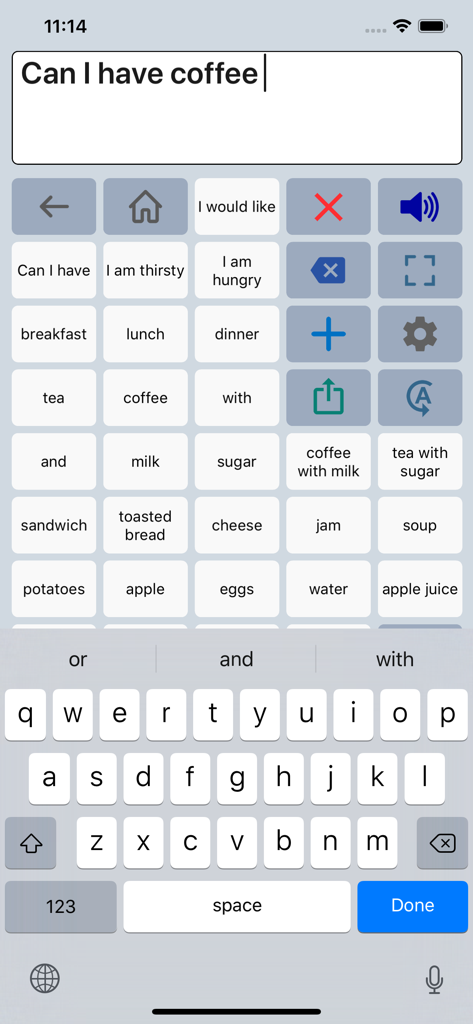
Speech Assist Switch - Interfaccia dell'app Speech Assist Switch che mostra una griglia di frasi e una tastiera per la comunicazione
Interfaccia dell'app Speech Assist Switch che mostra una griglia di frasi e una tastiera per la comunicazione

Speech Assist Switch - Interfaccia dell'app Speech Assist Switch che mostra una griglia di pulsanti di comunicazione con frasi comuni e opzioni di categoria
Interfaccia dell'app Speech Assist Switch che mostra una griglia di pulsanti di comunicazione con frasi comuni e opzioni di categoria

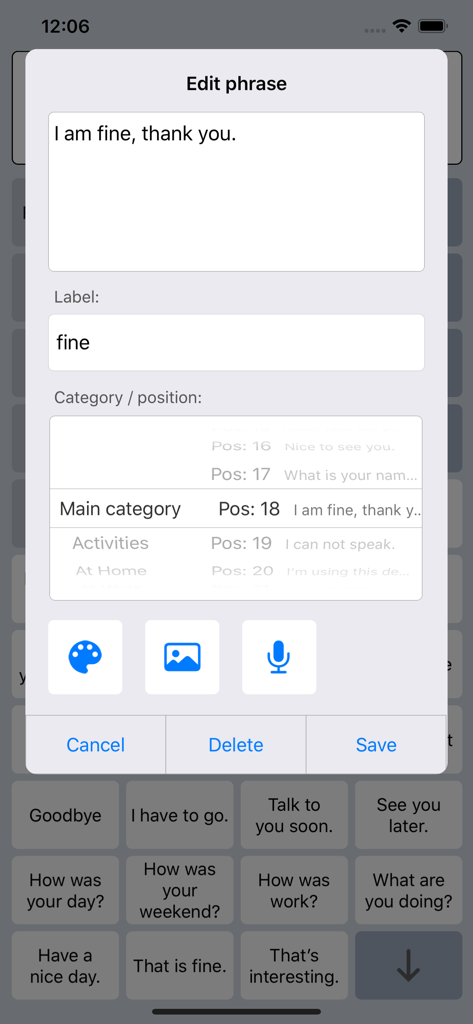
Speech Assist Switch - Interfaccia per la modifica e la personalizzazione delle frasi nell'app Speech Assist Switch
Interfaccia per la modifica e la personalizzazione delle frasi nell'app Speech Assist Switch

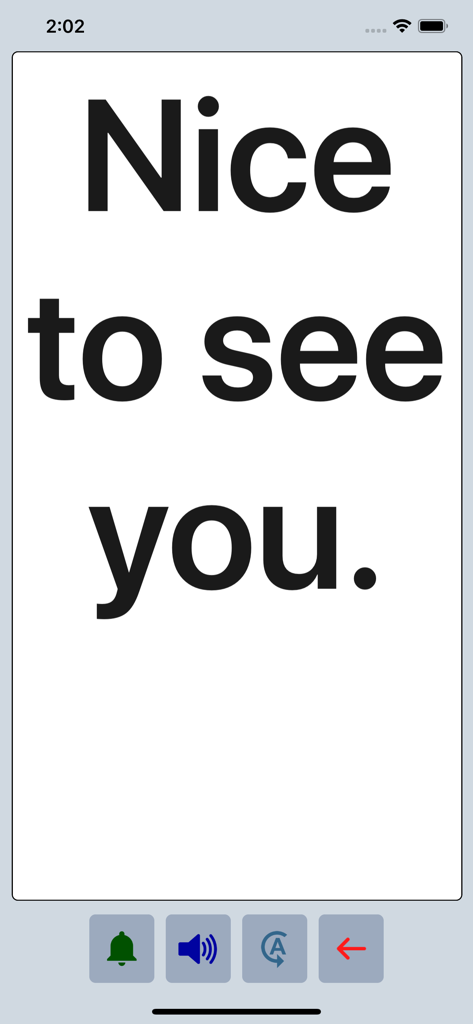
Speech Assist Switch - L'app Speech Assist Switch visualizza la frase Nice to see you in testo grande e in grassetto in modalità a schermo intero.

L'app Speech Assist Switch visualizza la frase Nice to see you in testo grande e in grassetto in modalità a schermo intero.

Descrizione

Speech Assist Switch is an AAC app for people who are speech impaired and is designed to be used with iOS Switch Control. With Switch Control people with motor difficulties can operate their iPad with a switch. The app has special features for scanning with iOS Switch Control like the option to adjust the scanning pattern and has page up/down navigation buttons to avoid scrolling. If you don’t need these features, the original app ‘Speech Assistant AAC’ is the better choice. Key features • The app is designed for the iPad. • Easy to use and completely customizable to your needs and preferences. • Categories and subcategories to organize your phrases. • History for quick access to previously typed phrases. • Option to select photos from your Photo Library or Symbols on the buttons. • Option to record speech or use one of the many iOS text-to-speech voices. • Full screen button to show your message with a large font. • iCloud backup and restore (also for recordings). Special features for iOS Switch Control • The scanning pattern can be adjusted in the settings. • All the button are created in one large grid. • The buttons can be made very small, in the settings you can choose from 6 to 12 buttons per row on an iPad. • The category buttons can be placed anywhere and it is possible to create subcategories. • Navigation through the pages can be done with page up/down buttons. • A special optional bar for the keyboard with buttons to move the cursor a letter or word. Scanning pattern • When iOS Switch Control is enabled, the default scanning pattern scans row by row and then button by button. This is not always efficient and therefore the scanning pattern can be adjusted in the settings: • The number of rows that will be grouped during scanning. • The number of buttons in a row that will be grouped during scanning. Categories and phrases • Add, change or delete your own (sub)categories and phrases. • You can create an unlimited number of categories to organize your phrases for quick access. • Create users with their own categories, phrases and voice for different languages, persons or situations. • In the settings you can quickly and easily edit multiple phrases at once. • Backup and Restore your categories and phrases to iCloud, also convenient for transferring them to another iPhone/iPad. Fully Customizable • The size of the buttons, the textbox and the text can be adjusted. • The app has various color schemes and you can also create a personal color scheme. • Change the colors of the icons on the buttons. Full screen • Show your message full screen with a very large font. • Useful for communicating in a noisy environment. • Button to rotate the text to show your message to the person opposite of you. Speech • Pronunciation corrections can be defined in the settings. • The rate and pitch of the speech can be adjusted. • Option to speak each Word or Character directly while typing. • Optional highlighting of the spoken words. • Pause and resume speaking by tapping the speak button (optional setting). Other features • Connect a bluetooth keyboard and create shortcuts for the functions Speak, Clear, Show and Attention Sound. • Button to share your message to mail, text and social media. • Attention sound button on Main and Full screen. • Option to select symbols from the set of 3400 Mulberry Symbols (mulberrysymbols.org) to place on the buttons. About the app • This app is developed by ASoft. • Ben Fullerton, who has Cerebral Palsy, has been a great help with the special features for iOS Switch Control. • For feedback or questions, please contact: speechassistant@asoft.nl Voices • The voice can be selected in the settings of the app. • The app uses the built-in iOS text-to-speech voices. • There are 90 voices in 27 languages available, for instance 9 English US, 6 English UK and 4 Australian voices available.

Download

Scarica su App Store

Questa pagina non è una pagina ufficiale dell'app o del suo sviluppatore, ma una pubblicazione editoriale indipendente creata a scopo informativo e di commento. Salvo espressa indicazione contraria, né l'app né il suo sviluppatore sono affiliati, approvati, sponsorizzati, autorizzati o altrimenti ufficialmente collegati a MWM, Apple, Google Play, all'editore dell'app o allo sviluppatore dell'app, e nulla in questa pagina implica che l'app sia stata sviluppata utilizzando i servizi di MWM. Tutti i marchi, loghi, screenshot e altri contenuti rimangono di proprietà dei rispettivi proprietari.








