
Questa pagina non è una pagina ufficiale dell'app o del suo sviluppatore, ma una pubblicazione editoriale indipendente creata a scopo informativo e di commento. Salvo espressa indicazione contraria, né l'app né il suo sviluppatore sono affiliati, approvati, sponsorizzati, autorizzati o altrimenti ufficialmente collegati a MWM, Apple, Google Play, all'editore dell'app o allo sviluppatore dell'app, e nulla in questa pagina implica che l'app sia stata sviluppata utilizzando i servizi di MWM. Tutti i marchi, loghi, screenshot e altri contenuti rimangono di proprietà dei rispettivi proprietari.


Status Saver: Photo & Video
Salva ogni ricordo, sfoglia storie in incognito e supera il limite dei 30 secondi. L'editor e gestore all-in-one per utenti avanzati che desiderano di più dalla loro esperienza social.
Download
2M+Valutazione
Valutazioni totali
2K+Editore
Categoria
Social NetworkingLingue
1Ultima versione
2.1Dimensione
41.3 MBData di lancio
17 mag 2020Padroneggia il Tuo Gioco di Stato
Vai oltre le basi con potenti strumenti progettati per curatori digitali e utenti attenti alla privacy che desiderano il pieno controllo sui propri contenuti social.
Archiviazione Permanente dei Ricordi
Smetti di lasciare che i limiti di 24 ore dettino i tuoi ricordi. Salva foto e video di alta qualità direttamente nella tua galleria per la visualizzazione offline in qualsiasi momento.
Navigazione Pura in Incognito
Rimani aggiornato senza pressioni. Visualizza stati e storie in modo completamente anonimo senza attivare le ricevute di lettura o le notifiche.
Domande Frequenti
Tutto quello che devi sapere su Status Saver: Photo & Video
Qual è la funzione principale di Status Saver: Photo & Video?
Status Saver: Photo & Video è uno strumento completo per gestire, modificare, salvare e ripubblicare storie e stati di WhatsApp. Consente agli utenti di visualizzare, salvare, modificare e condividere contenuti offline su iPhone e iPad.
Come si connettono gli utenti a WhatsApp con Status Saver: Photo & Video?
Gli utenti si connettono a WhatsApp scansionando un codice QR. L'app offre tre opzioni di scansione: codice QR sul telefono, su una pagina web o su un Apple Watch. Ricorda lo stato per evitare la ri-scansione.
Status Saver: Photo & Video può gestire video lunghi per lo stato di WhatsApp?
Sì, Status Saver: Photo & Video consente agli utenti di creare storie lunghe e dividere video per lo stato di WhatsApp. Supporta la pubblicazione efficiente di video di alta qualità e di lunghezza illimitata su varie piattaforme social.
Status Saver: Photo & Video offre una prova gratuita per le sue funzionalità premium?
Sì, Status Saver: Photo & Video offre una prova gratuita di 3 giorni per l'abbonamento mensile. Dopo la prova, gli utenti possono scegliere opzioni di abbonamento settimanale o mensile con rinnovo automatico.
Status Saver: Photo & Video è ufficialmente affiliato a WhatsApp?
No, Status Saver: Photo & Video non è affiliato né approvato da WhatsApp. È un'applicazione indipendente di terze parti che assiste nella gestione degli stati di WhatsApp e nell'editing di foto.
Gli utenti possono modificare le foto all'interno dell'app Status Saver: Photo & Video?
Sì, gli utenti possono modificare le loro foto direttamente all'interno di Status Saver: Photo & Video. L'app offre vari effetti e filtri per migliorare le immagini prima di condividerle su WhatsApp.
Gli screenshot e la descrizione seguenti provengono direttamente dall'elenco ufficiale dello store dell'app e sono di proprietà dello sviluppatore.
App Store
Screenshot
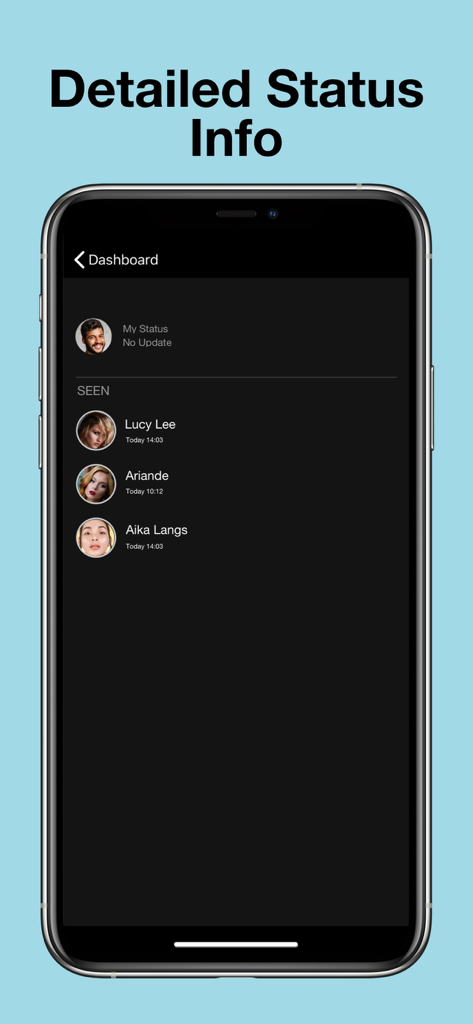
Uno schermo di smartphone che mostra l'elenco delle persone che hanno visualizzato un aggiornamento di stato di WhatsApp
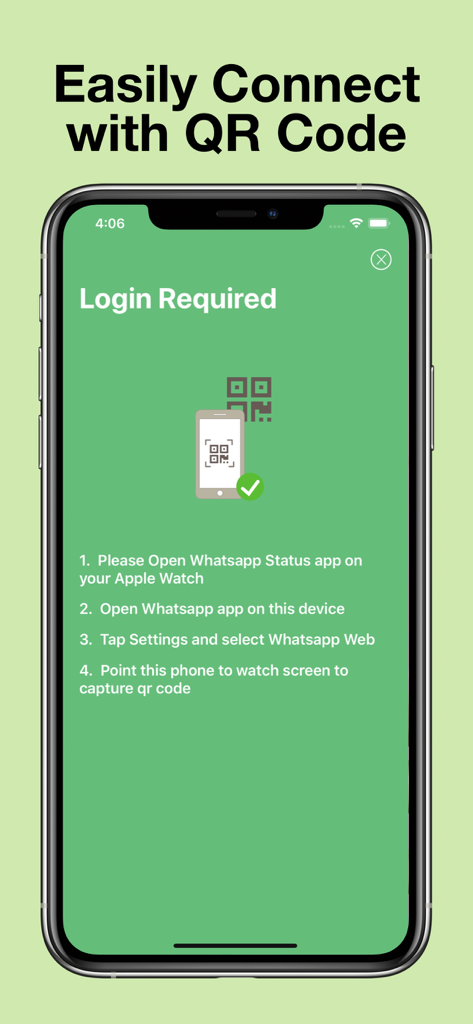
Schermata che mostra le istruzioni per connettere l'app Status Saver tramite un codice QR
Interfaccia dell'app Status Saver che mostra una schermata di caricamento delle informazioni sullo stato di WhatsApp su un iPhone.
Descrizione
Download
App Simili
App con funzionalità ed esperienza simili

Status Video Saver Reposter
Ketan Kathiriya

Status Saver and Save Story
Ahmed Bastam

Status Saver: Download Status
Vivek Warde

Status Saver : Videos
Natalie Stirner

Status Saver - Videos Saver
NAITIK, RAMESHBHAI VIRANI

Story saver : Video saver
Erasoft

Status Download For Whatsapp +
Pramod Tapaniya
Questa pagina non è una pagina ufficiale dell'app o del suo sviluppatore, ma una pubblicazione editoriale indipendente creata a scopo informativo e di commento. Salvo espressa indicazione contraria, né l'app né il suo sviluppatore sono affiliati, approvati, sponsorizzati, autorizzati o altrimenti ufficialmente collegati a MWM, Apple, Google Play, all'editore dell'app o allo sviluppatore dell'app, e nulla in questa pagina implica che l'app sia stata sviluppata utilizzando i servizi di MWM. Tutti i marchi, loghi, screenshot e altri contenuti rimangono di proprietà dei rispettivi proprietari.