Steelpan App PRO V2
Steelpan App PRO V2
Scarica su App Store

Questa pagina non è una pagina ufficiale dell'app o del suo sviluppatore, ma una pubblicazione editoriale indipendente creata a scopo informativo e di commento. Salvo espressa indicazione contraria, né l'app né il suo sviluppatore sono affiliati, approvati, sponsorizzati, autorizzati o altrimenti ufficialmente collegati a MWM, Apple, Google Play, all'editore dell'app o allo sviluppatore dell'app, e nulla in questa pagina implica che l'app sia stata sviluppata utilizzando i servizi di MWM. Tutti i marchi, loghi, screenshot e altri contenuti rimangono di proprietà dei rispettivi proprietari.

Logo di Steelpan App PRO V2
Scarica su App Store

Steelpan App PRO V2

Sblocca l'apprendimento di livello professionale con Steelpan Professor. Esercitati con arrangiamenti da Panorama, connettiti tramite MIDI e personalizza il tuo layout: dal Tenor al Bass, l'orchestra di steelpan digitale definitiva è nella tua tasca.

Numeri Chiave

Download

3K+

Valutazione

4.4/5

Valutazioni totali

0

Editore

salmon cupid

Categoria

Music

Lingue

1

Ultima versione

1.0.7

Dimensione

43.2 MB

Data di lancio

23 gen 2022
Funzioni

Padroneggia l'arte dello Steelpan ovunque

Sperimenta la più avanzata orchestra di steelpan digitale al mondo. Progettata per professionisti e studenti, la nostra tecnologia brevettata porta il suono e l'atmosfera autentici dei Caraibi a portata di mano.

Padroneggia con Steelpan Professor

Impara leggendari arrangiamenti da Panorama e qualsiasi file MIDI con guida visiva in tempo reale che ti mostra esattamente dove suonare ogni nota.

Mappatura dei Pad Personalizzata Brevettata

Personalizza il tuo layout per adattarlo al tuo strumento fisico. La nostra esclusiva tecnologia di mappatura ti consente di programmare qualsiasi nota in qualsiasi posizione per una pratica senza interruzioni.

Gli screenshot e la descrizione seguenti provengono direttamente dall'elenco ufficiale dello store dell'app e sono di proprietà dello sviluppatore.

App Store

Screenshot
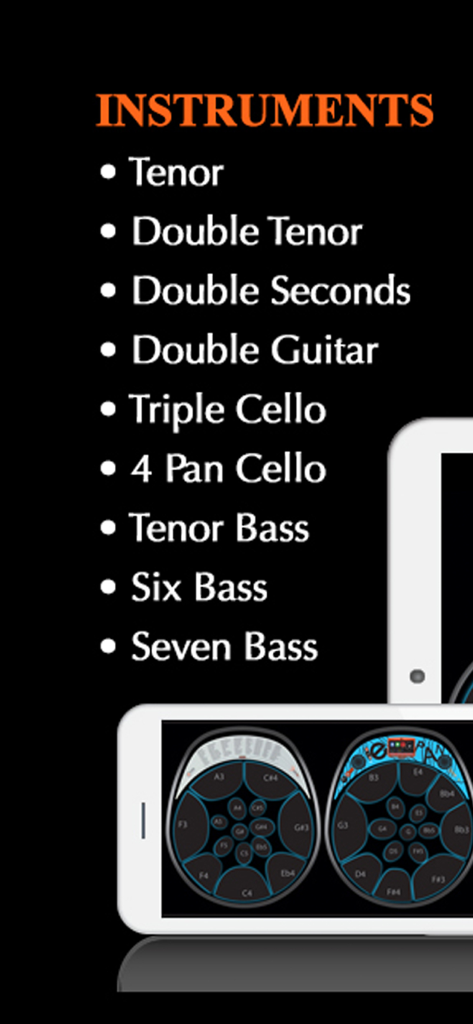
Steelpan App PRO V2 - Elenco degli strumenti e interfaccia digitale di Steelpan App PRO V2.
Elenco degli strumenti e interfaccia digitale di Steelpan App PRO V2.

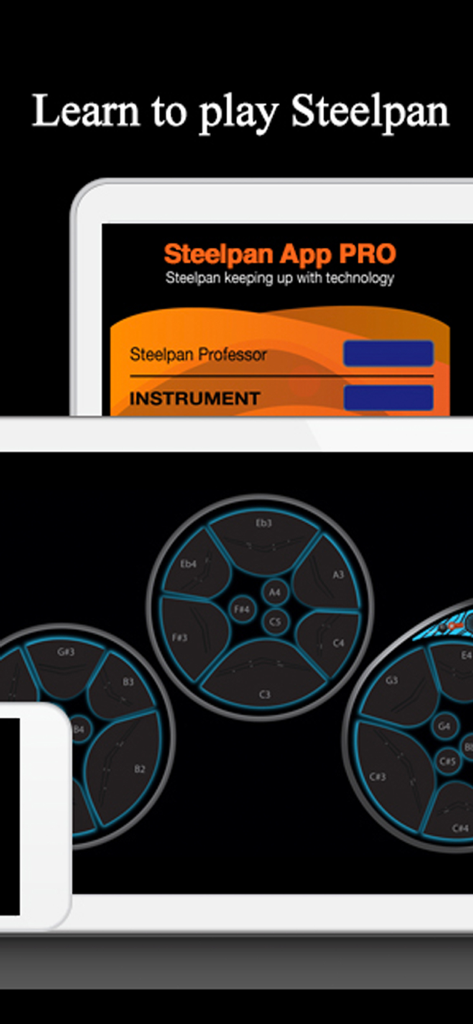
Steelpan App PRO V2 - Interfaccia di Steelpan App PRO V2 che mostra pad digitali e segni di note musicali su un tablet.

Interfaccia di Steelpan App PRO V2 che mostra pad digitali e segni di note musicali su un tablet.
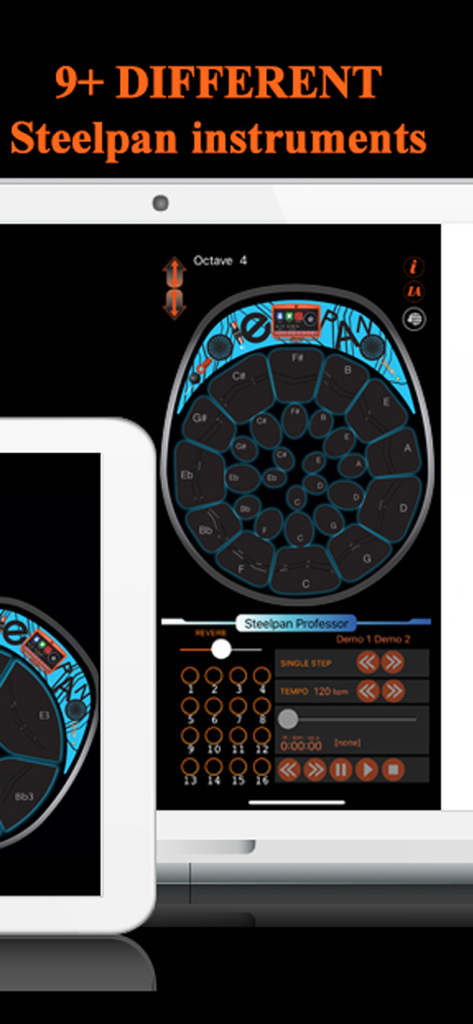
Steelpan App PRO V2 - Interfaccia utente di Steelpan App PRO V2 che mostra un layout di strumento virtuale e strumenti di apprendimento su un tablet.
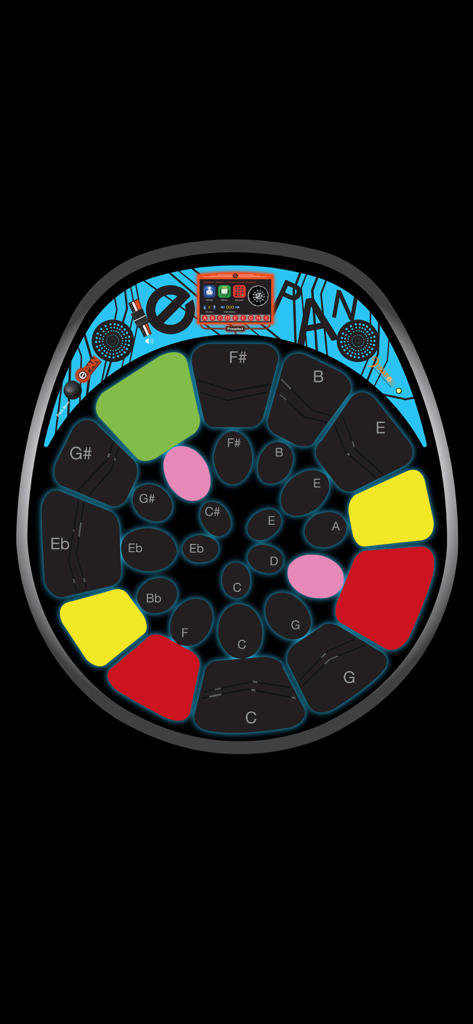
Interfaccia utente di Steelpan App PRO V2 che mostra un layout di strumento virtuale e strumenti di apprendimento su un tablet.

Steelpan App PRO V2 - Interfaccia di steelpan digitale con pad colorati per l'apprendimento e l'esecuzione musicale.
Interfaccia di steelpan digitale con pad colorati per l'apprendimento e l'esecuzione musicale.

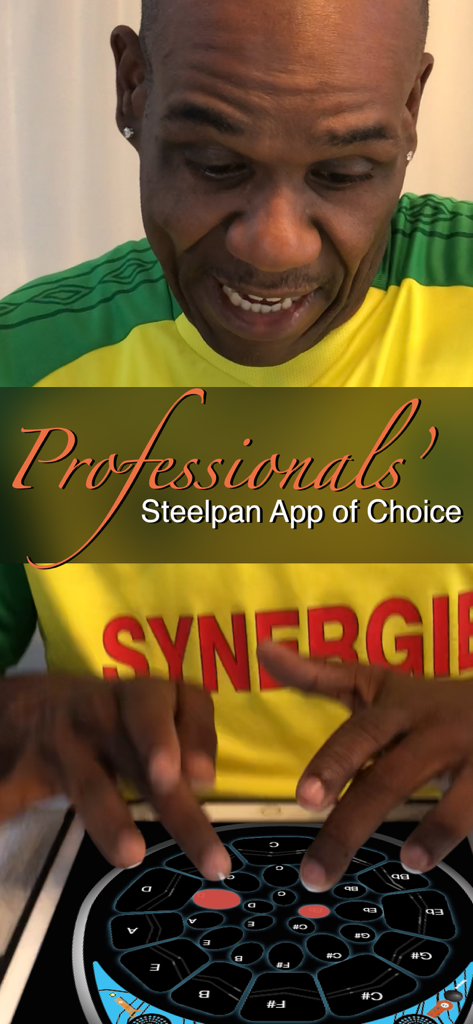
Steelpan App PRO V2 - Un musicista professionista che suona Steelpan App PRO V2 su un tablet.

Un musicista professionista che suona Steelpan App PRO V2 su un tablet.

Steelpan App PRO V2 - Due bambini seduti sull'erba guardano un tablet per l'app di educazione musicale Steelpan Professor.
Due bambini seduti sull'erba guardano un tablet per l'app di educazione musicale Steelpan Professor.

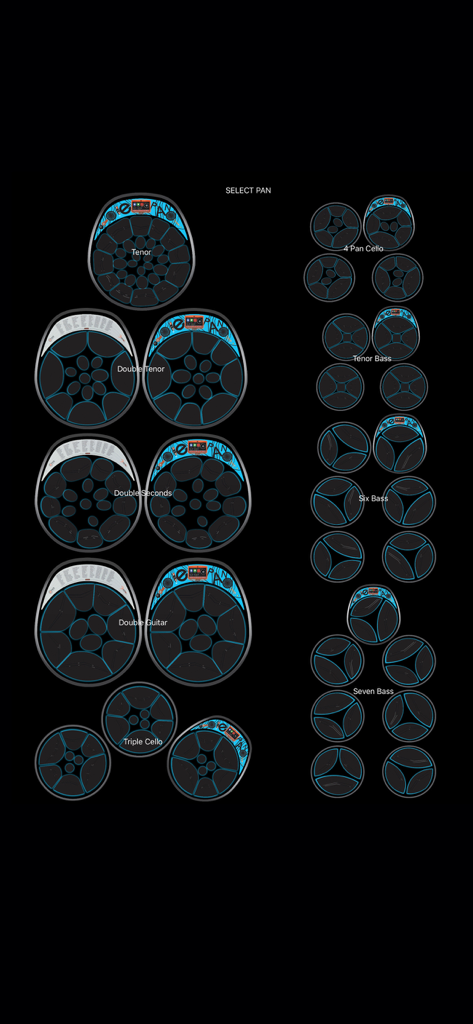
Steelpan App PRO V2 - Menu di selezione degli strumenti in Steelpan App PRO V2 che mostra vari tipi di steel drum, da Tenor a Seven Bass.
Menu di selezione degli strumenti in Steelpan App PRO V2 che mostra vari tipi di steel drum, da Tenor a Seven Bass.

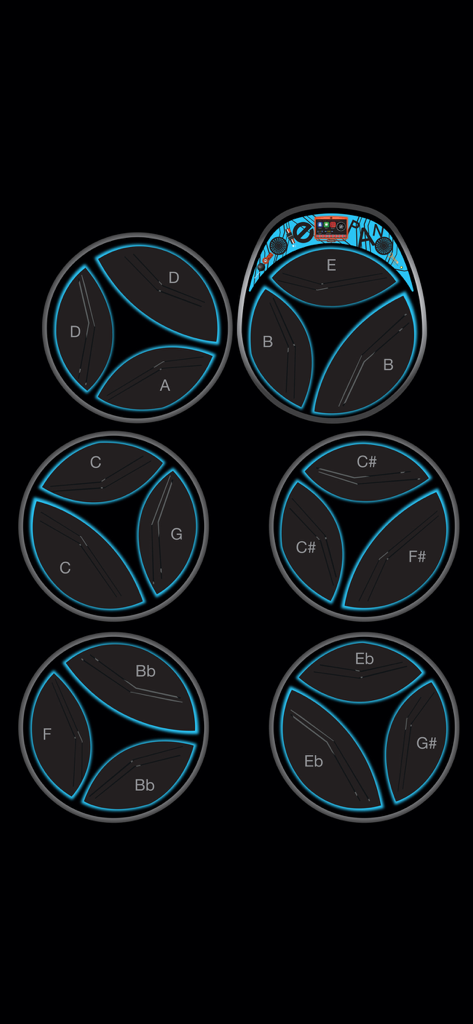
Steelpan App PRO V2 - Interfaccia digitale di uno strumento steelpan six-bass con pad circolari con note musicali etichettate e contorni blu luminosi.
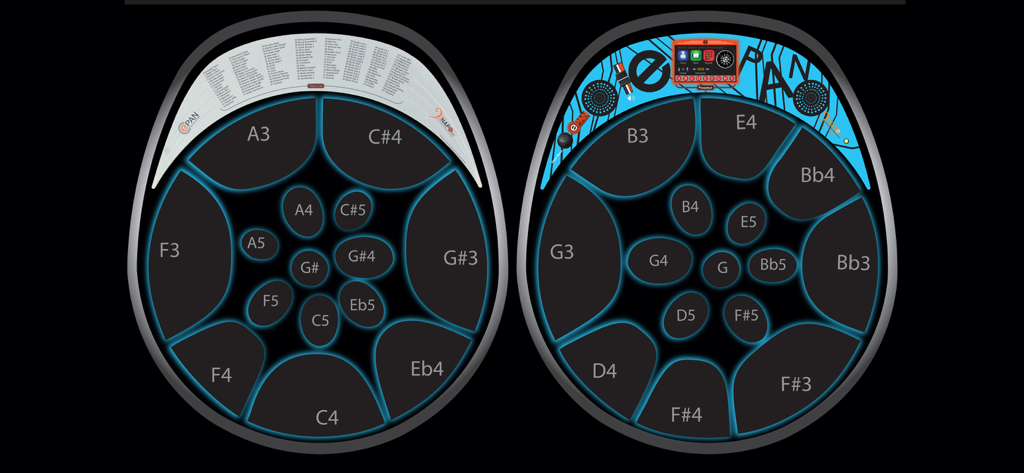
Interfaccia digitale di uno strumento steelpan six-bass con pad circolari con note musicali etichettate e contorni blu luminosi.

Steelpan App PRO V2 - Schermata di acquisto in-app per Steelpan App PRO V2 che mostra i suoni degli strumenti musicali disponibili e la funzione Steelpan Professor.
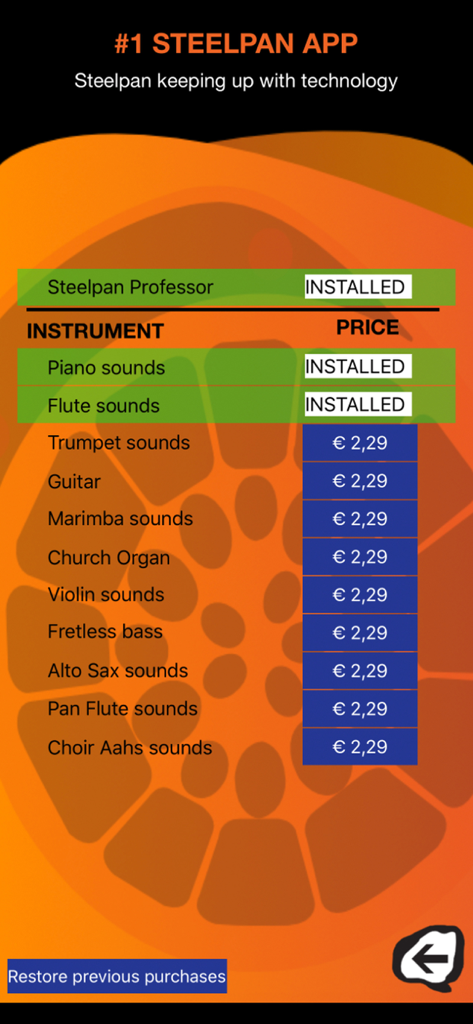
Schermata di acquisto in-app per Steelpan App PRO V2 che mostra i suoni degli strumenti musicali disponibili e la funzione Steelpan Professor.

Steelpan App PRO V2 - Layout digitale dello steelpan che mostra mappature professionali delle note e interfaccia E-Pan.

Layout digitale dello steelpan che mostra mappature professionali delle note e interfaccia E-Pan.

Descrizione

This app is the most popular steelpan learning and music discovery tool. Learn how to play the Steelpan like a pro with our Steelpan Professor with Core MIDI capabilities. This Steelpan App PRO possesses technology that is PATENTED. VARIED INSTRUMENTS This app possesses some features of the E-Pan; the World's 1st Electronic Synthesized Steelpan. It is as the name implies; the BEST steelpan app on the market. Not only can you play different styles of steelpan on instruments such as Tenor (soprano voice), Double Tenor (alto voice), Double Seconds (alto voice), Double Guitar (tenor voice), Triple Cello (tenor voice), 4 Pan Cello (tenor voice), Tenor Bass (baritone voice), Six Bass (bass voice) and Seven Bass (bass voice), but it is a teaching tool. EDIT PAD MAPPING This Steelpan App PRO V2 is the first and only app that allows users to "Edit Pad Mapping" by programming any note in any location he/she sees fit. STEELPAN PROFESSOR This app has an In-App available for users to acquire a feature called "Steelpan Professor" through the use of MIDI files allowing them to learn any song available on the web. It also has a feature that works with iOS Core MIDI System. For example, when you connect your tablet or smartphone to a keyboard or electronic steelpan, you can play your instrument and the exact notes will be mirrored on your tablet or smartphone with the sound coming from your tablet or smartphone. FEATURES • This Steelpan App PRO allows you to teach and learn virtually. • Once you have acquired the "Steelpan Professor" the history-making arrangements from Duvone Stewart come FREE; "The year for love" (played by BP Renegades) and "Limbo" (played by Pan Elders). Both these arrangements placed 1st in Panorama in 2018. This has never been achieved before. • It allows you to use any MIDI file available on the web to learn to play any song available. • It allows you to change octaves. • It has a note display feature. • The Steelpan App PRO provides access to the sounds of just about every musical instrument which is built-in to the app. • Users can also choose any particular instrument range as the Steelpan App PRO will be able to play the complete range from the highest Tenor (soprano voice) B6 to the lowest Bass (bass voice) E1. • With the use of a lightning connector you can connect your tablet or smartphone to a MIDI controller, keyboard, or electronic Steelpan (such as the E-Pan). Playing the controller will control this app lighting up the corresponding note. • Steelpan App PRO will facilitate play-along to accompany your favourite songs (karaoke-style) by using the Steelpan Professor. • It will help you learn how to read music. • It will help you to teach in the classroom digitally. • It will help you to create tutorials digitally when hooked up to a controller. INSTRUCTIONS • IMPORTANT - After downloading this app, please turn the ringer "on" on your device and turn the volume up in order to hear the instruments play. • Place two fingers on the screen and with a pinching motion, the user would be able to select an instrument of choice. • Pressing the "Edit Pad Mapping" button allows users to change the notes. After pressing the "Edit Pad Mapping" button, first, press the note you would like to change to select it then press the "up" and "down" arrow to scroll to your note and octave of choice. • Visit our YouTube channel for more instructions about how to use this app. To access the YouTube channel, go to YouTube and search #1 Steelpan App GOLD/PRO. We will be uploading pertinent information to this channel from time to time. You can also find us on facebook as "Steelpan App". • The "IA" button takes you to our In-App page where you can download the "Steelpan Professor" and different instrument tones. Privacy Policy: https://yourwebsite.com/privacy Terms of Use (EULA): https://www.apple.com/legal/internet-services/itunes/dev/stdeula/

Download

Scarica su App Store

Questa pagina non è una pagina ufficiale dell'app o del suo sviluppatore, ma una pubblicazione editoriale indipendente creata a scopo informativo e di commento. Salvo espressa indicazione contraria, né l'app né il suo sviluppatore sono affiliati, approvati, sponsorizzati, autorizzati o altrimenti ufficialmente collegati a MWM, Apple, Google Play, all'editore dell'app o allo sviluppatore dell'app, e nulla in questa pagina implica che l'app sia stata sviluppata utilizzando i servizi di MWM. Tutti i marchi, loghi, screenshot e altri contenuti rimangono di proprietà dei rispettivi proprietari.







