Stick - Remote Control For TV

Stick - Remote Control For TV


Scarica su App StoreScarica su Google Play
Logo di Stick - Remote Control For TV
Stick - Telecomando Per TV: Il Modo Più Intelligente Per Controllare Ogni Schermo

Smetti di cercare telecomandi persi. Trasforma il tuo telefono in un potente controller universale con una tastiera ad alta velocità e un touchpad di precisione progettati per lo streamer moderno.

Editore

APPSPRO LTD

Categoria

Utilities

Download

2M+

Valutazione

4.5/5

Valutazioni totali

72K+

Lingue

27

Il Controllo a Portata di Mano

Scopri l'interfaccia usata da 2M+ utenti.
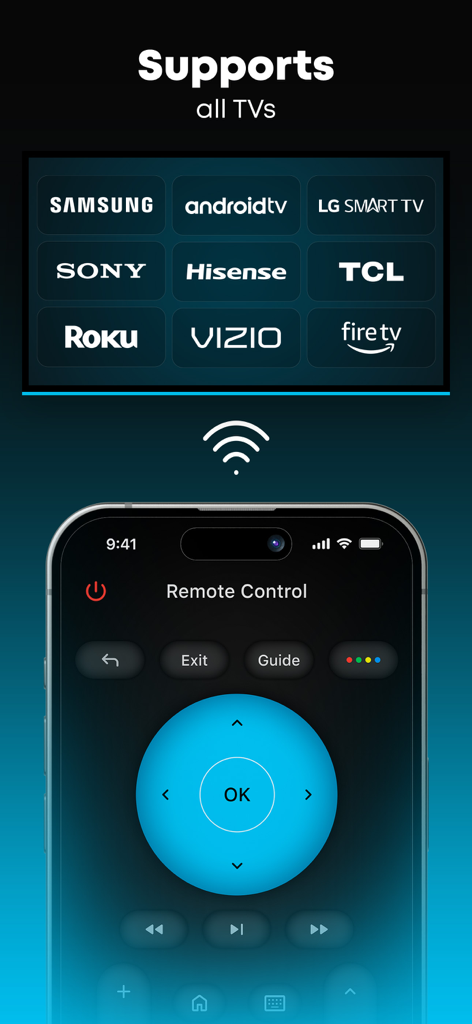
Interfaccia dell'app Stick che mostra la compatibilità universale con i principali marchi di TV come Samsung, LG, Roku e Fire TV

Interfaccia dell'app Stick che mostra la compatibilità universale con i principali marchi di TV come Samsung, LG, Roku e Fire TV

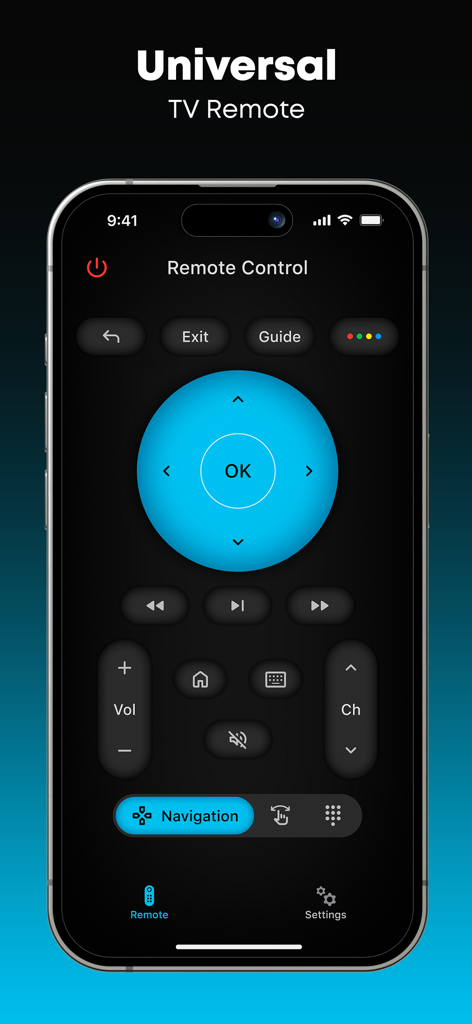
Interfaccia principale del telecomando universale per TV dell'app Stick su uno smartphone

Interfaccia principale del telecomando universale per TV dell'app Stick su uno smartphone

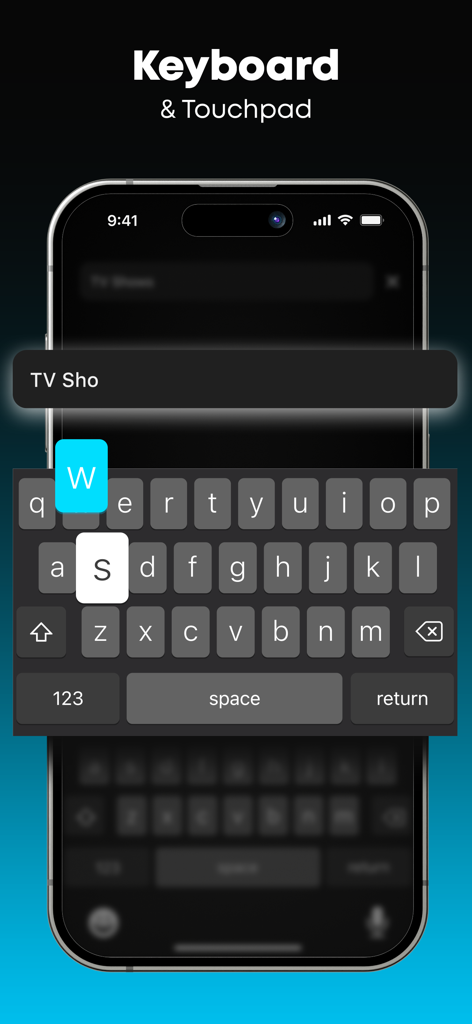
Interfaccia dell'app telecomando TV Stick che mostra la funzione di tastiera intelligente e touchpad per un facile inserimento di testo su un televisore.

Interfaccia dell'app telecomando TV Stick che mostra la funzione di tastiera intelligente e touchpad per un facile inserimento di testo su un televisore.

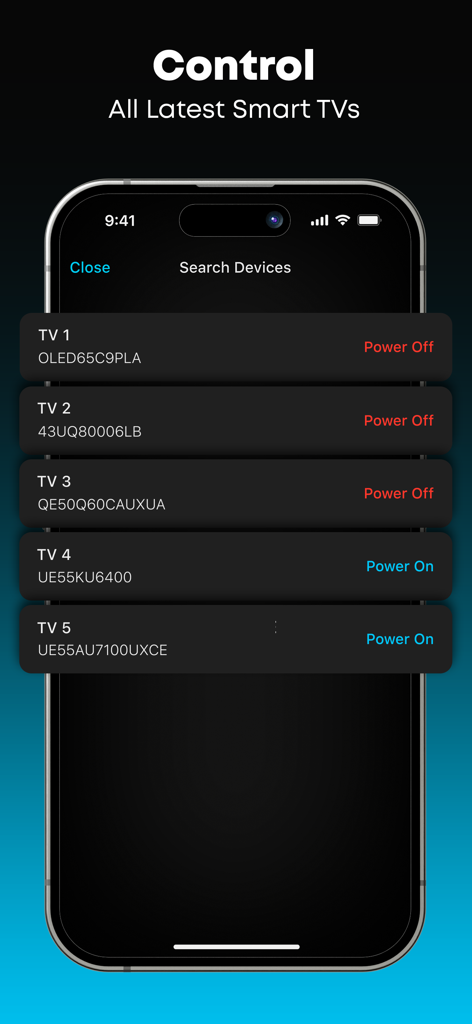
Interfaccia dell'app Stick che mostra un elenco di più smart TV disponibili per il controllo remoto

Interfaccia dell'app Stick che mostra un elenco di più smart TV disponibili per il controllo remoto

Il Modo Più Intelligente Per Guardare

Gli strumenti che rendono questa app unica, scelti da 2M+ utenti.

⌨️

Digitazione Veloce Come un Fulmine

Abbandona la frustrante tastiera sullo schermo. Usa il tuo telefono per digitare termini di ricerca, accessi e titoli in pochi secondi.

🕹️

Controllo Touch Intuitivo

Naviga menu e app di streaming con un touchpad reattivo e un joystick, offrendo un'esperienza più fluida di qualsiasi telecomando fisico.

🏠

Connettività Universale

Un'app per domarli tutti. Passa senza sforzo tra Roku, Firestick e Smart TV in diverse stanze senza cambiare hardware.

Info sull'app

Tutto quello che devi sapere su Stick - Remote Control For TV.

Descrizione

Stick - Remote Control For TV turns your phone into a simple and easy-to-use remote for your TV. A physical remote is always hard to find, but this one stays in your pocket for the whole time! Key Features: *** - Works with many different TV models: Control your TV easily. It’s simple to switch channels, control audio, and navigate the menu! *** - Touchpad and Joystick on Your Phone: Use your phone's screen as a touchpad or joystick to control the TV. *** - Type and Select with Ease: Comes with a keyboard for typing and numbers for channel control. *** - Simple and User-Friendly: Designed for everyone to use without any hassle. Disclaimer: Stick - Remote Control For TV is NOT the official application for any TV brand, and it is NOT affiliated with or endorsed by any company. Try Stick - Remote Control For TV and make controlling your TV simple and convenient with just your phone! Upgrade to Premium Unlock exclusive features with the Premium version: - No Ads: Enjoy your app experience without any ads. - Smart Keyboard: Easily type and search on your TV using your phone’s keyboard. - Unique App Themes: Personalize your remote with unique custom themes. Subscription Details: Payment will be charged to iTunes Account at confirmation of purchase. Subscription with a free trial period will automatically renew to a paid subscription. Subscription automatically renews unless auto-renew is turned off at least 24 hours before the end of the current period. Account will be charged for renewal within 24 hours prior to the end of the current period at the rate of the selected plan. Subscriptions and auto-renewal may be managed by going to Account Settings after purchase. You can cancel your subscription or free trial in the iTunes settings at least 24-hours before the end of the free trial period. The cancellation will take effect the day after the last day of the current subscription period and you will be downgraded to the free service. Subscription Options: - Weekly: $6.99 - Annual: $29.99 For other currencies, the price corresponds to the same tier on the App Store Pricing Matrix. Privacy policy: https://aiapps.com.co/privacy-policy/ Terms of use: https://aiapps.com.co/terms/ Contact: support@aiapps.com.co

Ultima versione

3.0.4

Dimensione

97.6 MB

Data di lancio

10 gen 2024

Non Perdere Mai Più il Telecomando Sotto il Divano

Unisciti a oltre 2 milioni di utenti che hanno scelto un modo più intelligente di guardare. Scarica Stick oggi stesso e trasforma il tuo telefono nell'unico telecomando di cui avrai mai bisogno.

Scarica su App StoreScarica su Google Play
FAQ

Domande Frequenti

Tutto quello che devi sapere su Stick - Remote Control For TV

Cos'è Stick - Telecomando Per TV?

Stick - Telecomando Per TV trasforma il tuo telefono in un semplice telecomando per vari modelli di TV. Consente agli utenti di cambiare canale, controllare l'audio, navigare nei menu e utilizzare un touchpad o una tastiera per un facile input.

Quali marche di TV supporta Stick - Telecomando Per TV?

Stick - Telecomando Per TV supporta varie marche tra cui Samsung, Android TV, LG Smart TV, Sony, Hisense, TCL, Roku, Vizio e Fire TV. Funziona come un telecomando universale per queste smart TV.

Come funziona Stick - Telecomando Per TV?

Stick - Telecomando Per TV utilizza lo schermo del tuo telefono come touchpad o joystick. Include una tastiera per digitare e controlli numerici per i canali. L'app si connette e controlla vari modelli di smart TV.

Stick - Telecomando Per TV offre funzionalità premium?

Sì, Stick - Telecomando Per TV offre una versione Premium. Include nessuna pubblicità, una tastiera smart per digitare più facilmente e temi unici per personalizzare l'interfaccia del tuo telecomando.

Quali sono le opzioni di abbonamento per Stick - Telecomando Per TV Premium?

Stick - Telecomando Per TV Premium offre un abbonamento settimanale a $6.99 e un abbonamento annuale a $29.99. I prezzi per altre valute corrispondono alla Matrice dei Prezzi dell'App Store.

Posso usare una tastiera con Stick - Telecomando Per TV?

Sì, Stick - Telecomando Per TV include una tastiera per digitare e numeri per il controllo dei canali. La versione Premium presenta una tastiera Smart per una maggiore facilità d'uso.

Stick - Telecomando Per TV è un'app ufficiale per le marche di TV?

No, Stick - Telecomando Per TV non è un'applicazione ufficiale per nessuna marca di TV. Non è affiliata o approvata da alcuna azienda.

Come gestisco o cancello il mio abbonamento Stick - Telecomando Per TV?

Puoi gestire gli abbonamenti e il rinnovo automatico andando su Impostazioni Account dopo l'acquisto. Per cancellare, disabilita il rinnovo automatico almeno 24 ore prima della fine del periodo corrente.

Stick - Telecomando Per TV ha pubblicità?

La versione gratuita di Stick - Telecomando Per TV contiene pubblicità. L'aggiornamento alla versione Premium rimuove tutte le pubblicità, fornendo un'esperienza di app senza pubblicità.

App information, icons, screenshots, and descriptions displayed on this page are sourced from the Apple App Store and are the property of their respective developers. Download estimates and rankings are based on MWM's proprietary models and may not reflect actual figures. This page is provided for informational and analytical purposes only.

Believe this page infringes your intellectual property? File a dispute