Stickyboard 2
Stickyboard 2
Scarica su App Store

Questa pagina non è una pagina ufficiale dell'app o del suo sviluppatore, ma una pubblicazione editoriale indipendente creata a scopo informativo e di commento. Salvo espressa indicazione contraria, né l'app né il suo sviluppatore sono affiliati, approvati, sponsorizzati, autorizzati o altrimenti ufficialmente collegati a MWM, Apple, Google Play, all'editore dell'app o allo sviluppatore dell'app, e nulla in questa pagina implica che l'app sia stata sviluppata utilizzando i servizi di MWM. Tutti i marchi, loghi, screenshot e altri contenuti rimangono di proprietà dei rispettivi proprietari.

Logo di Stickyboard 2
Scarica su App Store

Stickyboard 2

Abbandona la carta e domina il quadro generale. Schizza, fai brainstorming e organizza istantaneamente migliaia di post-it con gesti di Magic Arrange progettati per strateghi professionisti.

Numeri Chiave

Download

130K+

Valutazione

4.3/5

Valutazioni totali

400

Editore

Qrayon, LLC

Categoria

Business

Lingue

1

Ultima versione

2.3

Dimensione

2.6 MB

Data di lancio

17 ott 2011
Funzioni

Domina la Tua Mappa Mentale

Trasforma il tuo iPad in una sala di guerra ad alta potenza. Abbandona la carta e abbraccia un flusso di lavoro visivo progettato per designer, strateghi e pensatori del quadro generale.

Tecnologia Magic Arrange

Smetti di perdere tempo a trascinare manualmente le note. Usa gesti intuitivi con tre dita per organizzare istantaneamente idee disordinate in griglie, pile o colonne ordinate.

Tela Creativa Illimitata

Pensa oltre le liste. Schizza, scrivi e sposta note colorate liberamente su uno spazio vasto e zoomabile che si adatta al tuo modello mentale unico.

Gli screenshot e la descrizione seguenti provengono direttamente dall'elenco ufficiale dello store dell'app e sono di proprietà dello sviluppatore.

App Store

Screenshot
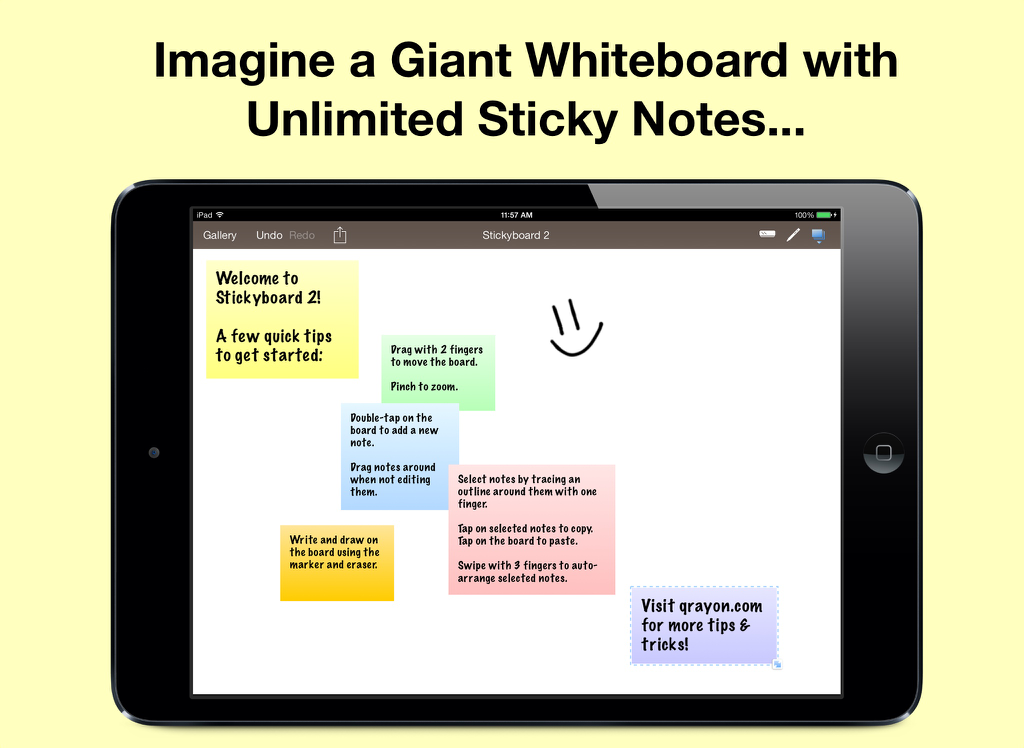
Stickyboard 2 - Schermo di iPad che mostra l'app Stickyboard 2 con varie note adesive digitali colorate e un faccina sorridente disegnata a mano su una lavagna virtuale
Schermo di iPad che mostra l'app Stickyboard 2 con varie note adesive digitali colorate e un faccina sorridente disegnata a mano su una lavagna virtuale

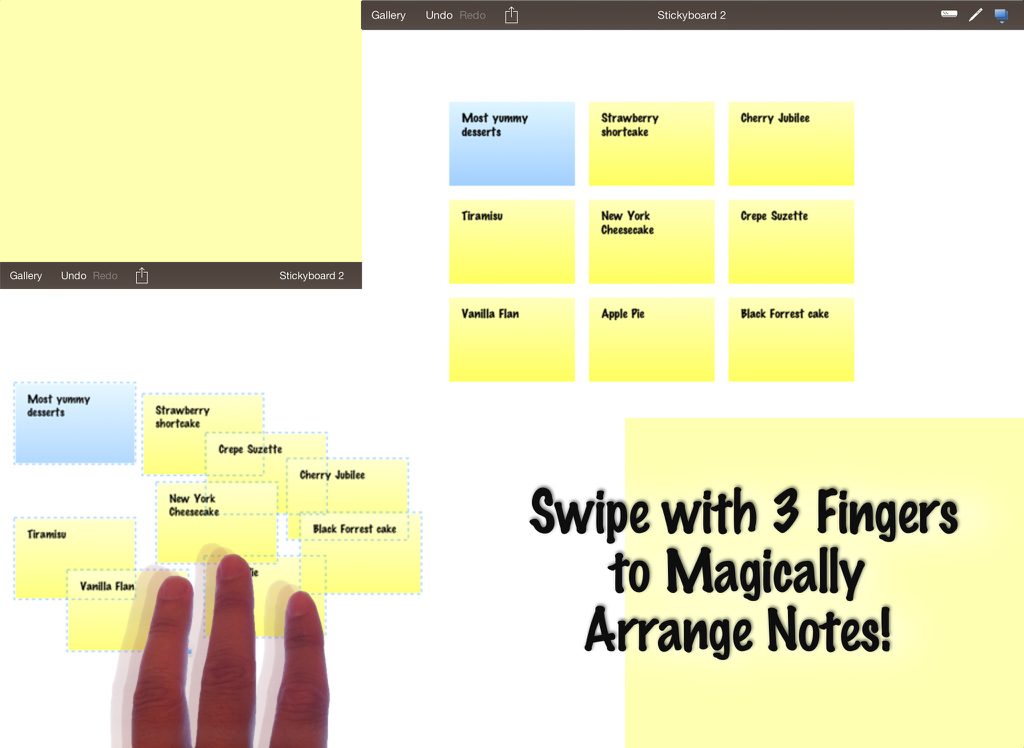
Stickyboard 2 - Screenshot di iPad che mostra l'app Stickyboard 2 con un gesto di scorrimento a tre dita per organizzare automaticamente le note adesive digitali su una lavagna virtuale.
Screenshot di iPad che mostra l'app Stickyboard 2 con un gesto di scorrimento a tre dita per organizzare automaticamente le note adesive digitali su una lavagna virtuale.

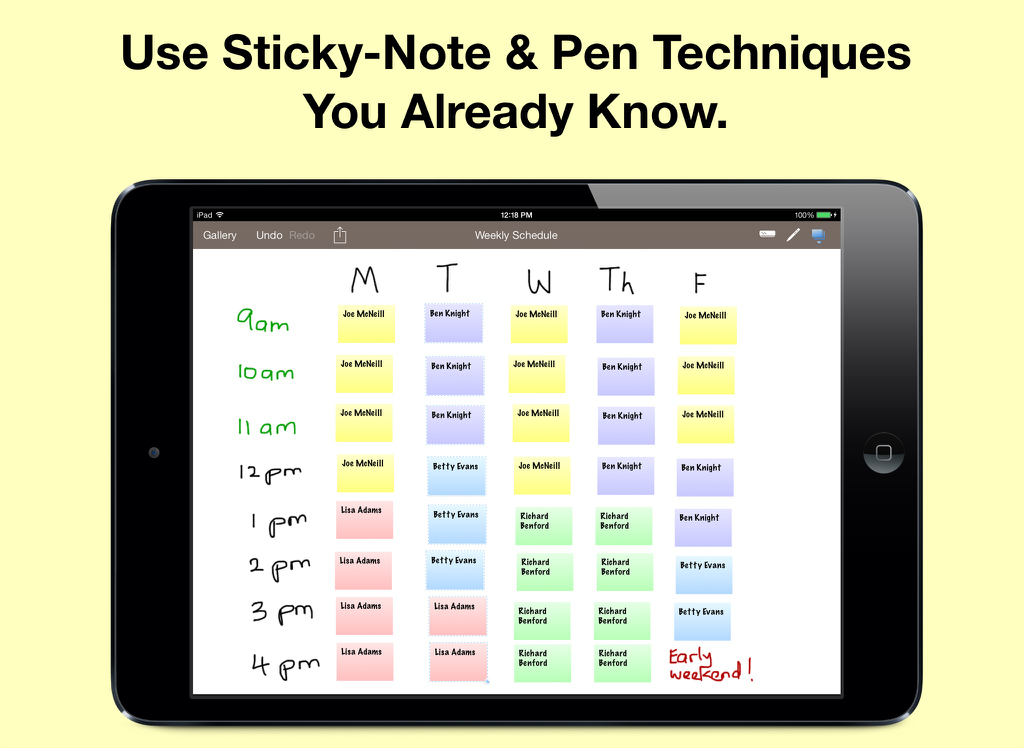
Stickyboard 2 - Programma settimanale su iPad utilizzando Stickyboard 2 con note adesive digitali codificate a colori
Programma settimanale su iPad utilizzando Stickyboard 2 con note adesive digitali codificate a colori

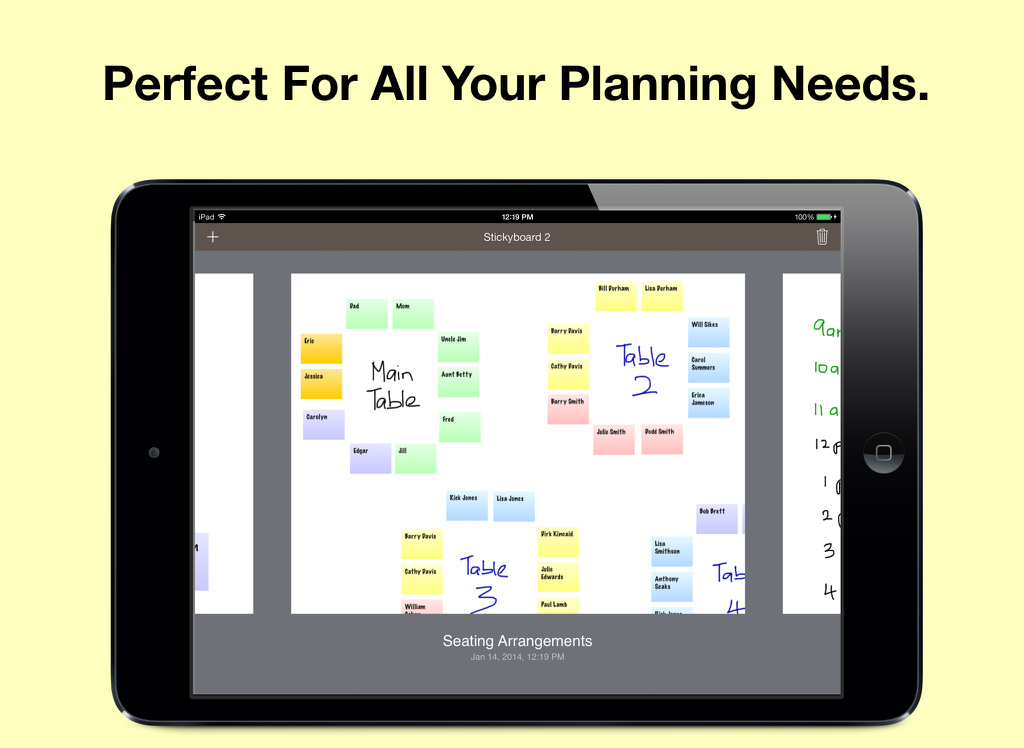
Stickyboard 2 - Uno schermo di iPad che mostra un piano di disposizione dei posti con note adesive digitali colorate su una lavagna virtuale
Uno schermo di iPad che mostra un piano di disposizione dei posti con note adesive digitali colorate su una lavagna virtuale

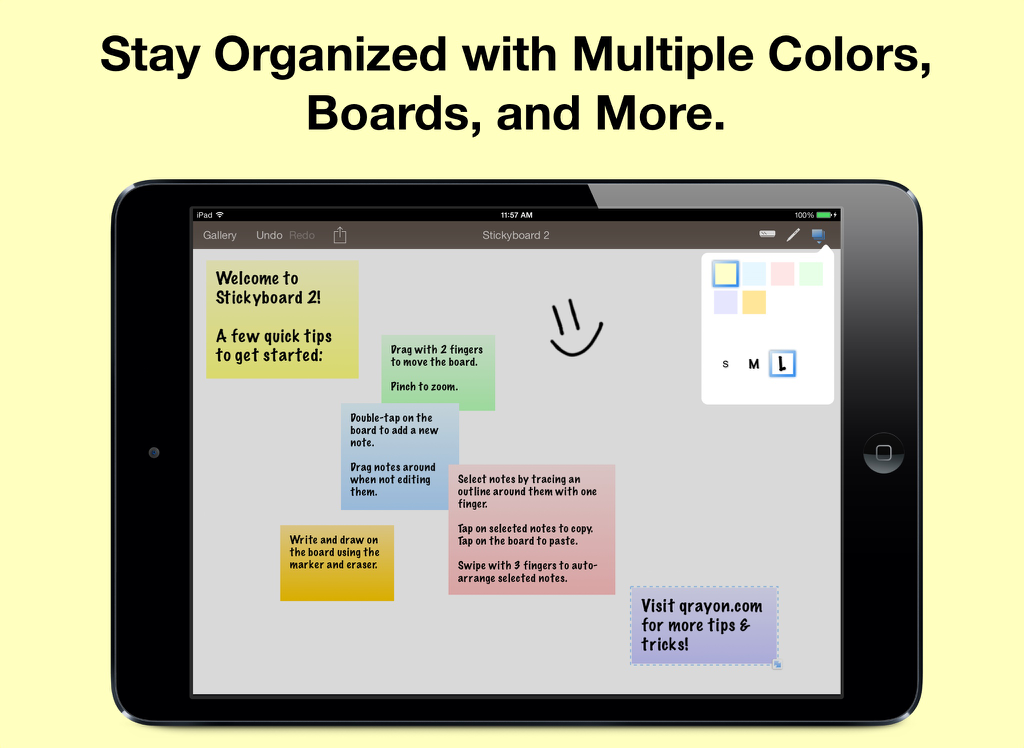
Stickyboard 2 - iPad che visualizza l'app Stickyboard 2 con note digitali colorate e un disegno su uno sfondo bianco

iPad che visualizza l'app Stickyboard 2 con note digitali colorate e un disegno su uno sfondo bianco

Descrizione

Imagine a giant whiteboard with a never-ending stack of sticky notes, now with Magic Arrange! LIKE REAL NOTES, ONLY BETTER Nothing beats a whiteboard and sticky-notes for capturing lots of loose information and seeing the big picture. Stickyboard takes that flexibility and adds the convenience and power of your iPad. Don't worry about losing notes after a meeting again. It's much easier to carry around, and a lot friendlier for the environment. Use any color coding system you like. Effortlessly move and group your notes - unlike paper sticky notes, they don't fall off after too may moves. Think in the way that works best for you, and for the problem at hand. NEATLY ARRANGE NOTES WITH A FLICK OF YOUR FINGERS The most exciting feature of Stickyboard 2 is something we call Magic Arrange. One of the biggest pains of working with lots of sticky notes is having to arrange and rearrange them. Wouldn’t it be nice if you could just wave your hands and have them neatly arrange themselves? Well, with the magic of the iPad and Stickyboard 2, now you can! Just select a bunch of notes, then swipe with 3 fingers to instantly arrange them into neat piles, or fan them out into a grid, columns, or rows. This is going to change the way you work with sticky notes, and you are never going to look at paper notes the same way again! Try it out for yourself. FULL FEATURED NOTES AND DRAWING Thank you for all the great feedback! Stickyboard 2 is a major new release completely rebuilt from the ground up. Key features include: - The Board Gallery: Easily manage multiple boards and quickly switch between them with the gallery view. - Smoother Ink: The ink system in Stickyboard 2 is much improved over its predecessor. It supports multiple colors with stutter-free drawing. - Unlimited undo/redo and Copy/Paste: Undo/redo works with notes and ink, just as you would expect. Tap on selected notes to copy/cut them, even to other boards. Working with large amounts of information is easy with Stickyboard 2. - Email boards as PDF or just text: Whole boards can be easily emailed as PDF files, or opt to just send the text contents instead - very handy for using Stickyboard 2 as an outlining tool. - Lasso Select: Simply run your finger around or through a group of notes to select them. This allows for much more precision than rectangular selection methods, and feels more intuitive on a multi-touch display. SIMPLE YET POWERFUL ▸ Stickyboard 2 sports an elegant and intuitive interface. Double-tap to add a note. Select and drag notes around with your finger. ▸ You have a large, zoomable board to capture all your ideas. Zoom by pinching, and pan with 2 fingers. ▸ It's easy to rearrange ideas, capture their relationships, and discover important patterns. ▸ Use four standard colors (yellow, blue, pink, and green), plus 2 special ones (lavender and sunrise). ▸ Draw free-form with the marker tool. Write, outline, and sketch around your notes. ▸ Stickyboard 2 is infinitely flexible. Use your favorite real-world sticky-note and whiteboarding techniques. Best regards from the Stickyboard team at Qrayon.

Download

Scarica su App Store

Questa pagina non è una pagina ufficiale dell'app o del suo sviluppatore, ma una pubblicazione editoriale indipendente creata a scopo informativo e di commento. Salvo espressa indicazione contraria, né l'app né il suo sviluppatore sono affiliati, approvati, sponsorizzati, autorizzati o altrimenti ufficialmente collegati a MWM, Apple, Google Play, all'editore dell'app o allo sviluppatore dell'app, e nulla in questa pagina implica che l'app sia stata sviluppata utilizzando i servizi di MWM. Tutti i marchi, loghi, screenshot e altri contenuti rimangono di proprietà dei rispettivi proprietari.








