Stop Motion Plus

Stop Motion Plus

Scarica su App Store
Logo di Stop Motion Plus

Stop Motion Plus: Crea Animazioni di Livello Professionale con Facilità

Trasforma i tuoi LEGO, plastilina e giocattoli in storie cinematografiche 4K. Padroneggia l'arte dell'animazione con acquisizione vocale, onion skinning e strumenti avanzati di rimozione oggetti.

Scarica su App Store

Editore

Heng Jia Liang

Categoria

Photo & Video

Download

1K+

Valutazione

3.8/5

Valutazioni totali

0

Lingue

1

Perfezione Fotogramma per Fotogramma

Scopri l'interfaccia usata da 1K+ utenti.
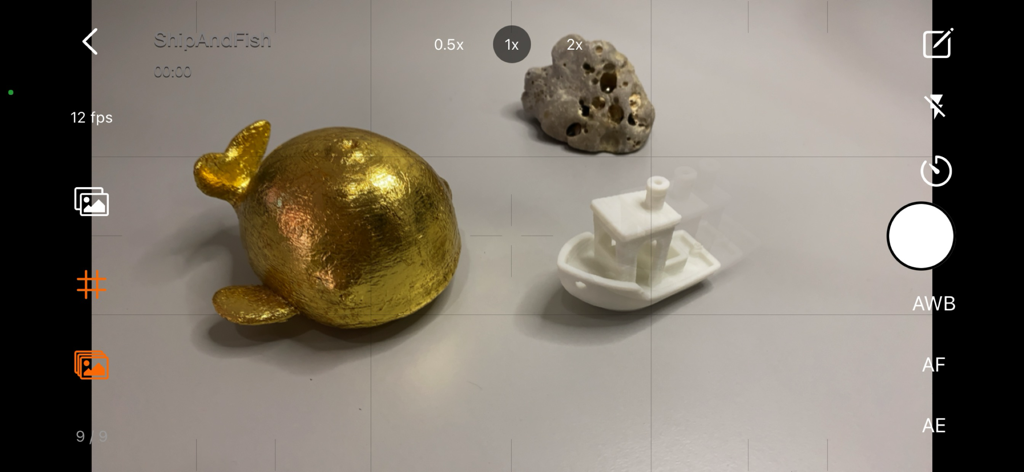
Interfaccia della fotocamera di Stop Motion Plus che mostra l'onion skinning per animare un pesce rosso e una barca.

Interfaccia della fotocamera di Stop Motion Plus che mostra l'onion skinning per animare un pesce rosso e una barca.

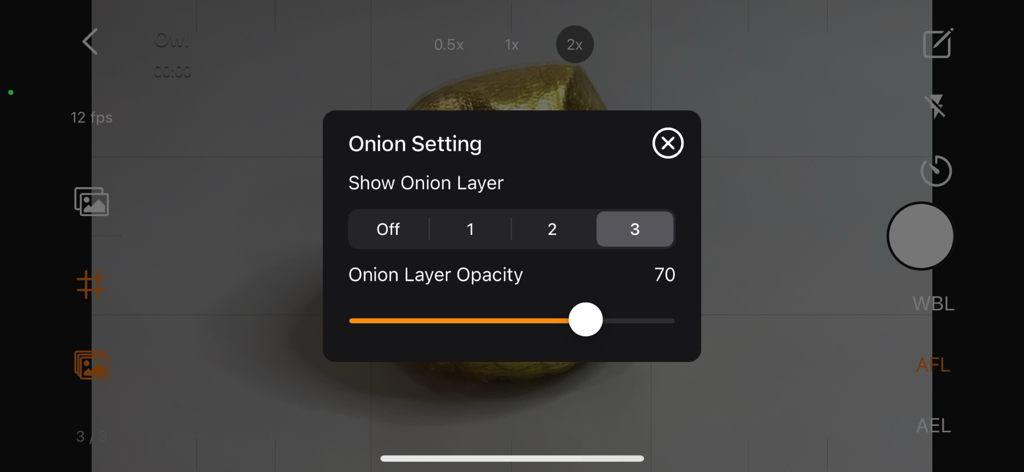
Interfaccia che mostra le impostazioni di onion skinning e i controlli di opacità nell'app Stop Motion Plus.

Interfaccia che mostra le impostazioni di onion skinning e i controlli di opacità nell'app Stop Motion Plus.

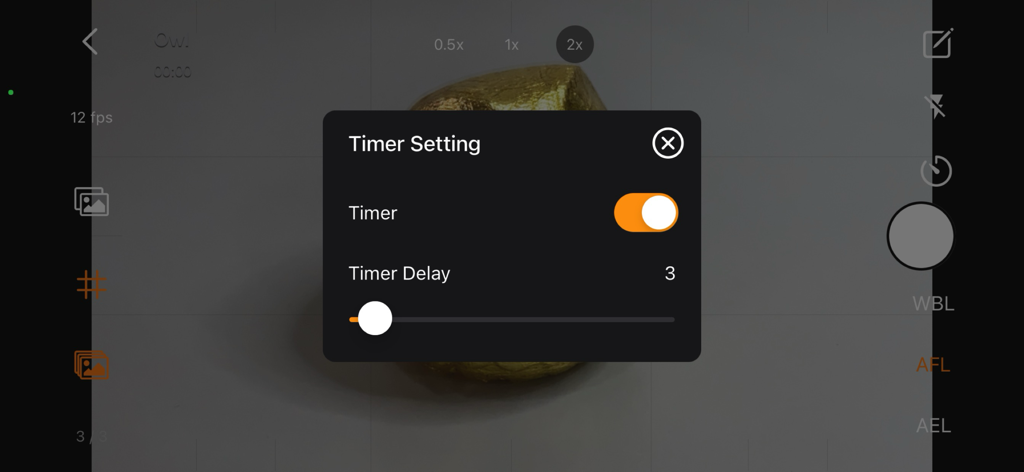
Uno screenshot dell'app Stop Motion Plus che mostra il menu delle impostazioni del timer con un cursore di ritardo su una visualizzazione della fotocamera.

Uno screenshot dell'app Stop Motion Plus che mostra il menu delle impostazioni del timer con un cursore di ritardo su una visualizzazione della fotocamera.

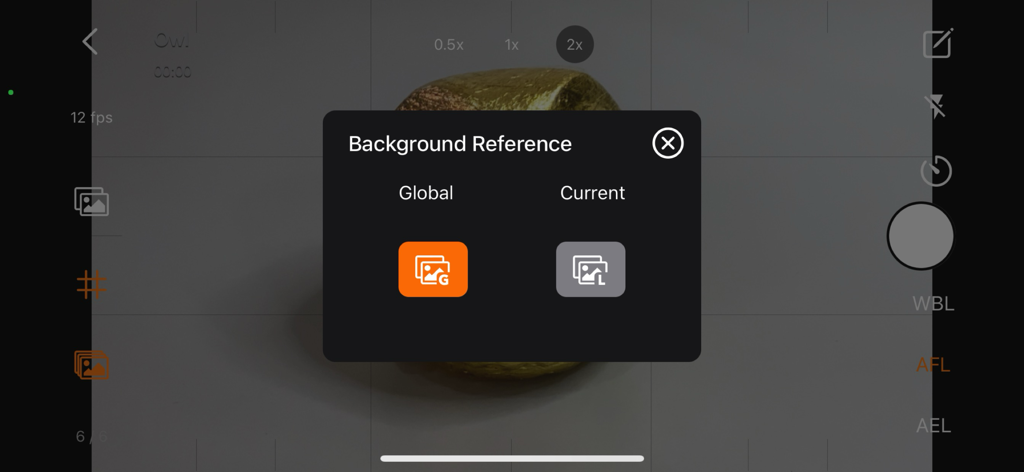
Menu di selezione del riferimento dello sfondo nell'app Stop Motion Plus per la rimozione di oggetti e supporti.

Menu di selezione del riferimento dello sfondo nell'app Stop Motion Plus per la rimozione di oggetti e supporti.

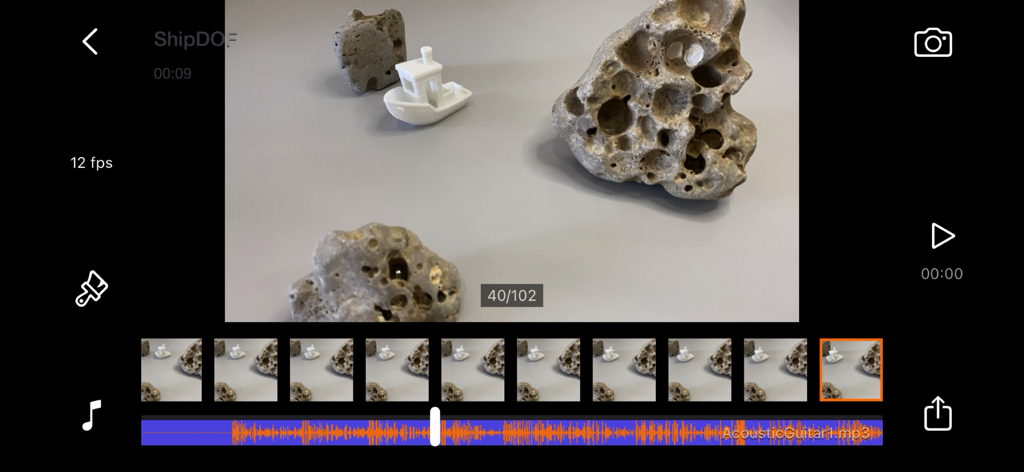
Interfaccia di editing di Stop Motion Plus con sequenza di fotogrammi e stratificazione della traccia audio.

Interfaccia di editing di Stop Motion Plus con sequenza di fotogrammi e stratificazione della traccia audio.

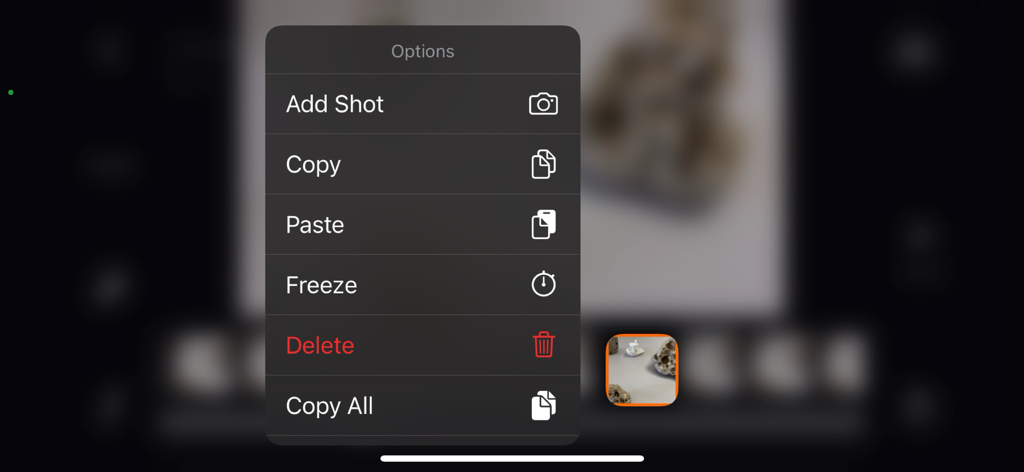
Menu contestuale in Stop Motion Plus che mostra le opzioni per aggiungere, copiare, incollare, congelare ed eliminare fotogrammi.

Menu contestuale in Stop Motion Plus che mostra le opzioni per aggiungere, copiare, incollare, congelare ed eliminare fotogrammi.

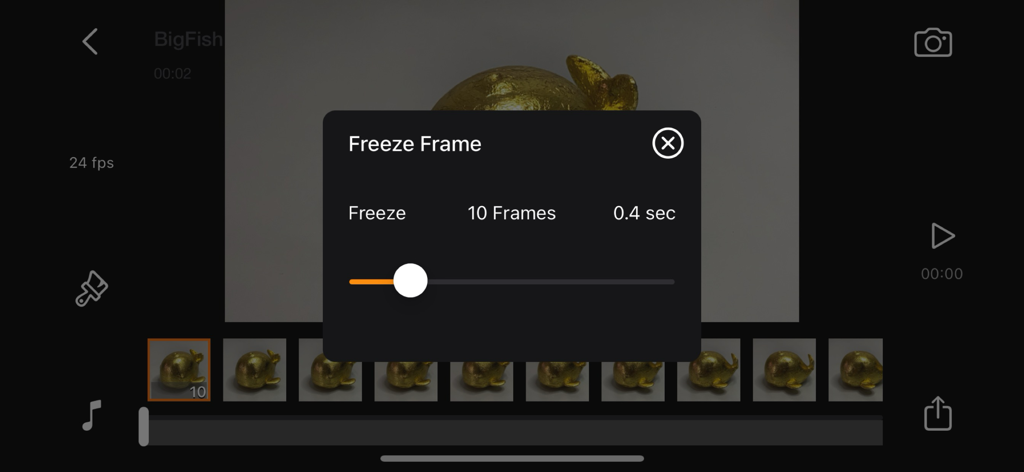
Modifica della durata di un fotogramma congelato nella timeline dell'app Stop Motion Plus.

Modifica della durata di un fotogramma congelato nella timeline dell'app Stop Motion Plus.

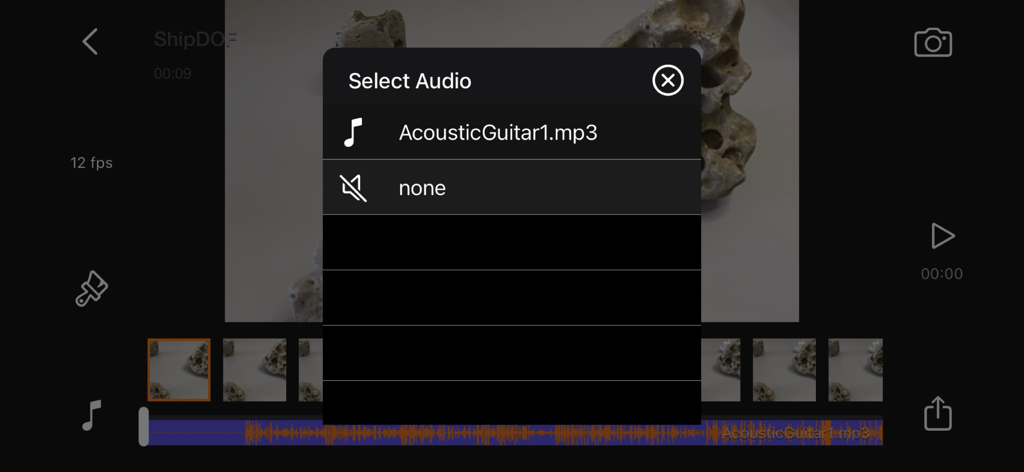
Menu di selezione audio nell'app Stop Motion Plus per aggiungere effetti sonori e musica alle animazioni.

Menu di selezione audio nell'app Stop Motion Plus per aggiungere effetti sonori e musica alle animazioni.

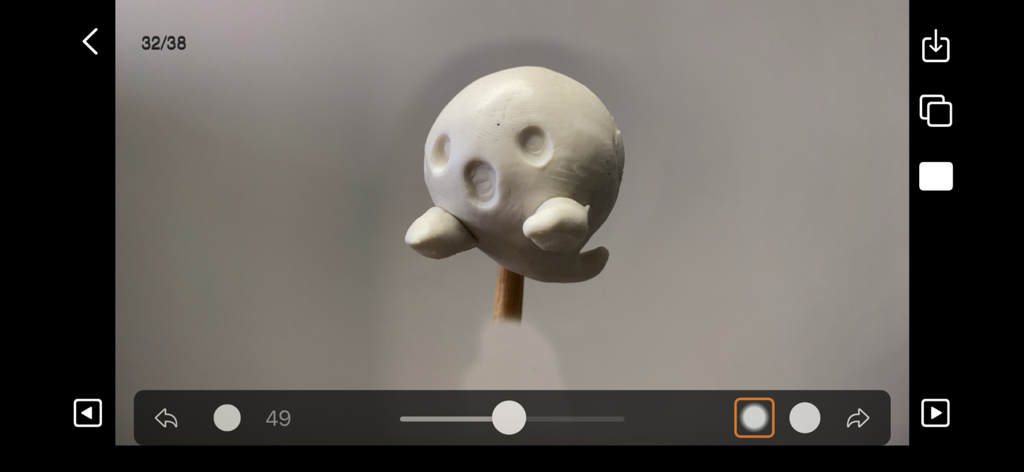
Interfaccia dell'app Stop Motion Plus che mostra il pannello di editing con una figura fantasma in plastilina bianca.

Interfaccia dell'app Stop Motion Plus che mostra il pannello di editing con una figura fantasma in plastilina bianca.

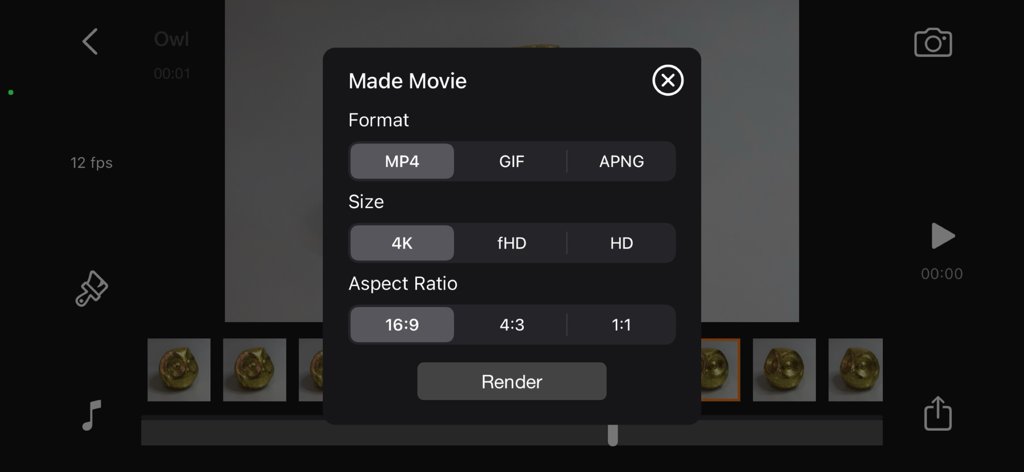
Pannello di rendering del film in Stop Motion Plus che mostra le opzioni di formato, dimensione e rapporto d'aspetto.

Pannello di rendering del film in Stop Motion Plus che mostra le opzioni di formato, dimensione e rapporto d'aspetto.

Animazione di Livello Professionale Semplificata

Gli strumenti che rendono questa app unica, scelti da 1K+ utenti.

🎙️

Controllo Vocale Vivavoce

Acquisisci fotogrammi senza toccare il dispositivo per evitare vibrazioni della fotocamera e mantenere gli scatti perfettamente stabili per un look professionale.

👻

Onion Skinning di Precisione

Utilizza sovrapposizioni di fotogrammi fantasma trasparenti per vedere il movimento precedente, rendendo facile la creazione di animazioni fluide e realistiche.

🪄

Rimozione Magica degli Oggetti

Cancella senza sforzo cavi e supporti utilizzando fotogrammi di riferimento dello sfondo per far volare o saltare i tuoi personaggi con facilità.

Info sull'app

Tutto quello che devi sapere su Stop Motion Plus.

Descrizione

Stop Motion for iOS Simple and robust stop motion app. Create amazing stop-motion videos with ease. Perfect for casual users with an easy-to-use control panel. Project Management: • Rename, delete project, or export movie option via long press. • Projects are copyable to other devices using the Files app. Go to Stop Motion and copy the project folder. Stop Motion Plus Camera Features: • Default highest photo quality output depending on device. • Support for dual-lens or triple-lens devices. • Auto/Lock White Balance. • Auto/Touch Focus/Exposure control. • Timer for interval capture ranging from 1–60 seconds. • Show/Hide grid option. • Option to show onion/overlay of previous frames for reference — up to 3 overlay frames. • Opacity adjustment for onion/overlay frames. • Capture background reference to support object removal. • Photos are saved immediately to prevent accidental data loss. • Photos are saved to internal storage and available for external editing (access files via iTunes or Files app). • Support for voice control to capture images. • Simple UI and easy to use. Stop Motion Plus Edit Panel Features: • Set movie frame rate (FPS) from 1–60 fps. • Edit images by removing supporting structures using background reference. • Add sound to project — sounds are placed in Files app > Stop Motion > [Project Name] > Audio folder. • Preview stop motion animation. • Switch between Camera Panel and Edit Panel. • Select a frame in Edit Panel, switch back to Camera Panel, and new capture will be inserted after the selected frame. • Long press frame thumbnail to access Copy/Paste/Delete frame options. • Add freeze-frame duration for delay/pause effect. • Copy All Frames / Paste Frames / Paste Inverted Frames. • Copy Selected Frames / Paste Frames / Paste Inverted Frames. • Movie info available for better understanding of video length. Render Panel: • Video name matches the project title (e.g., Ship.mp4). • Set video resolution: HD, Full HD, or 4K. • Set video aspect ratio: 16:9, 4:3, or 1:1. • Render output as animated GIF or APNG. • Size options for GIF/APNG: 1280x720, 640x360, or 320x180. • Videos and animated GIFs are saved to the camera roll. • Animated APNGs are saved into the project folder. Quick Start Guide: 1. Tap on the Create button and enter a name. 2. Tap on the project name to load it. 3. Position your camera and start capturing. 4. After finishing, go to the Edit Panel. 5. Set your desired FPS and preview your animation. 6. Hit Render and your video will be saved to the camera roll. 2 Types of Background Reference: • Global Reference – for static backgrounds; uses a single background image. • Current Reference – for dynamic backgrounds; captures individual background images for each frame. Tips: • Use the overlay image feature to help position objects precisely. • Use the grid for better object alignment. • Start your project in a well-lit environment. Ideally, use a dedicated light source. • Use voice control to capture frames if your hands are occupied. • Create your project in multiple scenes and use iMovie for advanced video editing. What is Stop Motion? Stop motion is an animated filmmaking technique in which objects are physically manipulated in small increments between individually photographed frames. When played in sequence, the objects appear to move independently. Dolls with movable joints or clay figures are often used because they are easy to reposition. Stop-motion animation using plasticine is called clay animation or claymation. However, stop motion isn't limited to figures or models. It can also involve humans, household items, or everyday objects—often used for comedic or creative effects. Sequential drawings can also be used, similar to traditional animation, like a flipbook. When stop motion involves human actors, it's referred to as pixilation or pixillated animation. Thanks for your support! Visit nitrio.com for more apps for your iOS devices.

Ultima versione

1.9

Dimensione

2.3 MB

Data di lancio

12 feb 2014

Inizia a Dare Vita alle Tue Storie in 4K

Lo strumento definitivo per costruttori LEGO®, artisti di claymation e creatori social. Scarica Stop Motion Plus e trasforma oggi stesso le tue idee in realtà cinematografica.

Scarica su App Store

App information, icons, screenshots, and descriptions displayed on this page are sourced from the Apple App Store and are the property of their respective developers. Download estimates and rankings are based on MWM's proprietary models and may not reflect actual figures. This page is provided for informational and analytical purposes only.

Believe this page infringes your intellectual property? File a dispute