Streets - Street View Browser
Scarica su App Store

Questa pagina non è una pagina ufficiale dell'app o del suo sviluppatore, ma una pubblicazione editoriale indipendente creata a scopo informativo e di commento. Salvo espressa indicazione contraria, né l'app né il suo sviluppatore sono affiliati, approvati, sponsorizzati, autorizzati o altrimenti ufficialmente collegati a MWM, Apple, Google Play, all'editore dell'app o allo sviluppatore dell'app, e nulla in questa pagina implica che l'app sia stata sviluppata utilizzando i servizi di MWM. Tutti i marchi, loghi, screenshot e altri contenuti rimangono di proprietà dei rispettivi proprietari.


Logo di Streets - Street View Browser
Scarica su App Store

Streets - Street View Browser

Sblocca panorami a 360° di alta qualità con cronologie storiche, mini-mappe interattive e funzioni multitasking professionali progettate esclusivamente per iPhone, iPad e Apple Watch.

Numeri Chiave

Download

217K+

Valutazione

4.4/5

Valutazioni totali

500

Editore

FutureTap GmbH

Categoria

Travel

Lingue

3

Ultima versione

5.0.4

Dimensione

63.5 MB

Data di lancio

6 apr 2016
Funzioni

Esplora il mondo con una precisione millimetrica

Streets porta le immagini a livello stradale più complete al mondo in un'esperienza Apple nativa e raffinata, pensata per power user e pianificatori meticolosi.

Creato per il tuo flusso di lavoro Apple

Sfrutta Stage Manager su iPad, Handoff e Siri per integrare visualizzazioni stradali immersive nella tua routine professionale di scouting o pianificazione di viaggi.

Cronologia e galleria interattive

Viaggia nel tempo con la funzione "Cronologia" o esplora oltre 2.000 punti di riferimento globali selezionati, dai musei di fama mondiale ai parchi nazionali.

Gli screenshot e la descrizione seguenti provengono direttamente dall'elenco ufficiale dello store dell'app e sono di proprietà dello sviluppatore.

App Store

Screenshot
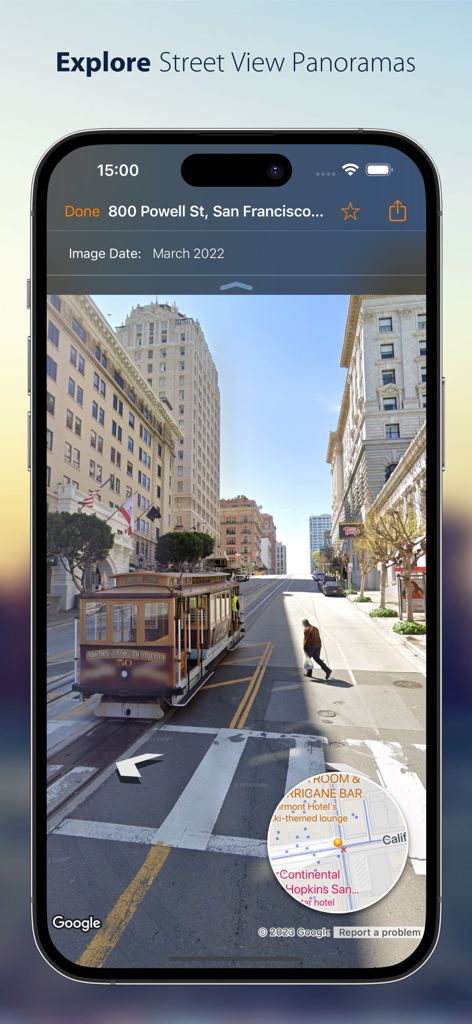
Streets - Street View Browser - Schermo di iPhone che mostra un panorama Street View di San Francisco con un tram e una mini-mappa interattiva.
Schermo di iPhone che mostra un panorama Street View di San Francisco con un tram e una mini-mappa interattiva.

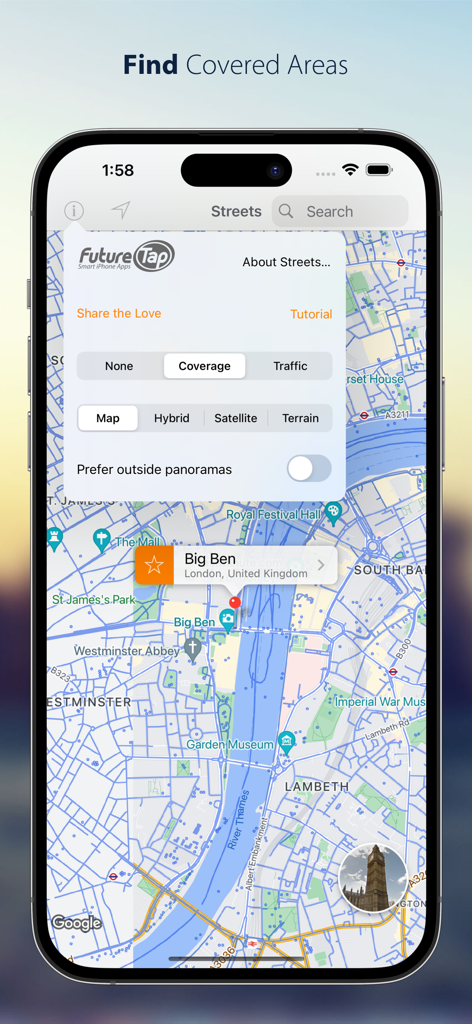
Streets - Street View Browser - Screenshot di iPhone dell'app Streets che mostra la copertura street view su una mappa di Londra con le impostazioni dello stile della mappa aperte
Screenshot di iPhone dell'app Streets che mostra la copertura street view su una mappa di Londra con le impostazioni dello stile della mappa aperte

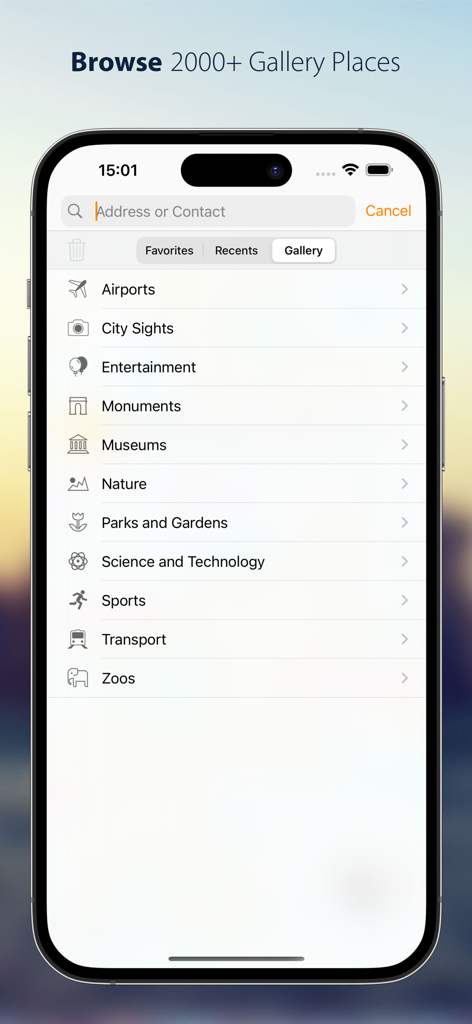
Streets - Street View Browser - Un elenco di categorie della galleria nell'app Streets che include musei, monumenti e luoghi naturali.
Un elenco di categorie della galleria nell'app Streets che include musei, monumenti e luoghi naturali.

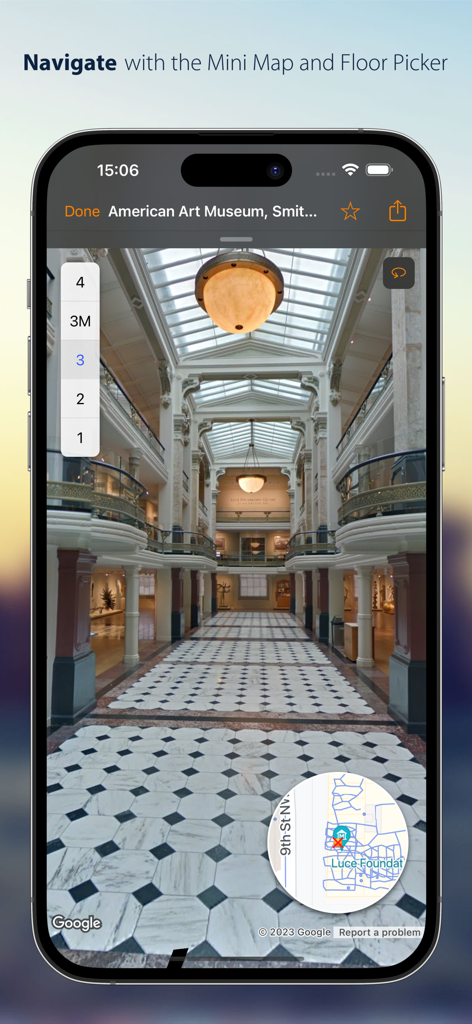
Streets - Street View Browser - Vista panoramica interna di un museo con selettore del piano e mini-mappa nell'app Streets.
Vista panoramica interna di un museo con selettore del piano e mini-mappa nell'app Streets.

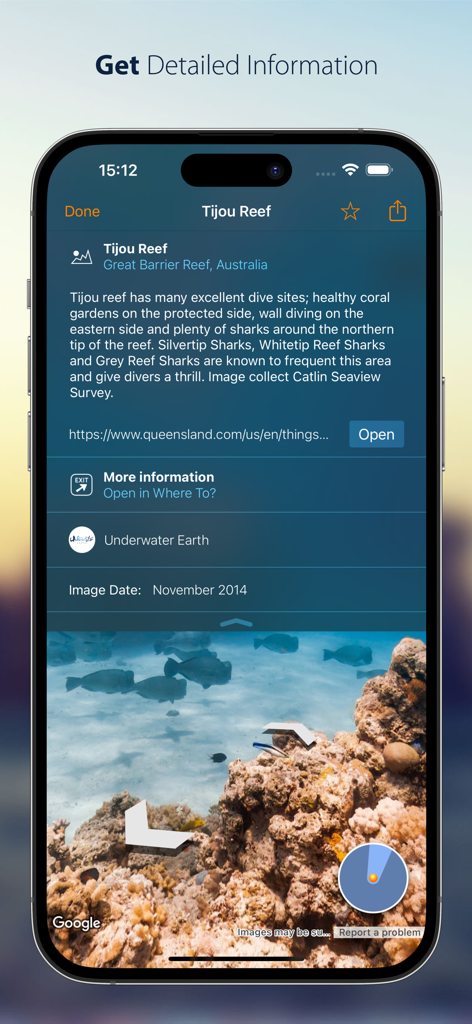
Streets - Street View Browser - Uno schermo di iPhone che mostra informazioni dettagliate e un panorama sottomarino di Tijou Reef nell'app Streets.
Uno schermo di iPhone che mostra informazioni dettagliate e un panorama sottomarino di Tijou Reef nell'app Streets.

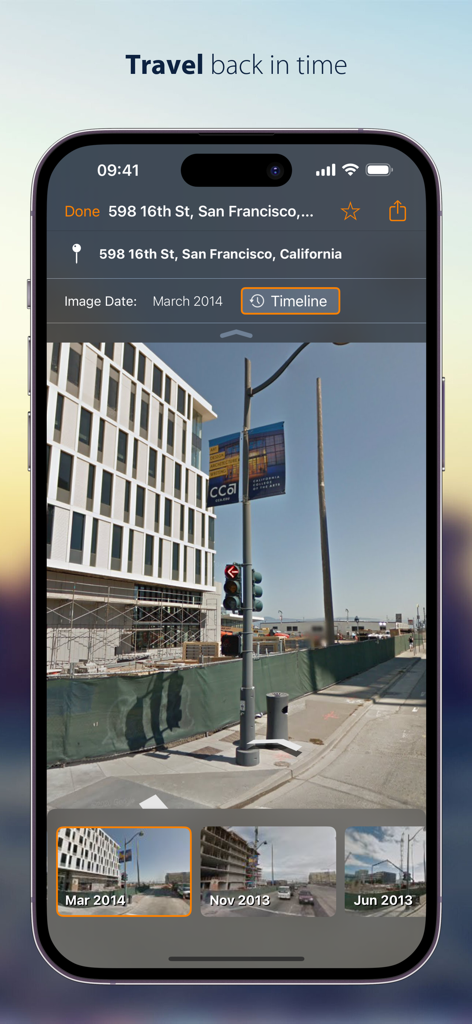
Streets - Street View Browser - Funzione Cronologia dell'app Streets che mostra panorami storici di street view di San Francisco su un iPhone.
Funzione Cronologia dell'app Streets che mostra panorami storici di street view di San Francisco su un iPhone.

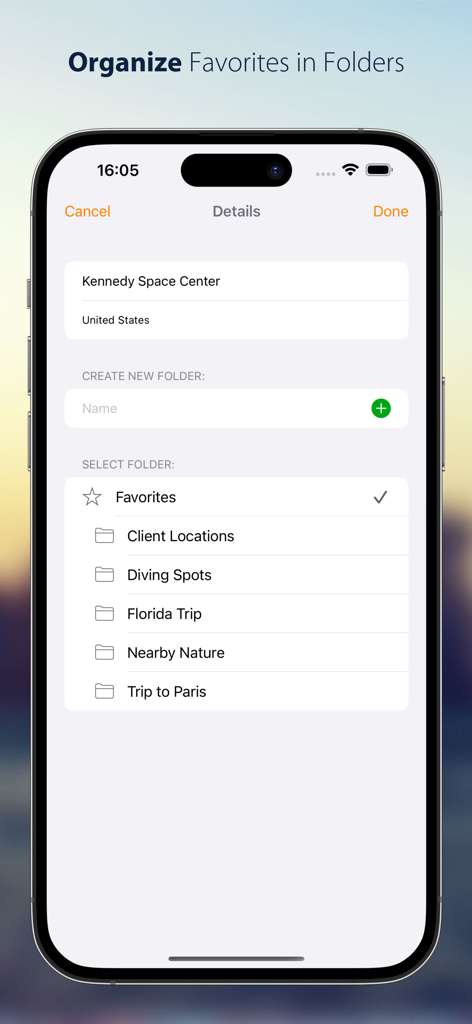
Streets - Street View Browser - Screenshot di iPhone che mostra come organizzare i panorami street view preferiti in cartelle personalizzate come Viaggio in Florida e Sedi dei Clienti.
Screenshot di iPhone che mostra come organizzare i panorami street view preferiti in cartelle personalizzate come Viaggio in Florida e Sedi dei Clienti.

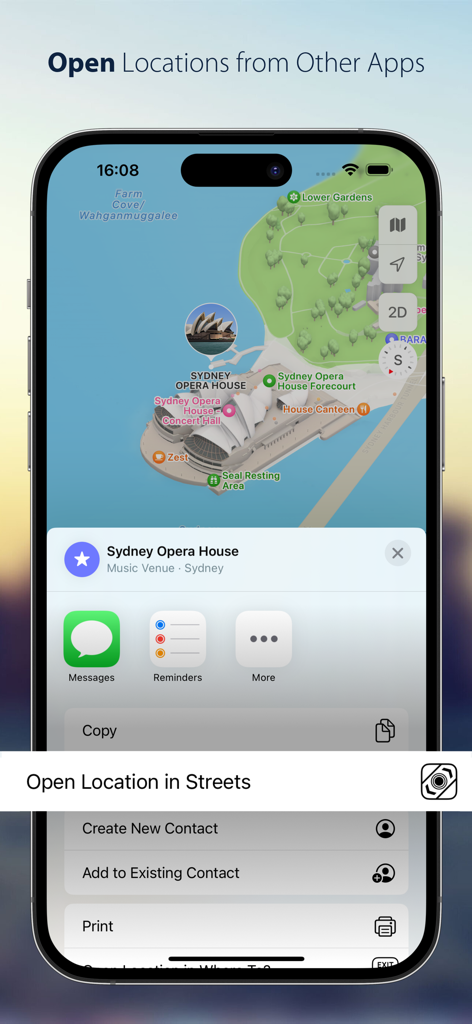
Streets - Street View Browser - Menu di condivisione iOS che mostra l'opzione per aprire una posizione sulla mappa nell'app Streets

Menu di condivisione iOS che mostra l'opzione per aprire una posizione sulla mappa nell'app Streets

Descrizione

Streets is the best way to browse Street View panoramas on iPhone, iPad and Apple Watch. CONVENIENT Drop a pin, search for a city or address or find a person from your contacts to view a nearby 360° street panorama. Street View coverage is displayed in blue. Switch the map to satellite or terrain mode or tilt and rotate the high quality vector map with 3D buildings. EASY TO USE Walking through panoramas has never been easier using the interactive, expandable mini map that also displays your viewing angle and field of view. Switch between different floors or take a trip down memory lane with “Timeline”. Virtually traveling abroad is even more immersive and fun with Live Panorama mode: Look around in the panorama simply by rotating the device. INTEGRATED WITH OTHER APPS Streets is the ideal companion to the Maps app. Launch Streets from “Maps” for any location and quickly watch the Street View panorama. On iPad, drag a pin location from the Maps app, a contact, or a textual address into the Streets app to find nearby panoramas. Even geotagged photos can be dropped in Streets to find 360° spherical images near the photo location. If you’re already using our location finder app Where To?, you’ll also be able to take advantage of tight integration with Streets to view your location and snap right back when you’re done. COMMUNICATIVE Share Street View panoramas using drag-and-drop (on iPad) or the share sheet. Handoff and AirDrop let you easily transfer the currently viewed panorama between multiple devices. Mark panoramas as favorites that are automatically synced between devices. Rename favorites and organize them in folders. 2000+ GALLERY PLACES More than 2000 hand-picked “Gallery Places” show spectacular places such as museums, castles, national parks, ski slopes and even underwater attractions. Geysers in Yellowstone national park, old masterpieces in Amsterdam’s van Gogh museum or NASA’s rocket launch pad in Cape Kennedy are just a few of the breathtaking places waiting to be explored. Gallery places also include background information such as descriptions and links. Apple Watch App Streets is the only app capable of displaying 360° Street View panoramas on the Apple Watch. Turn your wrist to turn around in the panorama. The digital crown is utilized to zoom in and out. Streets for Apple Watch automatically syncs favorites and recent searches with your iPhone. FEATURES - Supports iPad Stage Manager, Split View and Slide Over - Supports keyboard navigation (with Bluetooth or Smart Keyboard) - Mark panoramas as favorites that are automatically synced between all your iOS devices - Rename favorites and organize them in folders - Share Panoramas via email, message, or social networks - Spotlight search also finds Streets panoramas - Handoff lets you easily transfer the currently viewed panorama from iPhone to iPad or vice versa - Siri can create reminders with a link to the currently displayed panorama - Create workflows to grab and process panoramas for specified contacts or other locations WHAT OTHERS SAY “I highly recommend Streets 3.“ - John Voorhees, MacStories “it’s hard to imagine Cupertino doing it better than Streets 3” 4.5/5 mice - J.R. Bookwalter, Macworld “If you haven't migrated to Google Maps on iOS because you're OK with Apple Maps but you miss Google Street View, here's a pretty easy solution.“ - Mel Martin, Engadget “Thankfully, with Streets, you can continue using Maps and still be able to quickly pull up Street View without ever feeling like you’ve left the app.“ - Jordan Khan, 9to5Mac SOCIAL MEDIA Get to know the latest updates and news from our development lab: - Mastodon: https://urbanists.social/@streets - Facebook: http://fb.com/streetviewapp - X: @futuretap

Download

Scarica su App Store

Questa pagina non è una pagina ufficiale dell'app o del suo sviluppatore, ma una pubblicazione editoriale indipendente creata a scopo informativo e di commento. Salvo espressa indicazione contraria, né l'app né il suo sviluppatore sono affiliati, approvati, sponsorizzati, autorizzati o altrimenti ufficialmente collegati a MWM, Apple, Google Play, all'editore dell'app o allo sviluppatore dell'app, e nulla in questa pagina implica che l'app sia stata sviluppata utilizzando i servizi di MWM. Tutti i marchi, loghi, screenshot e altri contenuti rimangono di proprietà dei rispettivi proprietari.








